
Plans and pricing
Choose your SketchUp plan
Core plans
Essential
SketchUp Go
per year, per user
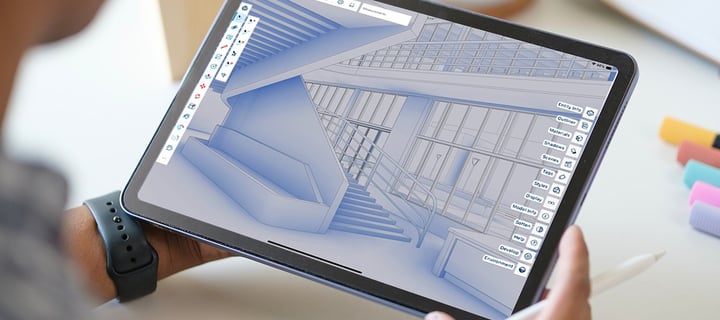
3D modelling on iPad and in the browser - sketch, mark up and share from wherever the job takes you.
Included in Go
- 3D modelling in a web browser
- SketchUp for iPad
- 3D Warehouse
- Unlimited Trimble Connect cloud storage
- DWG and DXF import and export

Professional
SketchUp Pro
per year, per user
3D modelling on desktop, web and iPad, with LayOut for 2D documentation.
Everything in Go, plus
- SketchUp for Desktop
- LayOut for 2D documentation
- Extension Warehouse
- IFC exchange
- PreDesign climate insights

Specialist
SketchUp Studio
per year, per user
Windows only. Talk to us first if your practice runs Macs.
Everything in SketchUp Pro, plus V-Ray rendering, point-cloud modelling and Revit import.
Everything in Pro, plus
- Scan Essentials for point clouds
- Revit Importer
- V-Ray photorealistic rendering
- Trimble Site Contractor
Compare plans and features
Every paid plan includes browser and iPad modelling, 3D Warehouse and unlimited cloud storage. Pro adds the professional desktop apps. Studio adds advanced visualisation, point-cloud and BIM tools.
| Feature | Go | Pro | Studio |
|---|---|---|---|
| 3D modelling in a web browser | Included | Included | Included |
| SketchUp for iPad | Included | Included | Included |
| 3D Warehouse | Included | Included | Included |
| Unlimited Trimble Connect cloud storage | Included | Included | Included |
| SketchUp for Desktop | Not included | Included | Included |
| LayOut for 2D documentation | Not included | Included | Included |
| Extension Warehouse | Not included | Included | Included |
| DWG and DXF import and export | Included | Included | Included |
| IFC exchange | Not included | Included | Included |
| PreDesign climate insights | Not included | Included | Included |
| Scan Essentials for point clouds | Not included | Not included | Included |
| Revit Importer | Not included | Not included | Included |
| V-Ray photorealistic rendering | Not included | Not included | Included |
| Trimble Site Contractor | Not included | Not included | Included |
Pro plans
Scan-to-3D
SketchUp Pro Scan
per year, per user
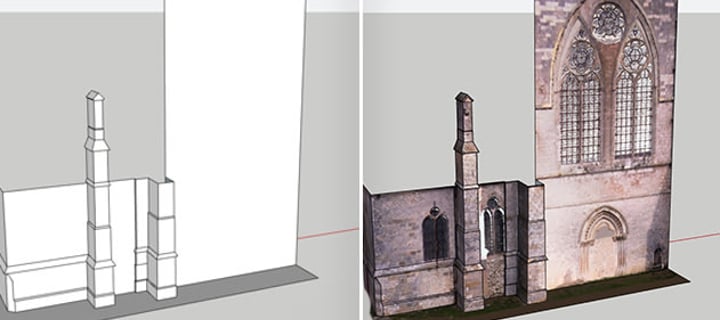
SketchUp Pro plus Scan Essentials (Windows only) - go from point cloud to model without a separate reality-capture licence.
Everything in Pro, plus:
- Scan Essentials - import RWP, LAS/LAZ, TZF, PLY and E57 point clouds
- Model directly over scan data and document it in 2D
- Trimble Field Points for layout workflows

3D-to-field
SketchUp Pro Civil Contractor
per year, per user
SketchUp Pro plus Trimble Site Contractor - turn the site model into machine-readable, field-ready data.
Everything in Pro, plus:
- Trimble Site Contractor - surfaces, cut-and-fill volumes and machine files
- Connect models with the Trimble Siteworks ecosystem
- Import field data into SketchUp to model precisely

Interoperable
SketchUp Pro Advanced Workflows
per year, per user
Everything in SketchUp Pro, plus Scan Essentials, Revit Importer and Trimble Site Contractor - one subscription for teams working between scan, BIM and site.
Everything in Pro, plus:
- Scan Essentials for point-cloud import and modelling
- Revit Importer - clean SketchUp geometry from .rvt files
- Trimble Site Contractor for 3D-to-field site workflows
Compare Pro plans and features
| Feature | Pro Scan | Pro Civil Contractor | Pro Advanced Workflows |
|---|---|---|---|
| Everything in SketchUp Pro | Included | Included | Included |
| Scan Essentials for point clouds | Included | Not included | Included |
| Trimble Site Contractor | Not included | Included | Included |
| Trimble Field Points | Included | Included | Included |
| Revit Importer | Not included | Not included | Included |
Education

For students
SketchUp for Students
per year, per user
Eligibility is verified at checkout with proof of current enrolment.
The higher-education SketchUp toolset for verified New Zealand students, at education pricing.
Tackle any assignment with:
- The professional toolset on desktop, web and iPad
- Photorealistic visuals, plus point-cloud tools (Windows only)
- 1,000+ extensions for tailored workflows

For educators
SketchUp for Educators
per year, per user
Eligibility is verified at checkout with proof of teaching status.
The higher-education SketchUp toolset for verified New Zealand teachers, lecturers and tutors.
Inspire your classroom with:
- Desktop, web and iPad modelling platforms
- Unlimited cloud storage on Trimble Connect
- Point-cloud import (Windows only) and photorealistic materials

For institutions
For schools and universities
Pricing depends on the institution - we will confirm the right route.
Free SketchUp for Schools for primary and secondary; tiered volume pricing for universities and polytechs.
Routes we arrange:
- SketchUp for Schools - free with a Google or Microsoft education account
- Tiered per-seat pricing for universities and polytechs
- Network lab licensing for campus computer suites
SketchUp licensing questions
Which SketchUp plan should I choose?
Choose Go for browser and iPad modelling, Pro for professional desktop modelling and LayOut, or Studio when you also need rendering, point-cloud tools or Revit import.
Can I try SketchUp before buying?
Yes. Trimble offers a free 7-day SketchUp Studio trial so you can evaluate the full toolkit before choosing a plan.
Do I get local support when I buy through Procadsys?
Yes. Our New Zealand team can help with licence setup, installation and renewals.
Are prices in New Zealand dollars and do they include GST?
All plan prices on this page are shown in New Zealand dollars and exclude GST. GST is calculated at checkout.