Kubotek KeyCreator CAD/CAM
Change any model without rebuilding it
KeyCreator is history-free, direct modelling CAD. Open geometry from almost any source, select what needs to change and change it: no feature tree to plan, protect or rebuild, and no unrecognised features holding up the job.
It suits designers who work around supplied files, make one-off builds or handle late design changes, from mould makers to machinery and tooling designers. Professional CAD Systems supplies KeyCreator in New Zealand, with advice on the right edition and licence.
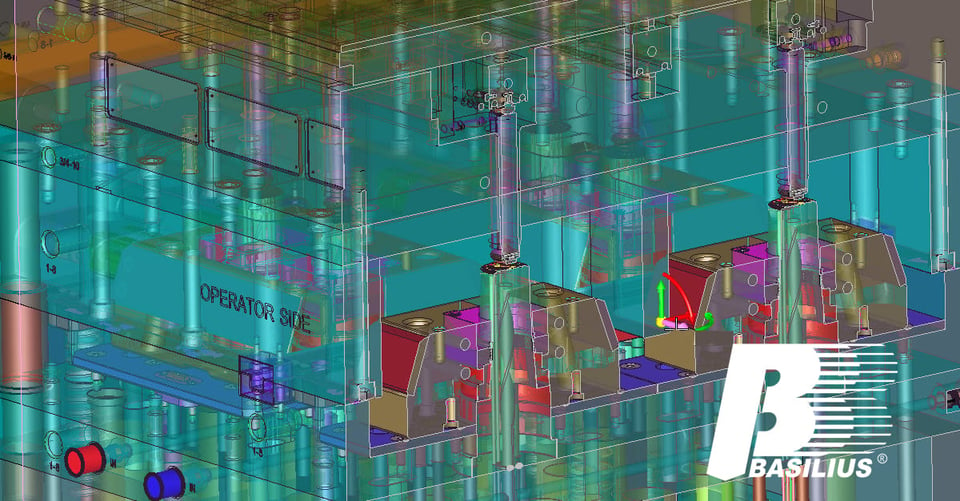
KeyCreator at a glance
Where it fits
Built for work that never goes to plan
A feature history pays off when a design is planned up front and revised along predictable lines. When the work is one-off, supplied by someone else or changing at short notice, editing the geometry directly is faster.
One-off and custom builds
Facilities adaptations, fixtures and custom pieces go from first sketch to production-ready without building a history you will never reuse.
Models from outside sources
Work directly with customer and supplier geometry, whatever system created it, instead of fighting features the software does not recognise.
Late manufacturing tweaks
When a part needs a change the design never accounted for, adjust the geometry and get back to making it.
Damaged and outdated files
Open problem models from older or outside CAD systems, repair them and convert them back to solids rather than rebuilding from scratch.
Simple file management
Keep parts, assemblies and drawings in one file for as long as it suits you, and move sub-assemblies into referenced files when a project gets large.
Geometry interrogation
Measure and characterise any model: interferences, volume and centre of mass, curve lengths and areas, and distances across positions and objects.
Edit the geometry, not the history
Select faces, edges, curves or whole solids and change them directly, whichever CAD system the model came from. Three tools do most of the work.
Make a precise 3D edit with a dimension, then delete it and move on, without planning the whole model around it.
Build simple shapes from a library of primitive solids, snapping positions, curves and planes off existing models without unintended relationships.
Grab and drag faces, entities or both to modify a model on the fly.
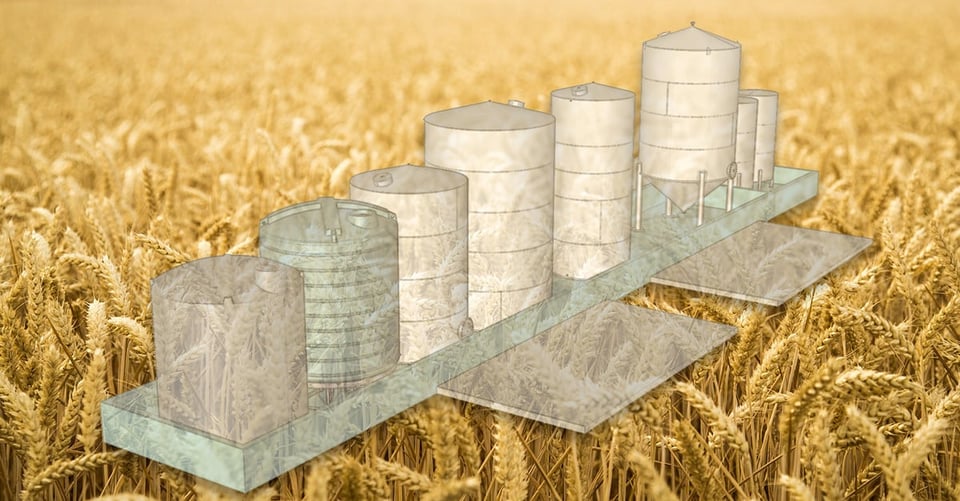
Machinery one day, facility layouts the next
When the work is production machinery one day, custom equipment the next and a facility layout after that, KeyCreator gives you a freedom parametric modellers cannot. Kubotek Kosmos tells how an agricultural business puts that to work.
Quick answers for extrusion tooling customers
Keeping things simple lets a tooling shop respond quickly to customers without giving up pro-level CAD. Kubotek Kosmos tells how Southeastern pulls ahead in extrusion tooling with KeyCreator.
Features
Features and highlights
Availability varies by package. Tell us which tools you need and we will confirm the package that includes them.
Drafting and detailing
Traditional 2D drawing tools with a complete set of dimensions, details and symbols for mechanical drawing standards around the world, plus associative drawings with views generated from 3D models.
Fasteners and structural elements
Generate standard mechanical elements, structural elements and fasteners from industry-standard sizes, fits and functions. Not available in Limited.
Interference checking
Find intersecting areas on assembled models and display them graphically. Not available in Limited.
Draft angle analysis
Run a draft angle or mould extraction analysis against a defined draw direction. Not available in Limited.
Advanced surface modelling
Generate surfaces tangent to, or at a draft angle from, existing surfaces, or project them from a set of curves. Not available in Limited.
Motor-based animation
Animate assemblies and run motion studies with collision detection. Prime Premium and Pro Max only.
Compare KeyCreator editions
Drafting covers 2D drawing, CAD import and model repair. Prime adds direct 3D modelling, and Pro adds the full toolset, including toolpath generation in the Pro Max package.
| Feature | Drafting | Prime | Pro |
|---|---|---|---|
| Comprehensive 2D drafting and associative drawings | Included | Included | Included |
| CAD import (formats depend on package) | Included | Included | Included |
| Visualise, verify and repair CAD data | Included | Included | Included |
| Direct 3D modelling | Not included | Included | Included |
| Special user functions (feature trees, BOM, tagging, view windows) | Not included | Not included | Included |
| Toolpath generation (2- to 3-axis milling and wire EDM, Pro Max package) | Not included | Not included | Included |
| Custom macros in KXL | Included | Included | Included |
| Extended customisation and third-party CDE applications | Not included | Not included | Included |
| Windows 10 and 11, on-premises installation | Included | Included | Included |
| Permanent licence option | Not included | Included | Included |
Data exchange
Check your file formats
Kubotek Kosmos publishes a read and write chart for each edition. Check the formats you exchange before you choose.
Learn more
More from Kubotek Kosmos
What is direct modelling?
How history-free modelling differs from parametric CAD, and when each one fits.
Basilius: mould making
How an injection mould maker handles a wide range of model sources and constantly changing customer requirements with KeyCreator.
KeyCreator reviews
See what fellow CAD users say about working in KeyCreator.
KeyCreator FAQs
What is direct modelling, and how is it different from parametric CAD?
Parametric CAD records every feature in a history tree, which pays off when a design is planned up front and revised in predictable ways. Direct modelling works on the geometry itself: select faces, edges or solids and change them, whether you built the model or it arrived from someone else. KeyCreator pioneered this history-free approach, so unplanned changes and outside files do not mean rebuilding the model.
Which KeyCreator edition do I need?
Drafting covers 2D drawing, CAD import, and viewing, verifying and repairing models. Prime adds direct 3D modelling and the permanent licence option. Pro adds the full set of special user functions, extended customisation and, in the Pro Max package, toolpath generation. Tell us what you design and which files you receive, and we will recommend the right edition and package.
Can KeyCreator open files from other CAD systems?
Yes. Every edition reads drawings and models from numerous CAD formats, and the exact formats depend on the package. Kubotek Kosmos publishes a read and write chart for each edition, and we can check your formats before you buy.
Can KeyCreator fix corrupted or damaged models?
Often, yes. KeyCreator can open problem files from outside or outdated CAD systems, repair the geometry and convert it back to a solid, which saves rebuilding the model from scratch. Its verify tools also report interferences, volume, centre of mass and other properties of bodies and assemblies.
Does KeyCreator include CAM?
The KeyCreator Pro Max package includes 2-axis through 3-axis milling and wire EDM toolpath generation, so straightforward NC work does not need a separate CAM system.
What does KeyCreator run on, and how is it licensed?
Current versions run on Windows 10 and 11 as an on-premises installation. Floating network licences share a pool of seats across a team. Prime and Pro can also be bought on a permanent licence instead of an annual lease, usually with annual maintenance for support and updates.
I used CADKEY. Will KeyCreator feel familiar?
KeyCreator grew out of CADKEY, first released in 1984. KeyCreator Pro offers CADKEY-style menus: pull-down text menus or icon palettes in the CADKEY for Windows style, plus an optional function-key driven menu.