Capabilities
What Design X does
History-based CAD modelling and 3D scan processing in one application.
Device integration
Capture directly inside Design X, or work with scan data exported from any scanner. Plus and Pro add scanner plugins and probing.
Mesh and point cloud processing
Clean, align, merge and repair large datasets with tools built for millions of points rather than general-purpose CAD geometry.
Surfacing
Automatic and selective surfacing fits accurate surfaces to the mesh, so organic shapes come through as usable geometry rather than a frozen mesh.
Direct CAD integration
Transfer the editable feature tree into CAD with LiveTransfer.
Real-time analysis
The Accuracy Analyser compares the model you are building against the original scan as you work, so deviation is caught while it is still cheap to fix.
Modelling wizards
Guided and automated tools extract planes, cylinders, fillets, drafts and regions from the mesh and rebuild them as real features.
From physical part to editable CAD
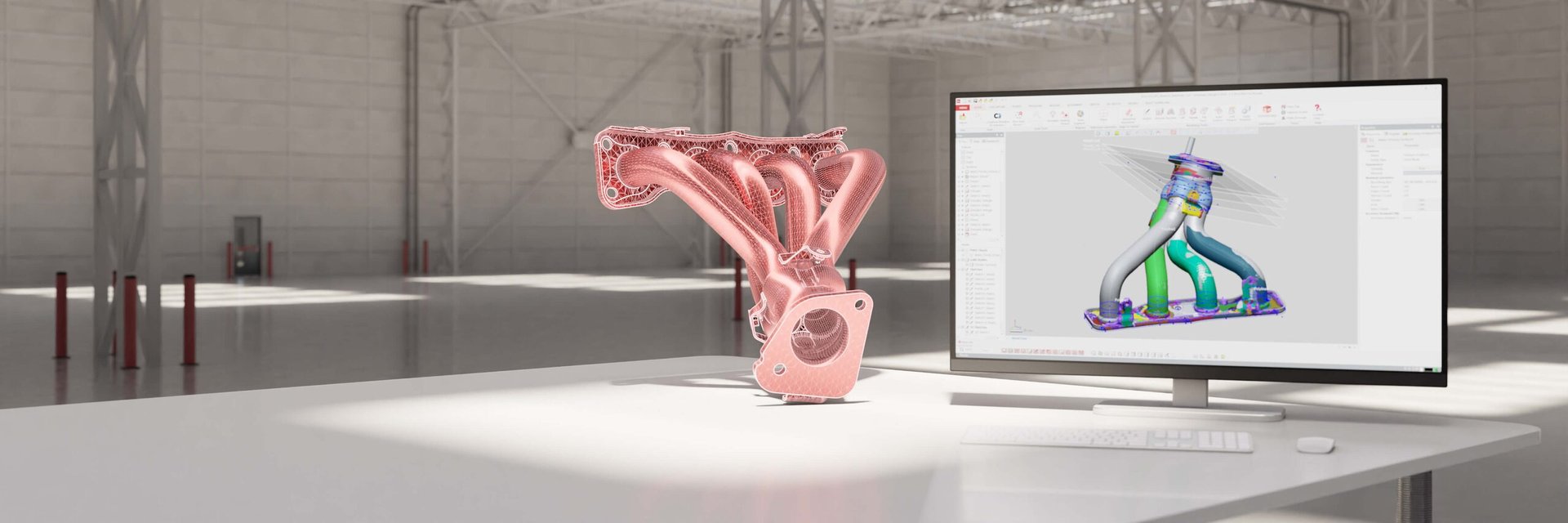
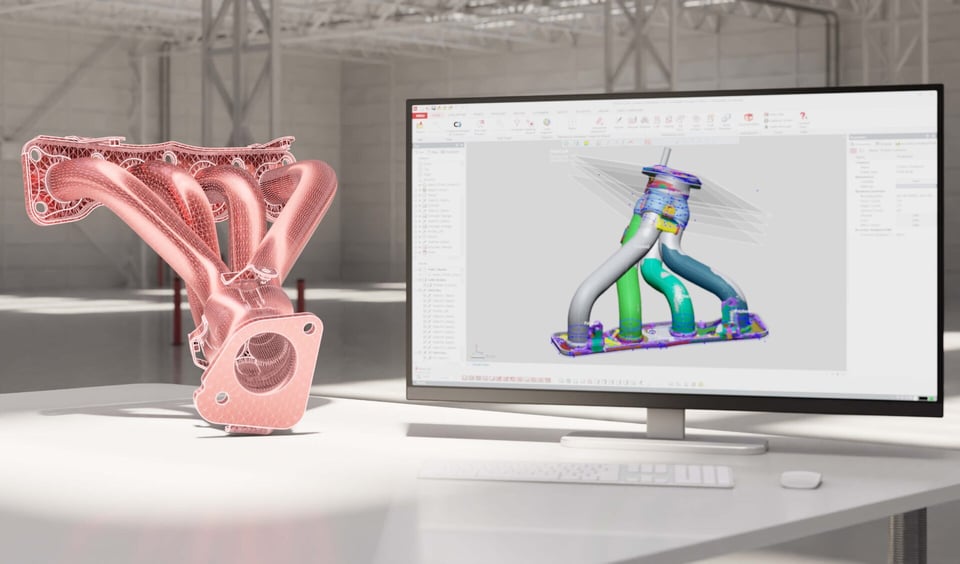
Design X segments the scanned mesh into regions, rebuilds sketches and features against the real geometry, and transfers the finished part to a supported CAD system with its feature history, so it stays editable.
Editions
Three editions, one workflow
Every edition imports scan data and passes a model to your CAD system. Higher editions add more automated tools for complex parts.
Design X Go
The starting point for reverse engineering work that lands in CAD.
- Works with data from any scanner
- Point cloud and mesh editing
- Basic solid and surface modelling
- LiveTransfer to your CAD package
Design X Plus
An enhanced toolset that talks to your scanner directly, for more complex parts.
- Everything in Go
- Scanner plugins and probing
- Advanced solid and surface modelling
- Auto Surface with selective surfacing
- Detailed Accuracy Analyser
Design X Pro
The full toolset for complex parts and repeat production work.
- Everything in Go and Plus
- Guided and automated modelling wizards
- Advanced point cloud and mesh repair
- Advanced alignment tools and wizards
- Native CAD import and export
- Scan process and batch automation
Compare Design X editions
Tell us which parts you need to reverse engineer and we will tell you which edition covers them.
| Feature | Design X Go | Design X Plus | Design X Pro |
|---|---|---|---|
| Scanner interfaces | ✓ | ✓ | ✓ |
| Scanner plugins and probing | ✖ | ✓ | ✓ |
| Standard mesh, point cloud, DXF and CAD import/export | ✓ | ✓ | ✓ |
| Native CAD format import/export | ✖ | ✖ | ✓ |
| Mesh and point cloud repair and editing | ✓ | ✓ | ✓ |
| Advanced mesh editing and wizards | ✖ | ✖ | ✓ |
| Roll/unroll scan and texturing | ✖ | ✖ | ✓ |
| Manual and automatic alignment | ✓ | ✓ | ✓ |
| Advanced alignment tools and wizard | ✖ | ✖ | ✓ |
| Automatic region segmentation | ✖ | ✖ | ✓ |
| Basic solid and surface modelling | ✓ | ✓ | ✓ |
| Advanced solid and surface modelling and editing | ✖ | ✓ | ✓ |
| 3D mesh sketch | ✖ | ✓ | ✓ |
| Auto-Sketch and modelling wizards | ✖ | ✖ | ✓ |
| Auto Surface with selective surfacing | ✖ | ✓ | ✓ |
| Exact surfacing | ✖ | ✖ | ✓ |
| Detailed Accuracy Analyser | ✖ | ✓ | ✓ |
| LiveTransfer to SOLIDWORKS, Inventor, Creo, NX and AutoCAD | ✓ | ✓ | ✓ |
| Scan process and batch automation | ✖ | ✖ | ✓ |
Where it fits
Jobs that start with a part and end in CAD
Legacy and obsolete parts
Re-create worn or discontinued components with no drawings, so they can be remade, improved or held as a digital spare.
Tooling, jigs and fixtures
Design tooling to fit scanned as-built geometry.
Parts that fit existing components
Design new components against scanned mating faces, mounting points and clearances rather than estimated dimensions.
Repair, remanufacture and maintenance
Model worn surfaces and damaged sections so repairs, weld builds and replacements can be planned before the machine comes apart.
Geomagic Design X questions
Which 3D scanners does Design X work with?
Design X reads scan data from any 3D scanner through standard mesh and point cloud formats, so your existing device is not a barrier. Plus and Pro add direct scanner plugins and probing, including Hexagon, FARO and Scantech hardware. Tell us what you scan with and we will confirm how it connects.
Which CAD systems can Design X hand a model to?
LiveTransfer sends the model with its design history into SOLIDWORKS, Inventor, Creo, NX and AutoCAD, so the feature tree stays editable in your CAD system. Where LiveTransfer is not available, standard exchange formats cover the hand-off, and Pro adds native CAD import and export.
How is Design X different from Control X?
Design X is for creating geometry: it turns a scan into a parametric CAD model. Control X is for checking geometry: it compares a scan against CAD or against another scan and reports the deviation. Teams that both remake and inspect parts usually run the two together.
What licensing is available in New Zealand?
Design X is available on perpetual and subscription licences, for commercial and education use, with the Geomagic Maintenance Program covering upgrades and support. We quote, invoice and support it locally in New Zealand dollars.
What are the minimum system requirements?
Hexagon lists 64-bit Windows, a 2.0 GHz or faster Intel or AMD processor, 8 GB of RAM, 30 GB of free disc space, a 1280x960 display and an OpenGL 3.0 graphics card with 4 GB or more of memory. Those are minimums: real scan datasets run far better on a workstation specified above them, and we are happy to review yours.
Can we evaluate it first, and is training available?
Yes to both. Evaluation licences are available through Hexagon, and we arrange them along with a scoped demonstration on your own parts. Training is delivered by our New Zealand team.