


SketchUp Studio for students: turn course ideas into 3D designs
Get the higher-education SketchUp toolset for modelling, documentation, analysis and presentation, with discounted one-year licensing for eligible New Zealand students.
One education subscription
From first sketch to final presentation
Work in the tools used across architecture, design, construction and the built environment.

Model on desktop, web and iPad
Develop accurate 3D ideas in the full desktop modeller, continue in a browser, or sketch and mark up on iPad.
- SketchUp for Desktop
- SketchUp for Web
- SketchUp for iPad
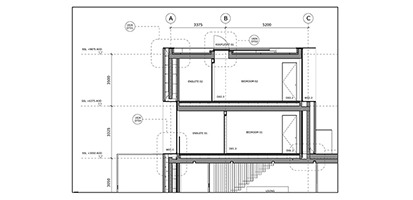
Build a complete submission
Turn the model into plans, elevations, sections and presentation sheets in LayOut.
- Model-linked viewports
- 2D documentation
- Presentation and print output
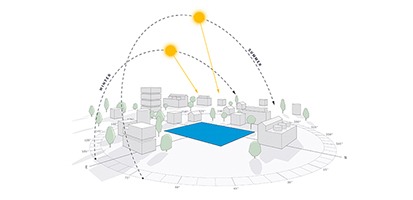
Test performance early
Use PreDesign and Sefaira to bring climate, energy, daylight and thermal-comfort thinking into coursework.
- PreDesign climate insights
- Sefaira analysis
- Context-led design decisions
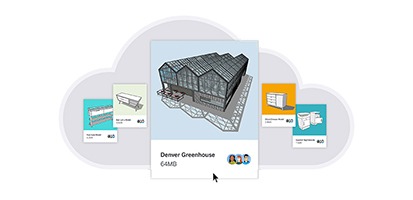
Import, extend and share
Bring in Revit files, find ready-made content, add extensions and keep project files accessible through Trimble Connect.
- Revit Importer
- 3D Warehouse and Extension Warehouse
- Trimble Connect

Student eligibility
You must be enrolled at an accredited New Zealand educational institution and have at least three months of study remaining. The licence is for learning and coursework, not commercial projects.
Provide a current student ID showing your name and an expiry date more than 3 months away.
The subscription runs for one year and includes updates released during that term.
Use your Trimble ID on up to two devices and deauthorise an old device when you change machines.
Paid client work and other commercial use require a standard SketchUp subscription.
Buying your licence
From cart to activated software
1Add it to your cart
Add SketchUp for Students to your cart from the pricing card on this page.
2Verify your student status
Sign in or create your account, then upload clear current student evidence when prompted. We review it locally.
3Activate with your Trimble ID
Once approved and processed, use your Trimble ID to access the included applications and services.
Professional tools, education terms
The higher-education suite provides professional tools for study. V-Ray is not included.

SketchUp for Students pricing

For students
SketchUp for Students
per year, per user
Eligibility is verified at checkout with proof of current enrolment.
The higher-education SketchUp toolset for verified New Zealand students, at education pricing.
Includes:
- The professional toolset on desktop, web and iPad
- Photorealistic visuals, plus point-cloud tools (Windows only)
- 1,000+ extensions for tailored workflows
Student licence FAQs
Who qualifies for a student licence?
Current students at accredited New Zealand educational institutions qualify when they have at least three months of study remaining. If your situation is unusual, ask us before purchasing.
What evidence do I need?
Provide a clear current student ID showing your name and an expiry date more than 3 months away.
What applications are included?
The suite includes SketchUp for Desktop, Web and iPad, LayOut, Sefaira, PreDesign, Scan Essentials (Windows only), Revit Importer, Trimble Connect, 3D Warehouse, Extension Warehouse and supported viewers. V-Ray is not included.
How long does the licence last?
The subscription is valid for one year from purchase. Updates released during the active term are included. Continuing students can buy a new student subscription subject to current eligibility.
Can I install it on more than one computer?
The named-user subscription supports up to two activations. Deauthorise an old device from your Trimble account before signing in on a replacement.
Can I use it for freelance or paid work?
No. Education licences cannot be used for commercial work. Choose a standard SketchUp subscription for freelance, employment or client projects.
Is SketchUp for Schools the same product?
No. SketchUp for Schools is a free browser-based modeller for eligible primary and secondary schools. This student subscription is the broader higher-education toolset.