
Transmutr is a standalone app for preparing 3D assets for SketchUp. Import a model, reduce its face count, convert its materials and export a SketchUp file or a render proxy.
Transmutr 2 adds faster simplification, new preview modes, materials-only conversion and Blob proxies. Choose an annual Artist, Studio or Creator licence to match how you work.
What's new
Transmutr 2Faster simplification and more ways to preview assets
Faster response with heavy models and terrain scans.
- Improved
Faster magic simplification
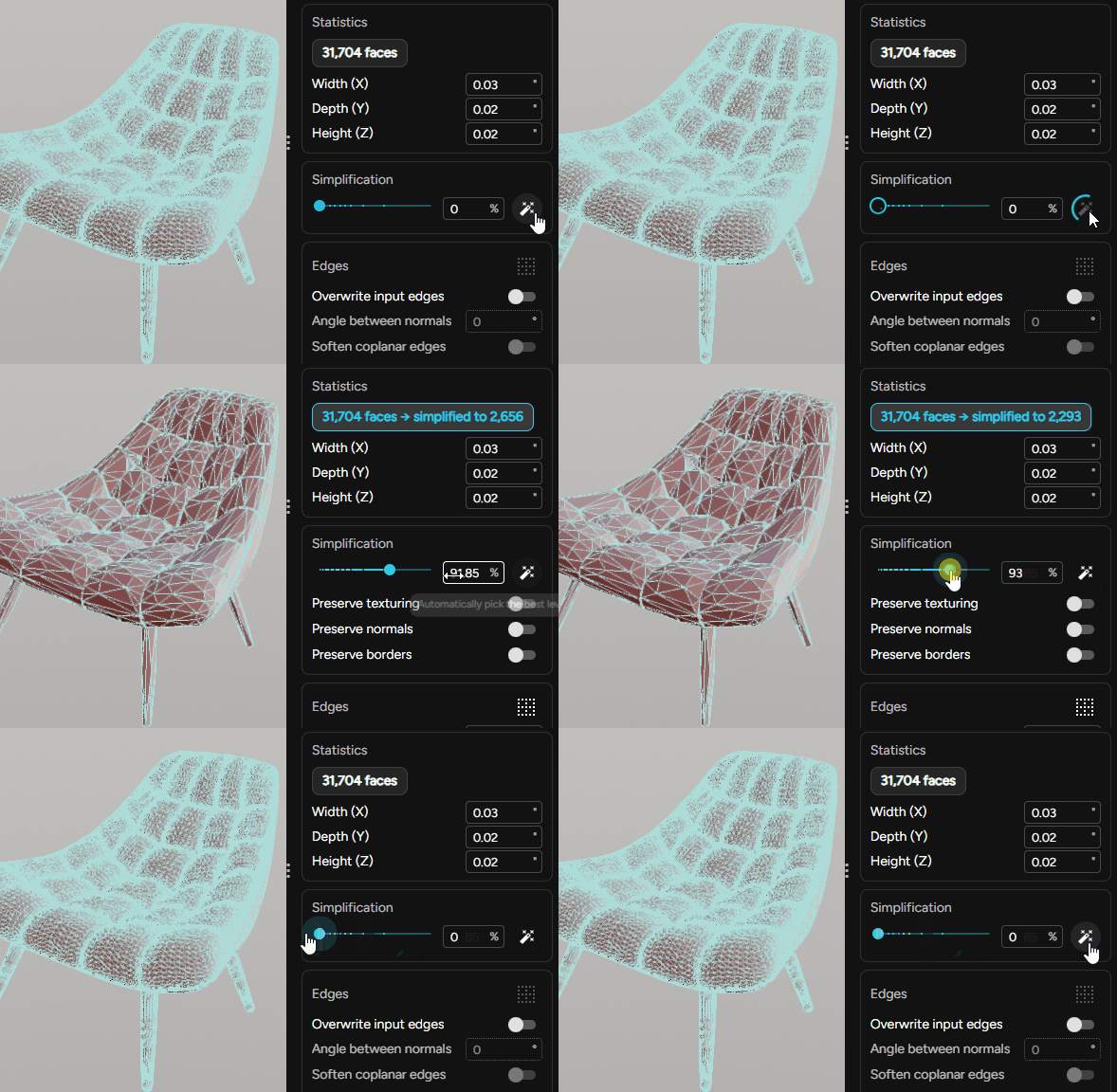
The magic wand finds a simplification level automatically. Adjustments update in real time as you move the slider.
- New
New preview modes
Preview materials in Render mode with ten environments and lighting conditions, or inspect geometry in Monochrome mode.
- New
Materials-only conversion
Drop in a set of textures to create a material, with each texture assigned to the right slot.
- New
Blob proxies
Use a convex-hull volume to show an object's shape without displaying the full geometry.
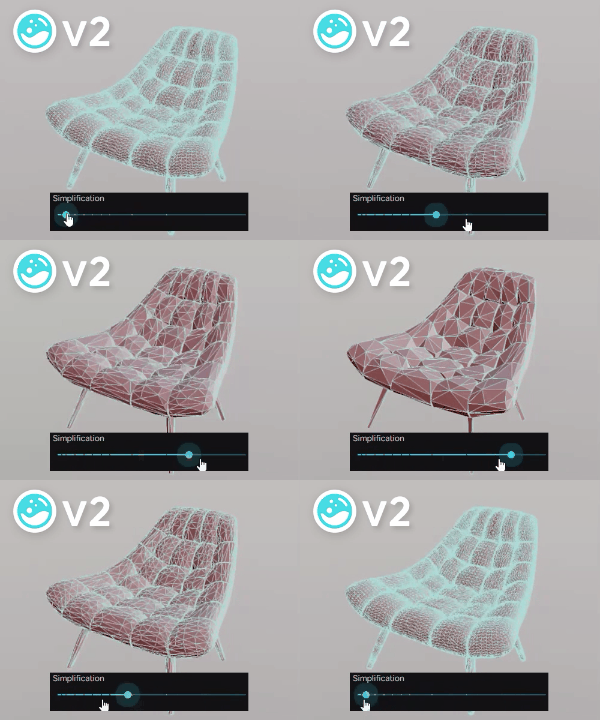 Read the Transmutr 2 release notes
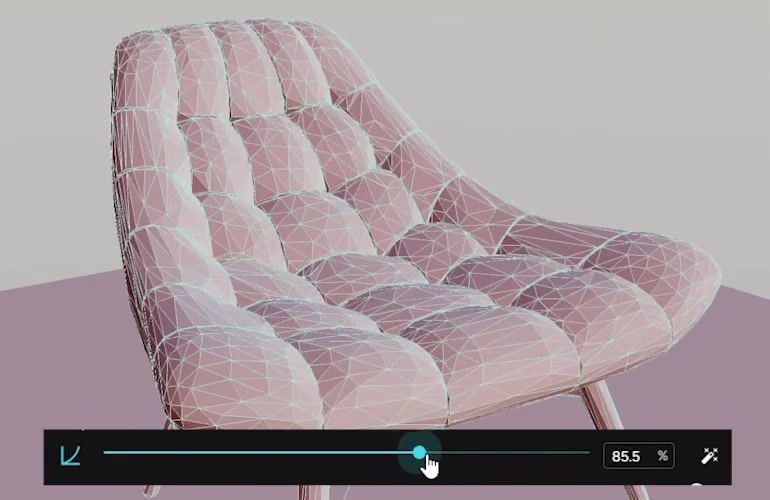
Reduce geometry in real time
Take a model with millions of faces down to a few thousand or a few hundred while keeping its shape. Move the simplification slider and see the result immediately.
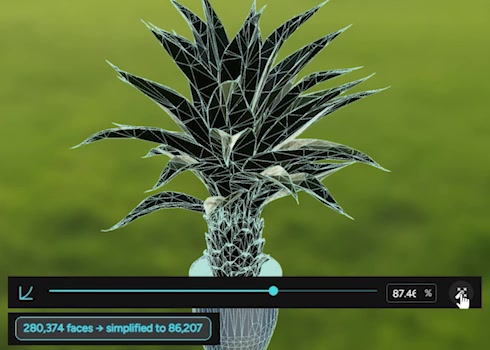
Let the magic wand choose
The magic wand finds a suitable simplification level automatically. Use it as a starting point, then adjust the result to suit your model.
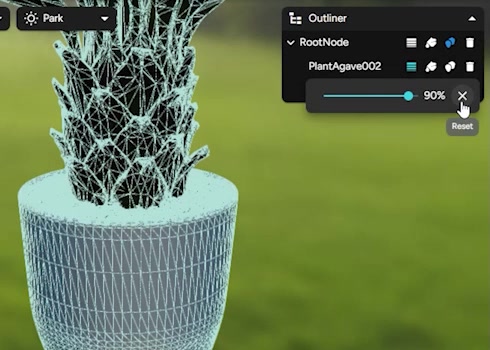
Set detail object by object
Use the Outliner to organise the model and apply per-object simplification overrides. Keep detail where it matters and reduce it elsewhere.
Prepare materials for rendering
Transmutr reads material data from the source and creates render-ready materials for SketchUp, V-Ray and Enscape. Create, duplicate and assign PBR materials, then check them in the preview.

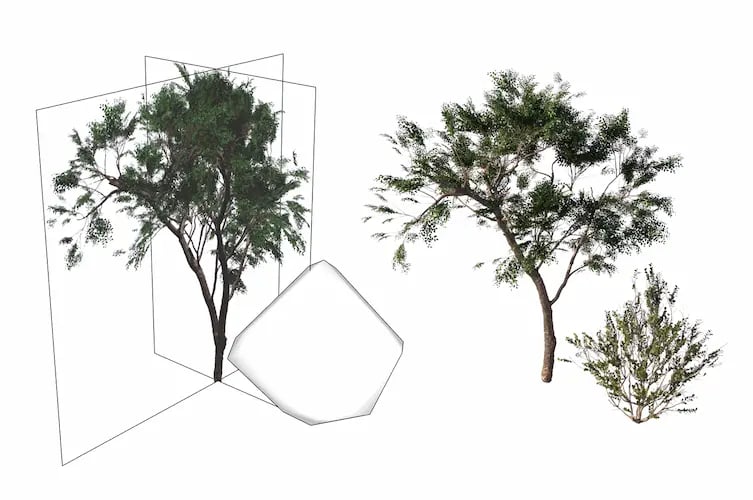
Keep full detail outside the SketchUp model
Generate V-Ray and Enscape proxies in one click. Blob proxies show the volume of an object, while automatic billboards provide another lightweight display option.
Convert a set of textures into a material
Drop texture files into Transmutr without importing a 3D model. Materials-only conversion assigns the textures to their slots and creates a material you can use in SketchUp.
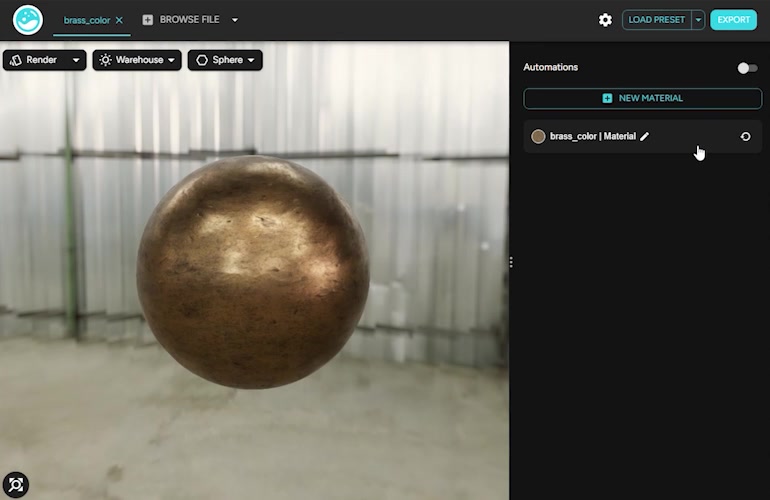
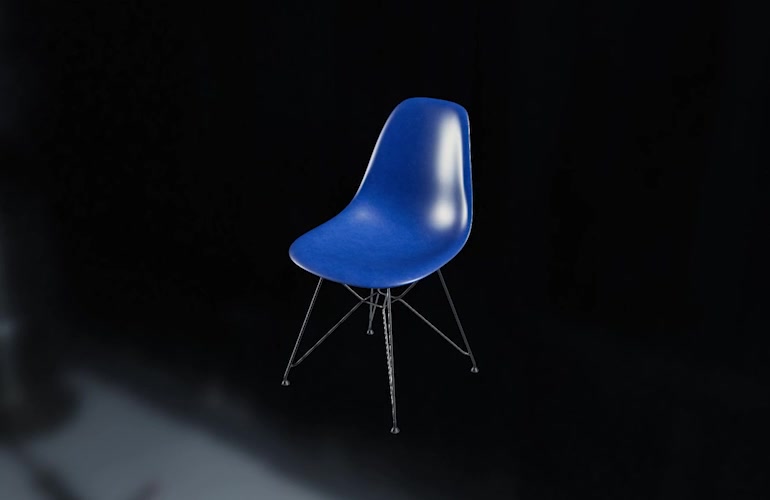
Correct units, scale and axes before export
Set the units, scale and orientation during conversion. Transmutr keeps a clean hierarchy and connects to SketchUp automatically, even when launched on its own.
Export to the Enscape Asset Library
Send converted assets directly to the Enscape Asset Library for use in your projects.
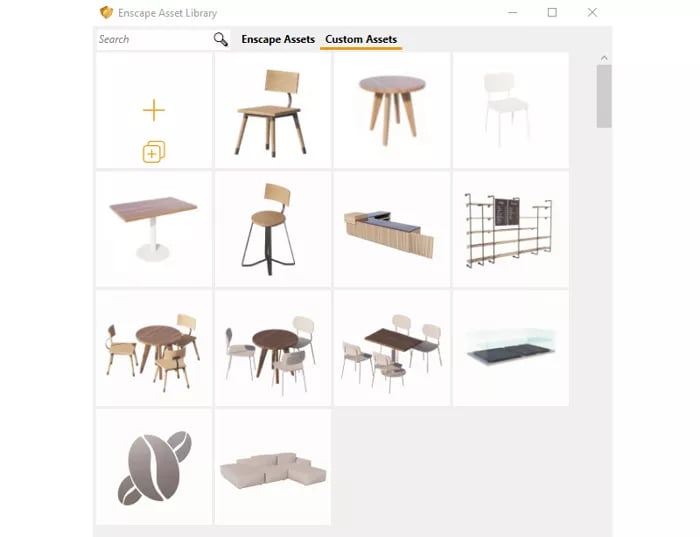
Import from familiar asset libraries
Dedicated import paths for Poliigon, Humano, Poly Haven, Quixel Megascans and other sources handle materials, scale and orientation.
Tools for teams and asset production
Studio adds batch conversion and material automations. Creator includes Studio features and adds commercial asset sales, scripting and server processing.

Batch conversion with Studio
Convert multiple files in one batch instead of processing each asset separately.
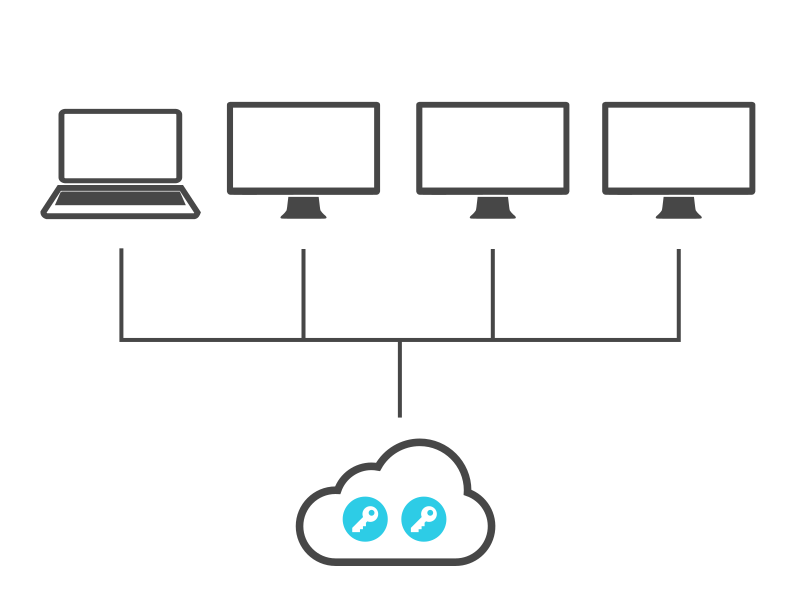
Floating licences
Studio and Creator can be installed anywhere. The number of concurrent users is limited by the number of seats.
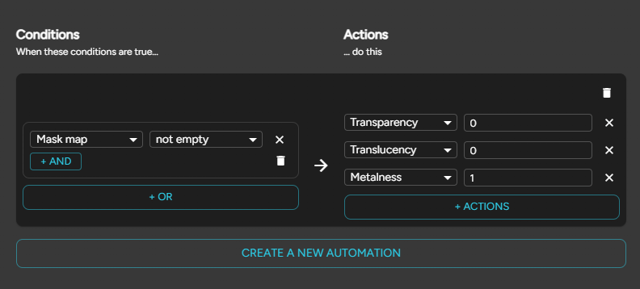
Material automations with Studio
Apply material automations when processing assets.
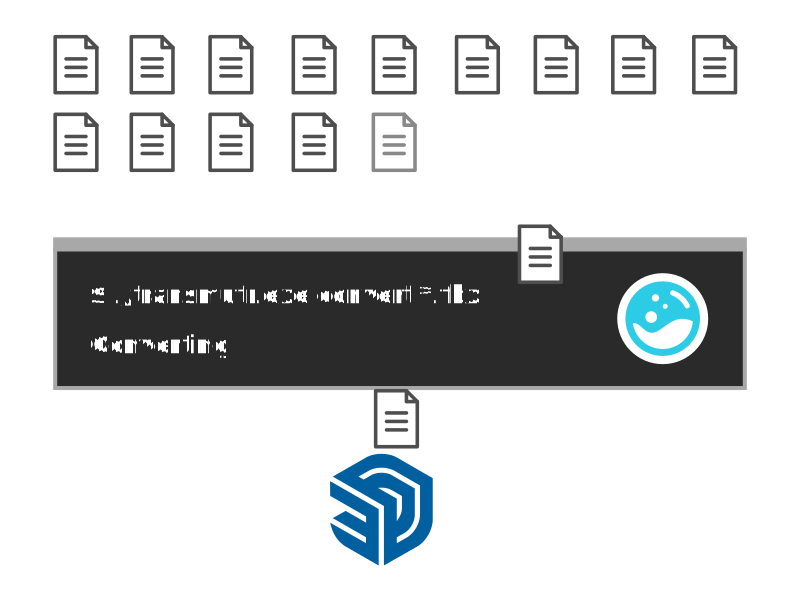
Scripting and sales with Creator
Use scripting and the command line for large-scale processing, including server deployment. Creator permits selling generated files.
Transmutr previews and renders
Each proxy pair shows the lightweight object in the SketchUp viewport, then the full-detail render.


Compare Transmutr editions
Choose an edition by licence type and workflow. Creator is required to sell generated files outside the Artist and Studio exceptions.
| Feature | Artist | Studio | Creator |
|---|---|---|---|
| Licence term | Annual | Annual | Annual |
| Licence type | Fixed seat; install on two computers | Floating; install anywhere, concurrent use per seat | Floating; install anywhere, concurrent use per seat |
| Import, simplification, materials and proxies | Included | Included | Included |
| Batch conversion and material automations | Not included | Included | Included |
| Scripting, command line and server processing | Not included | Not included | Included |
| Sell generated files | Restricted to commission work for the commissioner, or exclusive 3D Bazaar sales | Restricted to commission work for the commissioner, or exclusive 3D Bazaar sales | Allowed |
Transmutr 2 FAQs
Which file formats can Transmutr import?
Models: FBX, GLTF/GLB, USD/USDZ, OBJ, SKP, 3DS, DAE and STL. Images: PNG, JPG, EXR, HDR, TIFF, BMP, DDS, TGA and GIF. Transmutr also accepts ZIP archives and folders.
Which software and operating systems does it support?
Transmutr creates files for SketchUp 2021 and later, V-Ray 7 and later, and Enscape 4 and later. It runs on Windows 10/11 or macOS 26 (Tahoe) and later. Lindale specifies a quad-core processor at 3 GHz or faster and at least 8 GB of RAM.
Are Transmutr 2 licences annual?
Yes. Artist, Studio and Creator are annual licences. Artist is fixed seat; Studio and Creator are floating licences.
I own Transmutr v1. How do I upgrade?
Contact us about a v1 upgrade. We arrange it through Lindale.
Are education licences available?
Students and educators can contact us about education licensing.
Transmutr or Skimp - which do I need?
Transmutr prepares files on their way into SketchUp, including material conversion and render proxies. Skimp imports and simplifies models and can simplify geometry already inside your SketchUp model. Choose based on whether you need asset preparation for rendering or model clean-up.
Can I buy Skatter and Transmutr together?
The Skatter + Transmutr Artist annual bundle includes fixed-seat licences for both products.
Can I sell the files I create?
Creator permits selling generated files. Artist and Studio restrict sales to commission work for the commissioner only, or exclusive sales through 3D Bazaar.
Can I try Transmutr first?
Lindale offers a seven-day trial.
Annual licences
Choose your Transmutr edition
Artist covers individual projects. Studio adds team licensing and batch conversion. Creator adds commercial asset sales and scripted processing.
Individual projects
Transmutr Artist
Convert, simplify and prepare assets for SketchUp and rendering.
Runs on:
- Windows and macOS
Includes:
- Model import and real-time simplification
- PBR materials and preview modes
- V-Ray and Enscape proxies, including Blob and billboard display
- Materials-only conversion from texture files
Team workflows
Transmutr Studio
Process multiple assets with a floating licence your team can share.
Runs on:
- Windows and macOS
Everything in Artist, plus:
- Batch conversion of multiple files
- Material automations
- Floating seats for shared access
Asset production
Transmutr Creator
Sell generated assets and automate large-scale conversion.
Runs on:
- Windows and macOS
Everything in Studio, plus:
- Permission to sell generated files
- Scripting and command-line processing
- Large-scale processing and server deployment
Own Transmutr v1, or need an education licence? Send an enquiry .