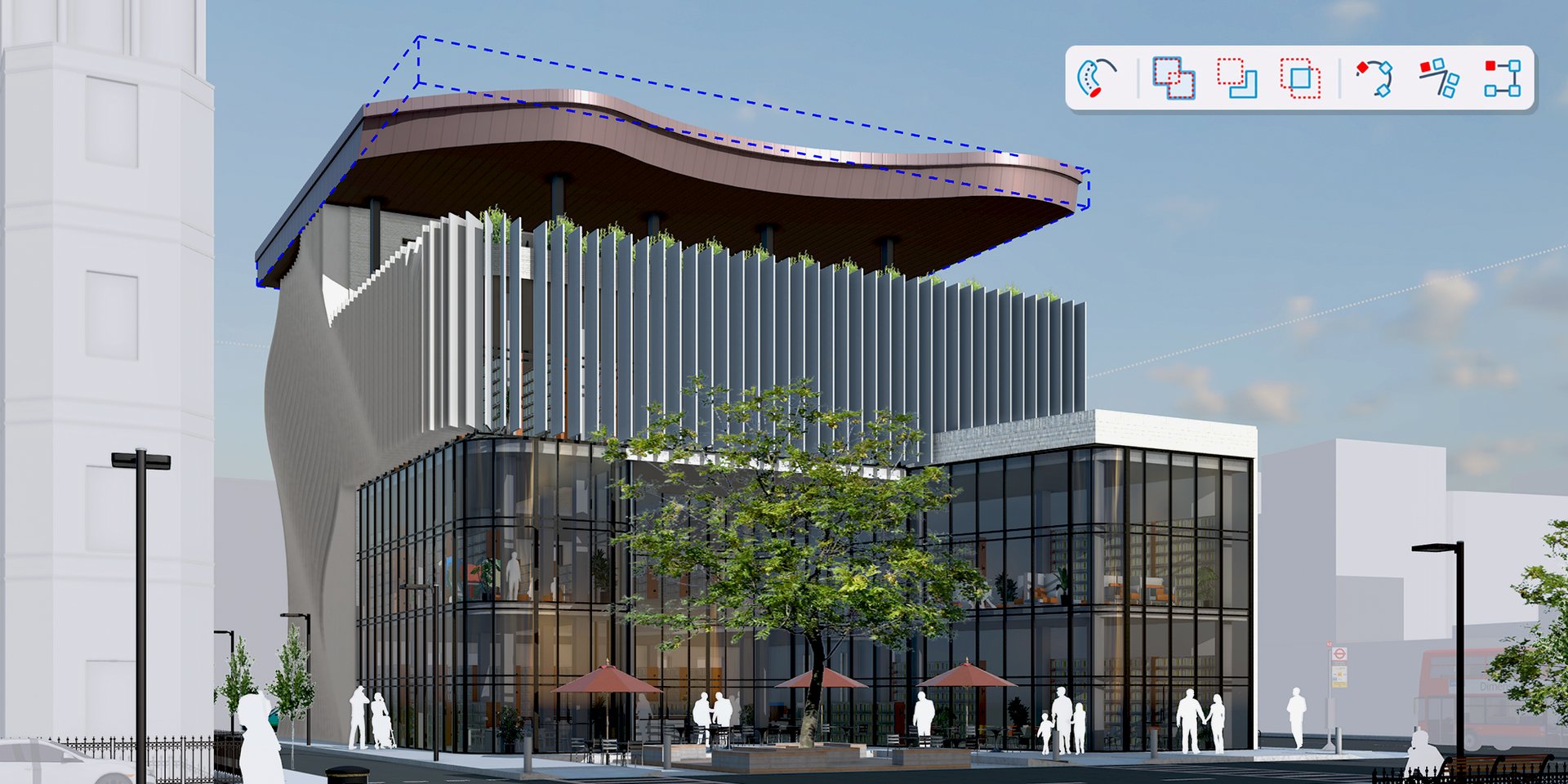
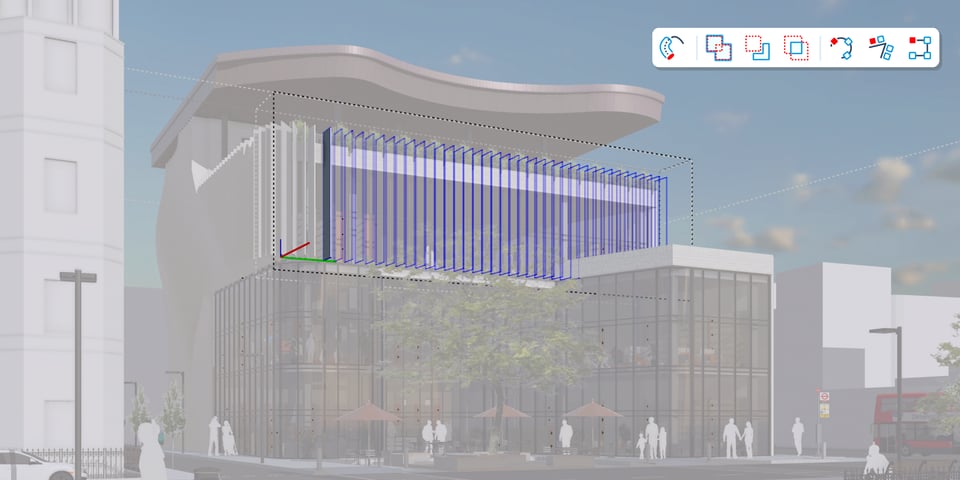
Edit, don't redraw
Procedures build on the Follow Me, Solid Tools and Copy Along tools you already use, and they keep the inputs editable. A late client request becomes a quick edit instead of a rebuild.
 Procedural Follow Me
Get an editable sweep. Double-click back into the sketch to change the path or the profile, and the wall, railing or moulding reconfigures live. One path can carry several profiles.
 Procedural Solid Tools
Non-destructive booleans cut through multi-layered nested components with Solid Collections. Reverse or change an operation later in Entity Info > Controls.
 Procedural Copy Along
Follow Me, but for objects. Array objects along a path, then change the path, distribution or spacing at any time.
 Procedures work together
Procedures stack and share inputs, so you edit once and everything updates.
 AutoFit Live Components
Drop a Live Component onto a face, even one with openings, and it sizes itself to fit. AutoFit works in every SketchUp app your plan includes, from Go up.
Section cuts
Section fill hatch patterns
Show several distinct section-cut patterns in one model and one view, controlled by object, material, section plane or style. Included with Pro and above on desktop.
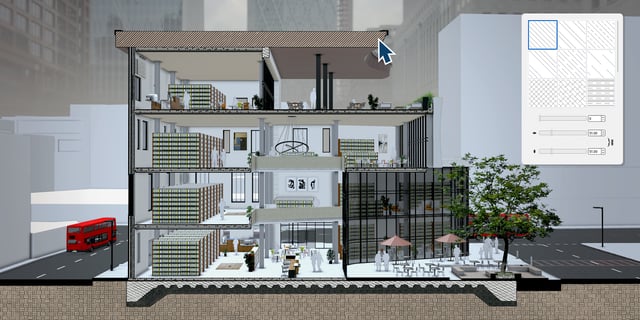
Several patterns in one section
Give walls, floors, structure and fittings their own hatch so a section cut reads clearly without extra drafting.
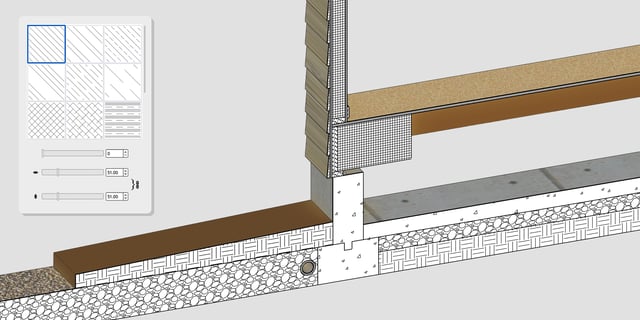
Detail-ready wall sections
Pick a pattern for each material in a wall or foundation detail, and import your own patterns from .PAT files.
LayOut
Faster drawings in LayOut
Speed up your drawing exports and draft on an infinite canvas in LayOut, included with SketchUp Pro and above.
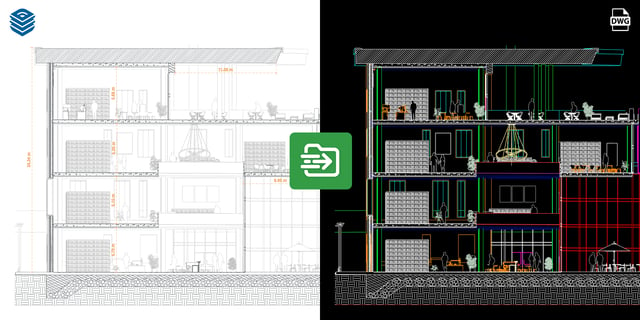
Hidden Line Rendering
Hidden Line Rendering is now multi-threaded. Trimble reports it cuts rendering times for heavy vector scenes by up to 85%, with faster vector PDF and DWG export.
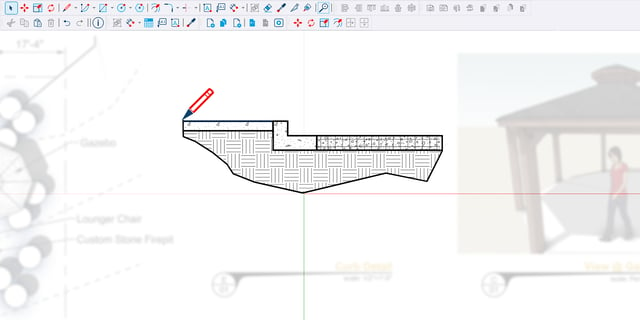
Paperless Canvas
Draw Mode lets you sketch and detail at 1:1 before you choose a paper size.
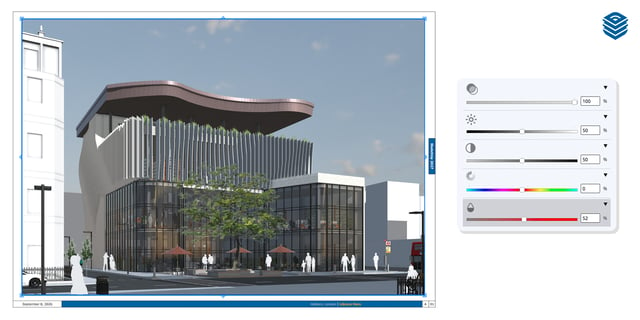
Viewport image adjustments
Adjust brightness, contrast, opacity, hue and saturation on raster and hybrid viewports and imported images, non-destructively and without leaving LayOut.
Interface
A modern interface on Mac and Windows
SketchUp and LayOut look and work the same on both platforms, with dockable toolbars and trays.
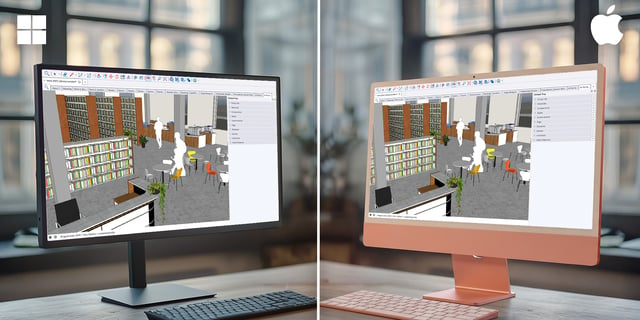
Modernised Mac apps
Trimble rebuilt SketchUp and LayOut for Mac on a modern framework, so they now match Windows. They need a Mac with Apple silicon.
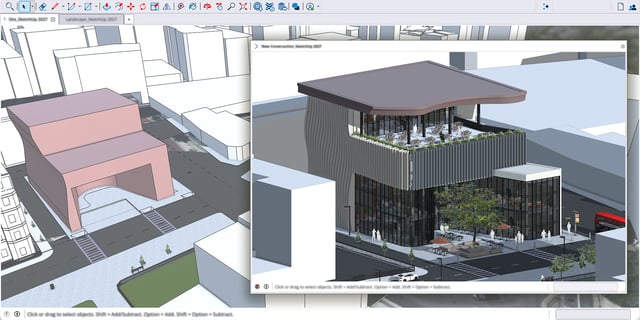
Keep multiple models open
The Multiple Document Interface puts each model in a document tab in one window, so you can copy and paste between open models.
Revit to SketchUp, and SketchUp to Revit
The Revit Importer brings Revit models into SketchUp and is included with Pro Advanced Workflows, Studio and Studio for Higher Education.
The SketchUp Importer for Revit, a plugin that takes SketchUp models into Revit as native families, is included with Pro Advanced Workflows and Studio.
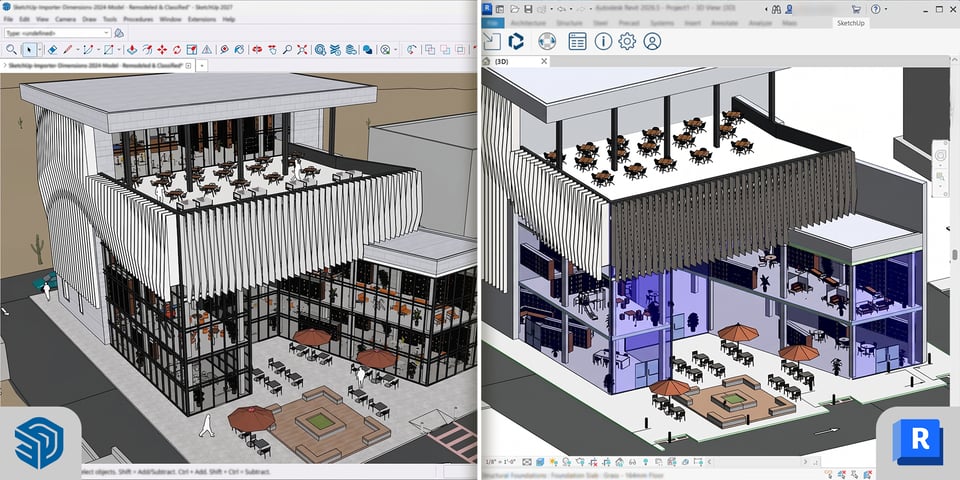
Interoperability
Better file exchange
SketchUp 2027 gives you more control over the files you send and receive.
DWG and DXF
Set angular deviation, chordal tolerance and maximum edge length on import and export, and choose a smooth or flat-faceted mesh.
IFC
Exchange rebar, lighting fixtures and coordinate reference systems, and import by class or layer.
TrimBIM
TrimBIM (.trb) support now has feature parity with IFC.
USD
Updated support for .usdz, .usd, .usda and .usdc files.
Also in SketchUp 2027: Outliner organisation and filtering, a dockable Ruby Console, fog and styles on iPad, and Trimble Connect updates. See the SketchUp release notes for the full list.
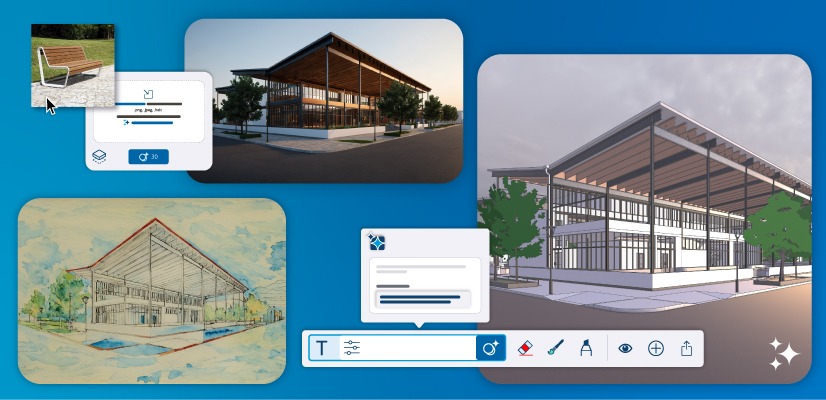
AI built into SketchUp 2027
AI Render, AI Assistant and Generate Textures work inside SketchUp 2027, and your Go, Pro or Studio subscription includes monthly AI credits to use them.
 AI Render
Turn a model view into a photoreal or stylised render from a text prompt, on desktop, web and iPad. Each render uses 10 credits.
 AI Assistant
Help answers SketchUp how-to questions in the app at no credit cost. Generate Object creates a 3D object with PBR textures from text or an image for 30 credits.
 Generate Textures
Create AI-generated PBR material maps for the materials in your model.
 Monthly AI credits
Go includes 100 credits a month, Pro plans 150 and Studio plans 200. Unused credits do not roll over, and the free plan has none. Trimble sells extra credits as an add-on inside SketchUp.
 SketchUp Connector for Claude
Model by conversation through Claude, Anthropic's AI assistant, using your Trimble ID and a Claude account.
 AI image search in 3D Warehouse
Search 3D Warehouse with an image to find matching models.
What's new by plan
Pro Scan has everything in the Pro column. Pro Civil Contractor has the same, plus Trimble Site Contractor and Field Points.
| Feature | Go | Pro | Pro Advanced Workflows | Studio |
|---|---|---|---|---|
| Procedures | SketchUp for Web | Included | Included | Included |
| AutoFit Live Components | Included | Included | Included | Included |
| Section fill hatch patterns | Not included | Included | Included | Included |
| Faster LayOut and Paperless Canvas | Not included | Included | Included | Included |
| Modernised Mac app and document tabs | Not included | Included | Included | Included |
| Revit Importer | Not included | Not included | Included | Included |
| SketchUp Importer for Revit | Not included | Not included | Included | Included |
| Monthly AI credits | 100 | 150 | 150 | 200 |
How to get SketchUp 2027
Procadsys has been the New Zealand SketchUp distributor since 2002, and every plan comes with local support.
Current subscribers
SketchUp 2027 is included with your subscription, so install it when it suits you. Sign in to your Trimble account and download the installer.
New to SketchUp
Pick Go for web and iPad modelling, Pro for desktop modelling and LayOut documentation, Pro Advanced Workflows for scan and Revit work, or Studio for everything including V-Ray. You can also try Studio free for 7 days.
Lapsed or classic licences
New versions need an active subscription. Renew a lapsed subscription, or move from an old classic licence to a subscription.
Recent SketchUp releases
The current release, with Procedures, AutoFit Live Components, section hatch patterns, faster LayOut and a modernised Mac app.
Live collaboration, new LayOut drafting tools, a unified IFC exporter, AI Render and AI Assistant in the desktop app, and the Analysis Hub in 2026.2.
Photoreal Materials (PBR), Environments with image-based lighting, AI-generated textures, and Revit and IFC import improvements.
Version questions
Do subscribers get new versions automatically?
Yes. An active subscription always includes the current version, so download it when you are ready. Your older versions keep working too.
Is AI included with SketchUp 2027?
Yes. Go, Pro and Studio subscriptions include monthly AI credits for AI Render and Generate Object, and AI Assistant Help questions use no credits. Credits reset each month and do not roll over. The free plan has no AI credits, and the AI features work in English only.
Will the new version run on my machine?
SketchUp 2027 needs Windows 11 or a Mac with Apple silicon. On Windows 10 or an Intel Mac, install SketchUp 2026 instead. Our system requirements page covers graphics cards, memory and storage.
Can older SketchUp versions open new files?
SketchUp can save back to earlier file versions, so teams on mixed releases can still exchange models. Save a copy down to the older version before you share it.
How do I move my extensions and templates to SketchUp 2027?
SketchUp 2027 can bring your extensions, templates and custom materials across from an earlier version. Our migration guide lists the steps.