Enscape renders your live SketchUp, Revit, Rhino, Archicad or Vectorworks model and updates as you work.
Professional CAD Systems is an official Chaos distributor in NZ. Buy Enscape from us and you get local advice on the right edition and seat model, one NZD invoice with GST handled properly, and NZ-hours support.
What's new
Enscape 4.21Released 1 October 2026Cosmos assets from a reference photo
- Beta
Cosmos AI assets
Upload a reference photo and Enscape generates a textured 3D model you can place and edit like any other Cosmos asset. Find it later under Downloaded, 3D Models, AI-Generated.
- Improved
Less GPU memory on big scenes
Ray-traced sun shadows and artificial lights now share acceleration data, and rasterised geometry can use up to about 40 percent less GPU memory.
- New
Vectorworks 2027 and SketchUp 2027 beta
Enscape supports Vectorworks 2027, including its OpenPBR materials, and adds preliminary support for the SketchUp 2027 beta.
Available in
One plugin for the tools you already use
Enscape runs inside your modelling application and renders the live model as you design. Same licence, every host.

Revit
Real-time visualisation through the whole BIM workflow, from early massing to documentation. Windows.

SketchUp
Real-time rendering for SketchUp models.

Rhino
Live rendering for complex and free-form geometry, from concept massing to detailed design.

Archicad
Your Archicad model, materials and entourage rendered in real time as you work.

Vectorworks
Real-time rendering for Vectorworks workflows on both Windows and Mac.
Design and decide in real time
Test design changes with live rendering and two-way model sync.
 Live sync
The render follows every model change instantly.
 Veras AI options
Generate and compare design variations inside your model.
 Built-in animation
Camera presets and image-to-video, no third-party tools.


See the design in its real environment
Add site context in seconds and judge orientation, views and massing while the design is still cheap to change. On Collection, Enscape Impact adds thermal comfort and sustainability analysis alongside the visuals.
Share stills, videos and walkthroughs with clients
Share stills, videos, panoramas or walkthroughs. Standalone files need no Enscape or CAD installation; web links open in a browser.

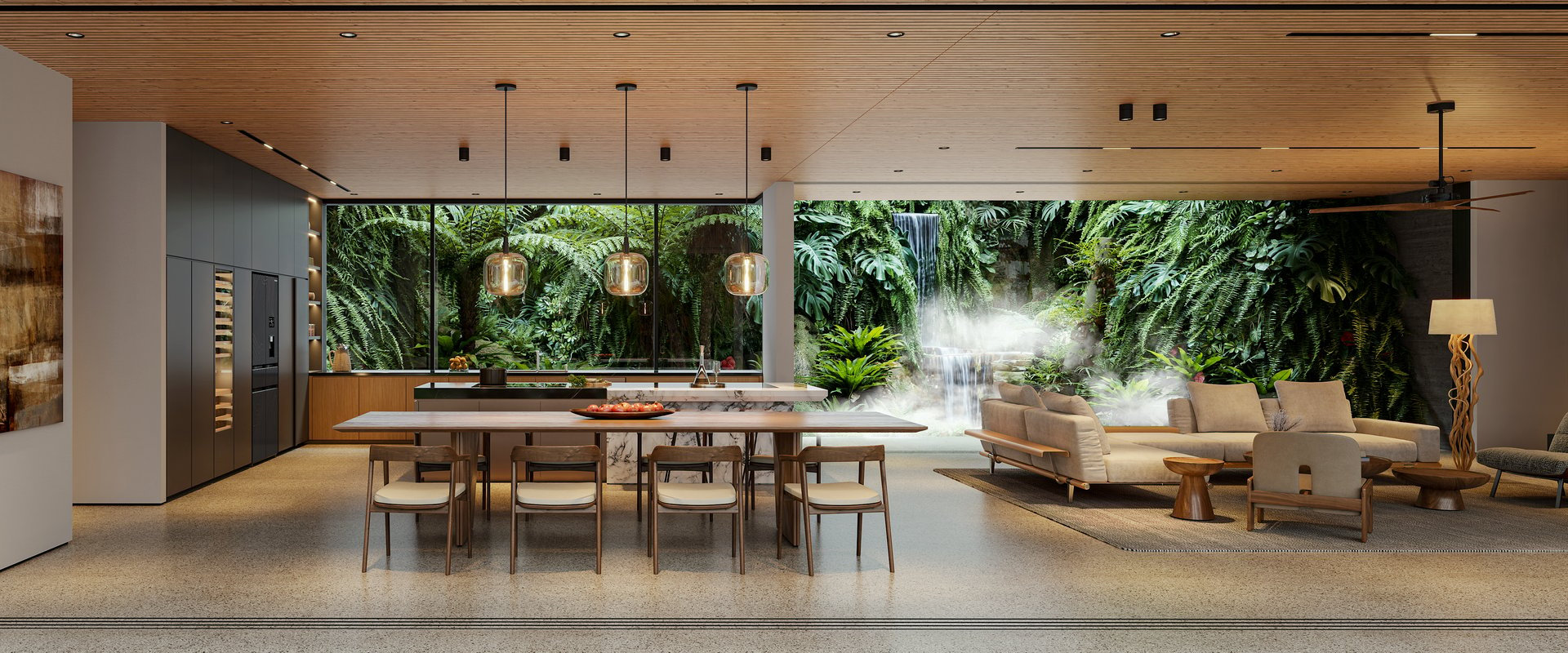
Take a look before it is built
Open the live model in a compatible VR headset, such as Meta Quest 3 or HTC Vive Pro 2, so clients can review the space at full scale before it is built.

Furnish scenes without leaving the plugin
The Chaos Cosmos library is built in: furniture, vegetation, people and skies, all render-ready. Solo carries 6,700+ assets, Premium 10,000+ and Collection more than 18,500, alongside a full material library.
Free trial
Get started for free
Take the 14-day trial and drop Enscape into your own model. You get the full feature set, and our team is a phone call away while you evaluate.

What Enscape users say
Enscape is indispensable in my daily workflow. It makes real-time visualization effortless, helping me engage clients and communicate ideas clearly.
Enscape is a game changer as clients are immediately able to understand and experience our vision, eliminating the subjective interpretation of sketches and the resulting misunderstandings and redesign.
Letting the clients walk around the building has the potential to save them a lot of money further down the line as they know what they are getting beforehand.
Learning
Learn Enscape
Tips and tricks
Lighting tutorials, best practice guides and workflow deep dives from AEC experts.
Video tutorials
Follow-along courses, webinars and in-depth tutorials for the real-time workflow.
Helpful resources
Materials, textures, 3D models and people assets to lift your scenes.
More ways to visualise
Plans and pricing
Choose your Enscape edition
Essential
Enscape Solo
Real-time rendering and walkthroughs for one seat.
Works in:
- SketchUp, Revit and Rhino
- Archicad and Vectorworks
Includes:
- Real-time rendering - as you model, in every supported host
- Veras - AI scene creation in your design tools and on the web
- Walkthroughs, panoramas and standalone exports
- 6,700+ render-ready Chaos Cosmos assets
- 100 monthly Chaos AI credits
Professional
Enscape Premium
Five times the AI credits, more assets, and floating licences for teams.
Works in:
- SketchUp, Revit and Rhino
- Archicad and Vectorworks
Everything in Solo, plus:
- 500 monthly Chaos AI credits
- 10,000+ render-ready Chaos Cosmos assets
- Floating licences available for teams
The full toolkit
Enscape Collection
The full Enscape toolkit, with animation and analysis.
Works in:
- SketchUp, Revit and Rhino
- Archicad and Vectorworks
Everything in Premium, plus:
- 1,500 monthly Chaos AI credits
- 18,500+ render-ready Chaos Cosmos assets
- Envision - cinematic animation and scene assembly
- Impact - sustainability insights on your model
Students and teachers can view Enscape education pricing. See education pricing . Buying for a team or renewing? Talk to us .
Enscape FAQs
Which applications does Enscape work with?
SketchUp, Revit, Rhino, Archicad and Vectorworks. It runs as a plugin inside each, rendering the live model.
What is the difference between Solo, Premium and Collection?
Rendering is identical in all three editions. Premium adds more Cosmos assets and five times the monthly AI credits. Collection has the largest asset library, fifteen times the credits, Envision cinematic animation and Impact sustainability analysis.
Single-user or floating, which seat model?
Named seats belong to one person and follow their Chaos sign-in across devices. Floating seats are shared: anyone in the team can use one, one user per seat at a time. Chaos offers floating licences on select tiers, and our Premium and Collection options carry both seat models at checkout.
Does Enscape run on a Mac?
Yes. Enscape for Mac runs on Apple Silicon Macs (macOS 12.6 or newer) with SketchUp, Rhino, Archicad and Vectorworks. Revit is Windows-only.
What hardware do I need for smooth real-time rendering?
A recent dedicated NVIDIA or AMD graphics card is the main requirement on Windows; integrated graphics are not supported. On Mac, Apple Silicon covers it. If you are unsure, send us your workstation spec before you buy and we will check it against the current requirements.
Is there a free trial?
Yes. There is a 14-day free trial, so you can drop it into your own model and see the real-time workflow before deciding.
Do any plans include both Enscape and V-Ray?
No. Chaos sells Enscape and V-Ray as separate subscriptions; no Enscape or V-Ray plan includes the other. They do work together: Enscape exports .vrscene files that open in V-Ray when a project needs production rendering. Talk to us and we will price the pair for your team.
Does the subscription renew automatically?
Yes, annually when paid by card. You can cancel any time before the renewal date from your account and keep rendering until the period ends.