
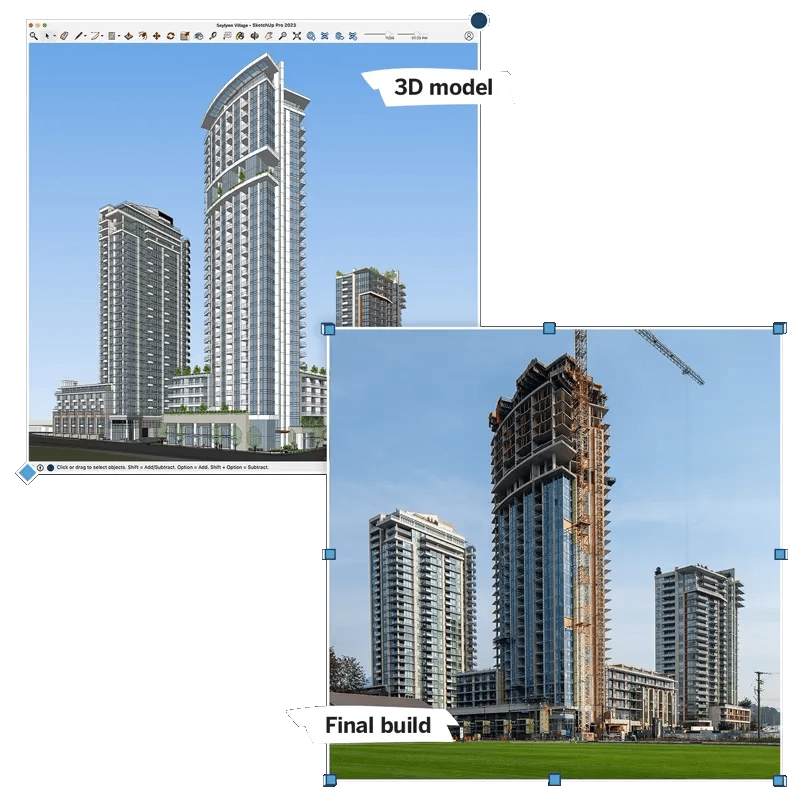

SketchUp Pro is the professional standard for 3D modelling: fast to learn, precise enough for construction documentation, and backed by over a thousand extensions. Architects, designers, builders and landscapers take a concept to buildable detail in one tool.
What's included
Everything in a Pro subscription
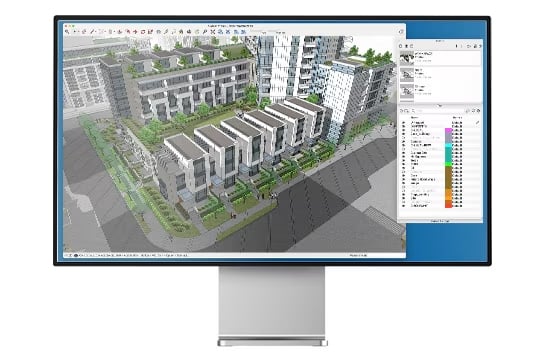
SketchUp for Desktop
The full modeller for Windows and Mac - push/pull modelling, components, solid tools and the performance for big project models.
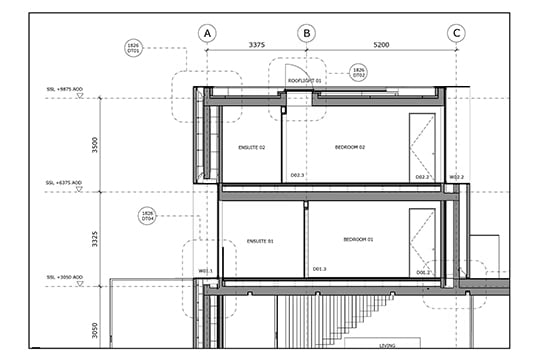
LayOut
Scaled 2D drawings from your model - plans, sections, elevations and details that update when the model changes.
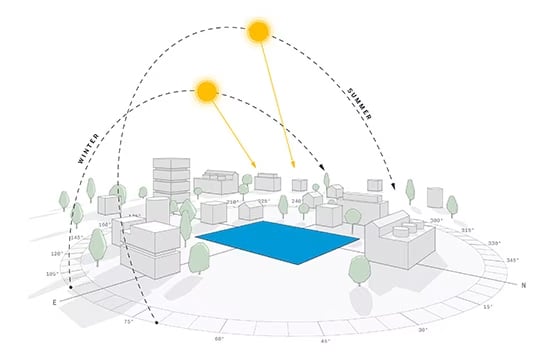
PreDesign
Site studies before you model - sun, climate and context insights for your project location.
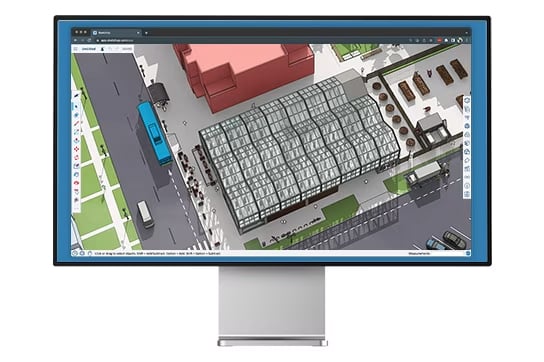
SketchUp for Web
Create, edit and share models straight from a browser tab.
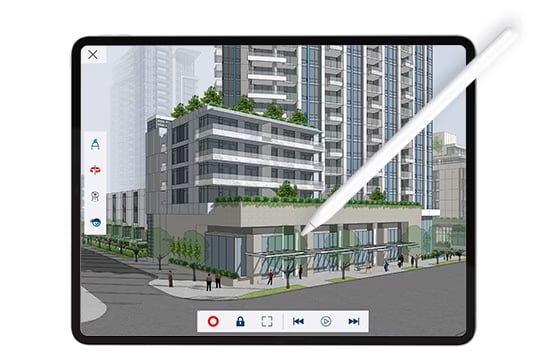
SketchUp for iPad
Sketch, mark up and present in 3D wherever the job takes you.
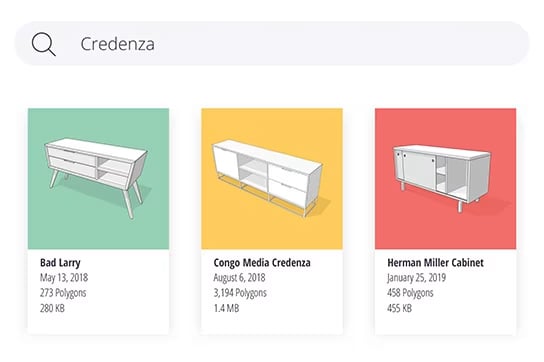
3D Warehouse
Millions of ready-made components, free to drop into your model.
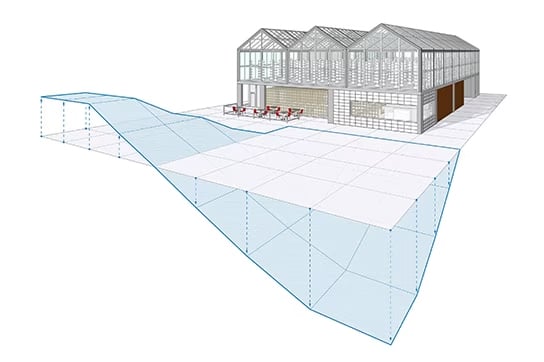
Extension Warehouse
Over a thousand plugins - rendering, scattering, terrain, parametrics and more.
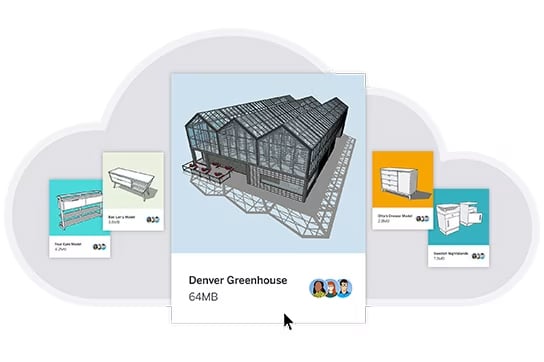
Trimble Connect
Unlimited cloud storage, sharing and project collaboration.
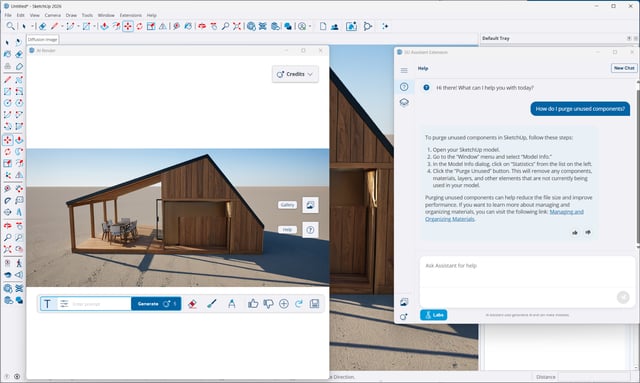
SketchUp AI
AI Render, Generate Object and AI Help built into SketchUp, with 150 AI credits included every month.
SketchUp in numbers
 33M+professionals and designers modelling in SketchUp
 4M+ready-made models in the 3D Warehouse
 1,000+extensions in the Extension Warehouse
Buy it from people who use it every day
We've used SketchUp since 2002, the year we became its New Zealand distributor, and we still use it every day.
100% NZ owned. Official Trimble SketchUp distributor since 2002.

NZ support on Pro Plus
Set-up help and troubleshooting from a team that has used SketchUp since 2002.

One NZD invoice
GST handled properly whether you pay by card or on invoice.

Renewals handled here
We track your renewal and sort upgrades when your needs change.
What our customers say
Since my first enquiry about SketchUp in 2004 I have found the Professional CAD Systems team to be extremely helpful. I first bought SketchUp Version 3 after seeing a great demo by Joe - it has since more than lived up to my expectations as a very robust, intuitive and fast tool.
Want to compare authorised buying options, local support and NZ invoicing before you order? Read our guide to buying SketchUp in New Zealand.
Independently rated
SketchUp Awards

G2: easiest to use, 2025

G2: grid leader, 2025

G2: best relationship, 2025

Architizer award, 2024

Architosh award, 2025
Try before you buy
Try SketchUp Pro free for seven days
Model with the full toolset before you commit - the 7-day trial includes everything in SketchUp Studio.


Model anything in 3D
Push/pull modelling that feels like sketching, components and groups that keep big models organised, and solid tools when the geometry has to be exact.
Document in 2D with LayOut
LayOut turns your model into scaled 2D drawings that stay linked to it, so the documents update when the model changes. DWG and DXF import and export preserve your tags as CAD layers.


Extend it your way
Over a thousand plugins for rendering, scattering, terrain and parametrics. We stock the best of them - Skatter, Profile Builder, Transmutr - with the same local support.
Work anywhere, collaborate everywhere
Model on the web and iPad, store and share through Trimble Connect, and pull ready-made components from the 3D Warehouse.

Latest release
SketchUp 2026.2Released May 2026New in SketchUp 2026
Share a model by private invite or public link, let clients and consultants view it in near real time, and pin decisions to the geometry as comment threads. The 2026.2 release adds the Analysis Hub for sunlight studies.
- New

AI built in
AI Render and AI Assistant are native in the desktop app from 2026.1, with 150 monthly AI credits included on Pro.
- New

Analysis Hub
Advanced Shadows studies sunlight at a solstice or equinox, so you can test decks, glazing and shading before anything is built.
- New

Share, view, comment
Threaded comments pinned to 3D geometry, with image and camera-view uploads - feedback lands in the model, not an email chain.
- Improved
LayOut's new graphics engine
LayOut's rebuilt graphics engine is now on by default, making large document sets noticeably smoother.
SketchUp Pro FAQs
What is the difference between Pro and Pro Plus?
The software is identical - Pro Plus adds our NZ services: remote support from our SketchUp experts, the advanced video tutorial library, and access to our NZ training courses.
Can I use it on more than one computer?
Yes - your subscription can be signed in on up to two devices, and you deauthorise a device from your Trimble account when you move to a new machine. SketchUp needs an intermittent internet connection and keeps working offline for up to 28 days.
How quickly do I get my subscription?
You will receive your subscription details and sign-in instructions within one business day of purchase.
Does the subscription renew automatically?
Yes, annually - you can cancel any time before the renewal date from your account and keep using SketchUp until the period ends.
Is there a free trial?
Yes - SketchUp offers a free 7-day trial, no credit card needed, and it includes everything in SketchUp Studio, so you can evaluate the full toolset before deciding. Grab it from our download page.
Windows or Mac?
Both - SketchUp Pro runs natively on Windows and macOS, and the web and iPad apps are included on every plan.
Does SketchUp Pro work with AutoCAD and BIM files?
Yes - Pro imports and exports DWG and DXF for CAD interchange and IFC for BIM coordination, alongside common image formats and PDF. LayOut exports full drawing sets to PDF and DWG/DXF with SketchUp tags preserved as CAD layers.
I'm a student - is there a cheaper licence?
Yes - students at accredited institutions qualify for a discounted student licence. Verify your student status on your account and the student pricing unlocks at checkout.
Can you invoice our business?
Yes - checkout supports paying on invoice for NZ businesses, and every purchase comes with a GST invoice in NZ dollars from Professional CAD Systems.
Build your plan
Tell us what you need SketchUp to do

SketchUp Pro, $579.00 per yr.