3D scanning advantages
Precise 3D modeling
Eliminate guesswork with a more accurate blueprint of your existing job site.
Increase workflow efficiency
Go from as-is scan data to 3D proposal quicker than ever before.
Robust scan data
Turn complex, large scan datasets into a usable 3D model.
Features you'll love
Point cloud import
Import and view point clouds from terrestrial scans, photogrammetry, lidar sensors, mobile mapping, and drone captures.
Interoperability
Pull in point cloud data from a variety of file formats including RWP, LAS/LAZ, TZF, PLY, and E57.
Move & Rotate tool
Easily move your point cloud and align scan data to the 3D model instead of the other way around.
Inspection tool
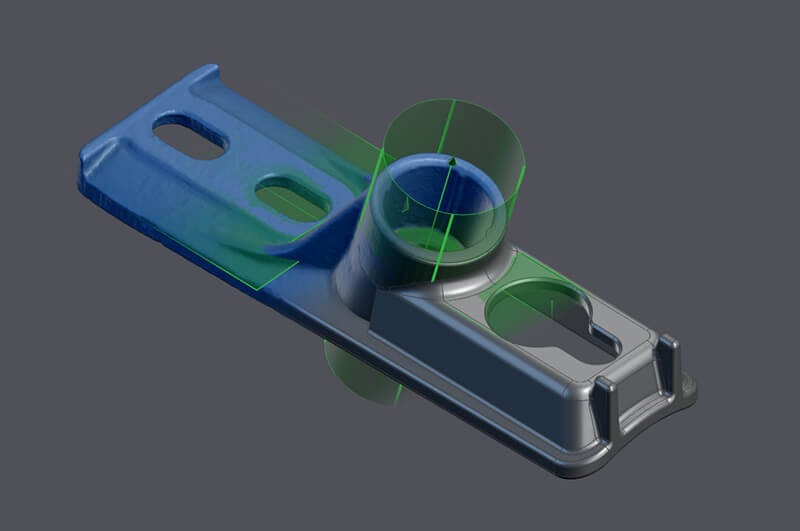
Ensure the accuracy of your 3D model by easily identifying any missed or inaccurate details.
Visualisation Modes
Enhance point cloud visualization with multiple color and blending modes.
Optimisation
Maintain high computer and software performance even when working with large amounts of point cloud datasets.
Point Cloud Manager
Adjust point cloud opacity, color, and shape for better visibility while toggling data segments such as vegetation or buildings on & off.
Clipping Box
Isolate and focus on meaningful portions of your 3D scan project without eliminating point cloud data.
Section Cuts & Planes
Showcase multiple scenes and active section planes for precise modeling and presentation.
Direct Modelling
Draw and snap directly onto your point cloud using SketchUp’s native toolbox and accurately translate your point cloud into a 3D model. Lock onto a single plane for added modeling precision.
Scan Essentials in Action
Shave hours off your Revit-to-SketchUp workflow
The new Revit file import feature (included with Pro Scan subscriptions) allows you to accurately and efficiently convert your Revit models into SketchUp geometry for deeper collaboration across project phases, teams, and stakeholders. Various workarounds do already exist to export Revit models to SketchUp, but this new importer saves the most time, is more accurate in geometry conversion, and leads to much lighter models.
By preserving model structures between Revit and SketchUp – Revit families and layers neatly translate to groups, components, and tags in SketchUp – you can save hours or even days of model cleanup and progress your project with accuracy. A smoother transition between design phases allows you to focus on what’s essential: fine-tuning your vision.
“The Revit Importer sped up my importing and cleans up workflows from a couple of days to a few hours, even with complex models.”
-Carl Goodiel, VDC Manager
New Revit Importer, Flip-Tool changes, and Referenced .DWGs
Why use the Revit Importer?
- Improve collaboration with project stakeholders who create Revit deliverables.
- Preserve model structures between software for less cleanup.
- Move Revit models into SketchUp to iterate new ideas quickly.
- Build efficiencies; the imported Revit file is automatically optimized for easier geometry manipulation in SketchUp and significantly reduces file size.
- Create compelling visuals; Revit material colors and transparencies are respected during import to speed up visualization workflows.
- Translate Revit levels to SketchUp section planes.
For a full overview of how to use the Revit Importer, watch this Skill Builder.
Trimble has made the Revit Importer a native functionality in SketchUp’s desktop application. Customers with Pro Scan & Studio subscriptions will automatically have access to this feature. No Revit license is required.
“We love the Revit Importer. It has saved us lots of time, and to my amazement, the converted file sizes are much smaller than other methods. This importer has become essential to our workflows. “
-Shyam Singh, GLMV Architecture
Plans & Pricing
Scan Essentials & the Revit Importer are included with SketchUp Pro Scan & Studio Subscriptions.
Scan Essentials + Revit Importer
Model on:
-
Web Browser
Everything in SketchUp Pro plus:
-
SCAN ESSENTIALS - Model on point clouds in 3D and document in 2D
-
REVIT IMPORTER - Cleanly import Revit files into SketchUp in a few clicks
Advanced 3D Visualisation
Model on:
-
Web Browser