Creaform Mobility Kit for HandySCAN 3D EVO and MAX Evo Series
A belt-mounted wireless module for the HandySCAN 3D EVO and MAX Evo Series, so you can scan on site without a cable to a laptop.
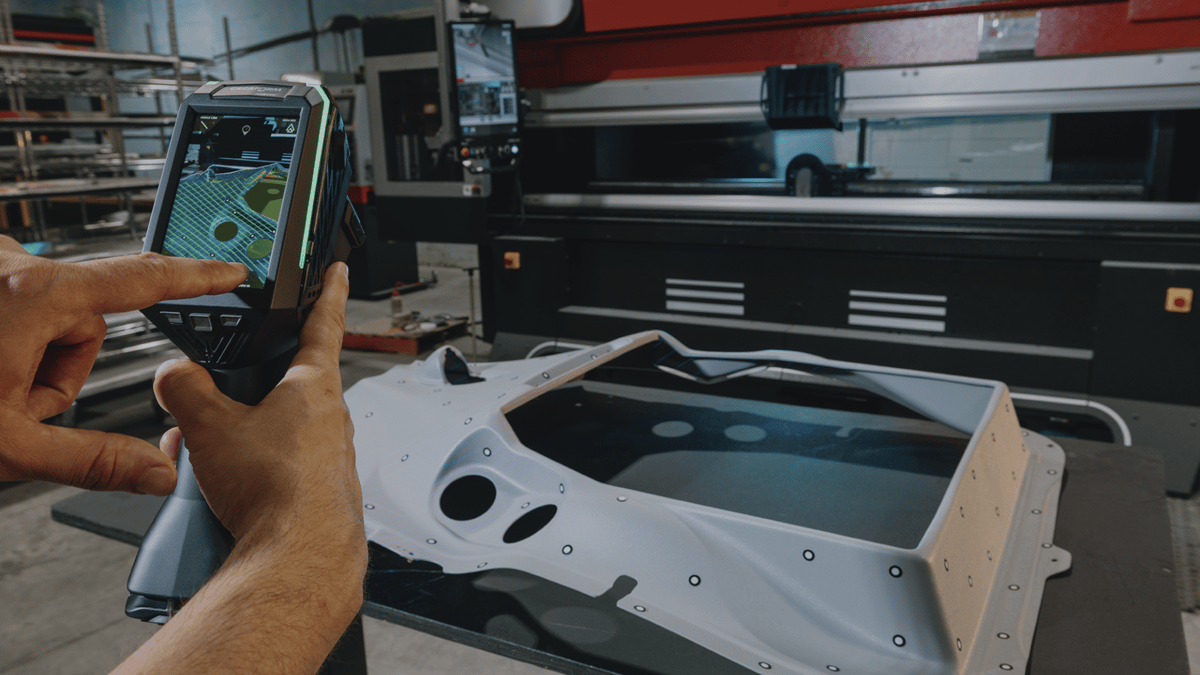
3D scanning often happens where the part already is: on the shop floor, outdoors, in a tight space, or on a large assembly that cannot be moved to a lab. FARO CREAFORM’s article on the Mobility Kit looks at why a cable to the laptop gets in the way in those conditions, and what the kit is for.
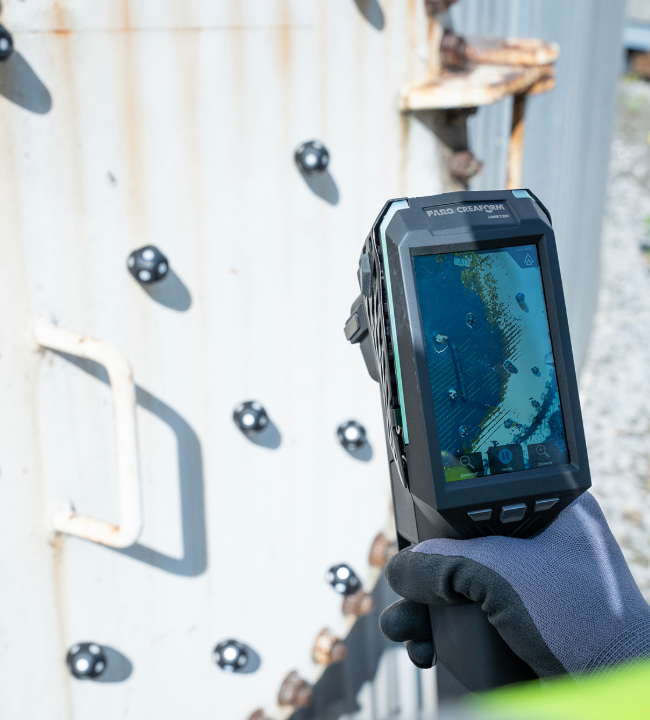
The photographs on this page show the HandySCAN 3D EVO and the HandySCAN 3D MAX Evo. They do not show the Mobility Kit.
A wired link can be fine at a bench. Once you are walking around, under or inside a part, cable length and tangles start to interrupt the scan. Operators may have to stop, free the cable and get line of sight again.
What the Mobility Kit is
FARO CREAFORM developed the Mobility Kit so the scanner can connect to the computer without a physical tether. You can move around, under or inside a part without managing a cable back to a laptop or workstation.
The kit is a compact, belt-mounted module. Creaform describes it as lightweight and built for handling on the shop floor and in the field. It uses swappable batteries that are straightforward to fit and change during a longer session.
Works with HandySCAN 3D EVO and HandySCAN 3D MAX Evo Series
The Mobility Kit works with both the HandySCAN 3D EVO Series and the HandySCAN 3D MAX Evo Series. The compatible models on Creaform’s official listing are HandySCAN EVO, EVO Plus, EVO Elite, HandySCAN MAX EVO and HandySCAN MAX EVO Elite. That covers everyday part scanning with the EVO and large-object scanning with the MAX, both without a cable back to the laptop.
That listing says the kit includes two batteries and a charger. The module weighs 644 g and measures 129 x 205 x 76 mm. Creaform’s brochure says it does not need a separate router or an external power supply, and that the batteries are certified, with built-in protection against overheating.
Creaform’s video, “Scan Freely with the HandySCAN 3D | EVO Series and Mobility Kit”, shows the kit in use. Watch it on YouTube.
What changes when the cable is gone
Creaform says wireless operation keeps the same accuracy, reliability and stability as a wired connection, including on the shop floor and in the field.
With no cable to manage, you can keep moving around the part instead of stopping to untangle it or reposition a workstation. Creaform’s point is that this shortens overall scanning time, so more parts can be scanned and measurement work fits more easily into production and maintenance.
The kit is aimed at work on site, in confined spaces, outdoors, or on large assemblies that cannot be moved.
Where it is used
Industrial maintenance
Maintenance checks often happen on equipment that is already installed: large machines, structural parts, or assemblies that will not go to a metrology lab. A wireless setup lets the operator walk around the asset and capture 3D data during a planned or unplanned window. Creaform describes using that data on the spot to look at wear, deformation or damage before deciding on a repair.
Energy
Energy inspections often take place outdoors or in remote or harsh settings, such as power plants, refineries, and wind or hydro sites. The article describes technicians moving around large plant while still capturing a complete 3D dataset in one visit, so integrity assessments can start from that visit.
Non-destructive testing (NDT)
NDT work is often in confined spaces or on complex shapes where access is limited. Removing the cable removes one physical constraint on how you move the scanner. Creaform says faster capture of 3D data helps a team assess a defect or anomaly without extending the inspection window. That is the vendor’s description of the workflow, not a measured result from Professional CAD Systems.
Try the Mobility Kit in New Zealand
Professional CAD Systems is a FARO | CREAFORM partner. We can demonstrate the Mobility Kit with the HandySCAN 3D EVO or HandySCAN 3D MAX Evo Series, quote a system, or talk through short-term scanner hire.
See the HandySCAN 3D EVO Series, the HandySCAN 3D MAX Evo Series and other portable 3D scanners. To ask about hire, use Ask about scanner hire.
Adapted from “Mobility as a Productivity Driver in 3D Scanning” by FARO CREAFORM (original article). Images and video: FARO CREAFORM.