Enscape 4.22 brings the improved Veras 2.0 integration
Enscape 4.22 brings the improved Veras 2.0 integration, so you can explore AI design ideas inside Enscape without opening a separate window.
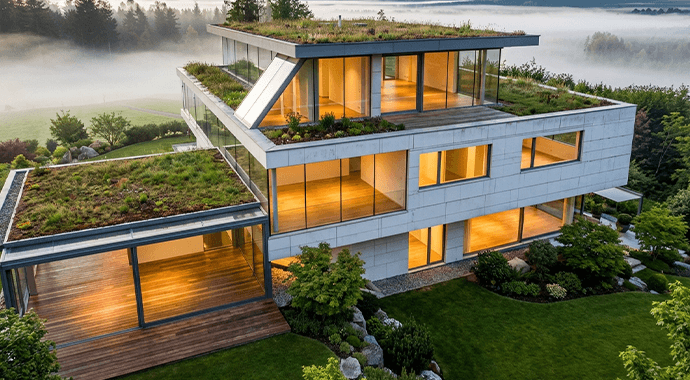
Enscape 4.22 is out, and its headline change for design teams is what Chaos calls the improved Veras 2.0 integration in Enscape. Veras now matches the Enscape interface and runs inside Enscape, so you can generate design variations, test materials and moods, and explore concepts without opening a separate window.
Chaos also says this release includes important security enhancements and recommends that every Enscape user upgrades.
What the Veras 2.0 integration changes
The Veras 2.0 integration is the version of Veras built into Enscape. In Enscape 4.22 it has been refined to match the Enscape interface, and it opens inside Enscape instead of in a separate window. You stay in one place while you try ideas on the view you are working on.
Chaos has not published a detailed list of differences between the first Enscape integration and version 2.0. We will add more detail here when Chaos does.
Veras 2.0 is not Veras 5
Two version numbers are in play, and they count different things.
- Veras 2.0 integration is the second version of Veras built into Enscape. It arrives with Enscape 4.22.
- Veras 5 is the standalone Veras app that works in Revit, SketchUp, Rhino and other design apps. Its current release is Veras 5 update 3.2.
Updating Enscape gives you the new integration. Standalone Veras updates come from the Veras download page.
More AI in Veras this release
Chaos lists these Veras items alongside Enscape 4.22:
- AI video models: generate and extend video with Veo3.1, Gemini Omni or Grok.
- Node-based editor: build and refine repeatable workflows, with more control over how ideas are generated and developed.
- GPT-6 Astra: turn an image, sketch, text or floor plan into an editable 3D scene that bakes natively into Revit, Rhino or SketchUp.
- Veras AI in Envision: explore, iterate and generate new visuals with Veras while keeping AI connected to your design context.

Also new in Enscape 4.22
- Image-Based Search: search the built-in Enscape asset library with a reference image, plus more than 1,500 new assets.
- 3D Model Generation (Beta): create a custom 3D asset from an image when the library does not have what you need. Chaos says this Beta does not use Chaos Credits.
- Chaos AI Assistant (Beta): ask questions inside Enscape, match a visual preset to a reference image and get asset suggestions.
- Chaos Cloud: send panoramas, stills, scenes and web standalones to Chaos Cloud in one click, and add and annotate PDFs next to your renders.
- Enscape Envision: a Section box, AI-assisted asset scatter and Easy Mode for faster animation.
Chaos lists every change on its What’s new in Enscape page.
Chaos Credits on every Enscape tier
Since 27 May 2026, every Enscape tier includes Veras, with a monthly allowance of Chaos Credits:
- Enscape Solo: 100 credits a month.
- Enscape Premium: 500 credits a month.
- Enscape Collection: 1,500 credits a month.
Veras uses these credits when it generates images and video. If your team needs more, top-up credit packages are available. Talk to us and we will quote them in NZD.
How to get the Veras 2.0 integration
You already have Enscape
Update Enscape to 4.22, then open Veras from inside Enscape. Your Enscape tier’s monthly credits cover your Veras work.
You do not have Enscape or Veras yet
Buy Enscape through us and Veras comes with it. Start from the Enscape page or the Veras page, or request a quote for NZD invoicing.
Your subscription has lapsed
Ask about a renewal and we will get your Enscape licence, and its Veras access, running again.
Get our product news
Want posts like this in your inbox? Subscribe or re-subscribe to our product news emails.