Veras Agent mode: from reference images to editable Revit, Rhino and SketchUp models
Veras now turns renderings, photos and sketches into structured 3D, then bakes native editable geometry into your host app.
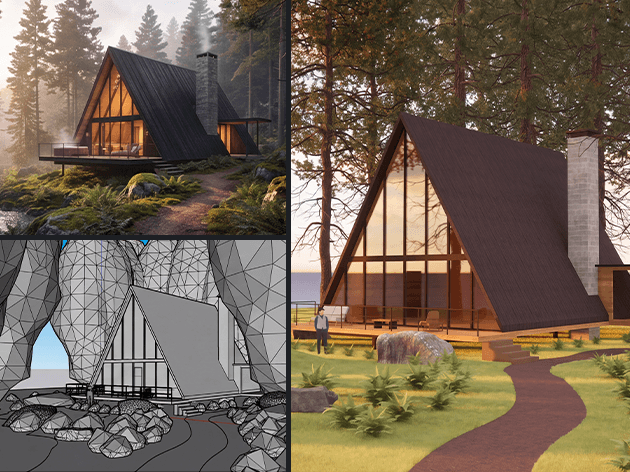
Veras has moved past image-only AI. Chaos has added Agent mode, so a practice can start from a rendering, photograph, sketch or several references, build a structured 3D scene, and bring that result into Revit, Rhino or SketchUp as native, editable geometry, not a dead mesh.
Professional CAD Systems supplies Veras in New Zealand with NZD invoicing and local advice on plans and credits. Agent mode arrived in Veras 5.2, and Veras 5.3 has since added NODES (more on that below). This post covers the Agent workflow Chaos announced with GPT-6 Astra and Claude Opus 5.5.
From references to a structured model
In Agent mode you choose GPT-6 Astra (the default) or Claude Opus 5.5, and set how much effort the agent puts into the task. Feed Veras up to 12 images, including the host view and snapshots from the 3D viewer. Combining views gives the agent more information about the building or space.
The agent builds real elements step by step: walls, floors, roofs, openings, doors, windows, cameras and furniture, including more complex forms such as curved walls, tilted and swept solids, profiles, section roofs and openings cut through solids. It checks the model against your references as it goes and corrects mismatches. Where something cannot be read from the images, Veras marks the assumption in the model with a ? so you can see where a decision was made.
The output is a structured model of editable building elements you can keep working on, not a single generated object.
Bake into Revit, Rhino and SketchUp
When the model is ready, BAKE writes it straight into the host application as native geometry. There is no separate export-and-convert step.
- Revit: walls, floors, roofs, doors and windows as native elements.
- SketchUp: editable groups.
- Rhino: editable NURBS.
Native bake is currently for Revit, Rhino and SketchUp.

Chaos Cosmos in the build
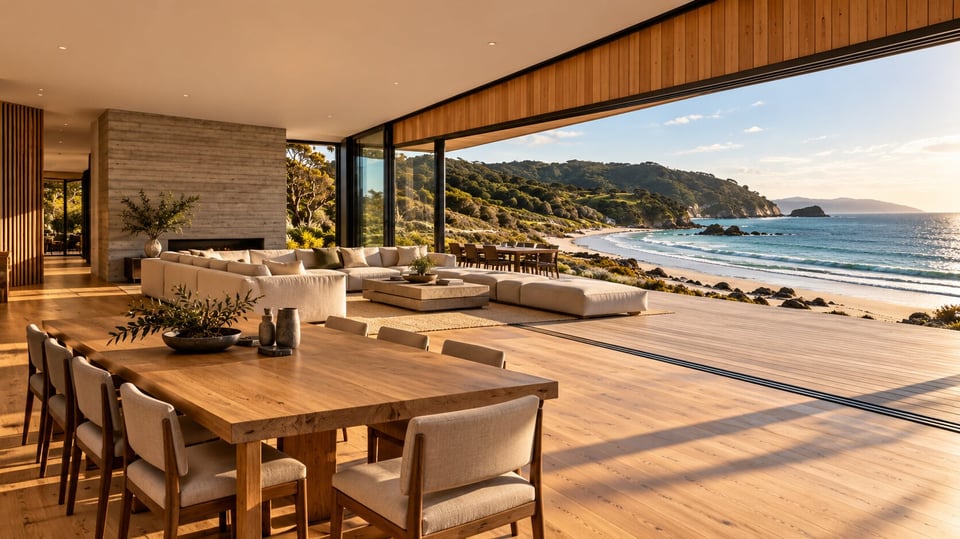
The selected agent can use Chaos Cosmos while building: real furniture and other assets instead of inventing every object, and Cosmos materials (for example brick or oak flooring) that can be baked into the host model.
Also worth knowing from this release
Chaos also called out related 3D workflow improvements alongside Agent mode:
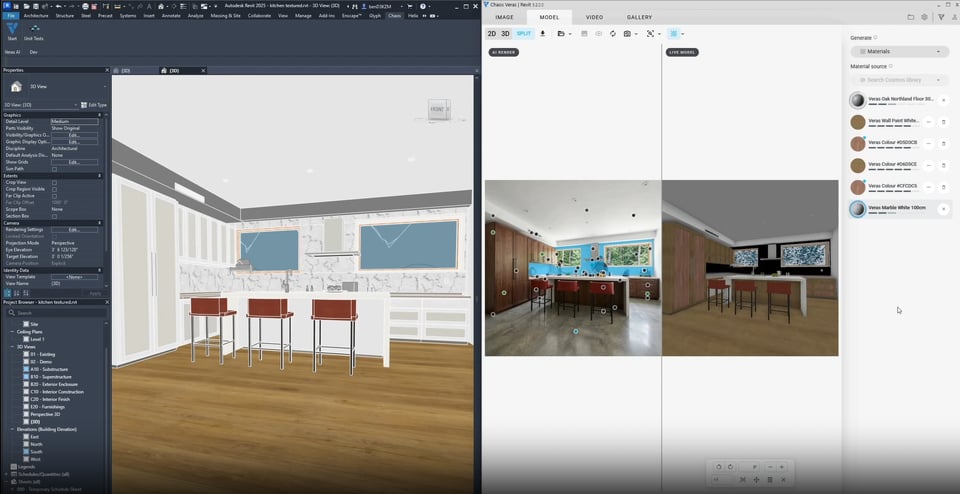
- Material Generator: match Cosmos materials or generate new ones with Chaos Cloud Material Gen, apply them, then bake into Revit, Rhino or SketchUp.
- Proxy Bake: bake a small proxy into the host while Veras and Enscape keep the full asset for visualisation.
- Place from Gallery: reuse 3D assets you already created, found by name, category or engine, at the right size and orientation.
- New image and video models: GPT Image 2.5, GPT Image 2 and Grok Imagine 2, with new reference-image and quality options.
- Walk-through 3D view: first-person exploration with familiar keyboard controls.
Chaos lists every change on its What’s new in Veras page.
Now in Veras 5.3: NODES
Since Agent mode arrived, Chaos has released Veras 5.3. Its new NODES tab lets you chain steps together to generate and edit images and video, build parametric 3D geometry and bake the result into Revit, Rhino or SketchUp, and a Nodes agent can set up a workflow from a plain description. See the current What’s new on our Veras page.
How to get Agent mode in New Zealand
If your practice already uses Veras through Enscape, V-Ray or a standalone Veras plan, Agent mode is the path from a visual idea into model geometry you can edit. For plans, credits and NZD invoicing, talk to us or start from the Veras product page.
You have Enscape or V-Ray
Every Enscape plan has included Veras since 27 May 2026, and V-Ray Solo, Premium and Collection include it too. Update to the latest Veras from the Veras download page to get Agent mode.
You have a standalone Veras plan
Agent mode is part of Veras. Update to the latest version from the Veras download page.
You are new to Veras
Start with the Veras overview, then download the 14-day trial, which includes 100 credits. Billing starts automatically when a Chaos trial ends, so talk to us first if you want NZD invoicing through Professional CAD Systems.
Frequently asked questions
Which apps can Agent mode bake into?
Revit, Rhino and SketchUp. Revit gets native walls, floors, roofs, doors and windows, SketchUp gets editable groups and Rhino gets editable NURBS. Chaos lists native bake for these three host apps only.
Does Agent mode use credits?
Yes. Agent builds draw on the same monthly Chaos credit pool as images and video. Chaos puts an average model at about 500 credits, and complex buildings use more. If your team will build models often, talk to us about the right plan and credits.
Do I need to update Veras?
Yes. Agent mode arrived in Veras 5.2, so update to the latest version (currently 5.3) from the Veras download page.
Talk to Professional CAD Systems about Veras
Want to see Agent mode on your own project, or need help with plans and credits? Our New Zealand team can help.