SketchUp 2025: photoreal materials, environments and interoperability updates
What's new in SketchUp 2025: photoreal materials and environments, IFC and Revit Importer updates, Live Components and LayOut improvements.

Advanced Visualisation Tools
SketchUp 2025 adds photorealistic materials and environments, so you can see how real materials will look and show clients a closer match to the finished design. They are available in SketchUp for iPad, Web and Desktop, and in LayOut and 3D Warehouse.
“Having photoreal materials and environments natively within SketchUp is a really exciting development! Accessing high-quality, realistic materials directly within the platform has made it much easier to quickly present designs that resonate with clients.“
– Kate Hatherell, Director, The Interior Designers Hub
Photoreal Materials
SketchUp 2025 adds a library of Photoreal Materials. Unlike flat image textures, they use layered texture maps to show how real materials absorb and reflect light, with effects such as shine, roughness and metalness.
Apply Photoreal Materials by drag and drop, adjust advanced settings or create your own, for anything from stylised visuals to photoreal concept design. Start with the default libraries and find hundreds more materials in 3D Warehouse.

The Generate Textures feature uses generative AI to sample an image or classic material and create a new Photoreal Material. It also makes it easier to create seamless, tileable SketchUp materials.
Environments
Light Photoreal Materials with Environments. Adjust the Skydome, image angle, exposure and reflections in the Environments panel. Find environments in 3D Warehouse.
Use 360-degree HDRi or EXR images as a background and light source.
IFC and Revit Updates
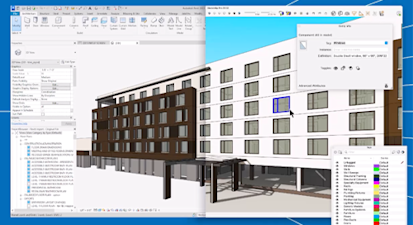
SketchUp 2025 improves IFC support, so round trips keep more data and need fewer manual corrections. Updates include improved IFC class recognition, version retention, geometry optimisation and new dictionaries for components.
Revit Importer now gives you more control over which Revit model elements you bring into SketchUp.
Curated Subscriber Content
The new SketchUp Content Library in 3D Warehouse has collections of configurable models, Photoreal Materials and Environments for subscribers.
Reintroducing Live Components
Live Components, configurable objects previously in SketchUp Labs, are now a full production feature. Subscribers can set size, type and material, and access 200+ new and refreshed components in 3D Warehouse.
Improvements in LayOut
LayOut 2025 tools more closely match SketchUp. Viewports display Environments, Photoreal Materials and Ambient Occlusion.
Download SketchUp 2025
New to Sketchup? Download the 7-Day Studio Trial ➔
Frequently Asked Questions
SketchUp offers a free 7-day trial of SketchUp Studio. Download the SketchUp 2025 installer, then create or sign in to a Trimble account when SketchUp starts to begin the trial.
If you have an active SketchUp subscription (check your account), you can update to the latest version free: download the SketchUp 2025 installer. After running the installer, sign out of your current SketchUp version before starting and signing in to SketchUp 2025. If the email you sign in with has no active SketchUp subscription, you will be prompted to begin a 7-day trial.