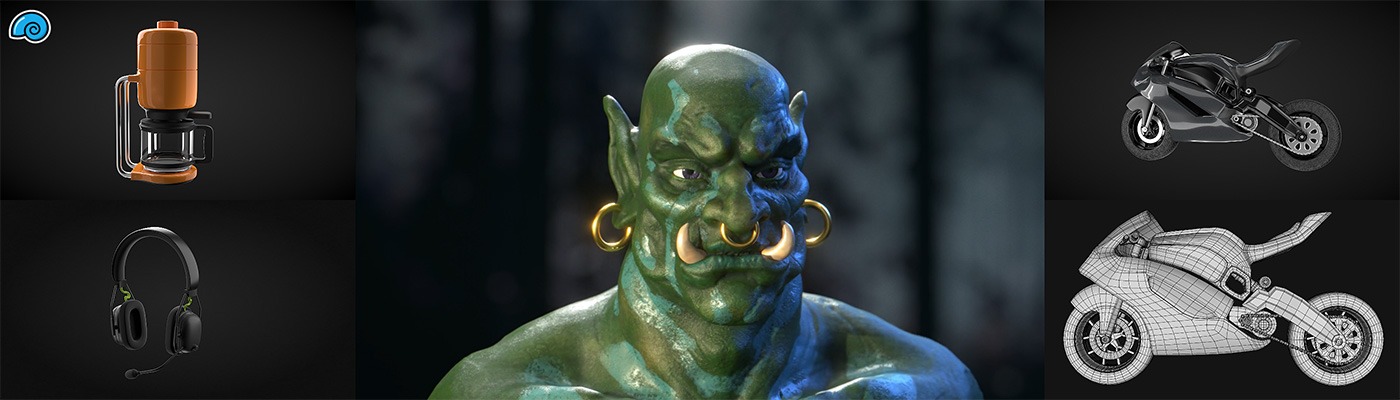

Model organic forms in SketchUp with subdivision surfaces, sculpting brushes and soft transformations.
Grade driveways, platforms and swales with slope and direction controls.
Artisan 2 is an annual subscription with a fully functional 15-day trial - cancel any time from your account before renewal.
Subdivision surfaces, live
Edit a rough control cage to update a smooth surface in real time.
Sculpting brushes
Push, pull, smooth and detail geometry directly, with Auto-Add Detail refining the mesh where you're working and easier symmetry for anything with a mirror line.
The Grade Brush
Grade terrain with slope and direction control - sculpt a compliant driveway gradient or a building platform straight onto the site mesh.
Soft transformations that keep quads
Soft move, rotate and scale deform geometry naturally, with automatic folding and healing keeping the mesh clean - fabric, curtains and pillows that drape instead of crease.
Pricing & licensing
Available| Option | Term | Licence | Price | Action |
|---|---|---|---|---|
| Artisan 2 | annual | Per seat | $199.00 | Add to cart |
Artisan 2 FAQs
Do I need SketchUp Pro to run it?
Yes - extensions run in the SketchUp desktop app, so you need Pro or Studio.
Does it work with SketchUp 2027?
Yes. Artisan 2.1.3 (October 2026) adds SketchUp 2027 compatibility.
Is it a subscription?
Yes - annual, renewing automatically when paid by card; cancel any time from your account before the renewal date.
Artisan or Skatter for landscape work?
Grade with Artisan; distribute planting with Skatter.
Is it hard to learn?
The tools follow SketchUp conventions, and the brush workflow is closer to shaping clay than pushing vertices. Our NZ training courses can fold Artisan into a SketchUp session - ask us.