Application SDK
Gaussian Splats
In this chapter, we'll discuss Gaussian Splats. 3D Gaussian Splatting is a method used to create a 3D scene from images or videos. It requires several pictures of an object, each taken from a different angle. With Gaussian Splatting, the images are blended to produce a detailed, three-dimensional representation of t...
Last updated 16 January 2026
Introduction
In this chapter, we'll discuss Gaussian Splats. 3D Gaussian Splatting is a method used to create a 3D scene from images or videos. It requires several pictures of an object, each taken from a different angle. With Gaussian Splatting, the images are blended to produce a detailed, three-dimensional representation of the object. Instead of depicting the scene as a collection of meshes, a Gaussian splat represents the scene as a type of point cloud, where each point is a 3D Gaussian.
Gaussian splats help you create a realistic environment for your scenes.
This feature is not yet available in V-Ray GPU.
Gaussian Splat Usage
Used as Extended Environment
One use of Gaussian splats is to represent an environment, typically generated from photos or videos of the scene.
There are advantages over the traditional environment maps, including proper parallax and view-dependent effects and the ability for Gaussian splats to occlude other objects in the scene.
For Gaussian splats to work as environments in V-Ray, the affect_matte_surfaces option should be enabled, and the casts_shadows option should usually be disabled.
See this example for more information.
On Other Matte Surfaces
To make the Gaussian Splats rendered as part of the background, i.e., visible on other matte objects even if they are behind them. This is achieved by enabling the affect_matte_surfaces option from the Gaussian splats parameters.
See this example for more information.
As Matte Objects
Gaussian splats can also function as holdout (matte) objects, i.e. appear correctly in reflections and refractions and occlude other objects in the scene but do not contribute to the RGB and alpha channels of the final image.
This can be achieved through the VRayObjectProperties plugin. Assign a VRayObjectProperties to a Gaussian splats object, enable the matte_surface option, and set its alpha_contribution to -1.0. Make sure that no_GI_on_other_mattes is enabled.
Used as Individual Objects
Gaussian splats can also be used to represent smaller individual objects in the scene. In that case, the affect_matte_surfaces option typically is turned off, and the casts_shadows option is enabled. The latter is needed so that the Gaussian splats can cast proper shadows on other objects in the scene.
Note that the lighting and reflections are baked into the Gaussian splats object, and therefore, these objects are not affected by the scene lighting.
See the examples for more information.
Parameters
The following parameters reside in the GeomGaussians plugin.
- file – loads the Gaussian splats file. Currently, only .ply files are accepted.
- flip_axis - when set to 1, performs a rotation of (-90) degrees around the X axis. When set to 2, performs a 90 degrees rotation around the Y axis and flips the Y axis.
0 – As Is
1 – Rotate YZ
2 – Rotate XZ + Flip Y
- scale – scales the Gaussian splats up and down. See the example.
- affect_camera – specifies whether the Gaussian splats should be visible to the camera. See the example.
- affect_shadows – when enabled, Gaussian splats block shadows from lights. When disabled, the Gaussian splats become transparent to shadow and GI rays. It is recommended that this option be turned off when using the Gaussian splats as environment or individual objects. See the example.
- affect_reflections – specifies whether the Gaussian splats should be visible in reflections. See the example.
- affect_refractions – specifies whether the Gaussian splats should be visible in refractions. See the example.
- affect_matte_surfaces – when enabled, Gaussian splats appear as part of the background on matte surfaces. It is recommended to enable this for Gaussian splats used as an environment and disable it for Gaussian splats used as individual objects. See the example.
- rgb_color_space - specifies the color space of the data in the Gaussian splats file.
0 – Default
1 – sRGB
2 – ACEScg
3 – RAW
- intensity – increases or decreases the Color multiplier for the Gaussian splat.
- color – specifies a filter color for the splat. By default, the Color is white, which does not affect the splat. See the example.
Example: scale
This example shows Gaussian Splat used as an individual object - the pink flamingo floatable in this scene. It can be scaled as any other object in the scene, using the scale parameter.

scale = 0.5

scale = 1

scale = 1.5
Example: affect_camera
The Gaussian Splat object can be hidden from the camera, like any other geometry object in the scene, by using the affect_camera option.

affect_camera is off

affect_camera is on
Example: affect_reflections
The affect_reflections option controls if the Gaussian Splat object is reflected in other objects in the scene.

affect_reflections is off

affect_reflections is on
Example: affect_refractions
The affect_refractions option makes the Gaussian Splat object seen by other objects in the scene that exhibit refractive properties.

affect_refractions is off

affect_refractions is on
Example: affect_shadows
This example shows how the pink flamingo can produce shadows when the affect_shadows option is enabled, and doesn't block light when it's not.

affect_shadows is off

affect_shadows is on
Example: affect_matte_surfaces
In this example, the Gaussian Splat is used as an environment. The left building in the rendering that casts shadows over the plane, is a Cosmos asset (mesh).
When the affect_matte_surfaces option is enabled, the Gaussian Splat is considered as background and receives shadows from the casting object.

affect_matte_surfaces is off

affect_matte_surfaces is on
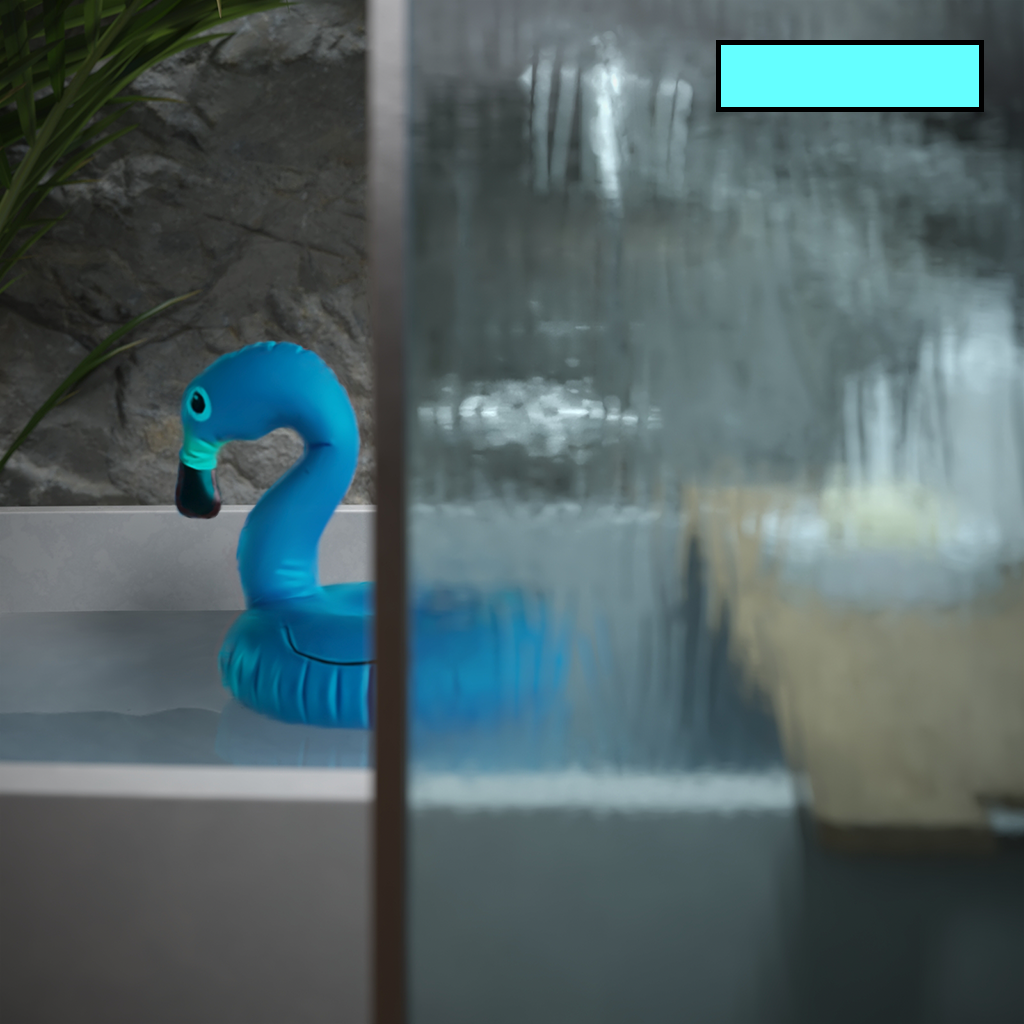
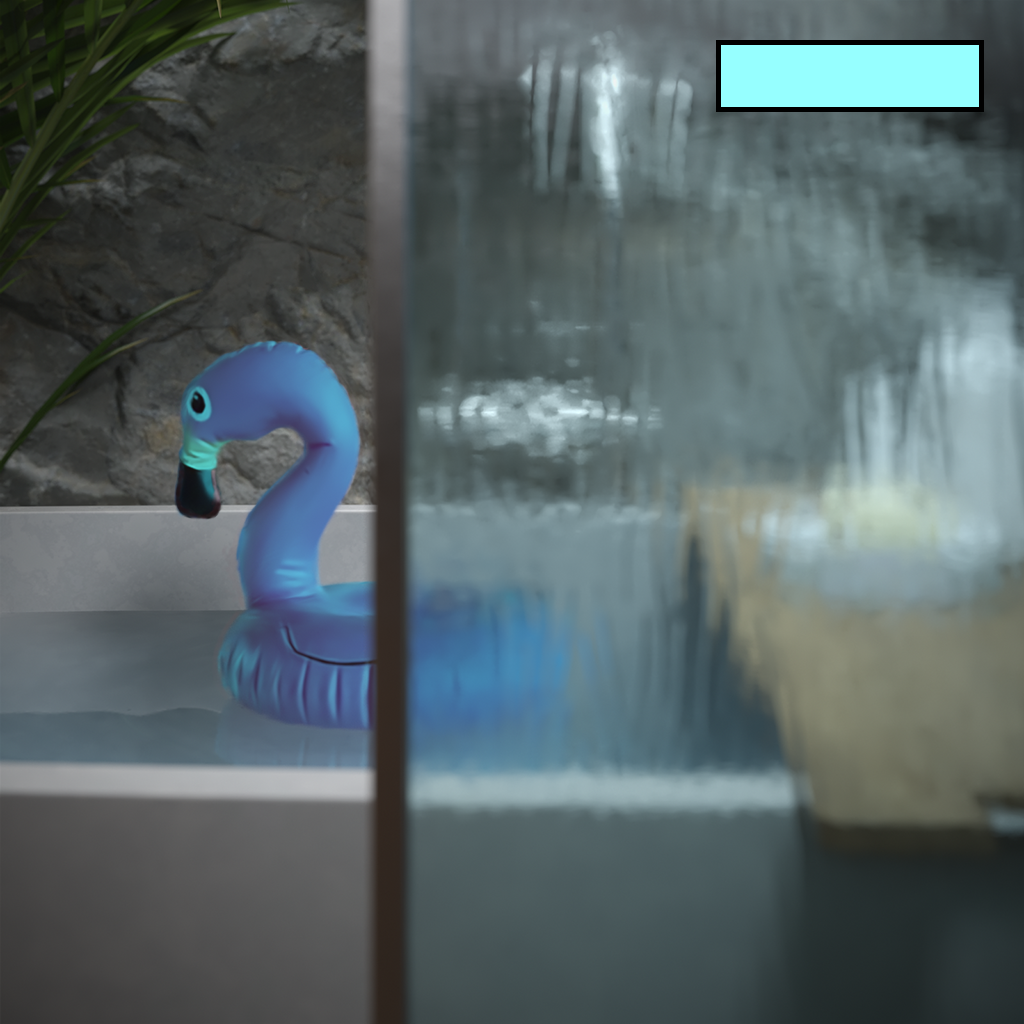
Example: color
The color shown on each render as a box is used as a filter for the original Gaussian Splat diffuse color.



Code Example
With the following API, an integrator could read the gaussian data from a file or GeomGaussians plugin, and a preview of the model could be generated using the bounding box, point cloud, or another method.
The .vrscene file used in this example can be found in your installation_directory/scenes/geom folder.
Python
C++
CSharp
JavaScript
Notes
- Gaussian splats work in V-Ray by assuming they are composed over a black background. For proper rendering, the scene background should be black, and any dome lights used for illumination should be set to invisible.
- While you can load multiple Gaussian splat files and they are rendered correctly with respect to one another depending on their position in space, intersecting Gaussian splats might produce undefined or wrong results. It is not recommended to intersect them, as they are designed for a single point cloud.