Good lighting is the most important thing for getting good photorealistic renders. It also affects image noise and performance. Some lights render faster and with less noise than others. Things that may affect noise and performance of lights are: having a texture instead of flat color; having a complex mesh; being a...
Last updated 31 March 2026
Overview
Good lighting is the most important thing for getting good photorealistic renders. It also affects image noise and performance. Some lights render faster and with less noise than others. Things that may affect noise and performance of lights are: having a texture instead of flat color; having a complex mesh; being an area light with small relative size.
We have a few photorealistic lights in V-Ray. In the first chapter we'll cover the Rectangular light.
Almost all of them have some common parameters:
Color, Color temperature (except SunLight, which calculates these using a realistic model)
Intensity (except SunLight which has multiplier)
Subdivs (except LightAmbient) - this parameter controls the number of samples when sampling the light, along with the DMC sampler settings.
Affect diffuse/specular (except LightAmbient) - we can exclude certain lamps from contributing to the diffuse/specular lighted objects.
Cast shadows (except LightAmbient) - we can exclude a lamp from the calculation of shadows.
Include/Exclude lists - we can exclude certain objects from being lit by this lamp.
The area lights are represented in the scene as objects, but can be invisible.
Rectangle light
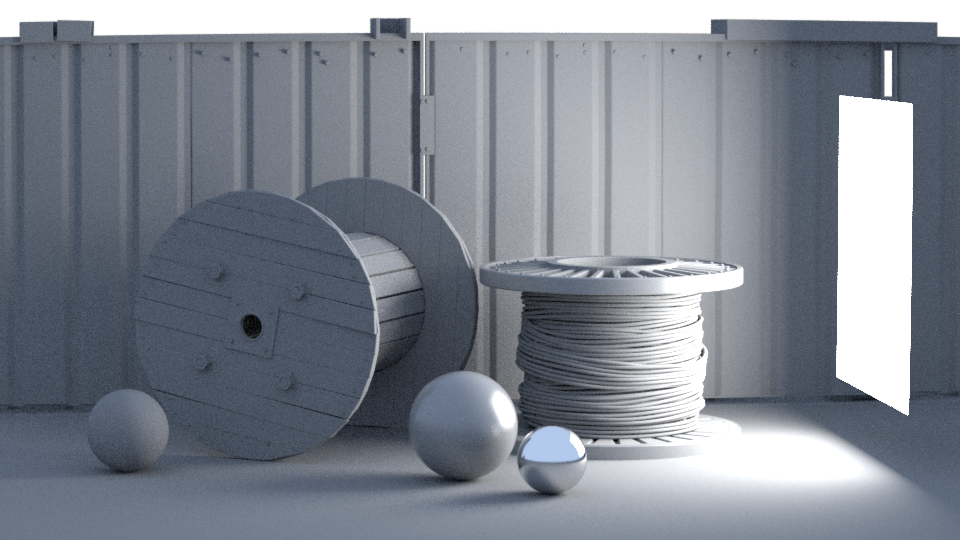
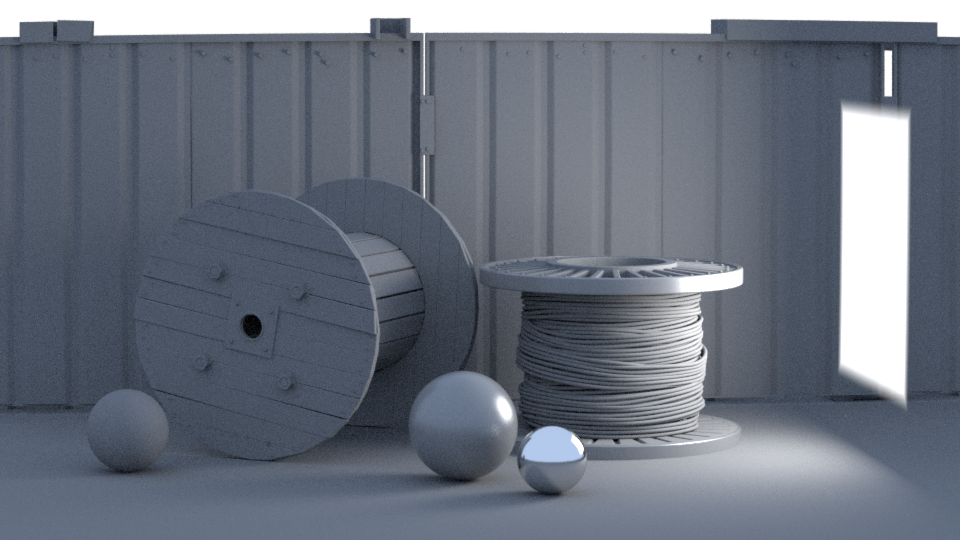
Here's a picture of a textured rectangle light:
It can be rounded to a disc shape and also textured. The idea behind texturing a light is to simulate the imperfections of a real world light, instead of having solid color light among the whole light surface. Even studio softboxes are not perfect and their light contains darker spots in certain places. One can find textures of different softboxes online.
Light parameters
Here's a list of the LightRectangle parameters. Most of them are common for all area lights:
enabled - true if the light is casting light (turned on) and false otherwise; it only makes sense to use this parameter if it is animated, or if another object depends on this node but it must not be rendered
transform - Transform in the scene
color - Color of the light
color_tex - A color texture that if present will override the color parameter
affectDiffuse - True if the light produces diffuse lighting and false otherwise.
affectSpecular - True if the light produces specular hilights and false otherwise.
affectAtmospherics - True if the light affects atmospheric effects.
diffuse_contribution - Diffuse contribution for the light.
specular_contribution - Specular contribution for the light.
atmospherics_contribution - Contribution of the light to atmospheric effects.
use_global_light_level - true if the light should use the global light level setting
bumped_below_surface_check - True if the bumped normal should be used to check if the light direction is below the surface.
nsamples - Number of parameter samples for motion blur.
shadows - true if the light casts shadows and false otherwise
shadowColor - The shadow color. Anything but black is not physically accurate.
shadowColor_tex - A color texture that if present will override the shadowColor parameter
shadowBias - Shadow offset from the surface. Helps to prevent polygonal shadow artifacts on low-poly surfaces.
photonSubdivs - Determines the number of photons emitted by this light when calculating the Global Photon Map. 1000 subdivs equal 1 million photons.
causticSubdivs - Determines the number of photons emitted by this light when calculating the Caustics Photon Map. 1000 subdivs equal 1 million photons.
diffuseMult - Multiplier for the diffuse photons.
causticMult - Multiplier for the caustics photons.
cutoffThreshold - Light cut-off threshold (speed optimization). If the light intensity for a point is below this threshold, the light will not be computed.
channels - Render channels the result of this light will be written to
channels_raw - Render channels the raw diffuse result of this light will be written to
channels_diffuse - Render channels the diffuse result of this light will be written to
channels_specular - Render channels the specular result of this light will be written to
channels_full - Render channels the full (direct+indirect) result of this light will be written to
units - Units for the intensity. Using correct units is essential when you are using the CameraPhysical. The light will automatically take the scene units scale into consideration to produce the correct result for the scale you are working with. The possible values are:
0 - default - The color and multiplier directly determine the visible color of the light without any conversion. The light surface will appear with the given color in the final image when seen directly by the camera (assuming there is no color mapping involved).
1 - lumens - Total emitted visible light power measured in lumens. When this setting is used, the intensity of the light will not depend on its size. A typical 100W electric bulb emits about 1500 lumens of light.
2 - lm/m/m/sr - Visible light surface power measured in lumens per square meter per steradian. When this setting is used, the intensity of the light depends on its size.
3 - watts - Total emitted visible light power measured in watts. When using this setting, the intensity of the light does not depend on its size. Keep in mind that this is not the same as the electric power consumed by a light bulb for example. A typical 100W light bulb only emits between 2 and 3 watts as visible light.
4 - w/m/m/sr - Visible light surface power measured in watts per square meter per steradian. When this setting is used, the intensity of the light depends on its size.
intensity - Light intensity
intensity_tex - A float texture that if present will override the intensity parameter
subdivs - Number of samples that will be taken from this light
invisible - True if the light is NOT directly visible from the camera and false otherwise.
occludeLights - When enabled, the light will occlude other lights for shadow, GI and reflection rays when it's invisible
storeWithIrradianceMap - When this option is on and GI calculation is set to Irradiance map V-Ray will calculate the effects of this light and store them in the irradiance map. The result is that the irradiance map is computed more slowly but the rendering takes less time. You can also save the irradiance map and reuse it later.
affectReflections - True if the light appears in reflections and false otherwise.
noDecay - When enabled, the intensity of the light will have no fall off with distance. Normally the light intensity is inversely proportional to the square of the distance from the light (surfaces that are farther from the light are darker than surfaces which are closer to the light).
doubleSided - Whether the light emits in both sides
lightPortal - Specifies if the light is a portal light (0 - normal light, 1 - portal light, 2 - simple portal light)
objectID - Object ID for use by shaders, render elements, etc.
useMIS - This parameter is for debugging only. It should always be set to true in user scenes. When set to false, rendering quality is not optimal.
is_disc - The light is disc shaped
u_size - The u dimension of the light (actually half-width)
v_size - The v dimension of the light (actually half-height)
directional - Narrow the spread of the lighting and make the light directional
ignoreLightNormals - Normally, the surface of the source emits light equally in all directions. When this option is off, more light is emitted in the direction of the source surface normal.
rect_tex - The light texture
use_rect_tex - True if the texture should be used
tex_resolution - The texture presampling resolution
tex_adaptive - The adaptivity of the sampling to the texture brightness (0.0 - no adaptivity; 1.0 - full adaptivity)
Example
Here we'll show how to add a textured LightRectangle to a scene.
Python
C++
C#.NET
Node.js
Results
The scene used for this render is called "Lighting_Rect.vrscene" and can be found in the scene bundle (comments on the different parameters available inside).
The scene used for this render is called "Lighting_Rect_tex.vrscene" and can be found in the scene bundle (comments on the different parameters available inside).
The scene used for this render is called "Lighting_Rect_tex_alpha.vrscene" and can be found in the scene bundle (comments on the different parameters available inside).