Chaos Vantage
View Menu
This page provides information about the View menu in Chaos Vantage.
Last updated 7 October 2025
This page provides information about the View menu in Chaos Vantage.
Menu options
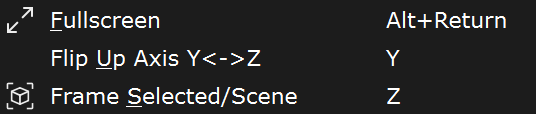
Fullscreen – Maximizes Chaos Vantage's UI to display in fullscreen mode. (Shortcut: Alt+Return)
Flip Up Axis Y ↔ Z – Switches between Y and Z axis to be used as an Up vector. (Shortcut: Y)
Frame Selected/Scene – If an object is selected, zooms that object and frames it into the viewport. If no selection is made, fits the scene into view.