Corona for Cinema 4D
Corona Layered Material
This article explains the settings and values for the Corona Layered Material in Cinema 4D.
Last updated 1 September 2026
This article explains the settings and values for the Corona Layered Material in Cinema 4D.
Overview
The Corona Layered Material offers stacking of multiple materials on top of each other in order to mix them. The resulting material depends on the blending amount or the masking shader used for each material layer. You can use a shader or a texture map to mask out the material layers in order to control what parts appear in the render - for example: rusted spots on a metal surface, exposed bricks below a cracked concrete surface, or a glossy pattern on a matte painted surface.
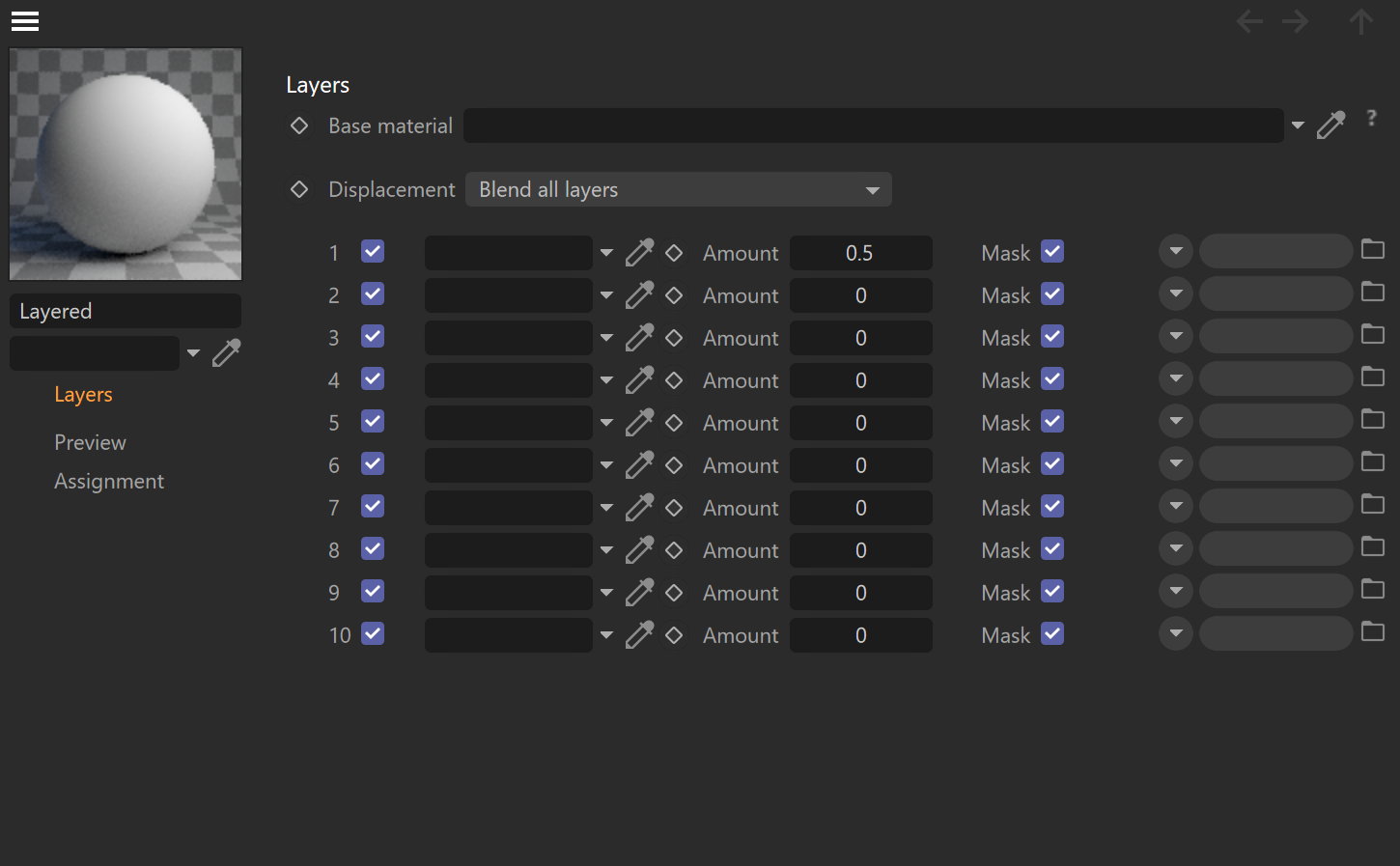
Layers
Base material – This slot defines the base material of the surface. Other layers are stacked on top of it.
Displacement – This parameter specifies what displacement blending mode to use for the layered displacement. The base displacement is always used.
Only from base material – This mode only uses the base material's displacement.
Blend all layers – This mode blends displacement from all layers including the base material.
Add all layers on top – This mode adds each layer's displacement on top of each other.
Layers – These are the layers that are stacked on top of the base material. Each layer can be enabled or disabled.
Amount – This is the intensity (also considered as the visibility) of the layer.
Mask – This parameter allows the load of a texture map or shader to be used as a mask for the layer.

Displacement – Blending modes
Displacement mode: Only from base material
In this mode, the displacement only from the base material is applied to the object.
Displacement mode: Blend all layers
This is the default mode for displacement. This is like stacking displacement maps from the base material and layered materials like layers on top of each other without any special blending mode; then, they can be mixed by changing their opacity.
Displacement mode: Add all layers on top
This is like stacking displacement maps like layers on top of each other and using the Add blending mode to mix them (then their strengths can be affected by the Amount value).

Click here to see the Material setup.

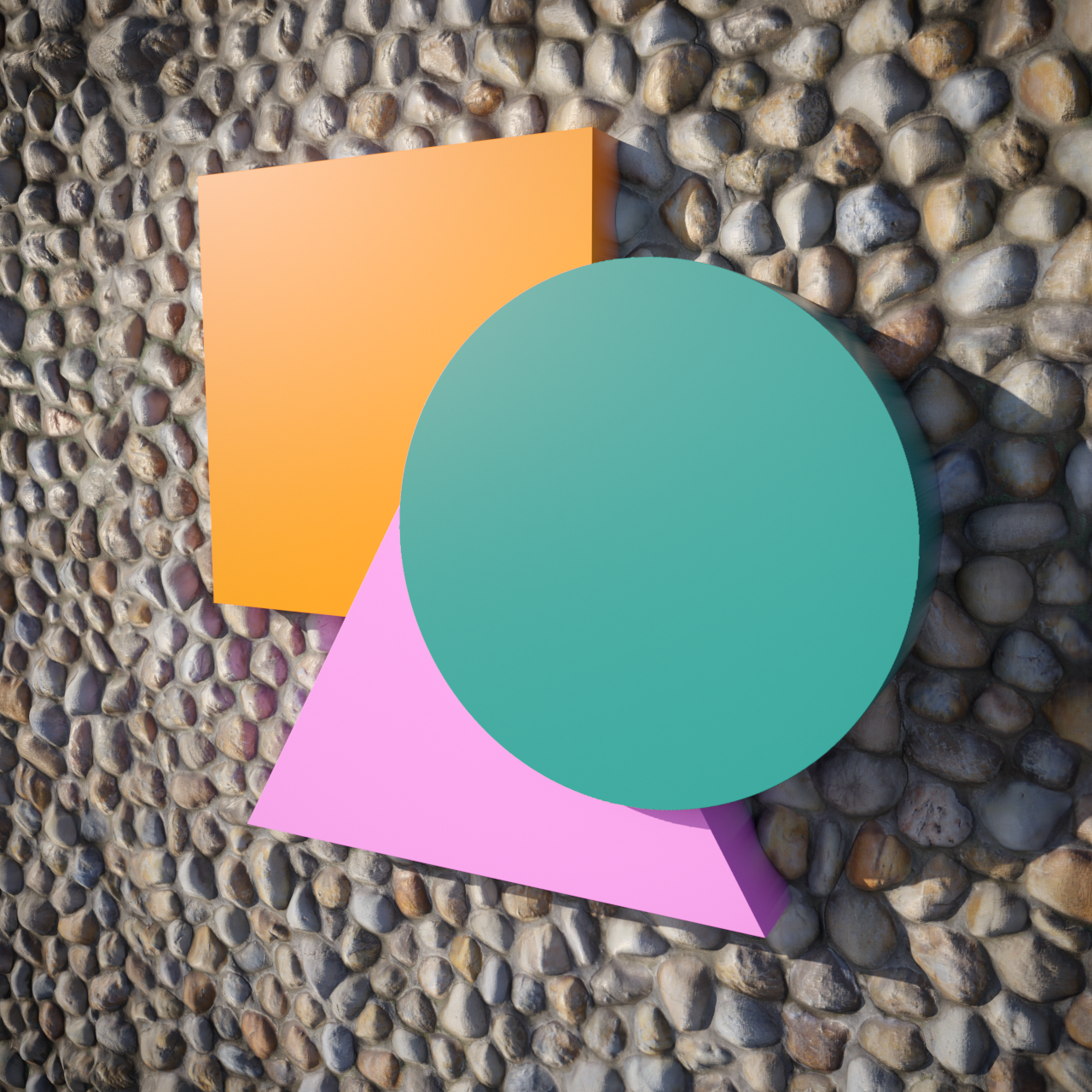
Click here to see the Material setup.
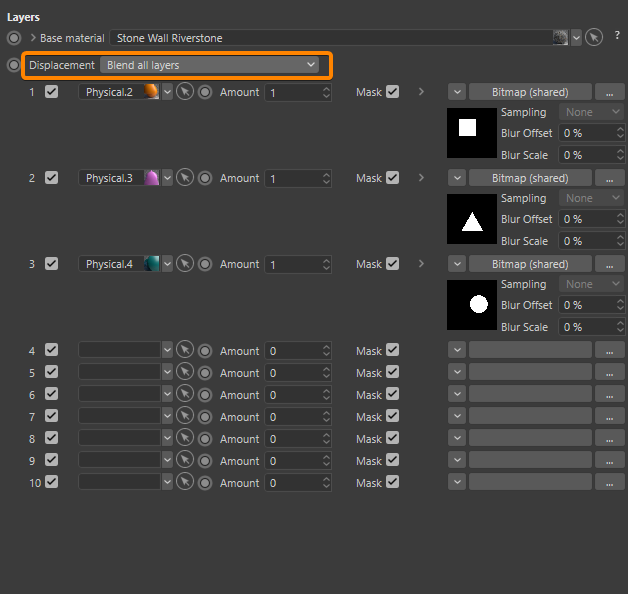

Click here to see the Material setup.

Examples
Corona Layered Material: Example A

Click here to see the Material setup.

Corona Layered Material: Example B

Click here to see the Material setup.
