Corona for Cinema 4D
Secondary GI - 4k Cache
This page provides information about the Secondary GI tab in the Render settings window.
Last updated 1 September 2026
This page provides information about the Secondary GI tab in the Render settings window.
Overview
The options available in this tab allow you to set the behavior for the 4K Cache (experimental) GI solver.
UI Path: ||Render settings window|| > Corona > Secondary GI: 4K Cache (experimental) tab
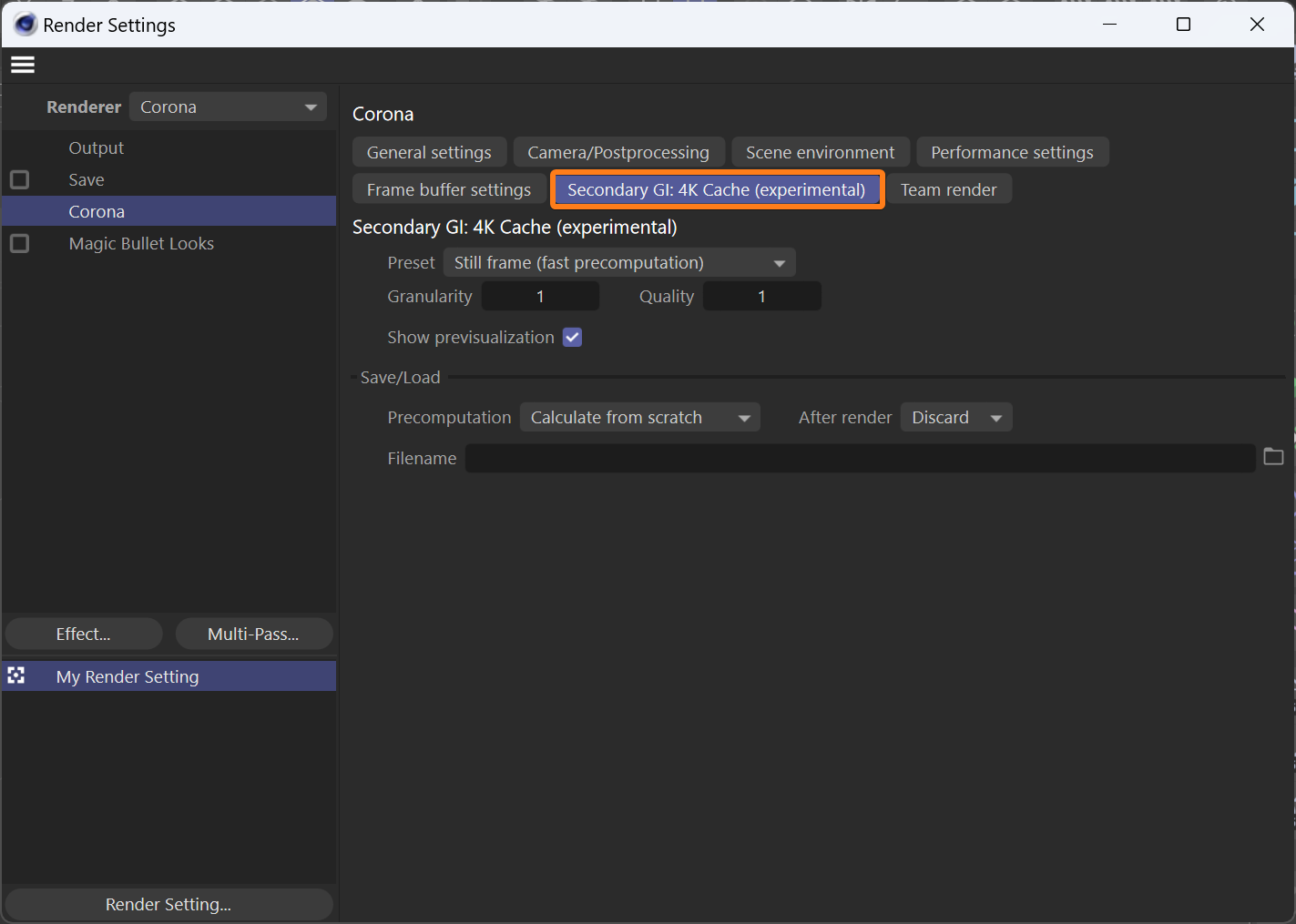
Secondary GI: 4K Cache (experimental)
Preset – This is a list of presets for the most common scenarios, still images, and animated sequences.
Available presets are:
Still frame (fast precomputation) – Configuration with short precomputation that works great in still frames, but might flicker in animations.
Animation (flicker-free) – Configuration with longer precomputation that aims at eliminating flickering in animations.
Granularity – Increasing this value will lower the memory usage, but it will result in a more splotchy render.
Quality – Increasing this parameter will increase the precomputed GI quality while increasing the precomputation time at the same rate.
Show previsualization – Precomputation is displayed during the rendering process when this checkbox is enabled.

Save/Load
Precomputation – Determines how the 4K cache for rendering is obtained.
Available precomputation modes are:
Calculate from scratch – The cache is calculated independently for each frame in a precomputation pass when using this mode.
Load from file – The cache is loaded from a specified file instead of being computed. Good for animations as it prevents flickering.
Load from file + append – The cache is first loaded from the specified file, and then the precomputation pass runs on top of it when using this mode. The loaded and computed caches are merged. Good for animation precomputation (when ran e.g. every 30 frames).
After render – When set to "Save" the 4K Cache is saved to the specified file after rendering, possibly overwriting it.
Filename – Specifies the path where the cache file is saved to or loaded from.

Other Render settings tabs
Add a title
General settings
View
Add a title
Camera/Postprocessing
View
Add a title
Scene environment
View
Add a title
Performance settings
View
Add a title
Frame buffer settings
View
Add a title
Secondary GI: UHD Cache
View
Add a title
Team render
View