Corona for Cinema 4D
Team Render
This page provides information about the Team render tab in the Render settings window.
Last updated 1 September 2026
This page provides information about the Team render tab in the Render settings window.
Overview
The options available in this tab will allow you to adjust the Team Render functionality when distributing rendering jobs across the network.
UI Path: ||Render settings window|| > Corona > Team Render tab
Team render
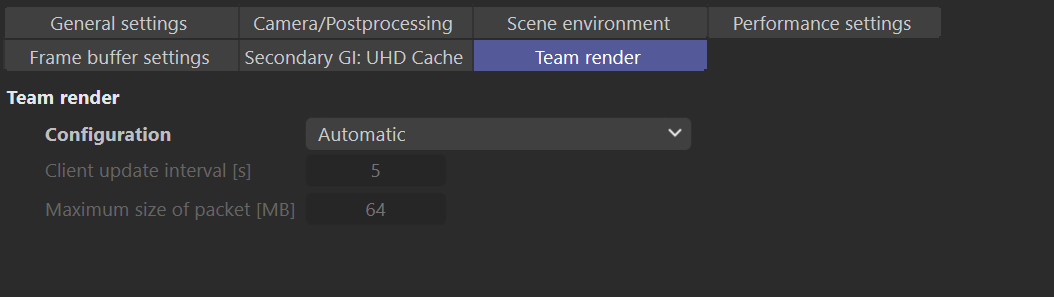
Configuration – Allows selecting the Team Render's functionality, whether if it will be Automatic or Manual.
Available configuration modes are:
Manual – Allows you to manually set the Client update interval and the Maximum size of packet values.
Automatic – Automatically adjusts the Client update interval and the Maximum size of packet values.
Arbitrated (experimental) – This is an experimental mode.
Client update interval [s] – Sets the time interval in seconds to communicate with Team Render clients across the network.
Maximum size of packet [MB] – Defines each information packet's maximum size that will be sent to the Team Render clients across the network.

Other Render settings tabs
General settings
View
Camera/Postprocessing
View
Scene environment
View
Performance settings
View
Frame buffer settings
View
Secondary GI: UHD Cache
View
Secondary GI: 4K Cache
View