Enscape Release Notes
4.10.0 Preview 1 macOS
This change will initially be available only in Preview versions. This allows us to collect early feedback and make improvements before a full rollout. We’re excited about this transition and would love to hear your thoughts. Please share feedback in our Forum or reach out directly through our Idea Portal.
Last updated 1 September 2026
Enscape 4.10.0 Preview 1
Release Notes 13.08.2025
New
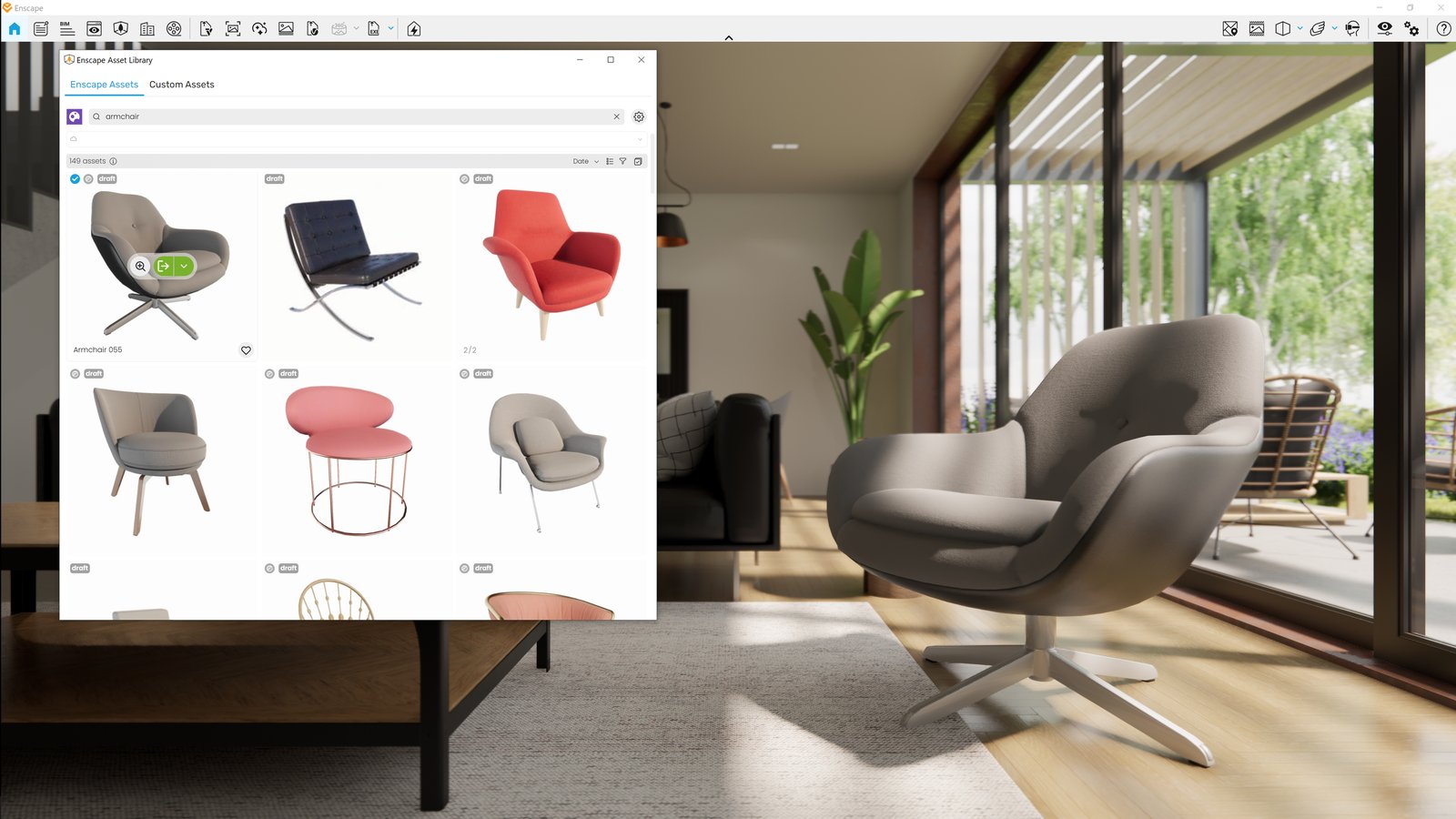
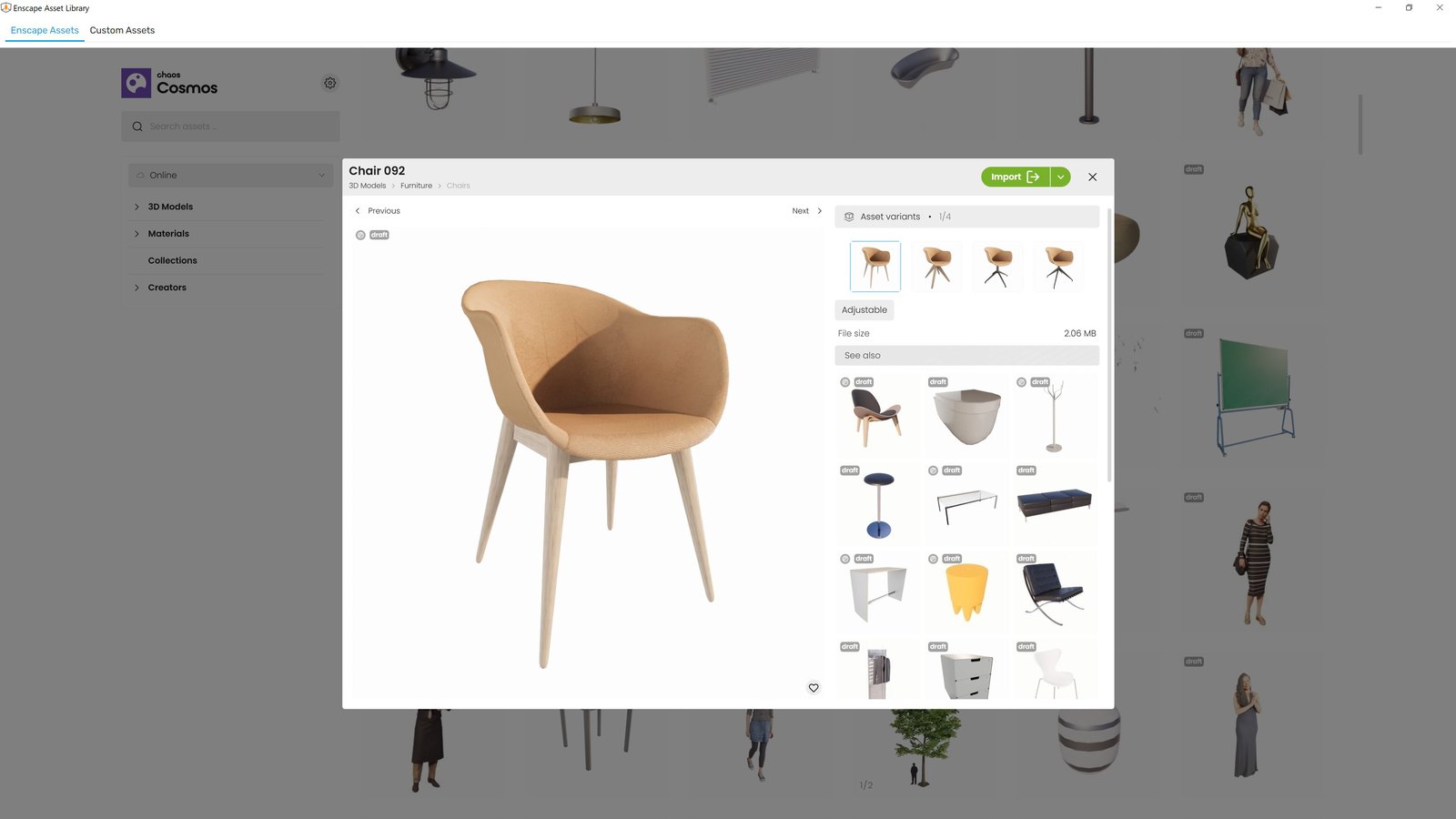
- New Asset Delivery Platform: Chaos Cosmos
Enscape now uses Chaos Cosmos as the platform for delivering assets. While the assets themselves remain unchanged, the system behind them is getting a major upgrade:- Same Enscape assets, now delivered through Cosmos
- Improved search and filtering for easier discovery
- More modern, intuitive interface for browsing and placing assets
- Consistent experience across Chaos products, with room for future growth
This change will initially be available only in Preview versions. This allows us to collect early feedback and make improvements before a full rollout.
We’re excited about this transition and would love to hear your thoughts. Please share feedback in our Forum or reach out directly through our Idea Portal.
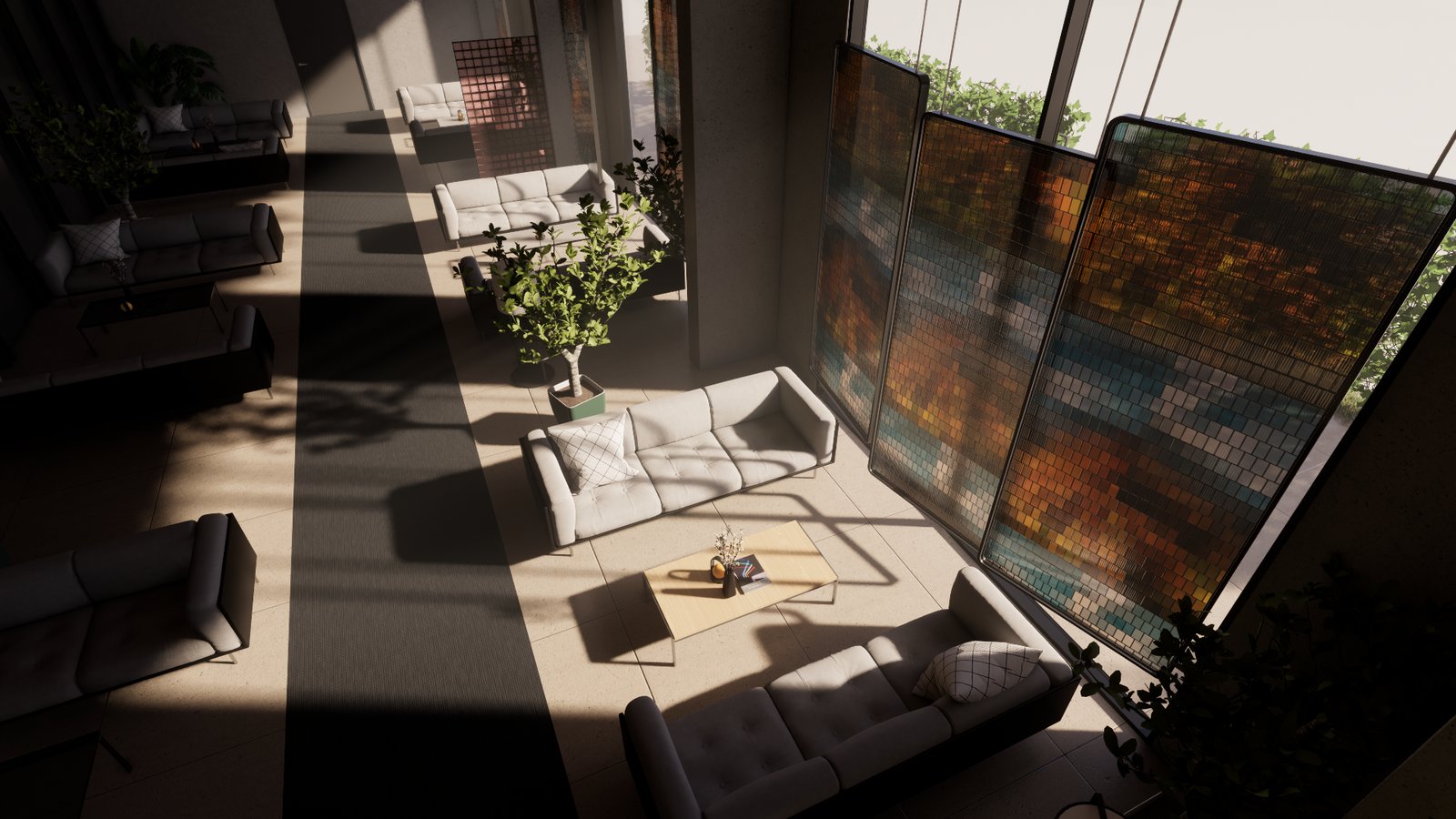
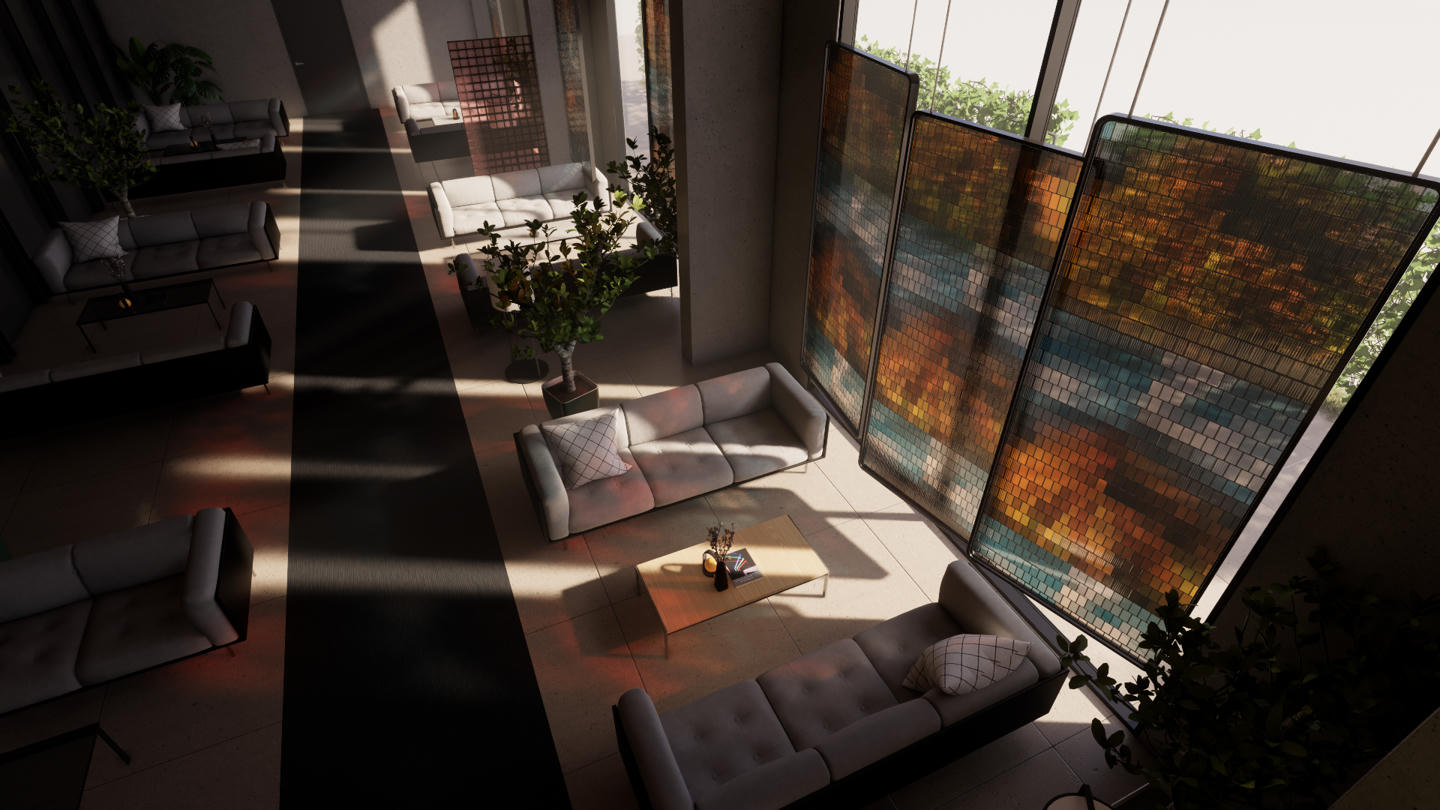
- Software ray-tracing: Introducing colored sun shadows for software ray tracing including support in fog for capture and walkthrough in Ultra quality.
Before:
After:
- V-Ray scene export improvements: Revit graphics overrides are now also taken in account for the V-Ray Scene Export if they are enabled for Enscape.
- [Rhino] PBR Material roughness texture support: Enscape now supports PBR roughness textures from Rhino’s Physically Based materials (Rhino 7 and 8), while maintaining compatibility with legacy custom materials.
- Grass material improvements: More natural look with lower density settings and improved slope placement.
Before:
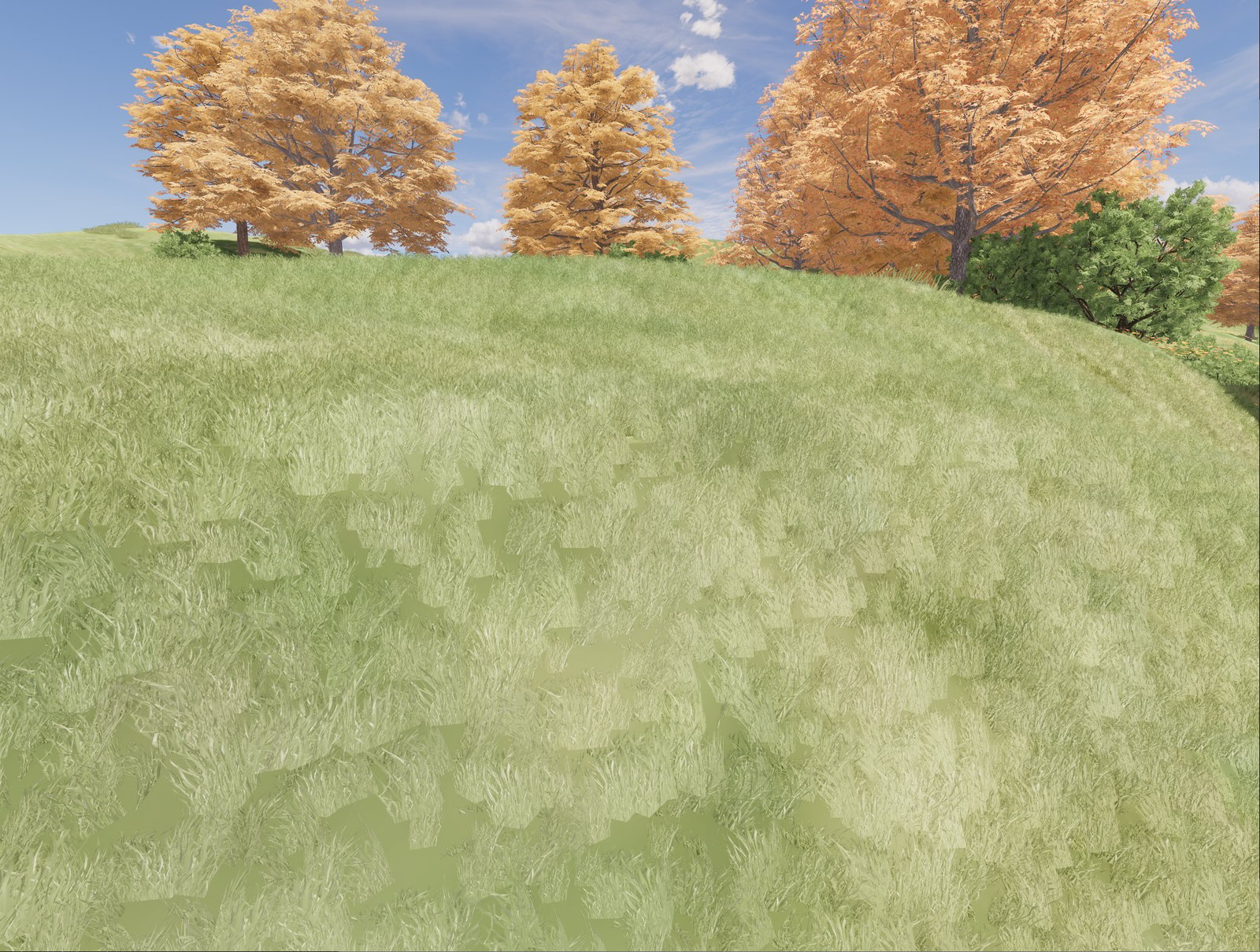
After:
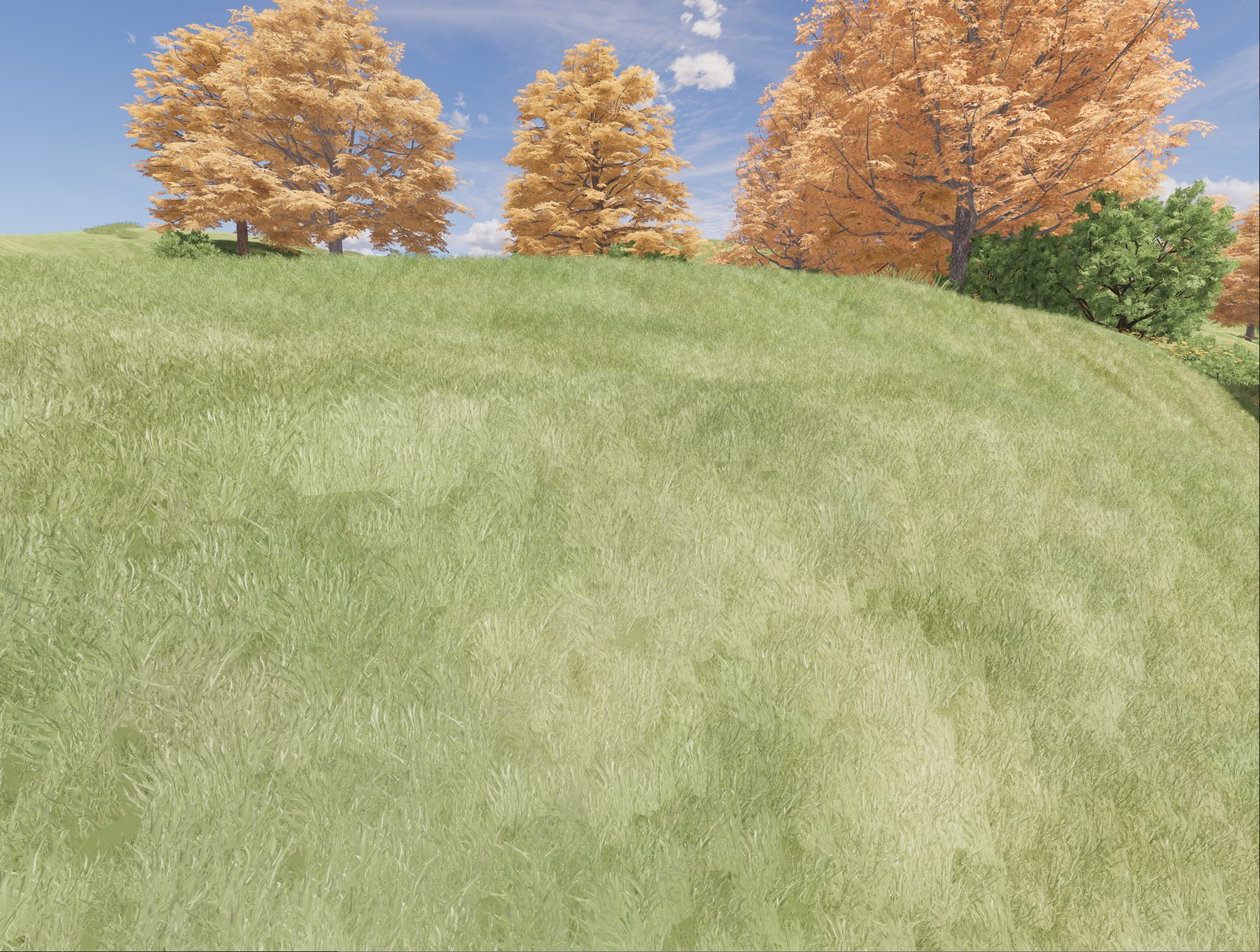
Fixed Bugs
- SketchUp: Fixed an issue where changing scenes that had Enscape Sun Settings using SketchUp UI caused the sun to flicker.
- Rhino: No error message is shown on macOS when the user has denied access to the Documents directory.
- Render Image: Default Output Folder used to fail to change sometimes after its initial update through the Visual Settings UI.
- Rendering: Fixed visual issues when changing the contrast settings, and flickering that could happen when switching between different performance maps.
- Video Editor: Fixed an issue where Enscape freezes when closing the CAD with unsaved Video Editor Path.
- Video Editor: Fixed an issue where Enscape freezes when double-clicking the Video Preview Play Button while the General Settings Window is open.
Known Issues
- Enscape crashes in (heavy load) captures: Crash in PathTrace.glsl may occur under high GPU loads when rendering large screenshots (e.g., 4K with artificial lights or 6K without artificial lights).