Enscape Release Notes
4.10.0 Preview 1 Windows
This change will initially be available only in Preview versions. This allows us to collect early feedback and make improvements before a full rollout. We’re excited about this transition and would love to hear your thoughts. Please share feedback in our Forum or reach out directly through our Idea Portal.
Last updated 1 September 2026
Enscape 4.10.0 Preview 1
Release Notes 13.08.2025
New
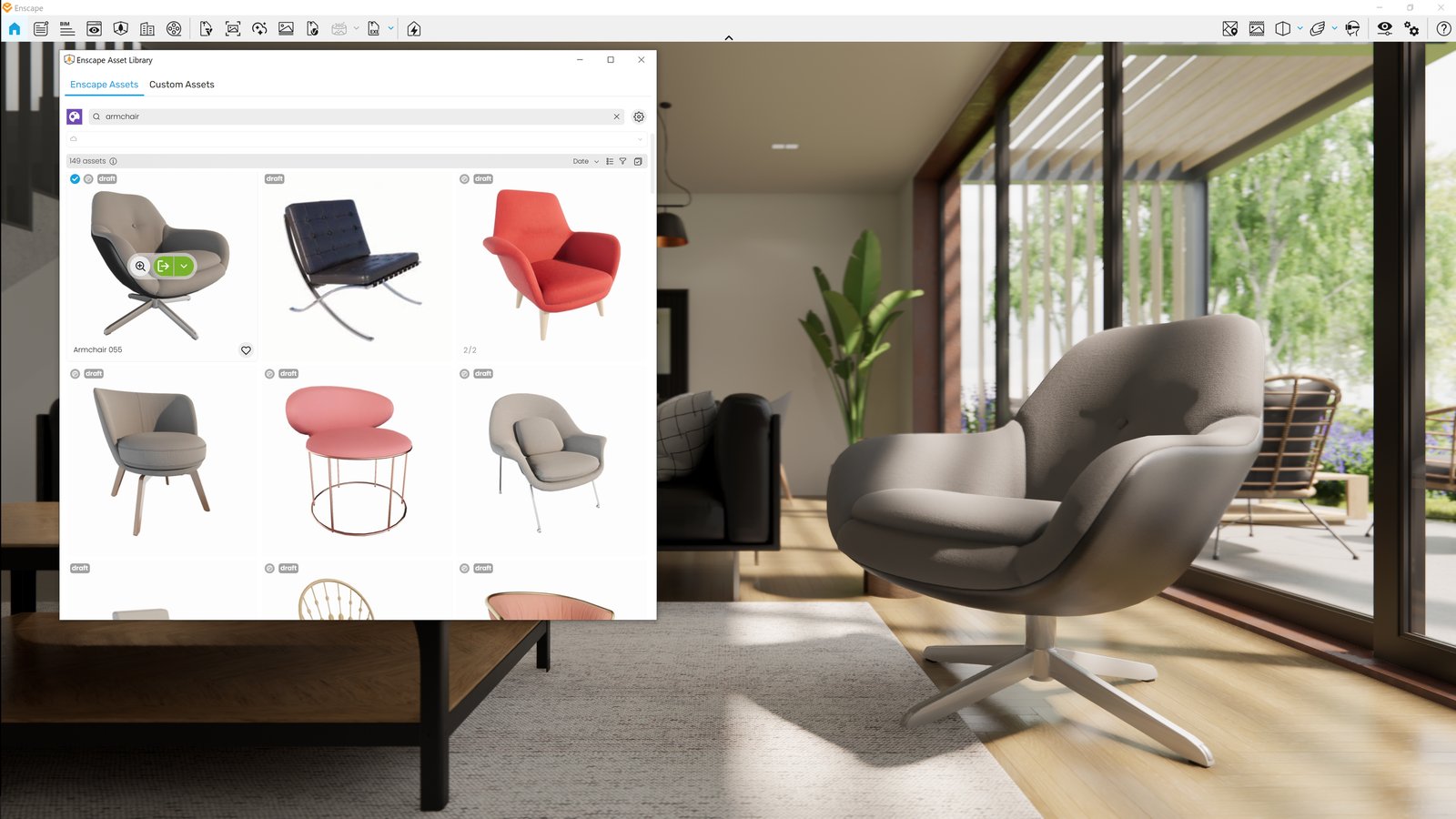
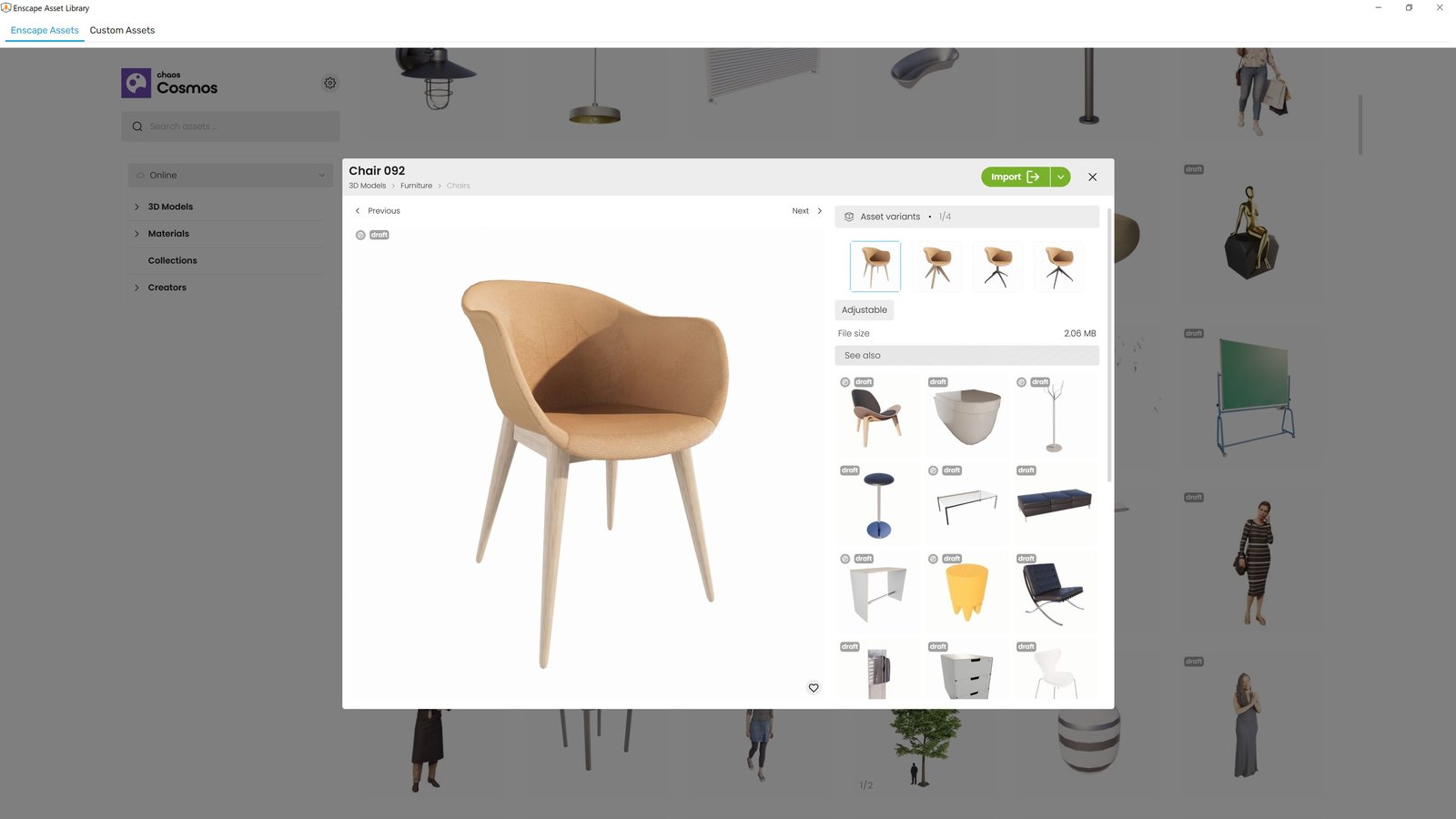
- New Asset Delivery Platform: Chaos Cosmos
Enscape now uses Chaos Cosmos as the platform for delivering assets. While the assets themselves remain unchanged, the system behind them is getting a major upgrade:- Improved search and filtering for easier discovery
- More modern, intuitive interface for browsing and placing assets
- Consistent experience across Chaos products, with room for future growth
- Same Enscape assets, now delivered through Cosmos
This change will initially be available only in Preview versions. This allows us to collect early feedback and make improvements before a full rollout.
We’re excited about this transition and would love to hear your thoughts. Please share feedback in our Forum or reach out directly through our Idea Portal.
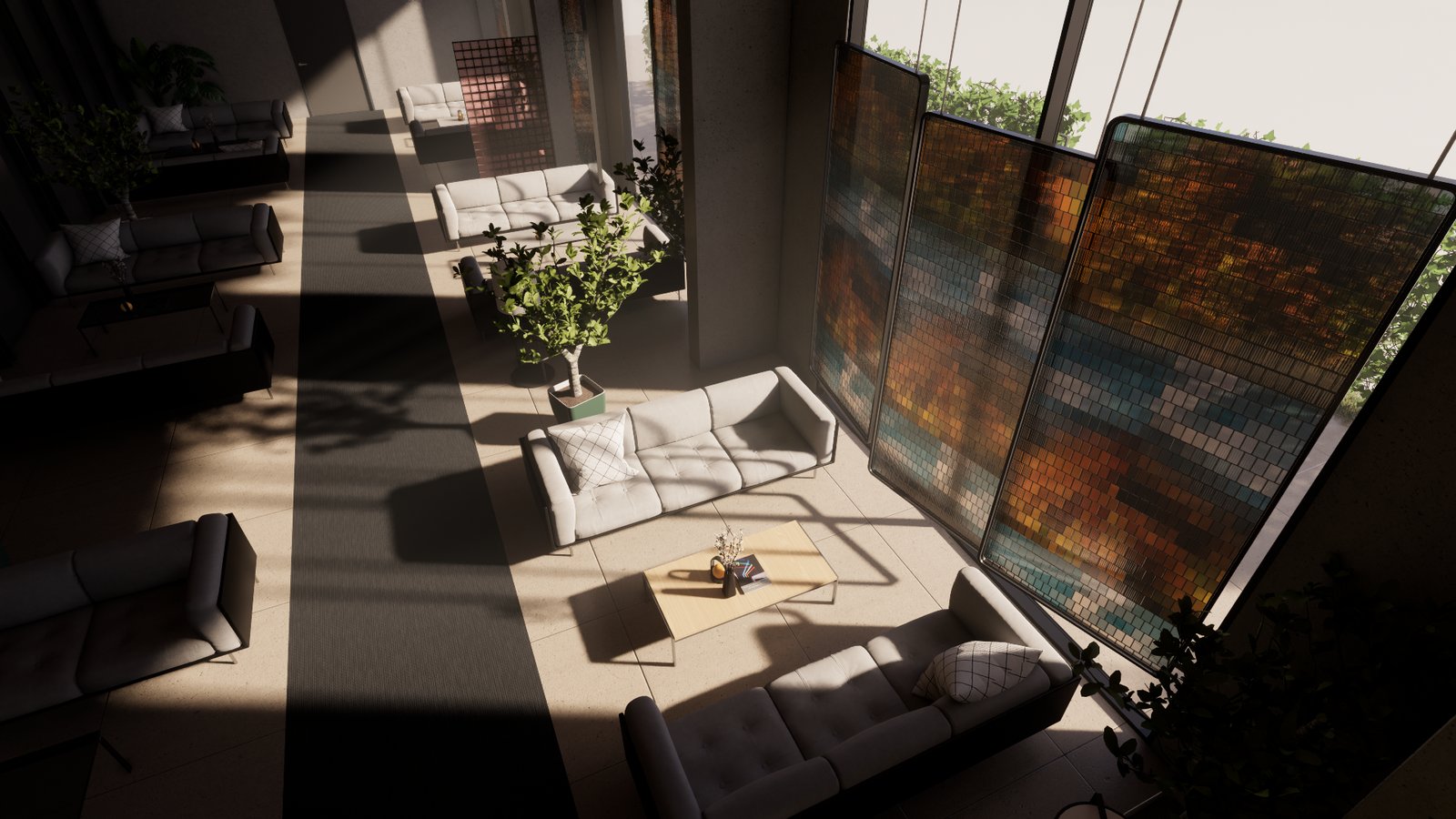
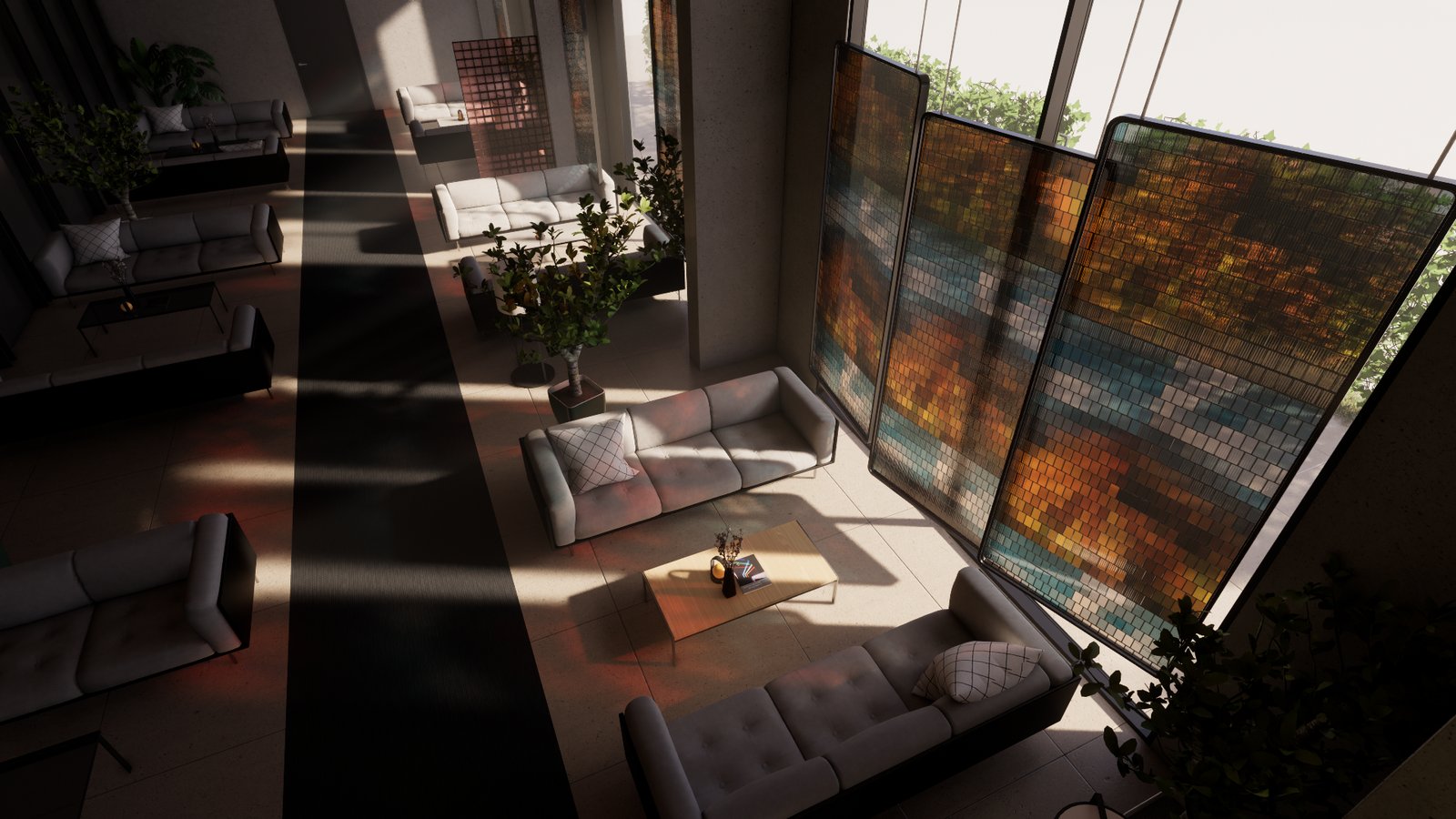
- Software ray-tracing: Introducing colored sun shadows for software ray tracing including support in fog for capture and walkthrough in Ultra quality.
Before:
After:
- V-Ray scene export improvements: Revit graphics overrides are now also taken in account for the V-Ray Scene Export if they are enabled for Enscape.
- [Rhino] PBR Material roughness texture support: Enscape now supports PBR roughness textures from Rhino’s Physically Based materials (Rhino 7 and 8), while maintaining compatibility with legacy custom materials.
- [Impact] UI adjustments: Improved workflow, clearer labels and tooltips.
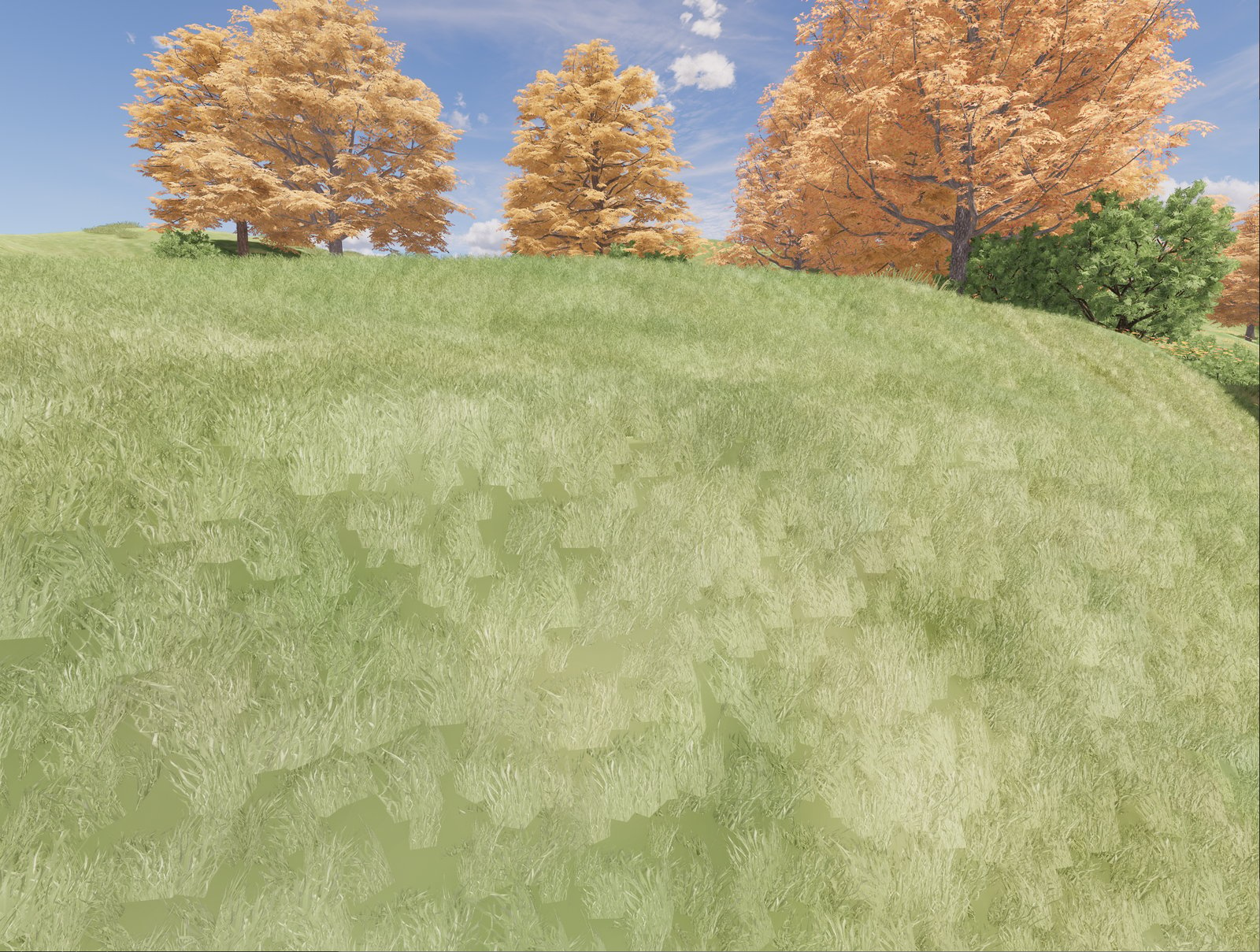
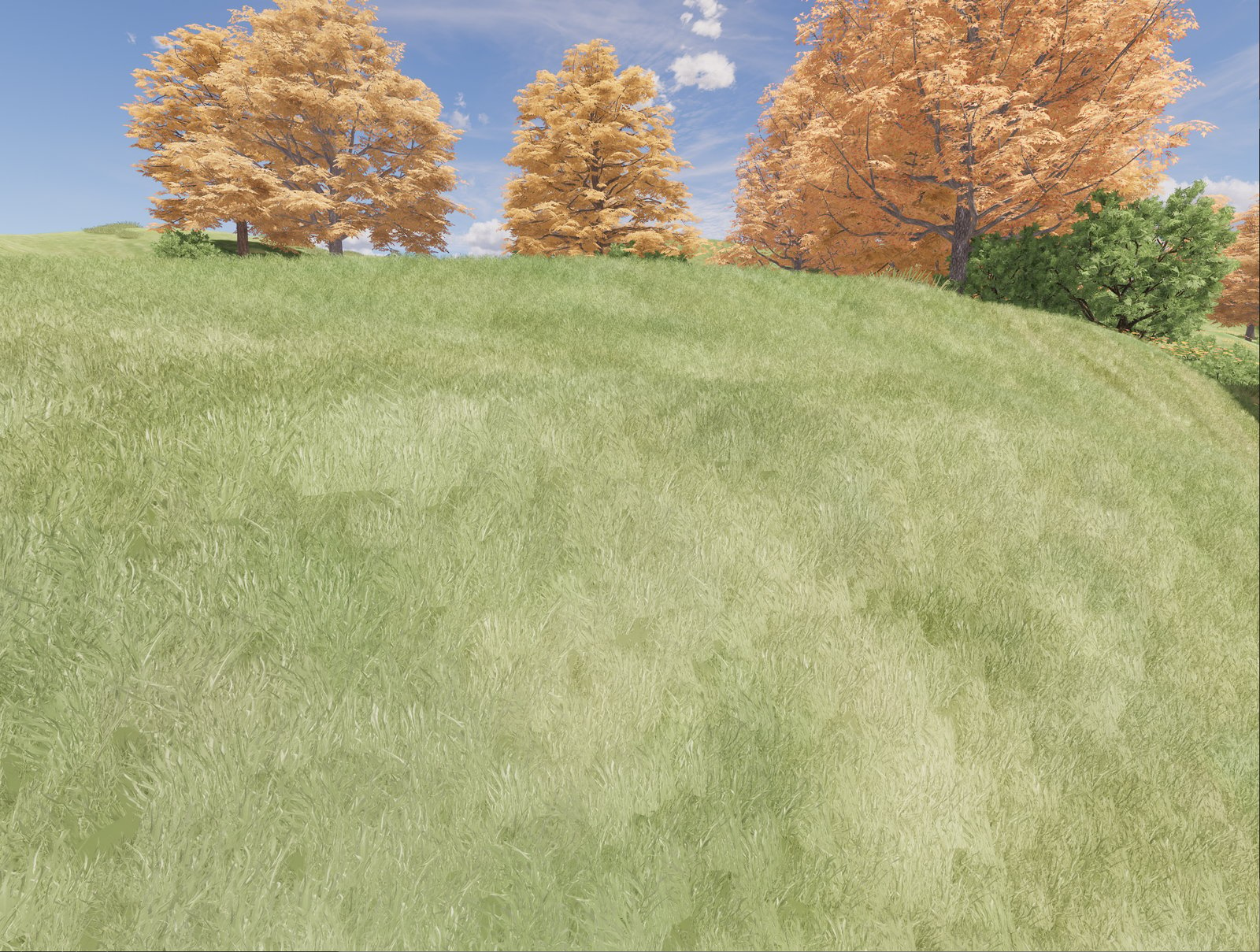
- Grass material improvements: More natural look with lower density settings and improved slope placement.
Before:
After:
Fixed Bugs
- Video Editor: Fixed an issue where Enscape freezes when double-clicking the Video Preview Play Button while the General Settings Window is open.
- Rendering: Fixed visual issues when changing the contrast settings, and flickering that could happen when switching between different performance maps.
Known Issues
- Enscape crashes in (heavy load) captures: Crash in PathTrace.glsl may occur under high GPU loads when rendering large screenshots (e.g., 4K with artificial lights or 6K without artificial lights).