V-Ray for Cinema 4D
Classic Materials
By default, the V-Ray materials menu is visible next to the Create menu in the Material Manager.
Last updated 16 December 2025
- V-Ray Material
- Al Surface Material
- Blend Material
- Bump Material
- Car Paint 2 Material
- Fast SSS2 Material
- Hair Next Material
- Light Material
- Scanned Material
- Stochastic Flakes
- 2Sided Material
- Toon Material
- OSL Material
- Override Material
- Switch Material
- VRmat Material
V-Ray Materials Menu
By default, the V-Ray materials menu is visible next to the Create menu in the Material Manager.
If you want to access V-Ray materials from Cinema 4D's Create menu, go to Edit > Preferences > Renderer > V-Ray > Materials and disable the Separate menu for V-Ray materials option.
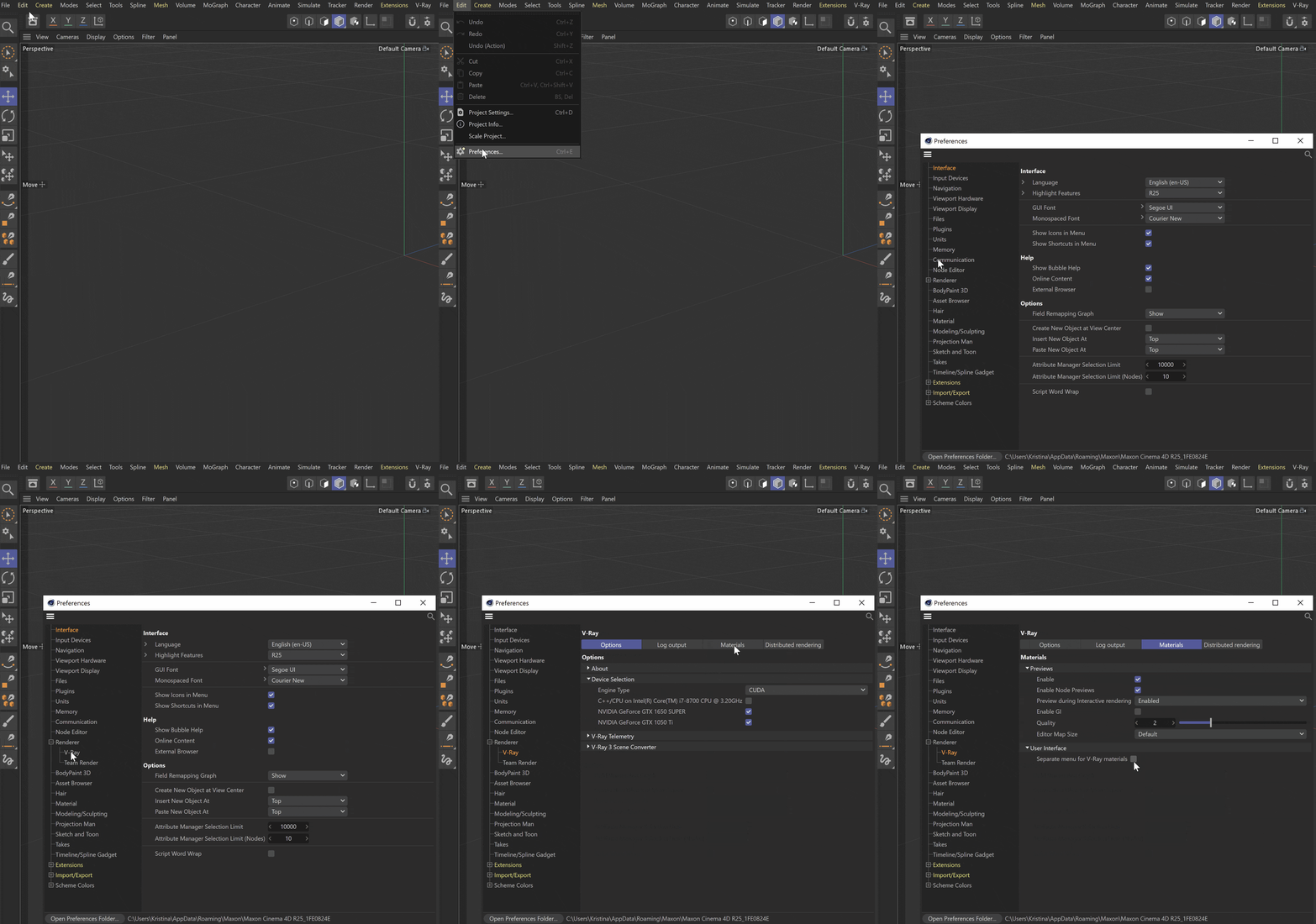
Then, restart Cinema 4D.
V-Ray materials now reside in the Material Manager's Create menu.

Quickly Create Materials Workflow
V-Ray supports the Cinema 4D option to quickly create materials by double-clicking in the Material Manager. See the Materials page for an overview of the workflow.