V-Ray for Cinema 4D
Materials Overrides
This page provides information about the Materials Override Render Settings in V-Ray for Cinema 4D.
Last updated 19 September 2025
This page provides information about the Materials Override Render Settings in V-Ray for Cinema 4D.
Overview
The Materials overrides control how shading effects are rendered and can be used to globally override certain shared parameters throughout the scene. These changes then affect all materials in the scene at a global level.

UI Path: ||Render Settings|| > V-Ray > Overrides tab > Materials rollout
Materials
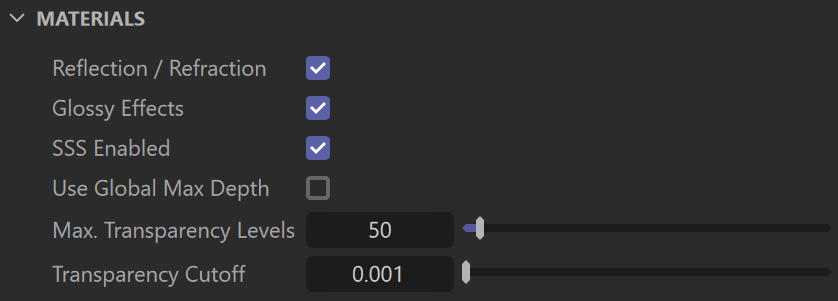
Reflection/Refraction – Enables (default) or disables the calculation of reflections and refractions in V-Ray maps and materials.
Glossy Effects – Enables (default) or disables the rendering of glossy effects.
SSS Enabled – Enables (default) or disables the rendering of sub-surface scattering effects.
Use Global Max Depth – Enables global limiting of the reflection/refraction depth of a material. When this is disabled (default), the depth is controlled locally by the materials' Reflection Max Depth parameter. When this option is enabled, all materials use the Max Depth specified in this rollout.
Global Max Depth – Specifies the maximum depth when Use Global Max Depth is enabled. To disable all reflections/refractions in the scene, set this value to 0.
Max. Transparency Levels – The depth to which transparent objects are traced.
Transparency Cutoff – Determines when tracing of transparent objects stops. If the accumulated transparency of a ray is below this threshold, no further tracing is performed.