V-Ray for Cinema 4D
Substance
This page provides information about the Substance node in V-Ray for Cinema 4D.
Last updated 19 September 2025
This page provides information about the Substance node in V-Ray for Cinema 4D.
Overview
The Substance node allows Substance Archive (SBSAR) files to be loaded into the Node Editor and connected to various V-Ray materials and textures. For more information on Substance Archive files, see the Adobe documentation.
Properties
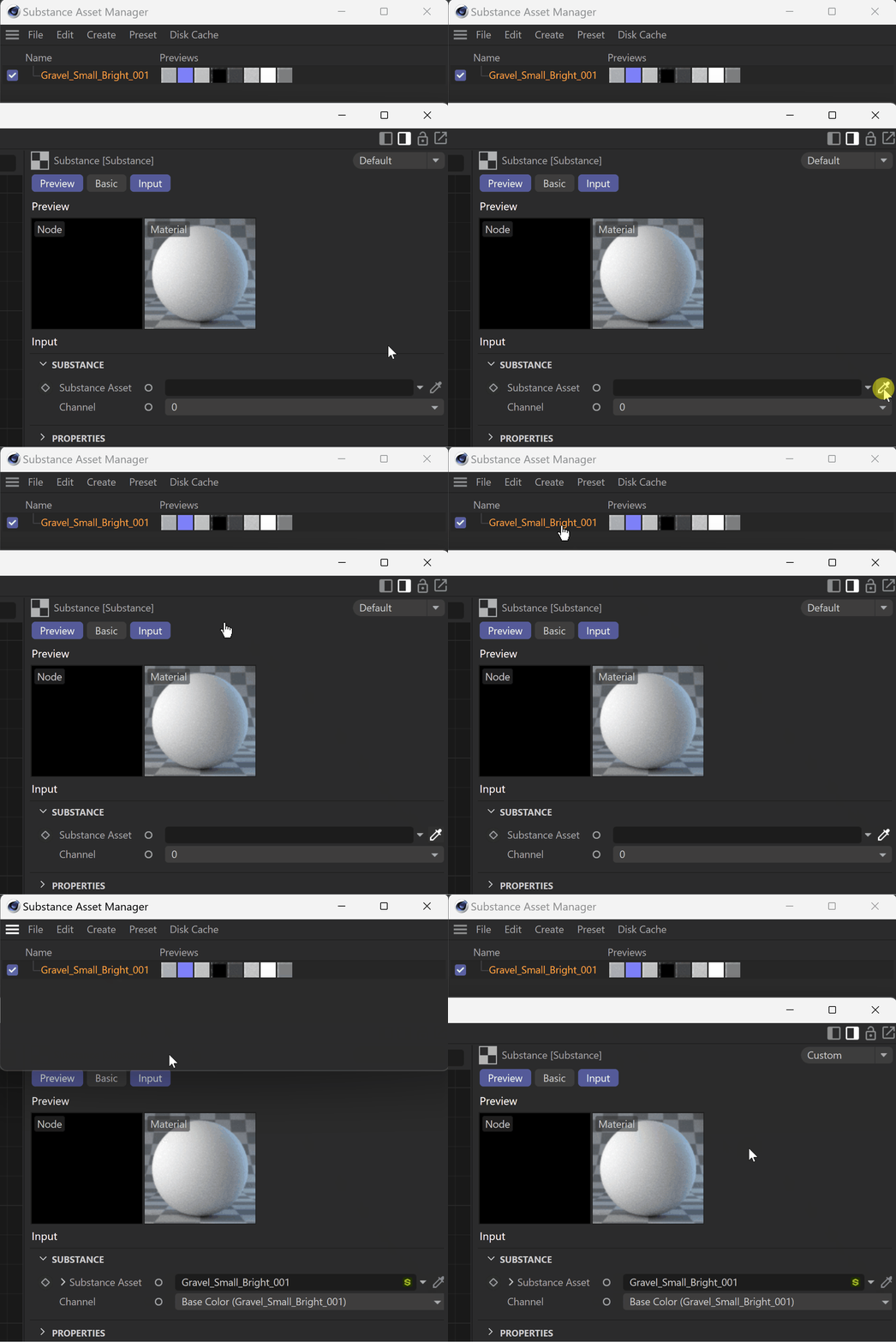
Substance Asset – Allows you to select a .sbsar file from the Substance Asset Manager, or after they are loaded into the scene.
Channel – SBSAR files import with all their layers. Once a file is connected to the Substance node, this parameter determines which channel of the .sbsar file is output, i.e., roughness, height, opacity, or other.

Workflow
The SBSAR textures need to be uploaded to the scene before they can be added to a Substance node. You can load them through the Substance Engine within Cinema 4D.
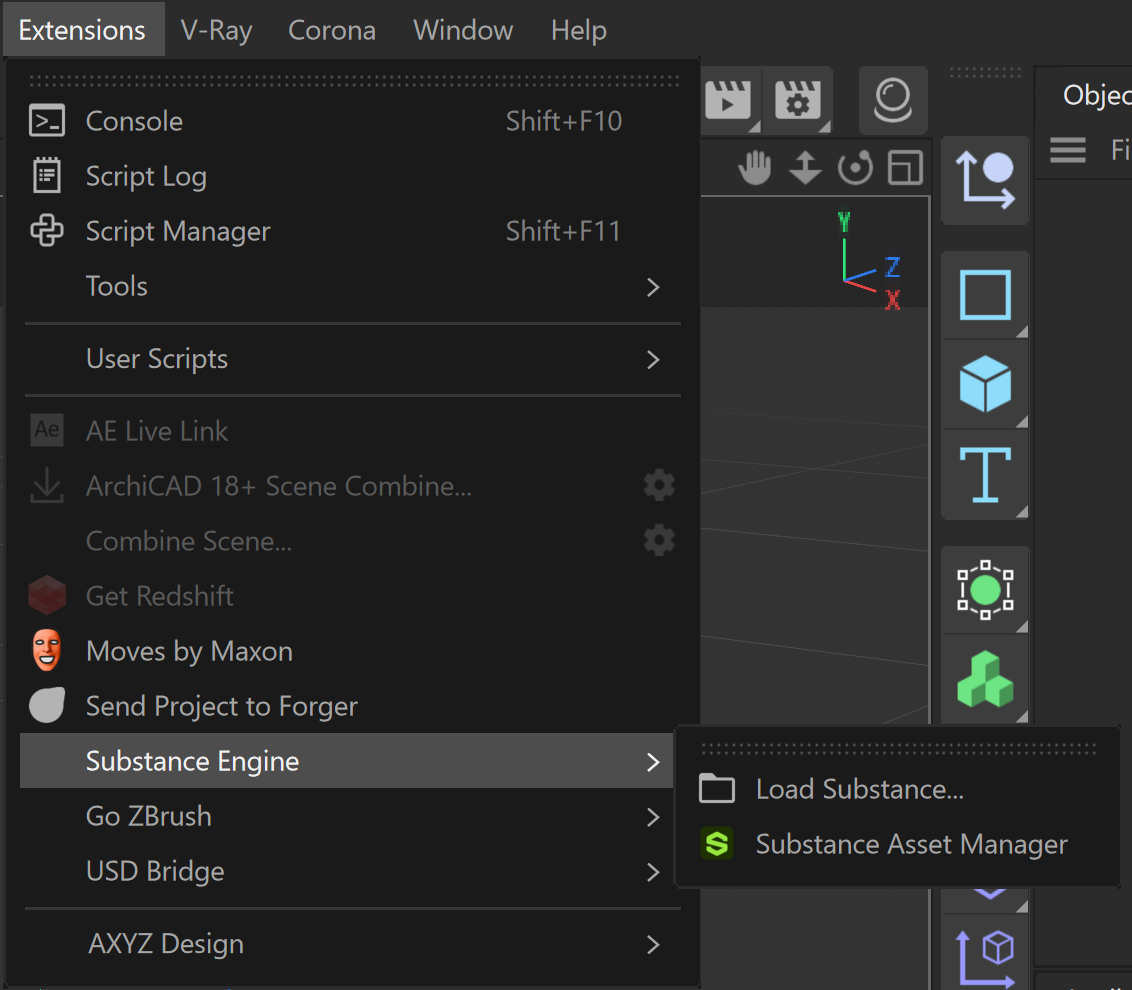
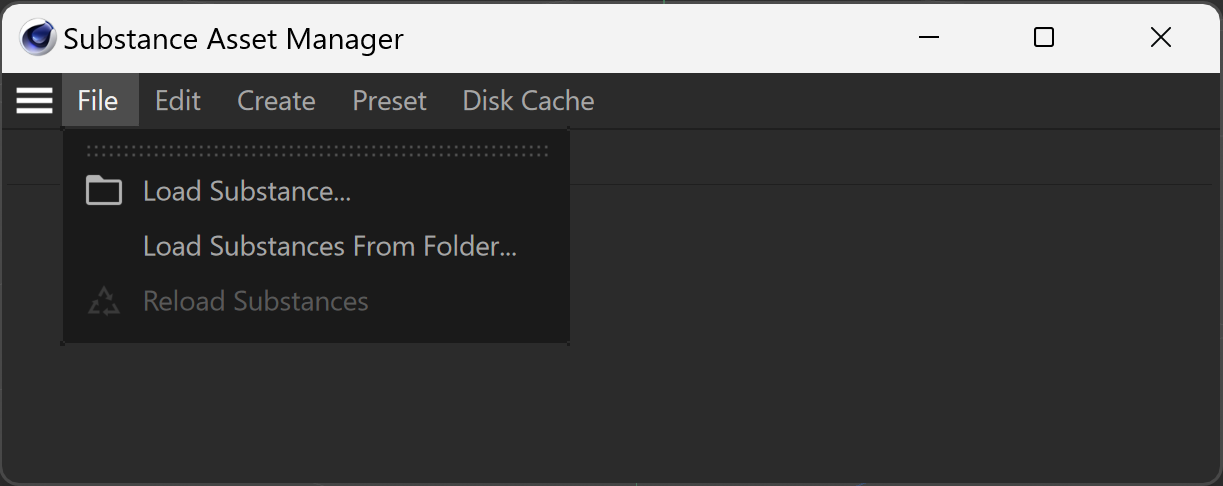
- Go to the Extensions menu and select Substance Engine. You can either choose to directly Load Substance..., or open the Substance Asset Manager. In the Substance Asset Manager, go to the File menu and choose to either load a single file (Load Substance...) or a folder with .sbsar files (Load Substances From Folder...).
- Once the asset is in the Substance Asset Manager, you can pick it using the eyedropper icon next to the Substance Asset field, or drag and drop it there.