V-Ray for Cinema 4D
V-Ray Sun and Sky
This page provides information about the V-Ray Sun and Sky system in Cinema 4D.
Last updated 19 September 2025
This page provides information about the V-Ray Sun and Sky system in Cinema 4D.
Overview
The V-Ray Sun and Sky texture are special features which are provided by the V-Ray renderer. Developed to work together, the V-Ray Sun and Sky system reproduces the real-life sun and sky environment of the Earth. Both are coded so that they change their appearance depending on the direction of the V-Ray Sun.
For easier workflow, V-Ray Sun and Sky creates an all-set-and-ready-to-use Sun and Sky system in Cinema 4D.
More information on the V-Ray Sun parameters can be found on the V-Ray Sun page.
More information on the VRaySky texture parameters can be found on the VRaySky page.
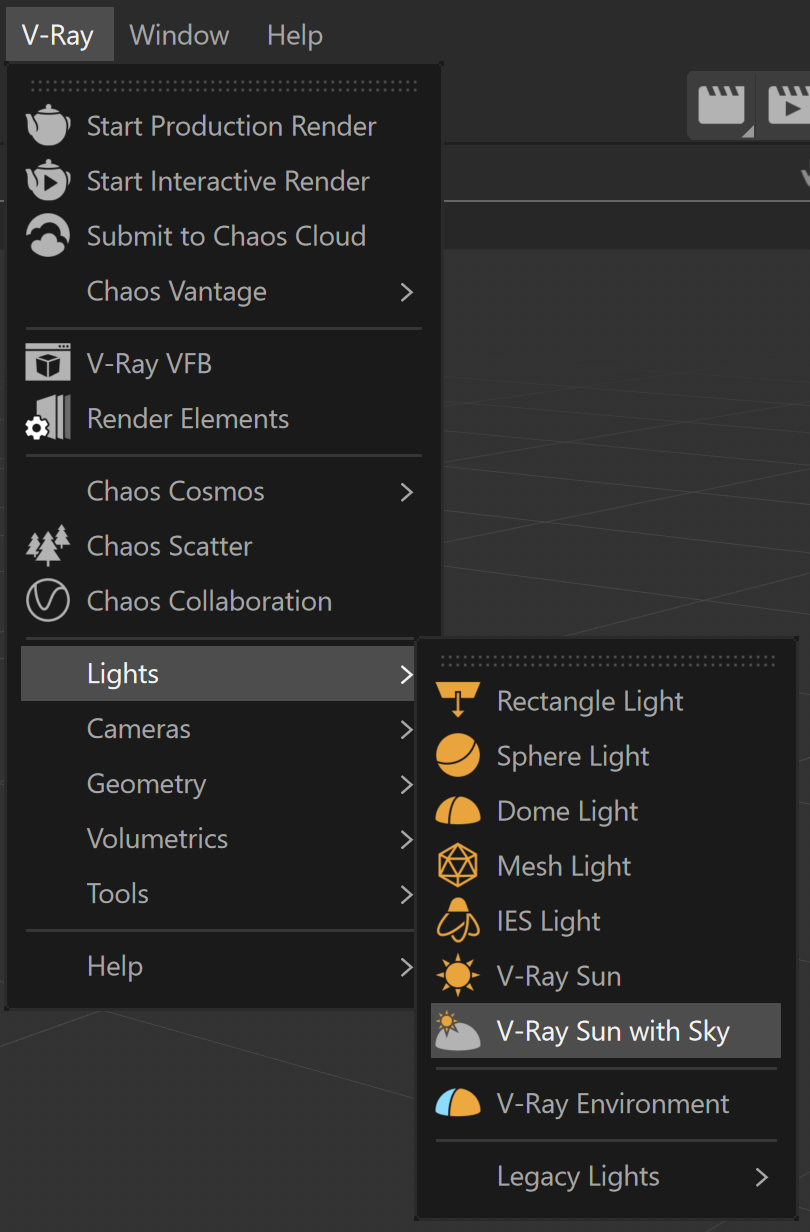
UI Path: ||V-Ray|| > Lights > V-Ray Sun with Sky
Workflow
The V-Ray Sun and Sky system in Cinema 4D introduces an easy way to manage both the V-Ray Sun and the Sky texture together.
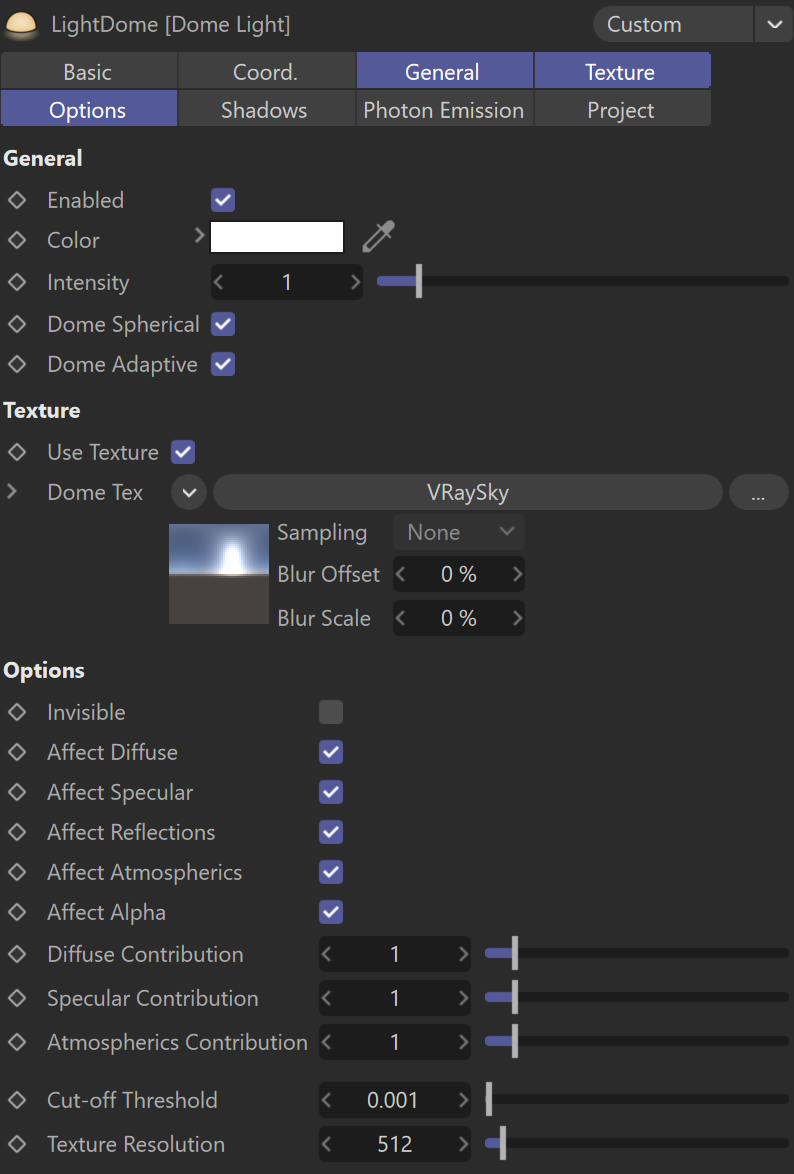
When created, V-Ray automatically sets a V-Ray Dome light with a V-Ray Sun and V-Ray Sun-Target under it in the Objects tab.
The V-Ray Sun-Target is a dummy object created in the viewport, that you can use to control the direction of the Sun.

The Sky texture is automatically attached as the Dome Tex.
For more information on the Sky texture, see the V-Ray Sky page.
Change the Sun Target
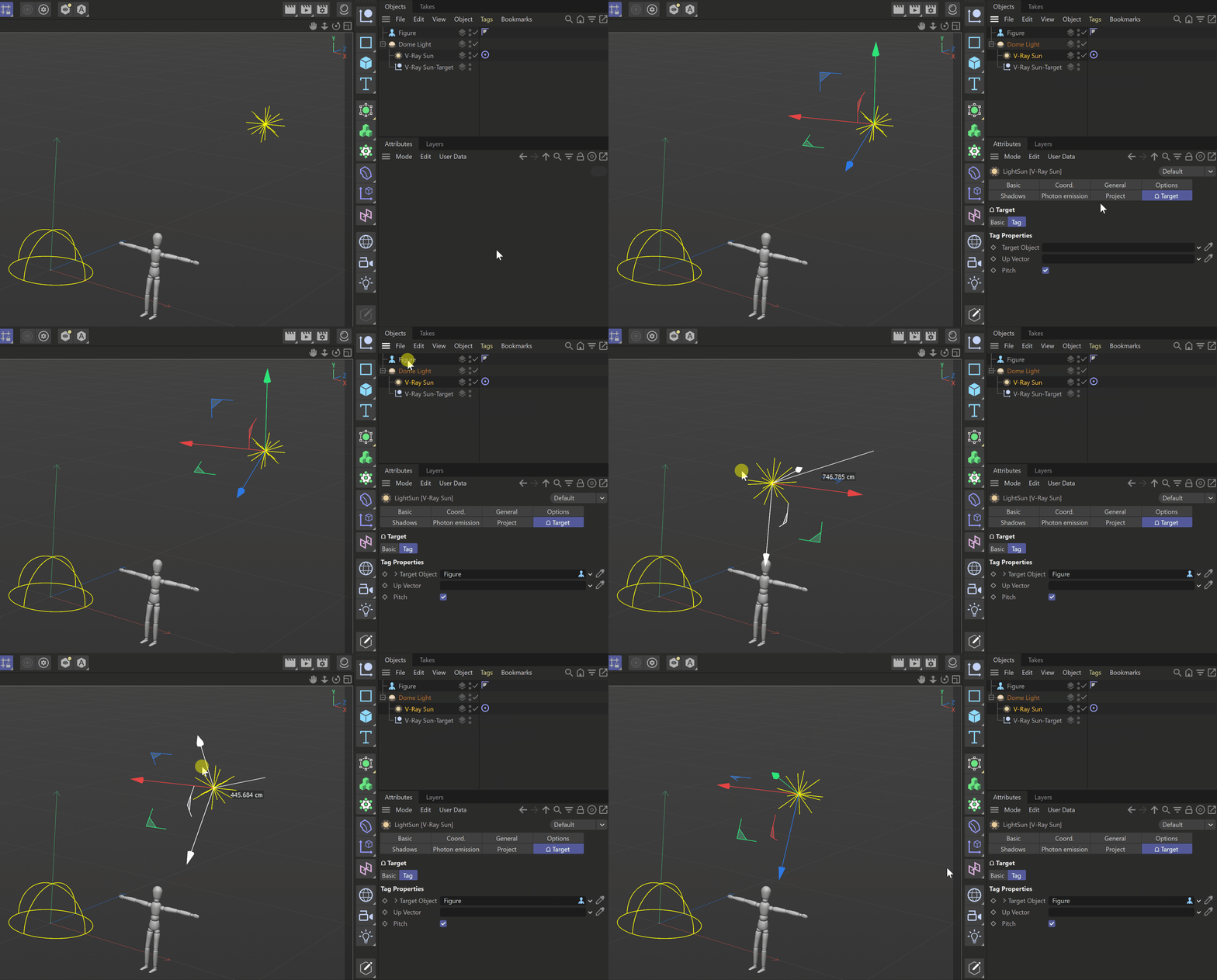
If you want to change the pivot point of the Sun with another object, do the following:
- Go to the Target tab under the V-Ray Sun;
- With the selector of the Target Object, choose the desired object.