V-Ray for Rhino
Temperature
This page provides information on the V-Ray Temperature Map.
Last updated 18 May 2026
This page provides information on the V-Ray Temperature Map.
Overview
The Temperature texture is typically used in conjunction with specific light sources to emulate a specific value, like a Kelvin temperature.This is very useful for mapping the color of an Emissive Material changing from a warm to cool value.

UI Paths
||V-Ray Asset Editor|| > Textures (right-click) > Temperature
||V-Ray Asset Editor|| > Create Asset (left-click) > Textures > Temperature
Temperature
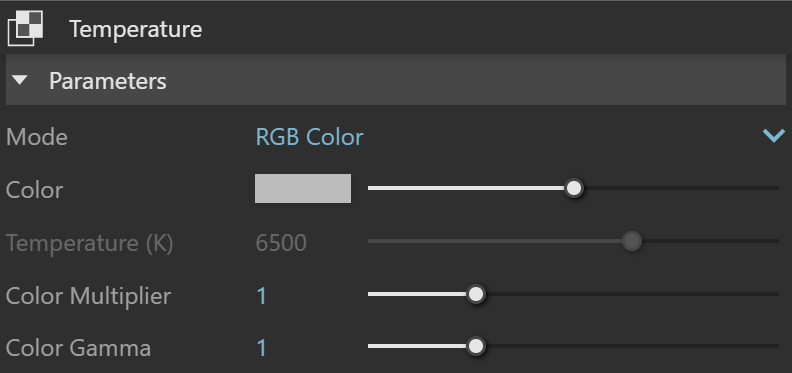
Mode – Specifies the mode in which the color is determined:
RGB Color – The color is directly specified by the Color parameter.
Temperature – The color temperature (in Kelvin) is specified by the Temperature parameter.
Color – This color swatch can be used to visualize the resulting color. It can also be double-clicked to bring up the Color Picker.
Temperature (K) – Specifies temperature in Kelvin degrees.
Color Multiplier – Specifies a multiplier for the color strength.
Color Gamma – Specifies a gamma correction applied during rendering. This does not affect the Color swatch.
Common Uses
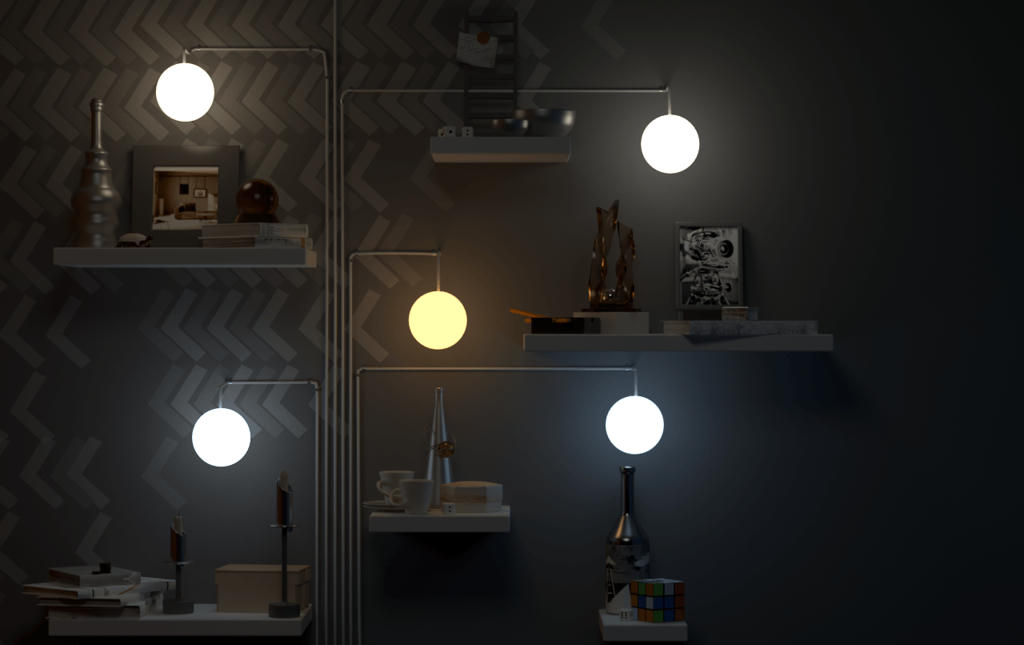
In each example below, the sphere lights have the same V-Ray Emissive Material applied to them. A Temperature texture map is applied to the Emissive Material to show various color temperatures between each example image. The Temperature texture has Color mode set to Temperature.
In the final image below, five separate Temperature texture maps were used, each with a different color temperature to show a variation. No other changes were made to the Emissive Material.