V-Ray for Rhino
UVW
This page provides information on the V-Ray UVW Texture.
Last updated 1 September 2026
This page provides information on the V-Ray UVW Texture.
Overview
The UVW texture can be used to illustrate the UVW mapping of object faces. It is usually combined with the Extra Texture render element.
Note that UVW texture produces proper results when the material is applied to the object's faces instead of a group/component or a texture projection tools are used. See UV Tools for more information.

UI Paths
||V-Ray Asset Editor|| > Textures (right-click) > UVW
||V-Ray Asset Editor|| > Create Asset (left-click) > Textures > UVW
UVW
Component – Specifies which component to show.
All
U
V
W

Texture Placement
Type – Controls how the texture is positioned on the geometry.
2D (UV Channel) – The texture uses the object UV coordinates.
Environment – This mode is applicable if the map is connected to an Environment slot or a Dome light.
Texture Remapping – Uses UVW values from a color texture or separate grayscale textures.
Mapping Source – The texture uses an external UV placement source.
2D (UV Channel)
UV Channel/Set – Specifies the index of the mapping channel data to use. A value of 1 takes the first available channel.
Repeat U/V – Determines how many times the texture is repeated in the 0 to 1 UV square.
Lock U/V Repeat – Locks the U/V Repeat.
Offset U/V – Controls the texture offset in the U and V direction.
Rotate – Rotates the texture (in degrees).
Tile U/V – Tiles the texture in the U and V direction. If the option is disabled, the Default texture color is used outside the 0 to 1 UV square. Default color is found in Parameters > Color Manipulation.
Mirror U/V – Mirrors the texture in the U and V direction separately. The option cuts the texture in the half flipping one side vertically or horizontally. This can be used to avoid seams in-between non-tileable repeated textures.
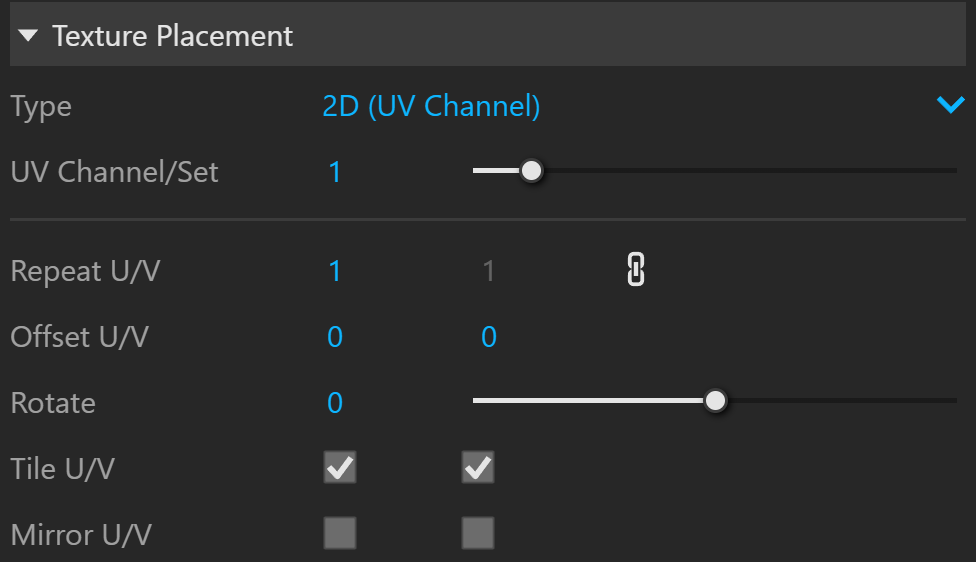
2D (UV Channel) Parameters
Environment
Mapping – Specifies the type and shape of the texture.
Angular
Cubic
Spherical
Spherical Inverted
Mirror Ball
Screen
Rotate H – Rotates the environment sphere horizontally.
Flip H – Flips the environment sphere horizontally.
Rotate V – Rotates the environment sphere vertically.
Flip V – Flips the environment sphere vertically. This option is active only in Spherical Mapping.
Ground – Enables ground projection of the texture.
Position X/Y/Z – Offsets the ground projection along the X/Y/Z axis.
Radius – Specifies a projection radius. Can be used to control the scale of the projection.
2d Transformation – see 2D (UV channel) parameters.

Environment Parameters
Texture Remapping
Mode – Determines whether a single or multiple textures should be used for U and V texture coordinates remapping.
UV – The Red input texture channel determines the U sampling coordinate. The Green input texture channel determines the V coordinate.
U – The value of this texture determines the U sampling coordinate.
V – The value of this texture determines the V sampling coordinate.
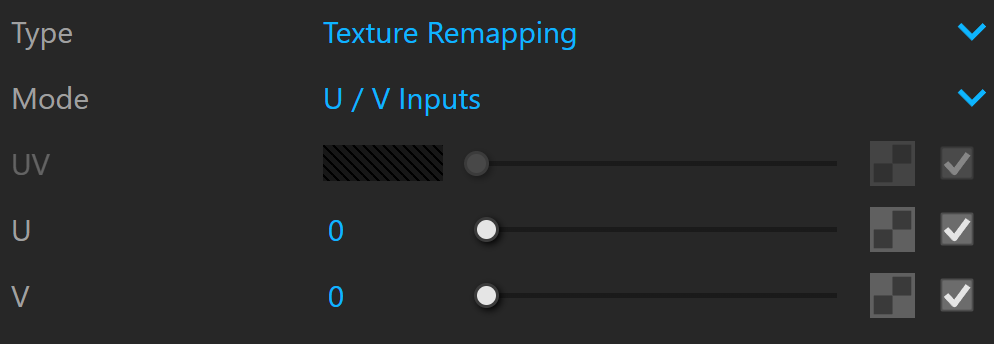
Texture Remapping Parameters
Mapping Source
UV Placement Source – External UV placement source to be used for the texture placement.

Mapping Placement Parameters
Notes
- UVW texture can be used to display vertex color data from V-Ray for Grasshopper. For this purpose, it needs to be slotted as a diffuse texture of a material and set to use UV channel 2. The material then can be used in a "V-Ray Material from File" or "V-Ray Material from Project" Grasshopper component. For more info, see V-Ray Material from File.