Skip to content
07-848 2005

V-Ray for SketchUp, materials

Generic presets

Apply predefined material or environmental settings with Generic Presets in V-Ray for SketchUp.

On this page
  1. Overview
  2. Where to find it

Use Generic Presets in V-Ray for SketchUp to apply predefined settings to a Generic material.

Overview

Generic Presets apply predefined material or environmental settings to an asset. Applying a preset completely replaces the asset's current configuration. Every parameter value changes to the value in the selected preset. Child assets, such as linked textures, are disconnected or deleted depending on their hierarchy level.
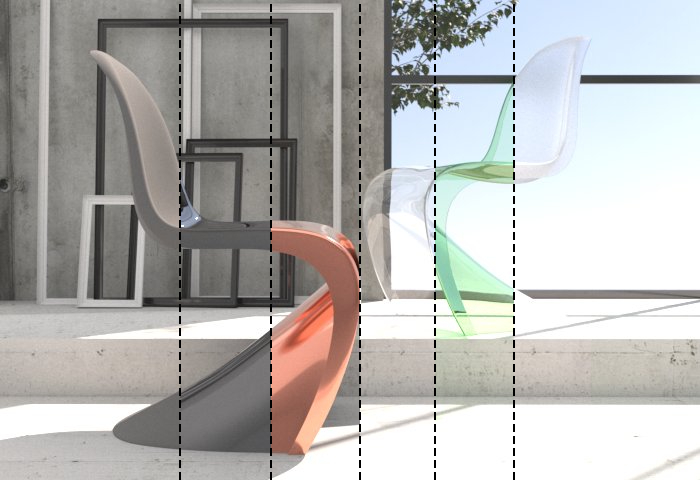
Chairs rendered in vertical sections to compare opaque, metallic and transparent material presets.

Where to find it

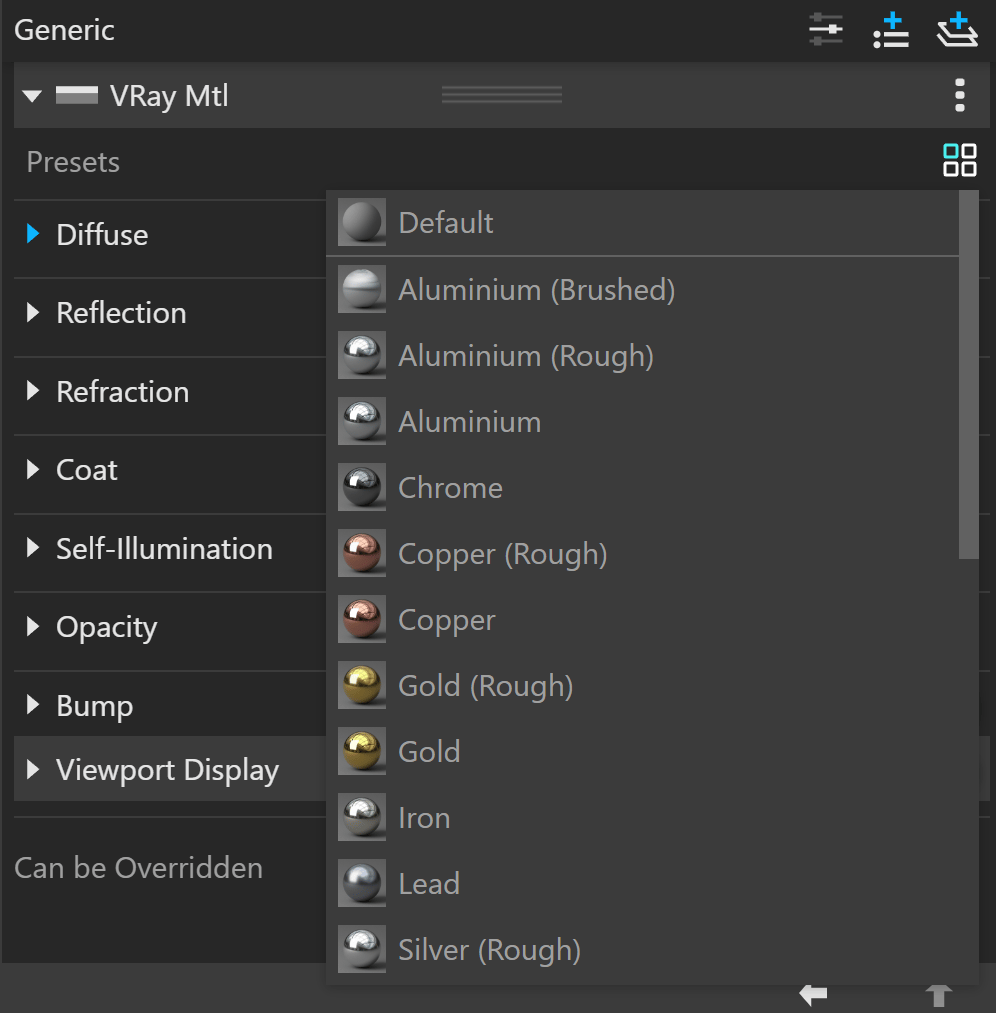
Generic Presets icon with four squares.

||Asset Editor|| > Generic Material > Choose a preset button ()

The available presets are:

  • Default
  • Aluminium (Brushed)
  • Aluminium (Rough)
  • Aluminium
  • Chrome
  • Copper (Rough)
  • Copper
  • Gold (Rough)
  • Gold
  • Iron
  • Lead
  • Silver (Rough)
  • Silver
  • Diamond
  • Glass (Architectural)
  • Glass (Frosted)
  • Glass (Tinted)
  • Glass
  • Water
  • Lake Murky (Volumetric)
  • Lake
  • Ocean (Volumetric)
  • Ocean
  • Pool Foggy (Volumetric)
  • Pool
  • River
Generic VRay Mtl panel with the Presets menu open, showing Default, Aluminium, Chrome, Copper and Gold options.
Adapted from Chaos documentation: Generic presets. © 2026 Chaos Software EOOD

Procadsys customer support

Still need help?

Licences, renewals and billing

Our New Zealand team looks after your V-Ray licences, renewals and invoices.

Monday to Friday, 9:00 am to 4:30 pm NZ time, excluding New Zealand public holidays.

Technical problems

Installation errors, crashes and other technical problems with V-Ray are handled by Chaos support.