V-Ray for SketchUp
Generic Viewport Display
The Viewport Display rollout is part of the Generic material's parameters.
Last updated 28 July 2026
The Viewport Display rollout is part of the Generic material's parameters.
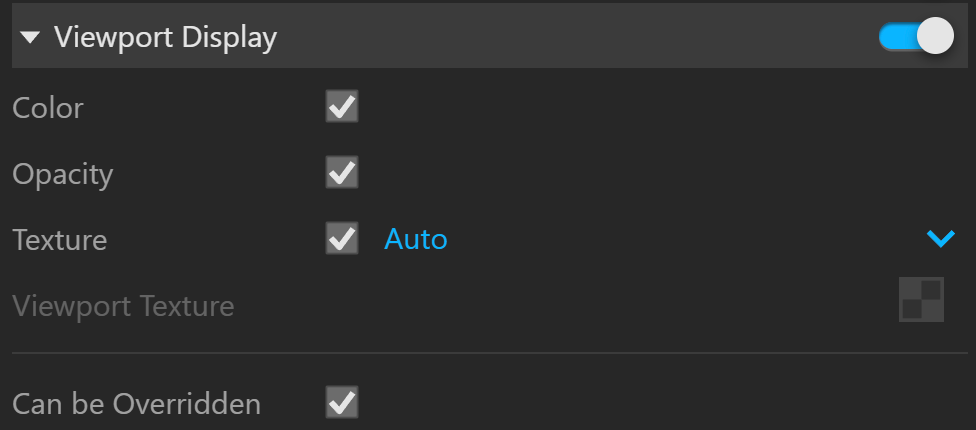
Viewport Display
Viewport Display – Enables connection/binding between V-Ray and the corresponding base application material.
Color – Enables color binding. Changing the V-Ray material color changes the corresponding base application material color and vice versa.
Opacity – Enables Opacity/Transparency binding. When enabled, changing the V-Ray material refraction changes the corresponding base application material opacity/transparency.
Texture Mode – Enables texture binding. Changing the V-Ray material texture changes the corresponding base application material texture and vice versa. Disabling this parameter allows for base app material changes without affecting the V-Ray material.
Auto – Binds the diffuse texture to the base app material.
Custom – A custom texture slot is bound to the base app material.
Viewport Texture – The selected texture is bound to the base app material. Keeping this slot empty in Custom mode shows a Helper Texture in the viewport.
Override Control
Can be Overridden – When enabled, the material can be overridden by the Material Override option in the Settings.