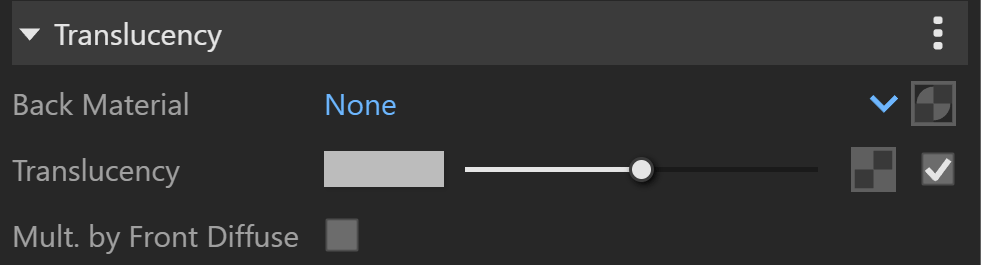
Use the Translucency attributes in V-Ray for SketchUp to control how a material's front and back sides appear in a render.
Overview
Parameters
Some V-Ray materials have an Add Attribute button. Use it to add attributes that change the material's appearance. For details, see Add Attribute on the How to Work with Materials page.
Back Material sets the material V-Ray uses for back faces, as defined by their normals.
Translucency controls whether the front or back side of the material is more visible in the render. The default value is 0.5, so both sides are equally visible. Values closer to zero make the material facing the camera more visible. Values closer to 1 make the back material more visible. Use a texture to vary the effect.
When you enable Mult. by Front Diffuse, V-Ray multiplies the translucency by the diffuse of the front material.