V-Ray Swarm
Logging Control
This page provides information on how to control Swarm logging.
Last updated 21 November 2025
This page provides information on how to control Swarm logging.
Overview
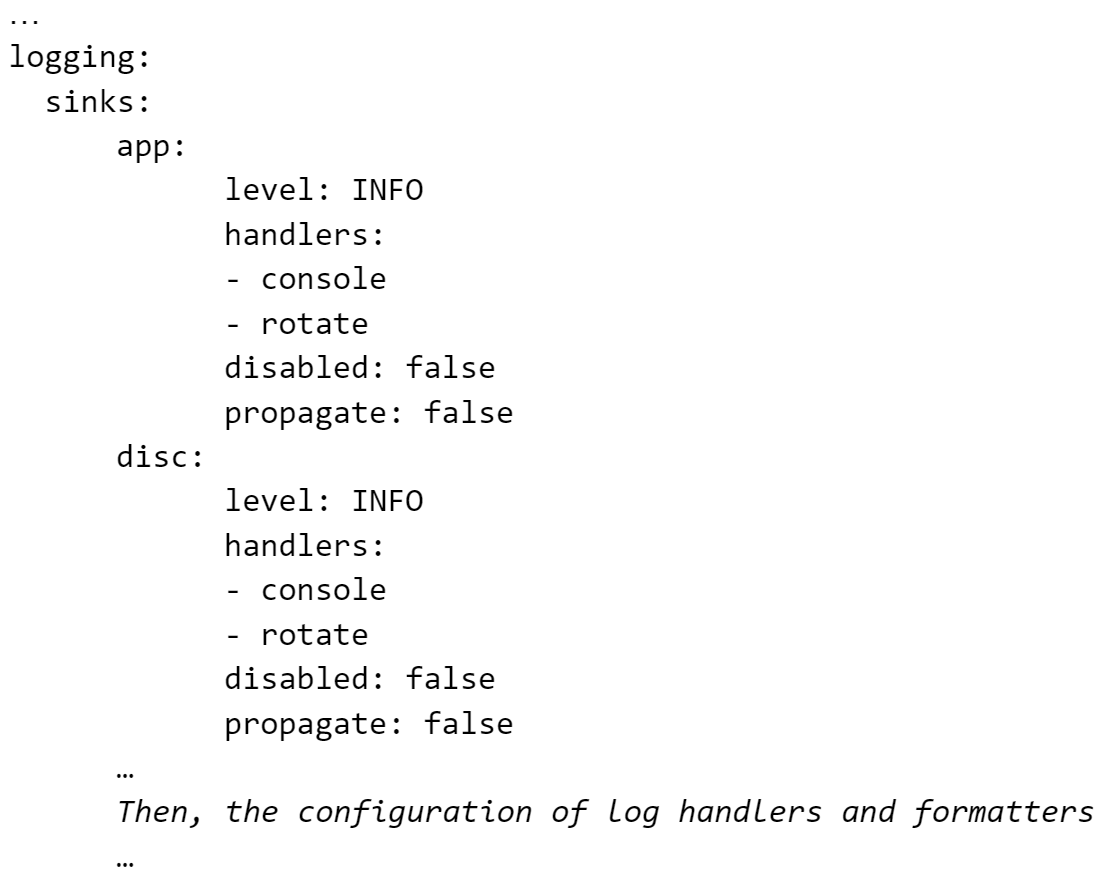
Logging control is available through the swarm.yaml file. It provides the option to disable logging sources (sinks) or logging handlers.
Sinks are Swarm logging sources - levels or subsystems:
app - application in general
disc - discovery subsystem
mesg - TCP/IP messaging between peers
grpc - gRPC communication between DCC (SketchUp, Rhino, etc) and the local Swarm service
web - Web UI or frontend of the Swarm service
audit - audit subsystem
dl - download subsystem (downloading and installing V-Ray distributions)
bln - balancer subsystem distributing peers among DCC computers and their sessions
tel - telemetry subsystem
instScript - subsystem running installation scripts
vray - subsystem controlling (running) V-Ray
st - snapshot of the internal Swarm’s state
Accordingly, log records include sinks:
[2025-06-26T10:28:44.849859+0300 - INFO - mesg] Request to ensure V-Ray AppSDK 7.00.06 6043c2d9…
Disable Logging
Any sink can be disabled (muted) by changing:
<code data-v-c2b1f83f=""><span data-v-c2b1f83f="" class="line">disabled: false</span></code>
to
<code data-v-c2b1f83f=""><span data-v-c2b1f83f="" class="line">disabled: true</span></code>
swarm.yaml file example:
<code data-v-c2b1f83f=""><span data-v-c2b1f83f="" class="line">disc:</span><span data-v-c2b1f83f="" class="line"> level: INFO</span><span data-v-c2b1f83f="" class="line"> handlers:</span><span data-v-c2b1f83f="" class="line"> - console</span><span data-v-c2b1f83f="" class="line"> - rotate</span><span data-v-c2b1f83f="" class="line"> disabled: true</span><span data-v-c2b1f83f="" class="line"> propagate: false</span></code>
Sink Logging Severity
Every sink has allowed severity (levels), being prioritized from the lowest priority to the highest one. The levels are as it follws:
<code data-v-c2b1f83f=""><span data-v-c2b1f83f="" class="line">DEBUG</span><span data-v-c2b1f83f="" class="line"></span><span data-v-c2b1f83f="" class="line">INFO</span><span data-v-c2b1f83f="" class="line"></span><span data-v-c2b1f83f="" class="line">WARN</span><span data-v-c2b1f83f="" class="line"></span><span data-v-c2b1f83f="" class="line">ERROR</span><span data-v-c2b1f83f="" class="line"></span><span data-v-c2b1f83f="" class="line">FATAL</span></code>
If a sink has an INFO level, it does not write log records on the DEBUG level. It only writes log records on the INFO, WARN, ERROR and FATAL levels. If its level is ERROR, then it can only log ERROR and FATAL records.
The DEBUG log records show detailed steps of how the system works, which can help locate any issues.
Examples: Disable Logging Sinks
The size of the disk space used by log files is limited, preventing it from growing indefinitely. However, if unimportant log records dominate over important log records, we risk losing vital information. When debugging complex issues that consume a lot of time, it can be beneficial to limit certain log sinks. For instance, the discovery process often generates a large number of log messages, so in such cases, you could consider disabling the "disc" sink.
The "mesg" sink generates many messages, but this information is vital for investigating problems. Therefore, it is highly discouraged to disable it.
Another use-case, as it was mentioned above, can be changing the severity of some sinks, for example, from DEBUG to INFO, or from INFO to WARN.
Log Files Rotation
Every sink has one or more handlers. They are responsible for organizing the log records.
<code data-v-c2b1f83f=""><span data-v-c2b1f83f="" class="line">handlers:</span><span data-v-c2b1f83f="" class="line"> console:</span><span data-v-c2b1f83f="" class="line"> type: StreamHandler</span><span data-v-c2b1f83f="" class="line"> level: DEBUG</span><span data-v-c2b1f83f="" class="line"> formatter: message</span><span data-v-c2b1f83f="" class="line"> stream: stdout</span><span data-v-c2b1f83f="" class="line"> …and so on</span></code>
Currently there are 5 hadlers:
console - Writes to a current console where Swarm is running if it is running in a console or to stdout collected by systemd journal for Linux case
rotate - A disk file - see “file: ...” setting - and following rotation policy below.
instScriptRotate - The same as “rotate”, but in a separate file.
vrayfile - The same as “rotate”, but in a separate file.
vraymem - Writes in a memory block inside Swarm process (for internal usage).
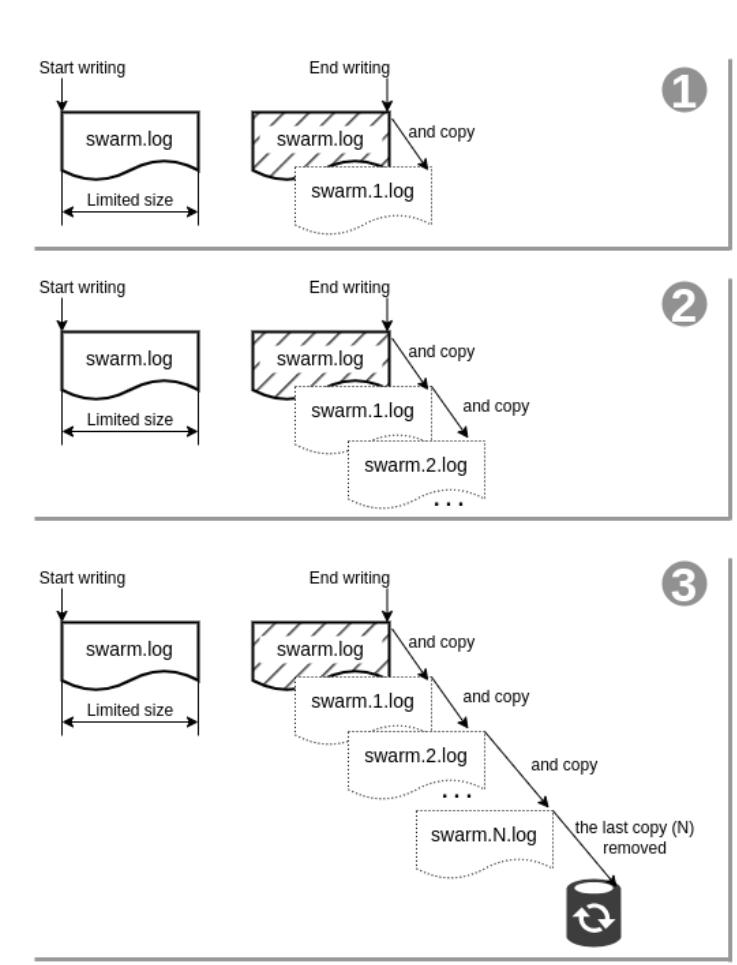
Disk size consumed by all Swarm log files is limited. When the limit is reached, log files are rotated:
- First, rotation handlers write to the log file.
- The log file <NAME>.log has a limited size (see “maxBytes: …” setting). After limit is reached, the filled log file is renamed from <NAME>.log to <NAME>.1.log.
- The handler starts to write <NAME>.log from the beginning. The previous log records are in <NAME>.1.log.
- When the handler reaches the limit again, it shifts all these log files renaming them: <NAME>.2.log becomes <NAME>.3.log, <NAME>.1.log becomes <NAME>.2.log - nothing is lost. It shifts (renames, pushes like in a stack) and starts <NAME>.log every time when the limit is reached.
- The number of shifted files (N in the figure below) is limited too - its setting is “backupCount: …”, so their number on the disk cannot be more than N. If all of them were filled - the oldest one is removed (forgotten), records are lost. So, you have the history of all log records, but until N oldest. The order in time is:
<NAME>.log | always current, a handler writes here! |
<NAME>.log | always current, a handler writes here! |
<NAME>.1.log | older than <NAME>.log |
<NAME>.2.log | older than <NAME>.1.log |
<NAME>.N.log | the oldest |
How much disk space does this scheme use? One handler: backupCount * maxBytes. If you have 3 handlers - each one consumes its own space (they write in different, separate files!). Some handlers write very rarely like instScriptRotate and vrayfile.
Settings maxBytes, backupCount are individual for any handler. Settings file fragment:
<code data-v-c2b1f83f=""><span data-v-c2b1f83f="" class="line">…</span><span data-v-c2b1f83f="" class="line"> vrayfile:</span><span data-v-c2b1f83f="" class="line"> type: RotatingFileHandler</span><span data-v-c2b1f83f="" class="line"> level: DEBUG</span><span data-v-c2b1f83f="" class="line"> formatter: vray</span><span data-v-c2b1f83f="" class="line"> file: "%C/.logs/swarm-vray.log"</span><span data-v-c2b1f83f="" class="line"> encoding: UTF-8</span><span data-v-c2b1f83f="" class="line"> maxBytes: 20971520</span><span data-v-c2b1f83f="" class="line"> backupCount: 10</span><span data-v-c2b1f83f="" class="line"> …</span><span data-v-c2b1f83f="" class="line"></span><span data-v-c2b1f83f="" class="line"></span></code>
The RotatingFileHandler rotates the handlers. The console handler has type StreamHalder and it just writes without any rotation.
Some handler properties repeat sink properties. This is specific to the design of the used software library allowing an additional central place to configure them.
Examples: Change Rotation Policy
If there is not enough to investigate, you can increase maxBytes, backupCount settings. The opposite is possible too - if they consume too much space, they can be decreased (but then you can lose essential performance logs).
To estimate the current maximal consumption after reaching the space limit:
<code data-v-c2b1f83f=""><span data-v-c2b1f83f="" class="line">10 * 524288000 + 10 * 20971520 + 10 * 20971520 = 5662310400 bytes or ~5Gb.</span></code>
Console Logging
Sinks can log in parallel to different handlers. A handler is a file mechanism consuming (saving, collecting, aggregating) log record. In old Swarm versions some sinks logged records in parallel to 2 handler: a file and the console, their settings included such fragment:
<code data-v-c2b1f83f=""><span data-v-c2b1f83f="" class="line">…</span><span data-v-c2b1f83f="" class="line">logging:</span><span data-v-c2b1f83f="" class="line"> sinks:</span><span data-v-c2b1f83f="" class="line"> app:</span><span data-v-c2b1f83f="" class="line"> level: DEBUG</span><span data-v-c2b1f83f="" class="line"> handlers:</span><span data-v-c2b1f83f="" class="line"> - console</span><span data-v-c2b1f83f="" class="line"> - rotate</span><span data-v-c2b1f83f="" class="line"> disabled: false</span><span data-v-c2b1f83f="" class="line"> propagate: false </span><span data-v-c2b1f83f="" class="line">…</span></code>
The console handler is configured in the swarm.yaml settings file. This fragment says that the app sink should send its log records to console and rotated handler. In this case, if you run Swarm executable in the console, then the app sink writes its log records not only in a log file but also in the console where you are running it. It's the stdout stream of the process.
If you run Swarm as a Linux systemd service, then its stdout is collected and saved in the systemd journal and this output can take a lot of space. It consumes disk space in the systemd journal (not in Swarm log files - their size is always restricted/limited!).
If such an effect is unwanted, then just remove the - console string from all sinks. In the new Swarm versions it is removed.
Log Compression
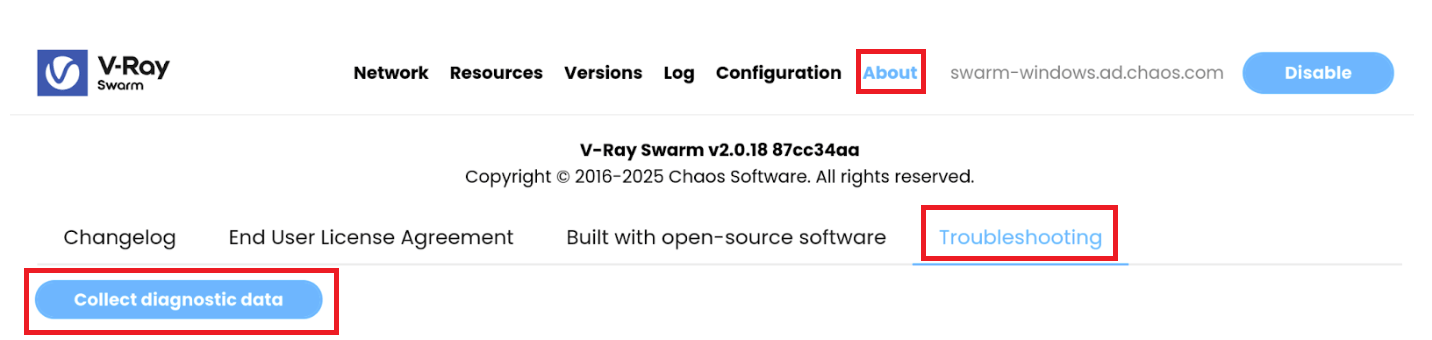
Log files are saved as plain text files. If you click About > Troubleshooting > Collect diagnostic data, you download an archive of all Swarm log files (you can use this when contacting the Chaos support team).
Logging Structure
Here is an advanced logging structure for administrators.
