Reporting Errors with BugSplat
When SketchUp crashes you will see Bug Splat, a third party application integrated into SketchUp that helps us collect crash information.
Last updated 17 July 2026
When SketchUp crashes you will see Bug Splat, a third party application integrated into SketchUp that helps us collect crash information.
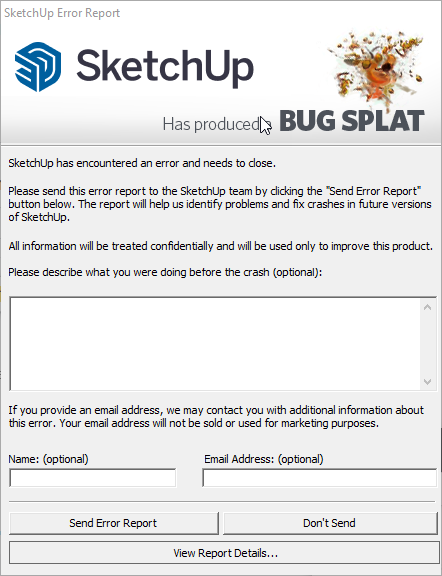
With Bug Splat you can send us data about the crash you just experienced and save a copy of that data for yourself. We encourage everyone to submit an error report when a crash happens.
When filling out an error report we ask you to provide specific details about what happened when you experienced the crash. Here's an example:
SketchUp seems to crash after I perform the following actions:
1. Open SketchUp
2. Draw a rectangle
3. Select it
4. Copy the rectangle
5. Paste the rectangle
6. The crash happens after I paste the rectangle.
While support doesn't typically follow up on individual reports, providing a name and email address in BugSplat can help our support team find your specific error report if you end up needing to contact them. We also encourage you to view and save a summary of the report BugSplat generated by clicking View Report Details at the bottom of the BugSplat window. Save your summary somewhere you can find it later if you need to contact support.
How We Use Error Reports
The data submitted through error reports helps SketchUp gather information on the crashes our users experience. The details in the error report, especially the code we receive, can help us make sure these crashes don't happen again in the future.
Still need help?
Technical support from our New Zealand team is available to customers with a current Procadsys SketchUp Plus subscription: Pro Plus, Pro Scan Plus, Pro Civil Contractor Plus, Advanced Workflows Plus or Studio Plus. Self-help articles are public.
Contact SketchUp support