Chaos Vantage
BerconTile
This page provides details about the BerconTile texture.
Last updated 1 September 2026
This page provides details about the BerconTile texture.
Overview
The BerconTile texture can be used to generate a procedural tile texture. It can use custom colors or texture maps, and provides a number of style types. This texture can be used as an input to many different material channels to produce varied and complex effects.
The BerconTile parameters are grouped into several tabs: TexBerconTile, Tile UV mapping, Common and Mapping properties, and UVW Randomize.
TexBerconTile
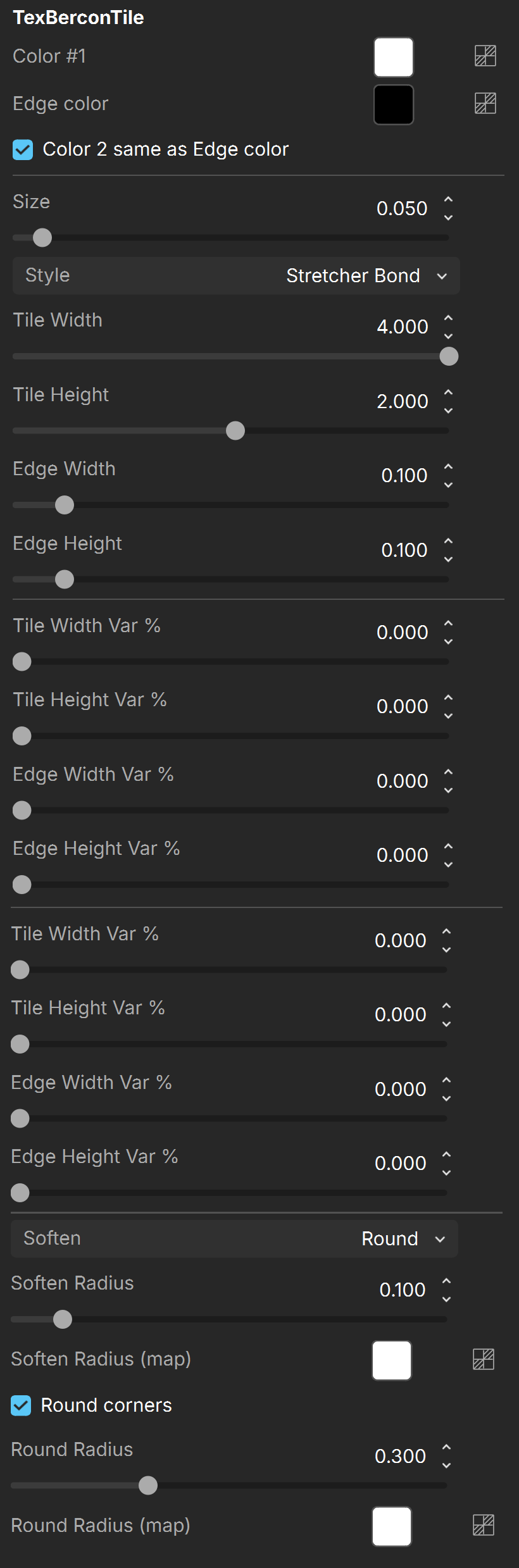
Color – Specifies the tile color.
Edge color – Specifies the color of the edges between the tiles. This could be thought of as mortar between the tiles.
Color 2 same as Edge color – When enabled, locks Edge color to Color 2.
Color 2 – Specifies the gap color.
Size – Specifies the size of the procedural texture.
Style – Gives access to a number of preset patterns for the BerconTile procedural texture. The available options are:
- Custom (uses parameters specified in the Custom Bond Pattern below)
- Herringbone, Stack Bond, Stretcher Bond
- Flemish Stretcher Bond
- Common Bond
- Flemish Bond
- Monk Bond
- Flemish Garden Wall Bond
- English Bond
- English Cross Bond
- Double English Cross Bond
Tile Width – Specifies the width of the tiles.
Tile Height – Specifies the height of the tiles.
Edge Width – Specifies the width of the Edge color. Larger values give a wider mortar.
Edge Height – Specifies the height of the Edge color.
Tile Width Var % –
Tile Height Var % –
Edge Width Var % –
Edge Height Var % –
Soften – Specifies the selection of the different types of softening. This channel can be either set to a value of None, Linear, Round, or Smooth.
Soften Radius – Specifies the radius of the selected soften type.
Soften Radius (map) – A color/map to specify the radius of the selected soften type.
Round corners – When enabled, all corners are rounded by the value in the Round Radius channel.
Round Radius – Specifies the circular radius when the Round corners parameter is enabled. This setting interacts depending on the type of the Round corners parameter.
Round Radius (map) – A color/map to specify the circular radius when Round corners parameter is enabled.
Tile UV mapping
Enable Tile Mapping – When on, enables tile mapping.
Tile UV Channel – Specifies the UV channel when Enable Tile Mapping is on.
UV channel name – Specifies the name of the UV channel.
Auto Scaling – Specifies the auto scaling from None, UV, UV Fit, UV Fit Keep Aspect, UV Normalized, and UV Normalized Keep Aspect.
Random X Offset – Randomly offsets the x-axis.
Random Y Offset – Randomly offsets the y-axis.
Random X Scale – Applies a random size to the x-axis.
Center UV Mapping – When on, enables center mapping.
Center UV Channel – Specifies the UV channel when Enable Center Mapping is on.
Center channel name – Specifies the name of the center channel.
Randomize MultiTexture and BerconGradient – When on, enables randomization of V-Ray Multi ID texture.

For information about the parameters in the Common and Mapping Properties, UVW Coordinates, and UVW Randomize tabs, see the Textures page.