Chaos Vantage
Fresnel
This page provides details about the Fresnel texture in Chaos Vantage.
Last updated 28 February 2026
This page provides details about the Fresnel texture in Chaos Vantage.
Overview
The Fresnel texture is a simple texture map that blends two colors or maps based on the angle of view and an index of refraction. For example, you can connect the Fresnel texture to the reflection color of a VRayMtl in order to create Fresnel reflection.
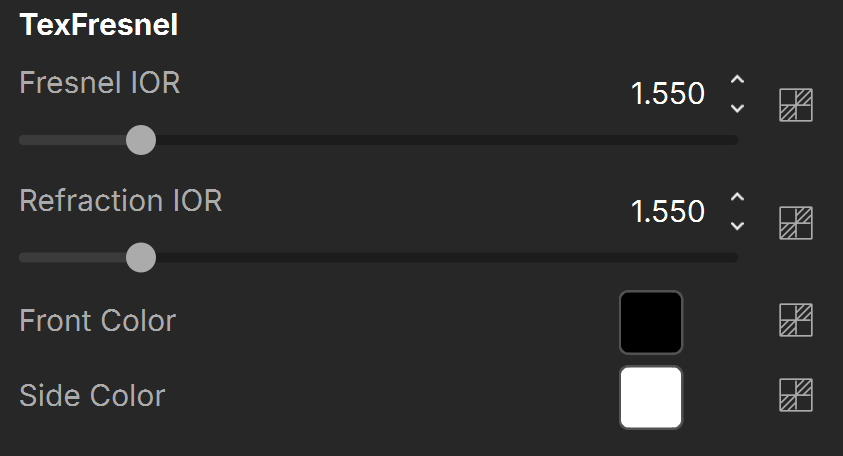
In the example on the right, the Fresnel texture is mapped with the Reflection color parameter of a VRayMtl. All texture parameters have default values, i.e. Fresnel IOR is 1.5, Refraction IOR is 1.5, Front Color is black, and Side Color is white.

Settings
Fresnel IOR – Index of refraction to use when calculating the Fresnel term. See the Fresnel vs Fresnel Reflection and the Fresnel IOR examples below.
Refraction IOR – Specifies the refraction IOR for the underlying surface. This is ignored if the surface has a volume shader (the volume IOR is used instead). See the Fresnel vs Fresnel Reflection example below.
Front Color – The color for the texture when viewed frontally (refraction color). See the Fresnel Colors example below.
Side Color – The color for the texture when viewed at a grazing angle (reflection color). See the Fresnel Colors example below.
Examples
The following examples demonstrate the effect that individual Fresnel Texture parameters have on the scene. Click on any image to view it at a higher resolution.
Example: Fresnel vs. Fresnel Reflections
One use of the Fresnel texture is to give a VRayMtl a stronger Fresnel reflection effect than the standard Fresnel reflections option. The example below demonstrates how Fresnel changes the degree of reflectivity on a spherical object.
A VRayMtl is applied to both objects below, each with a different material setup. Where a Fresnel texture is used, the front of the object (the part that faces the camera) is much less reflective than the sides of the object. The degree of reflectivity set by Fresnel affects both the reflected background and the reflection of the rectangular light source.
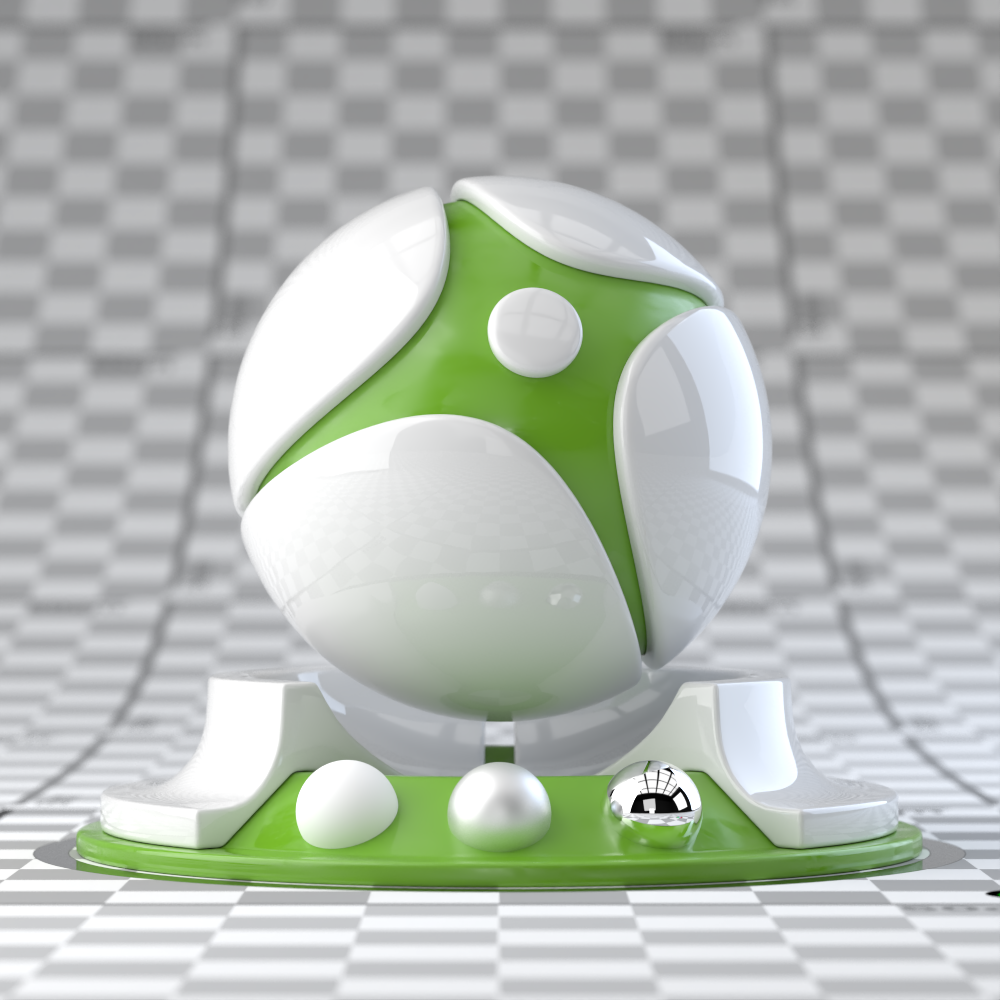
VRayMtl with white Reflect color, Fresnel reflections enabled
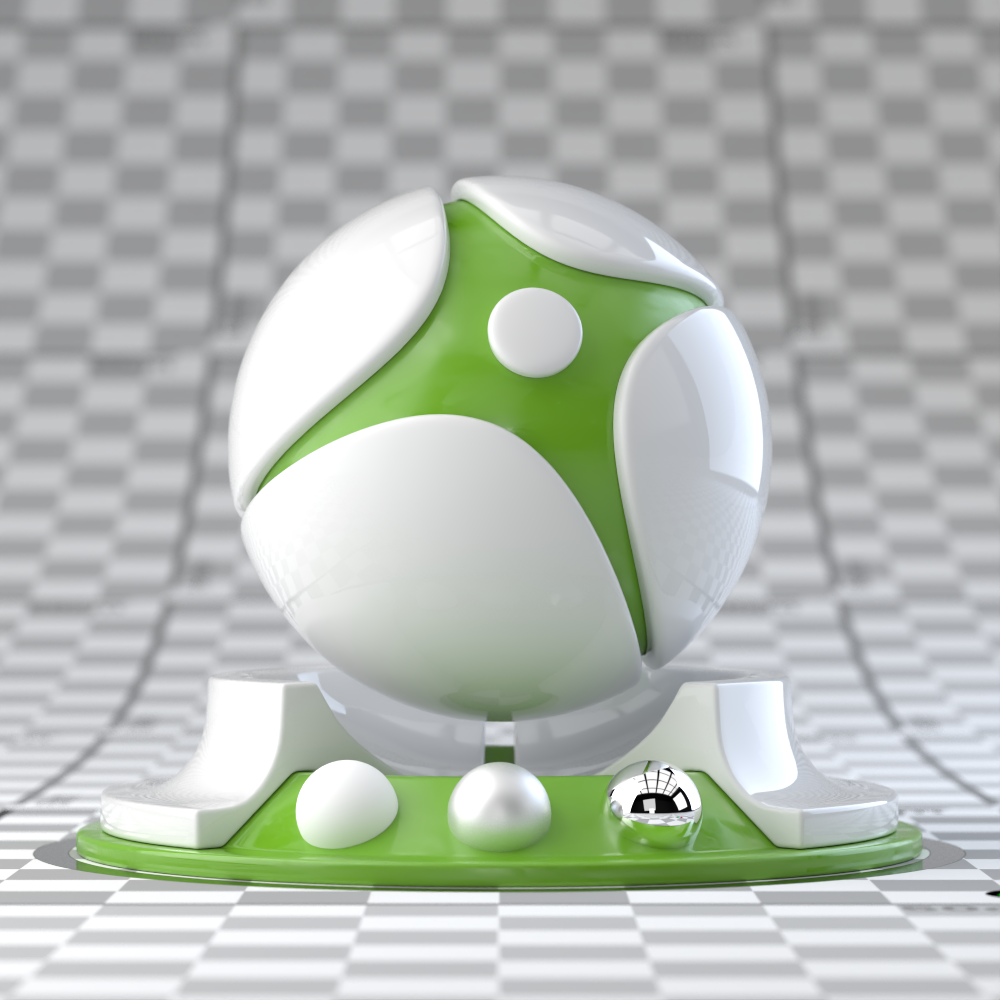
VRayMtl with Fresnel map in Reflect channel, Fresnel reflections disabled
Fresnel IOR (front reflectivity) = 1.1
Refraction IOR (side reflectivity) = 6
Example: Fresnel IOR
This example shows the effect of the Fresnel IOR. The Fresnel texture is mapped with the Refraction color of a VRayMtl.

Fresnel IOR = 1
Fresnel IOR = 1.5

Fresnel IOR = 2
Example: Fresnel Colors
This example shows the effect of the Front Color and Side Color parameters. The Fresnel IOR is set to 1.1 and the Refraction IOR is set to 6 for all images. The Fresnel texture is mapped with the Refraction color of a VRayMtl.

Front and Side Colors are default

Front Color is red, Side Color is default white

Front Color is default white, Side Color is red
Reference
More information on Fresnel reflection can be found from the sources listed below.