Chaos Vantage
Granite
This page provides details about the Granite texture in Chaos Vantage.
Last updated 28 February 2026
This page provides details about the Granite texture in Chaos Vantage.
Overview
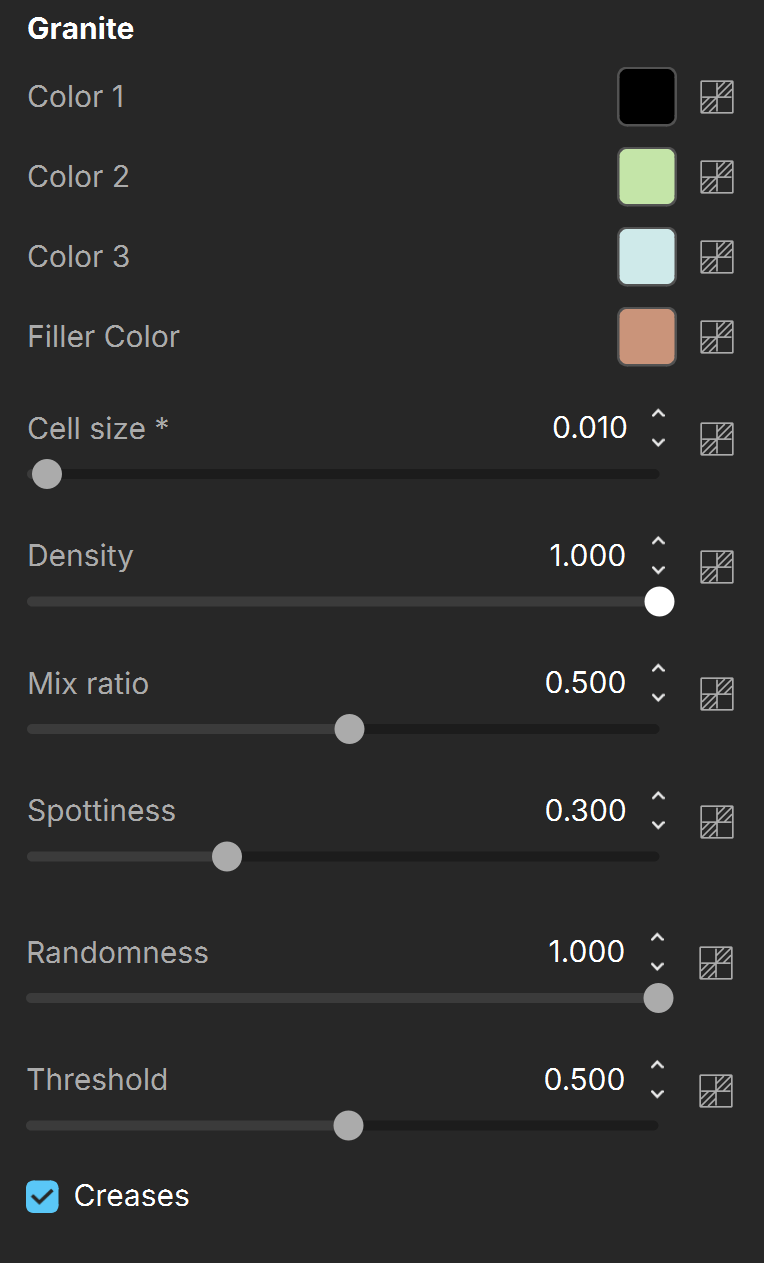
The Granite texture map generates a procedural Granite texture. It uses four colors that can be changed or assigned to texture maps.
The Granite texture parameters are grouped into several tabs: Granite, Common and Mapping Properties, UVW Coordinates, and UVW Randomize.

Settings
Color 1 – Specifies the first color of the spots. See the Colors example below.
Color 2 – Specifies the second color of the spots. See the Colors example below.
Color 3 – Specifies the third color of the spots. See the Colors example below.
Filler Color – Specifies the color that fills in the area surrounding the spots. See the Colors example below.
Cell size – Controls how large or small the cells are. See the Cell Size example below.
Density – Controls how closely packed the spots are. See the Density example below.
Mix ratio – Controls the prominence of each color relative to the others.
Spottiness – Controls how circular the spots are. Lower values make the spots more circular, and higher values make them less circular.
Randomness – Varies the distribution of the spots on the granite. Lower values show more spots, higher values also make them more sparse. See the Randomness example below.
Threshold – Controls the transition between the filler color and Color 1, Color 2 and Color 3.
Creases – Enables or disables crease patterns. See the Creases example below.
For information about the parameters in the Common and Mapping Properties, UVW Coordinates, and UVW Randomize tabs, see the Textures page.
Examples
The following examples demonstrate the effect that individual Granite Texture parameters have on the scene. Click on any image to view it at a higher resolution.
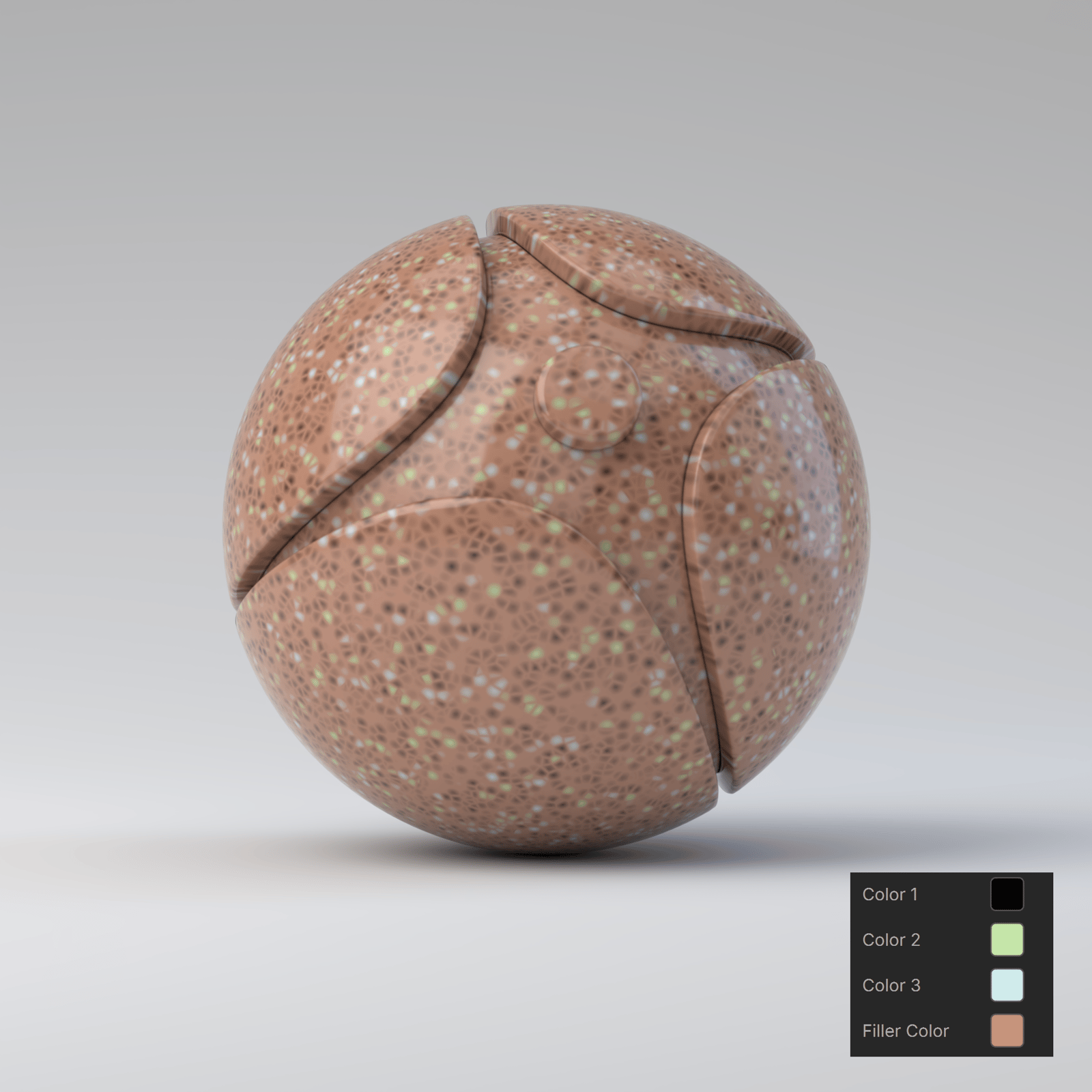
Example: Colors
This example shows various color combinations for the spots and the surrounding area. The Cell size parameter is set to 0.09, while the rest of the parameters are at their default values.


Example: Cell Size
This example shows the effect of the Cell Size parameter. The remaining Granite parameters are set to their default values.

Cell size is 0.01
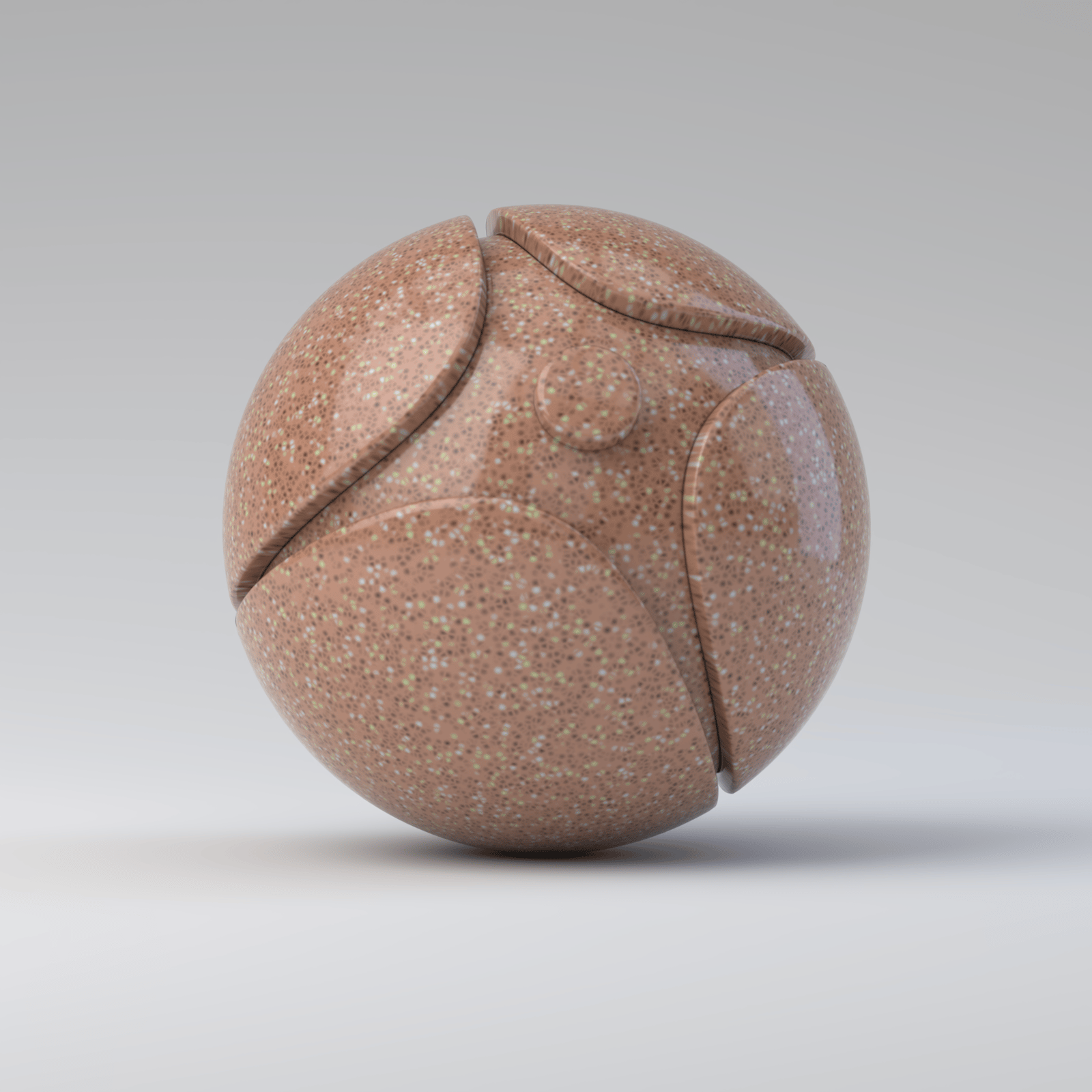
Cell size is 0.05

Cell size is 0.1
Example: Density
This example shows the effect of the Density parameter. The smaller the value, the farther away the spots are. A value of 0.0 completely removes the spots, leaving only the Filter Color.

Density is 0.1

Density is 0.5

Density is 1
Example: Randomness
This example shows the effect of the Randomness parameter. The Cell size is set to 0.1, all remaining parameters are set to their default values.

Randomness is 0

Randomness is 0.5

Randomness is 1
Example: Creases
This example shows the effect of the Creases parameter. The Cell size is set to 0.08, all remaining parameters are set to their default values.
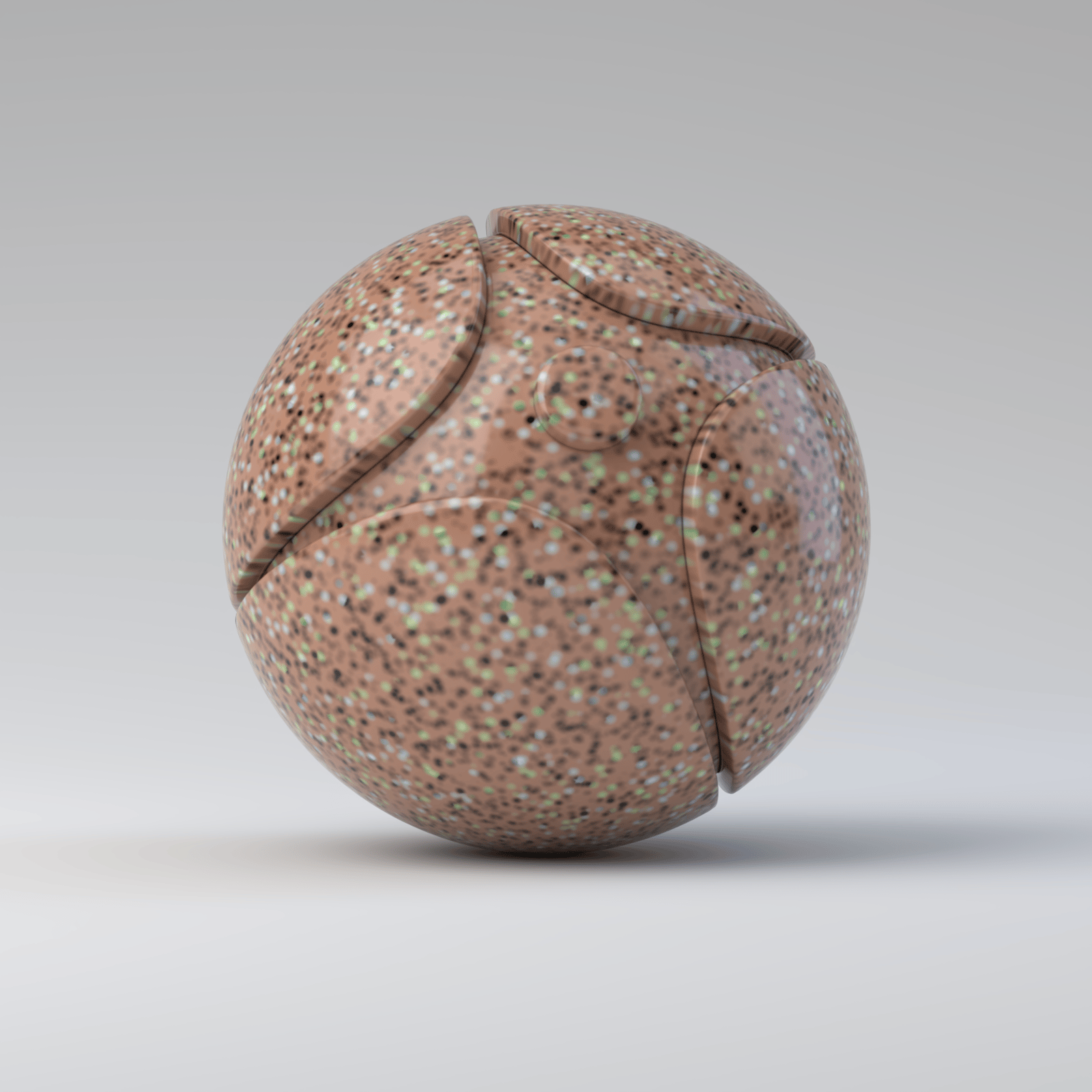
Creases are disabled

Creases are enabled