Chaos Vantage
Live Link Menu
This page provides information about the Live Link menu in Chaos Vantage.
Last updated 1 September 2026
This page provides information about the Live Link menu in Chaos Vantage.
For more information on the Live Link tool, see the Chaos Vantage Tools per Host App page.
For more information on how to work with Live Link, see the Live Link tutorials.
Menu options
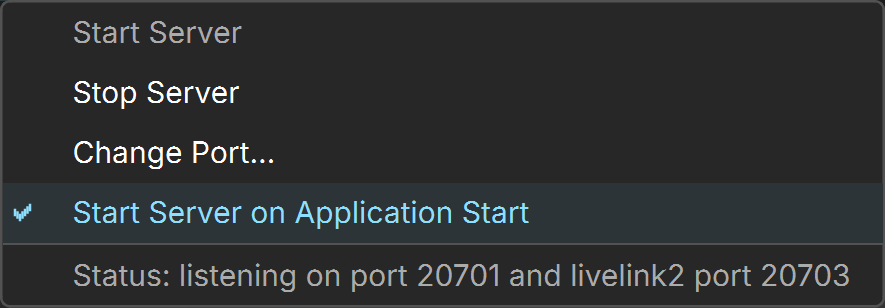
Start Server – Starts Chaos Vantage live link server.
Stop Server – Stops Chaos Vantage live link server .
Change Port... – Sets the listening port for the live link server.
Start Server on Application Start – When enabled, the live link server starts automatically at application launch.
Status – Displays status of the live link server e.g listening on port #### or server not running.