Chaos Vantage
Render Elements
This page is about render elements and their basic usage.
Last updated 28 February 2026
This page is about render elements and their basic usage.
Overview
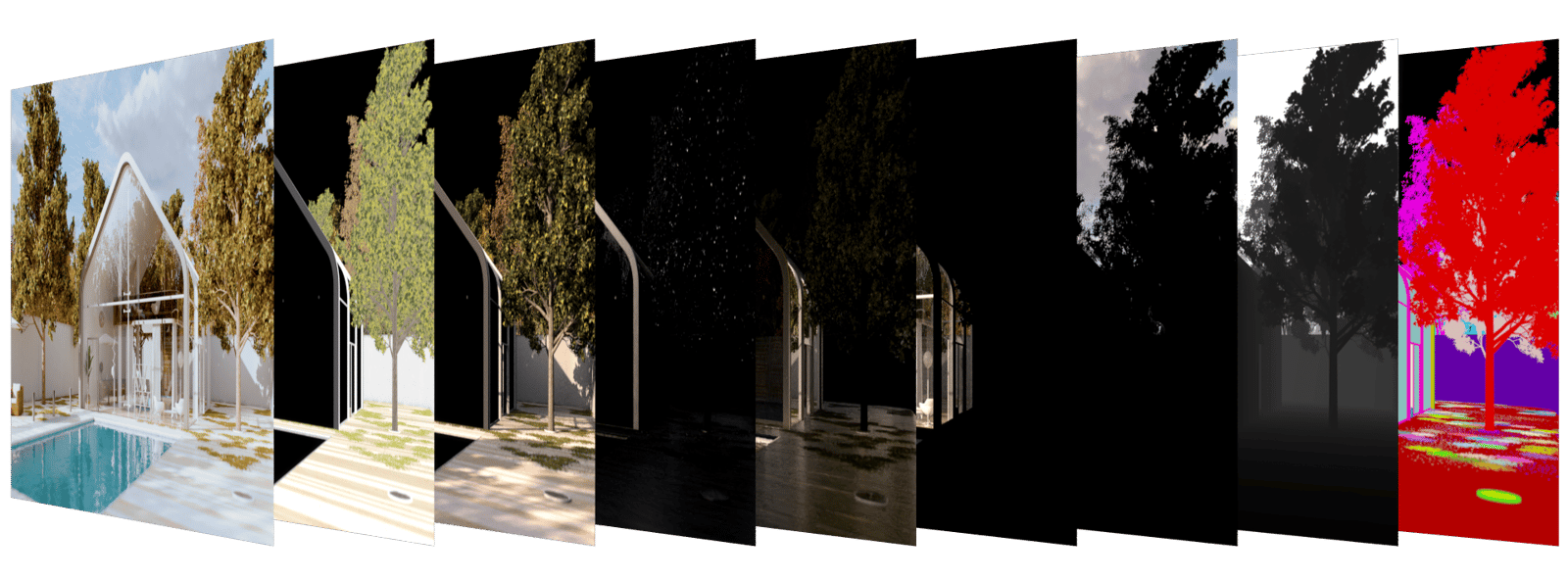
Render Elements are a way to break out renders into their component parts such as diffuse color, reflections, shadows, mattes, etc. This gives fine control over the final image when using compositing or image editing applications when re-assembling the final image from its component elements. Render elements are also sometimes known as render passes.
Render Elements are generated at render time based on the ones you choose before rendering.
For a complete list of render elements, see the List of Supported Render Elements below.
UI Path
To access the Render Elements dialog, go to:
||Tools menu|| > High Quality Render > Render elements rollout > Setup button

||Top toolbar|| > Hight Quality Render button () > Render elements rollout > Setup button
Render Elements Sub-groups
Render Elements in Chaos Vantage break down into four major groups:
- Beauty render elements – These are the primary render elements that form Vantage's pre-composited final render pass.
- Geometry render elements – These render elements rely on geometry to generate geometry data for the compositing process.
- Mask render elements – These render elements aid selection masking in the compositing process.
- Raw render elements – These are the primary render elements that form Vantage's pre-composited final render pass but without applying the Denoiser render element.

Supported Render Elements
The following render elements are supported by Chaos Vantage.
Render element name | Color Depth of PNG, JPEG channels | Color Depth of EXR floating-point channels | Description |
|---|
Render element name | Color Depth of PNG, JPEG channels | Color Depth of EXR floating-point channels | Description |
|---|---|---|---|
Beauty | |||
Back-to-beauty group | 8bit | 16bit | Enables all beauty elements for the actual rendering. |
Lighting | 8bit | 16bit | The diffuse direct surface lighting. |
Specular | 8bit | 16bit | The surface specular highlights. |
Global Illumination | 8bit | 16bit | The diffuse surface global illumination. |
Reflection | 8bit | 16bit | The reflections on the surface. |
Refraction | 8bit | 16bit | The refractions on the surface. |
Self-Illumination | 8bit | 16bit | The self-illumination of the surface. |
Atmosphere | 8bit | 16bit | Atmospheric effects. |
Background | 8bit | 16bit | The image background. |
Diffuse Filter | 8bit | 16bit | The pure diffuse surface color. |
Geometry | |||
Bumped Normals | 8bit | 16bit | The normals generated by bump maps, in screen space. |
Z-Depth | 8bit | 16bit | The z-depth of the scene. |
Velocity | 8bit | 16bit | The surface velocity. |
Mask | |||
Object Mask | 8bit | 16bit | The object ID. Randomly assigned object IDs at initial load of scene. |
Material Mask | 8bit | 16bit | The material ID of the object. Randomly assigned material IDs at initial load of scene. |
Multi Matte | 8bit | 16bit | Creates RGBA selection masks based on an object's Object ID, Material ID, or Include/Exclude list. |
Raw | |||
Raw RGBA | 8bit | 16bit | The undenoised beauty render. |