Chaos Vantage
Water Surface
This page provides information about Water Surface objects in Chaos Vantage.
Last updated 20 March 2026
This page provides information about Water Surface objects in Chaos Vantage.
Overview
The Water Surface object lets you create realistic water surfaces. The Water Surface parameters are grouped into three main tabs: Object settings, Wave settings, and Appearance settings. See the following table for more information:
Button | Description |
|---|
Button | Description |
|---|---|
Object settings tab – Contains settings for controlling the water surface shape. | |
Wave settings tab – Contains general settings for configuring the appearance and animation of waves. Several presets are also available. | |
Appearance settings tab – Contains settings for configuring the wave material. |

UI Path
||Top toolbar|| > Create new Geometry object > Water surface
||Right side panel|| > Objects tab > Create new Water Surface object
Object Settings
Water Surface Shape – Specifies the shape of the water surface from Rectangle, Circle, Infinite, or Custom.
Surface Width – Controls the width of the water surface when the shape is a Rectangle.
Surface Length – Controls the length of the water surface when the shape is a Rectangle.
Surface Diameter – Controls the diameter of the water surface when the shape is a Circle.
Pick Water Shape – Selects a scene object to define the water's surface when the shape is Custom.
Projection – Specifies the projection axis for the target shape object when the shape is Custom. If the water shape doesn’t match expectations, switch the projection axis. Available options are X, Y, and Z.
The Infinite water surface shape doesn’t have adjustable water surface parameters.
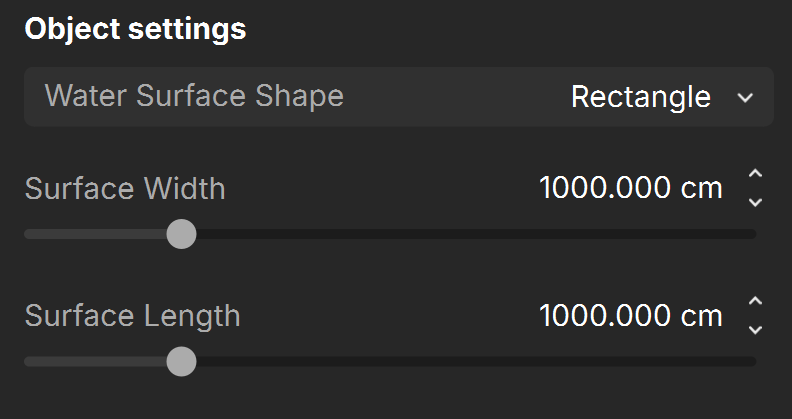
Water Surface Shape is Rectangle
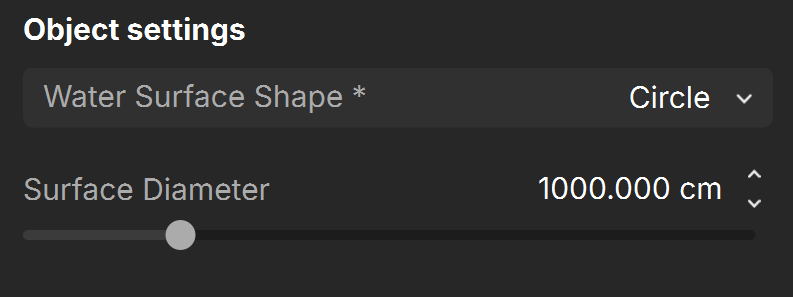
Water Surface Shape is Circle

Water Surface Shape is Custom
Wave Settings
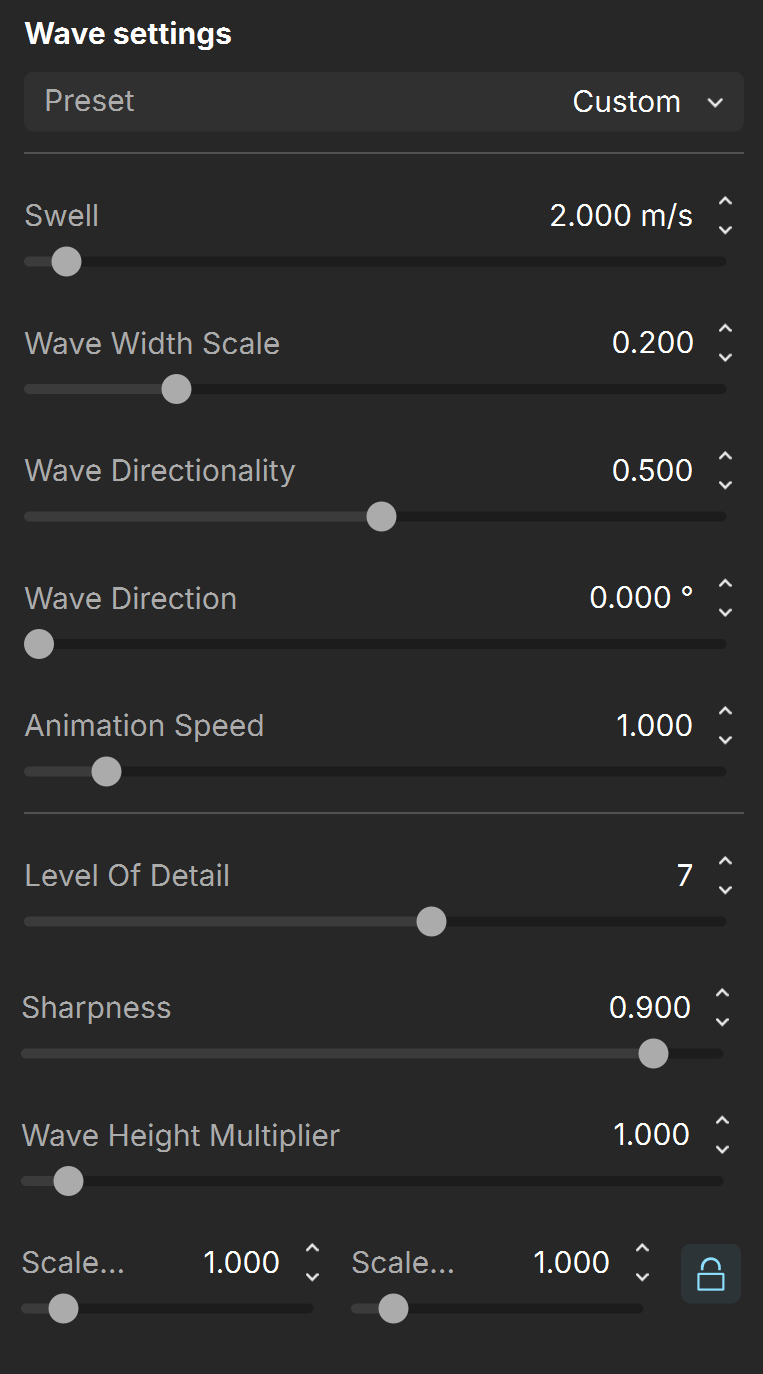
Preset – Allows for a quick setup of the wave properties. Available presets are: Custom, Pool, Lake, Sea. See the Water Presets example below.
Swell – Sets the speed in meters per second along with wave size of the water object. Low values produce a calm water surface. High values produce bigger, slower waves, as if in a storm.
Wave Width Scale – A multiplier for the width of the wave crests. See the Wave Width Scale example below.
Wave Directionality – Sets whether the waves follow a predominant direction defined by the Wave Direction parameter or if they are more dispersed and deviate from that direction.
Wave Direction – Sets the movement direction of the waves. See the Wave Direction example below.
Animation Speed – Sets the animation speed of the waves.
Level of Detail – Controls how detailed the waves appear. With low values, the waves appear smooth. With high values, they appear rippled. See the Detail Sharpness example below.
Sharpness – Controls how sharp the tip of the wave crests are. See the Sharpness example below.
Wave Height Multiplier – A multiplier for the wave height. See the Wave Height Multiplier example below.
Scale Width / Length – A multiplier for the wave size. See the Scale example below.
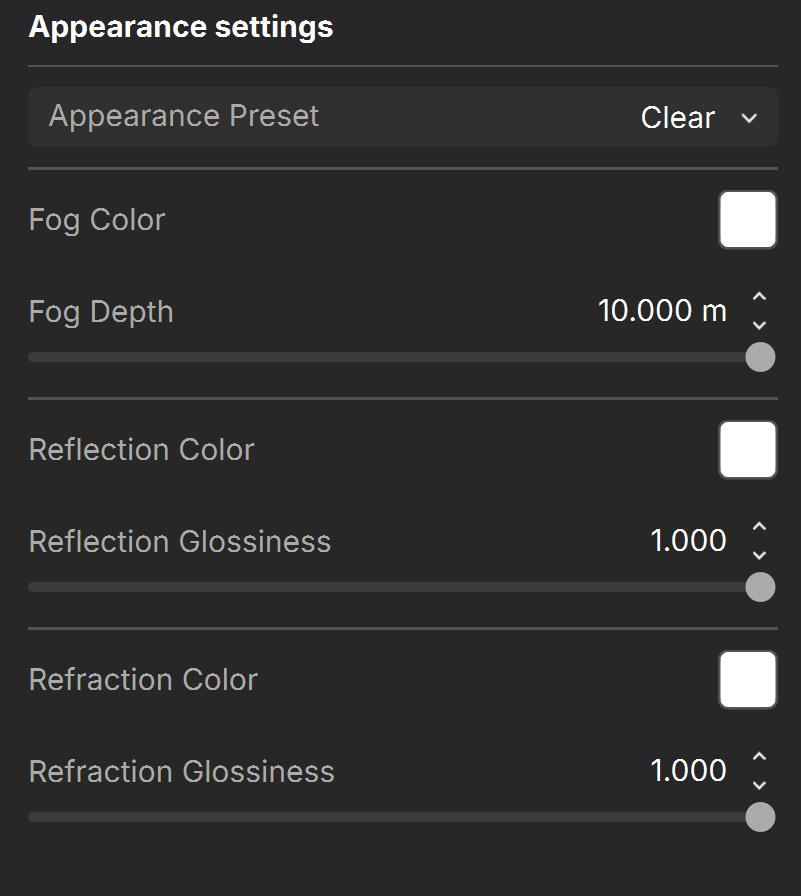
Appearance settings
Appearance Preset – Allows for a quick setup of the material properties. Available presets are: Custom, Clear, Turquoise, Deep Blue, and Murky. See the Appearance Presets example below.
Fog Color – Specifies the attenuation of light as it passes through the water material.
Fog Depth – Controls the strength of the fog effect. Higher values reduce the effect of the fog, making the material more transparent. Smaller values increase the fog effect, making the material more opaque.
Reflection Color – Specifies the amount of reflection and the reflection color of the water surface.
Reflection Glossiness – Controls the sharpness of reflections. A value of 1.0 means perfect mirror-like reflection; lower values produce blurry or glossy reflections.
Refraction Color – Specifies the amount of refraction and the refraction color of the water surface. Any value above zero enables refraction.
Refraction Glossiness – Controls the sharpness of refractions. A value of 1.0 means perfect clear water; lower values produce a blurry or murky appearance.
Examples
Click on any image to view it at a higher resolution.
Water Presets
This example shows the available water presets.
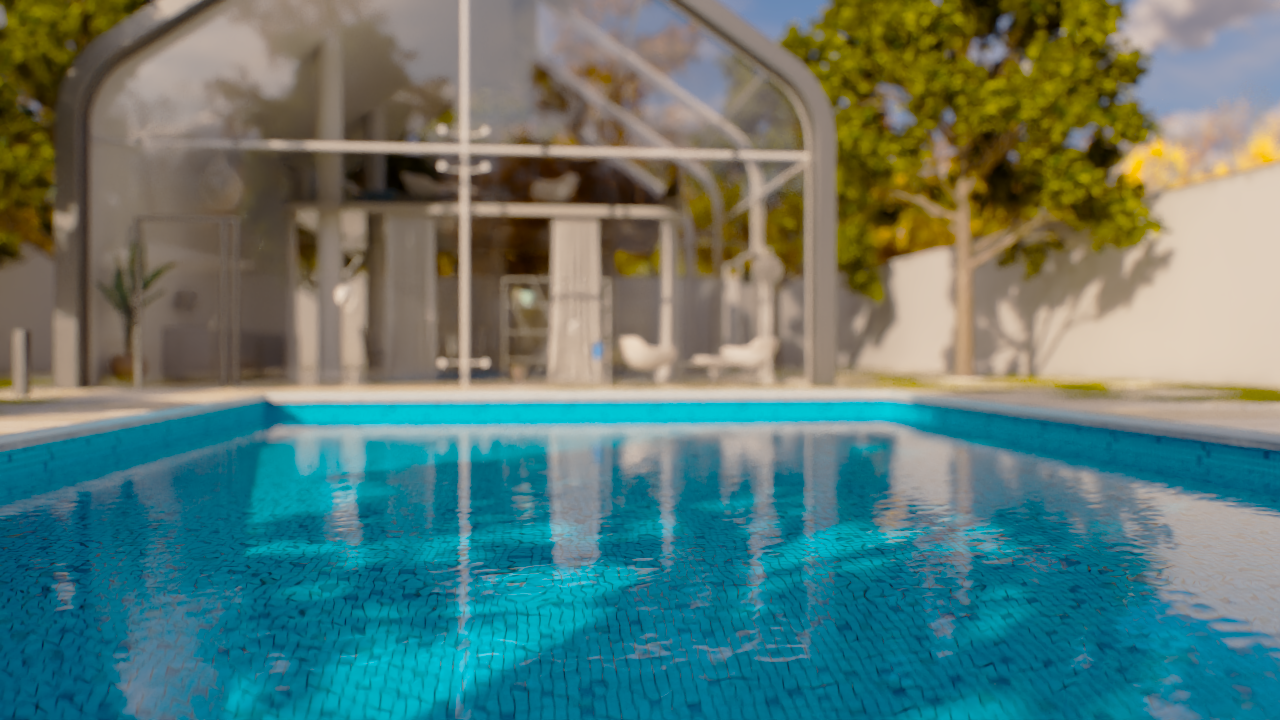
Pool Preset
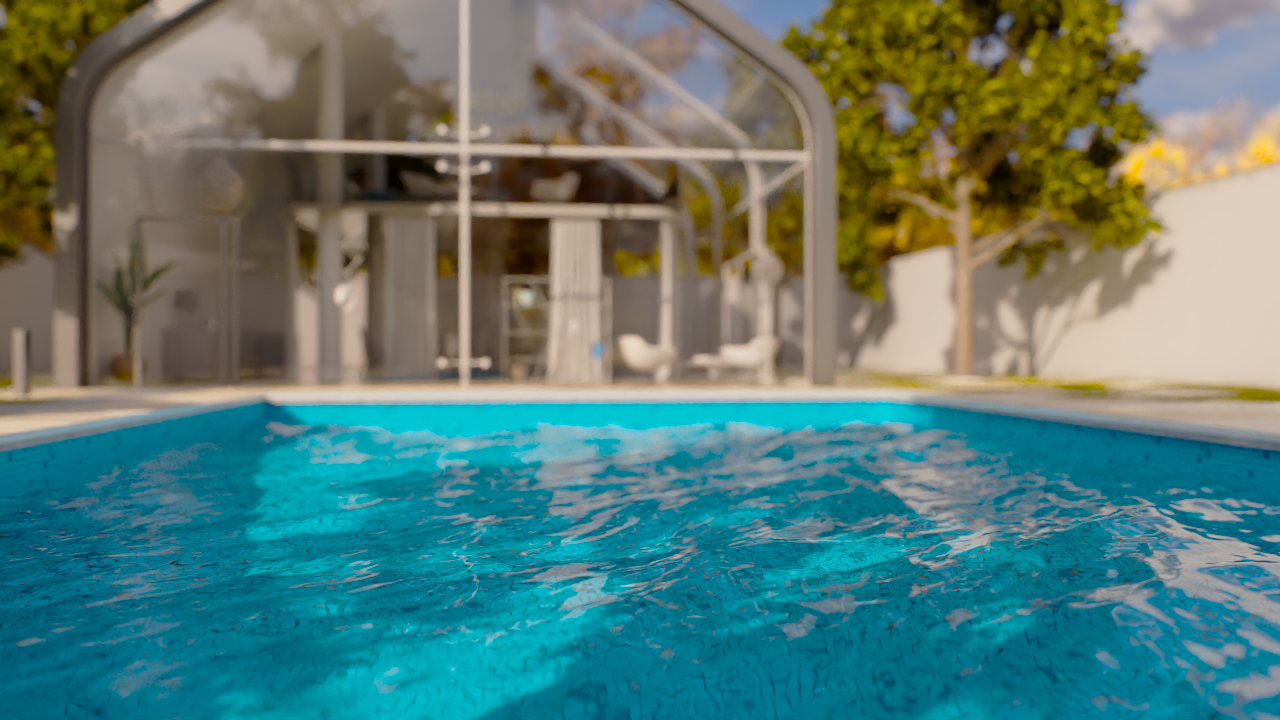
Lake Preset
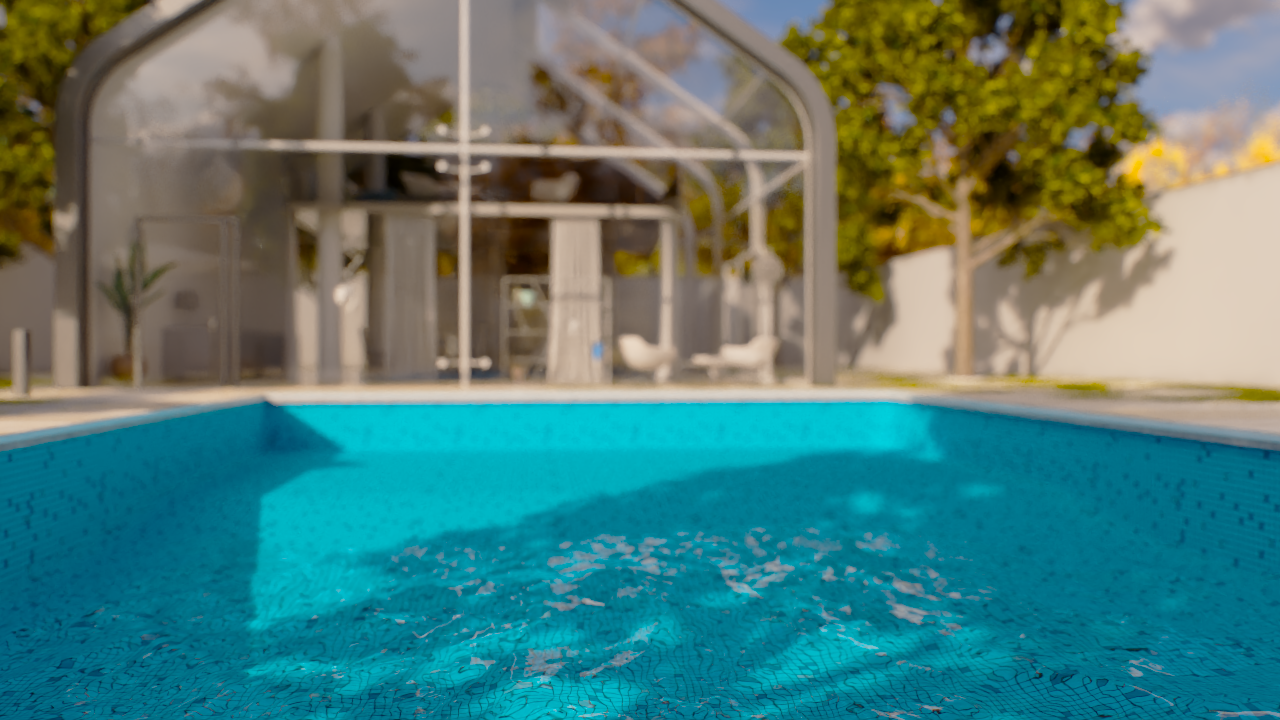
Sea Preset
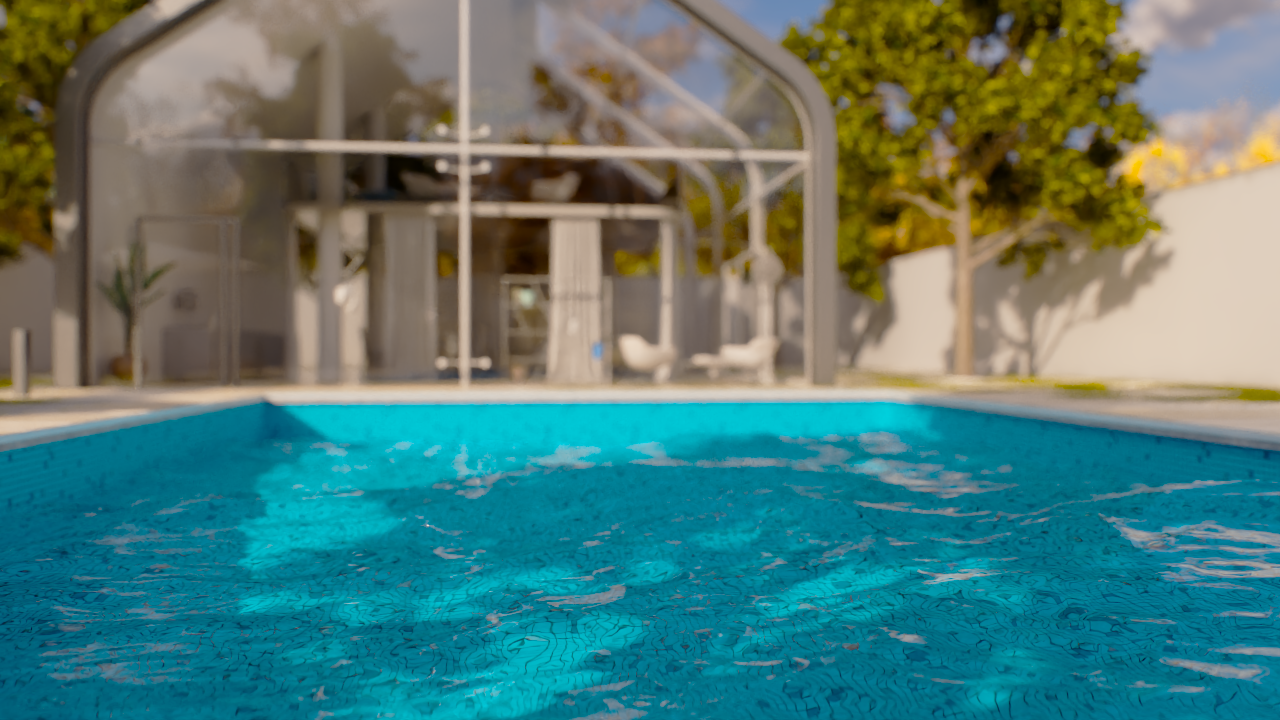
Custom Preset
Appearance Presets
This example shows the available water material presets.
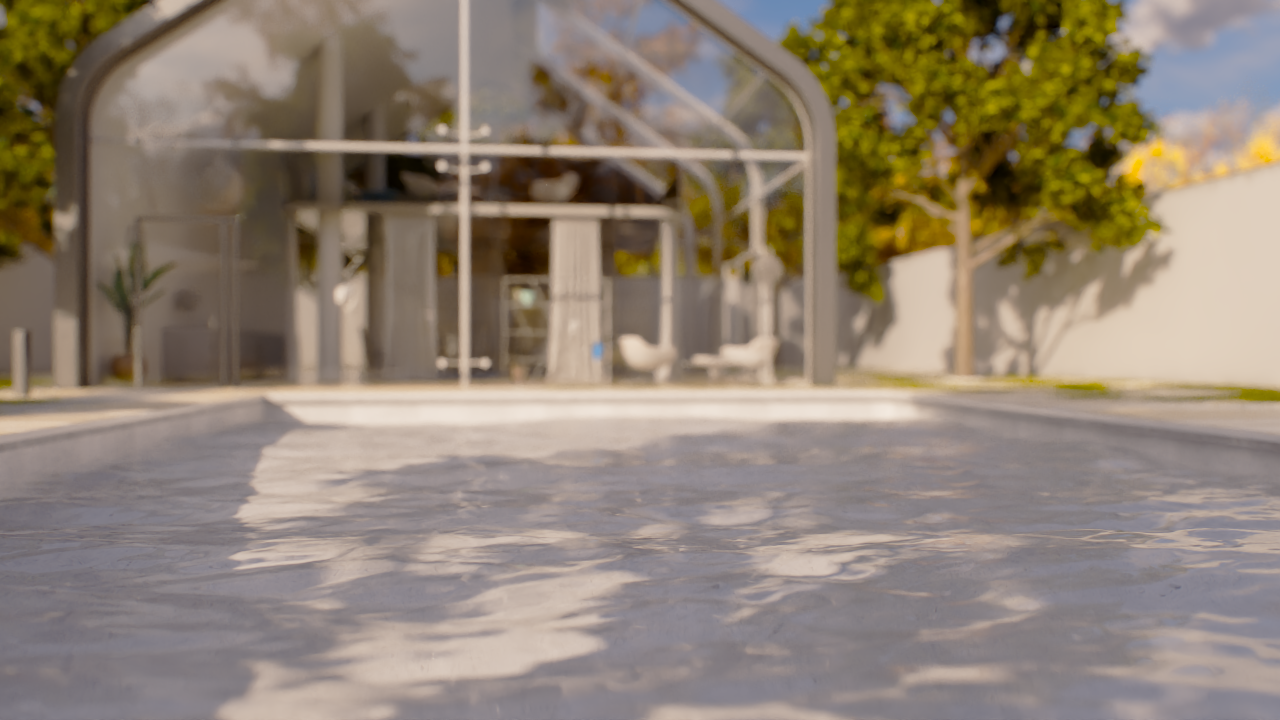
Clear Preset
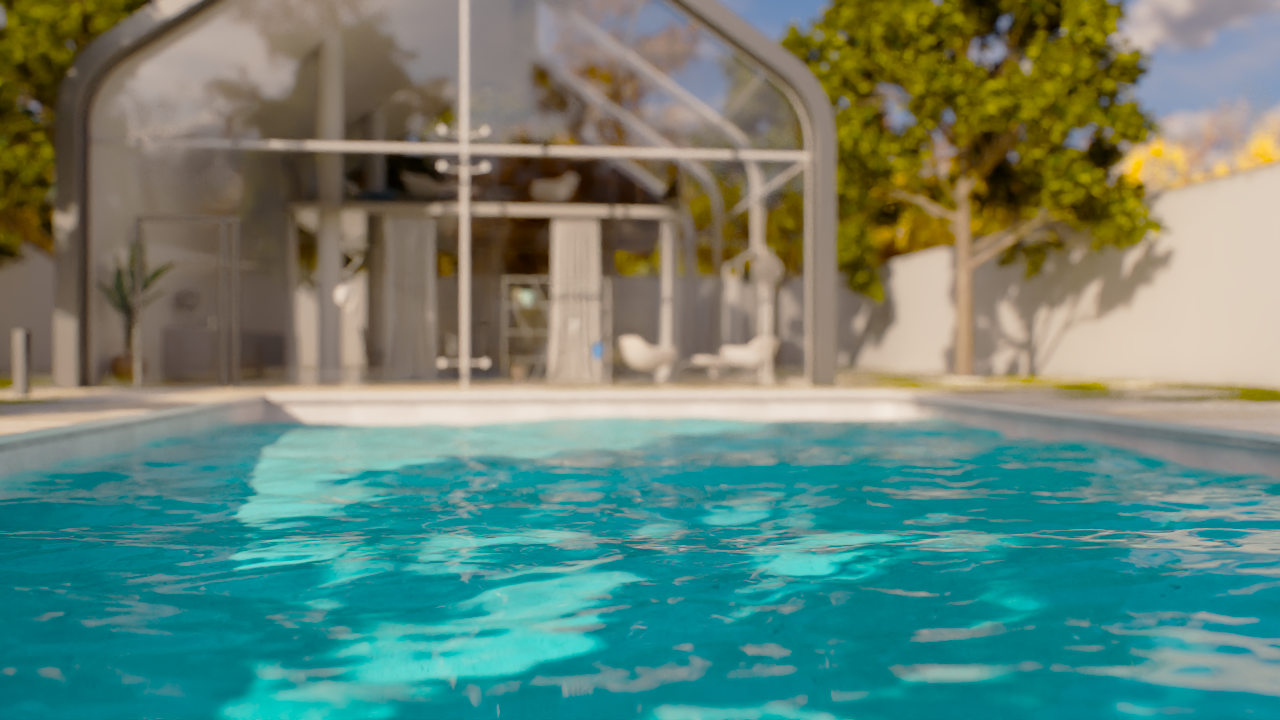
Turquoise Preset
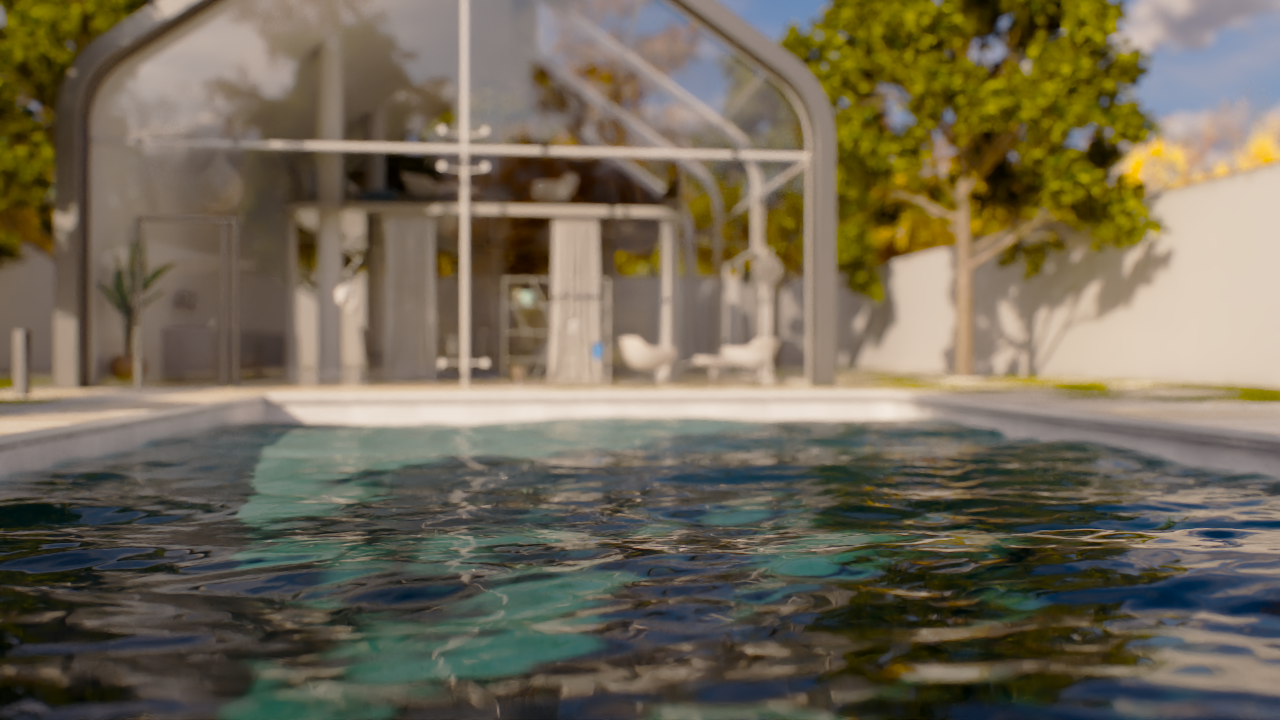
Deep Blue Preset
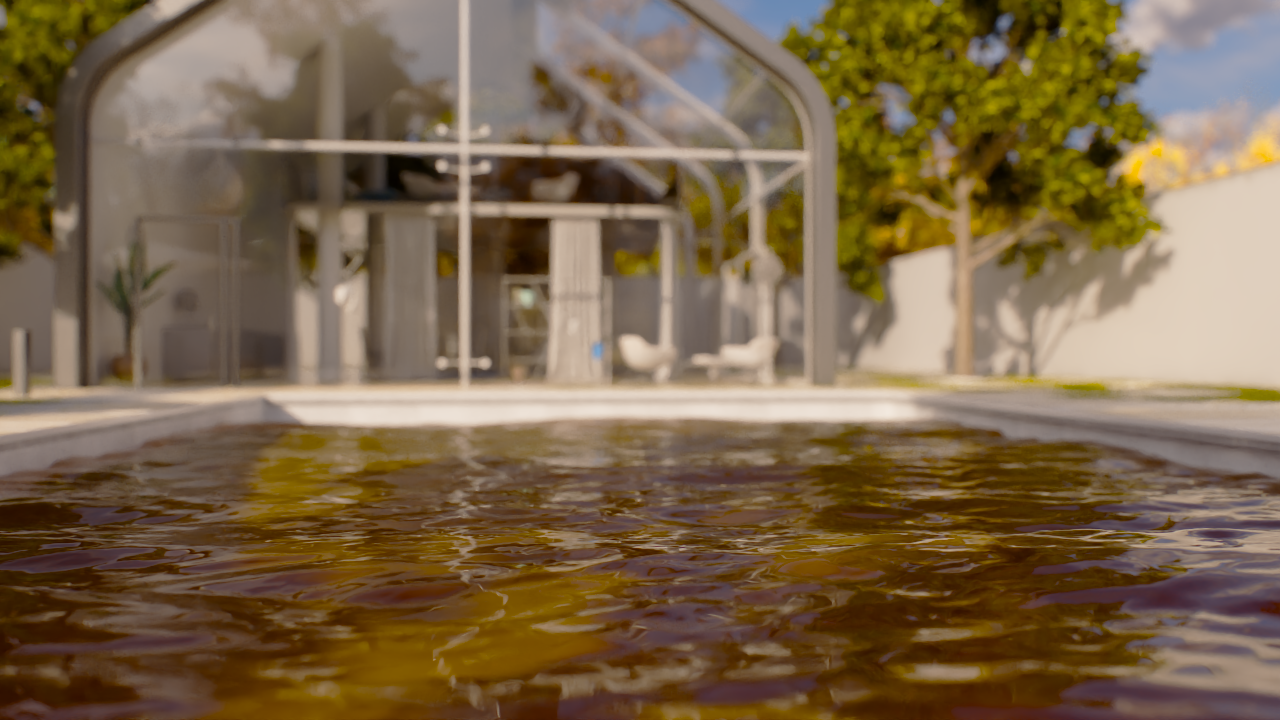
Murky Preset
Level of Detail
This example demonstrates the effect of the Level of Detail parameter.
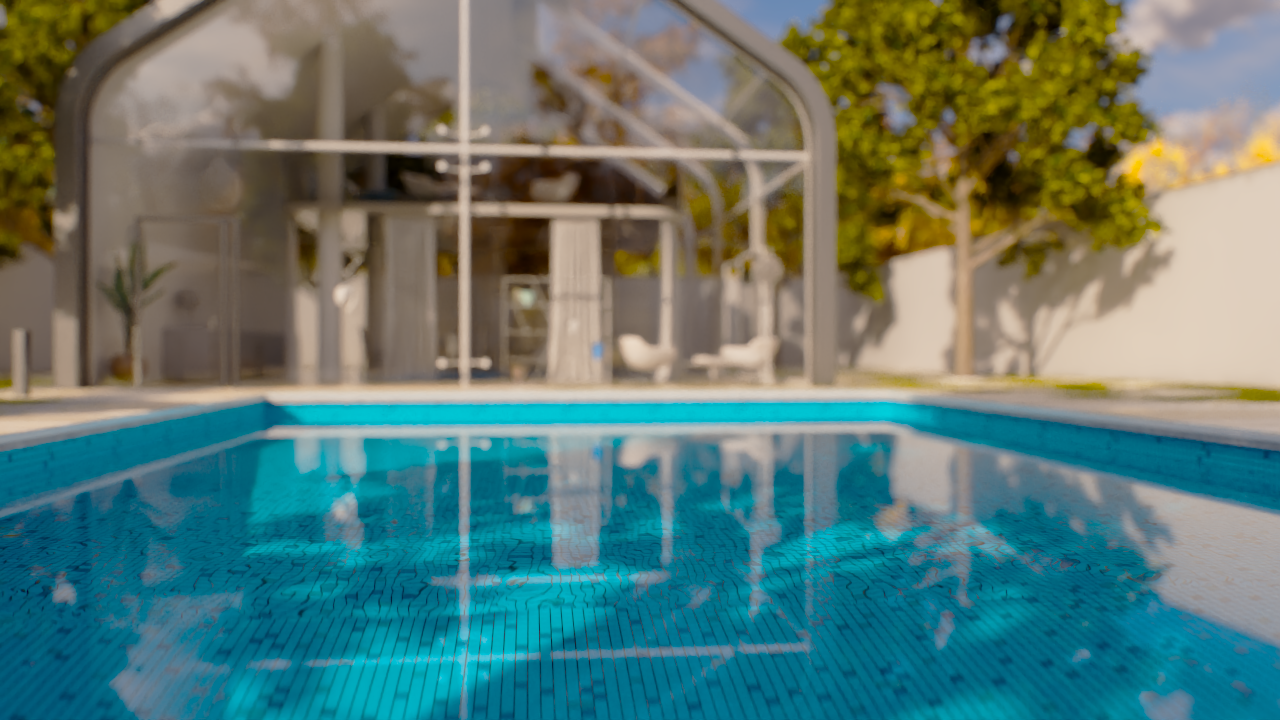
Level of Detail = 0
The water surface appear smooth.
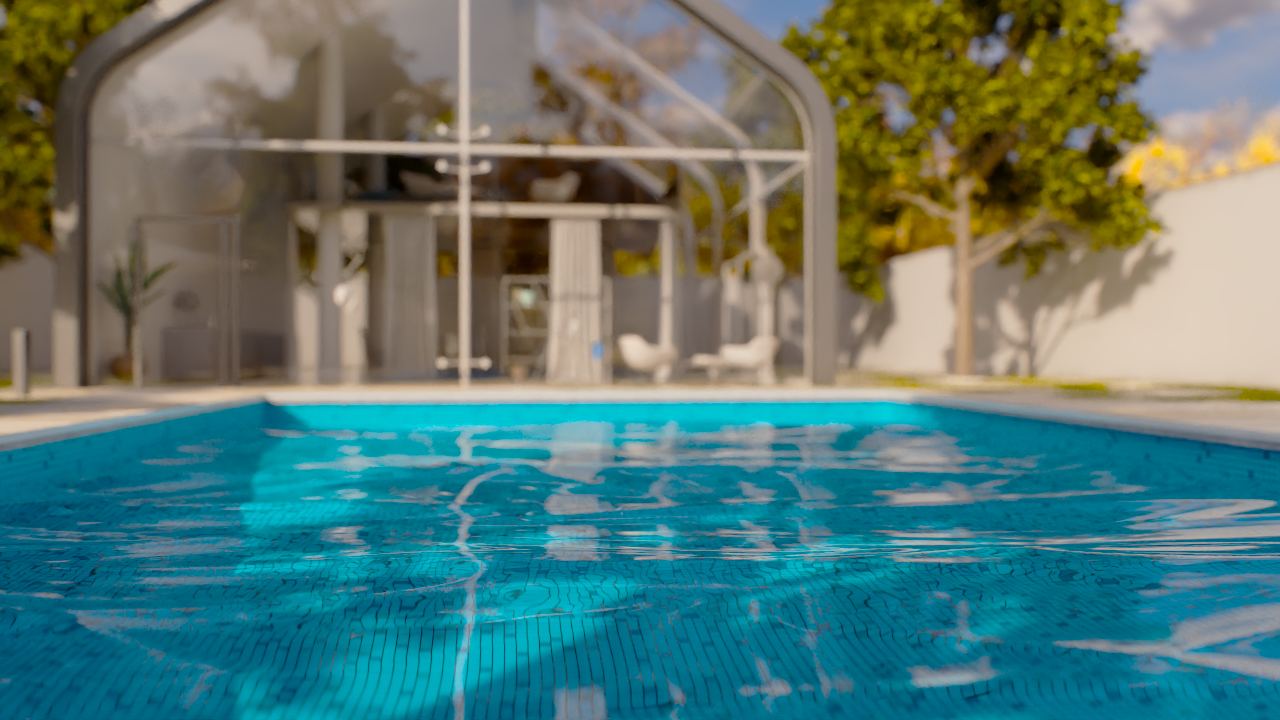
Level of Detail = 3
The water surface has subtle gentle ripples.

Level of detail = 20
There are plenty of ripples on the water surface.
Sharpness
This example demonstrates the effect of the Sharpness parameter.
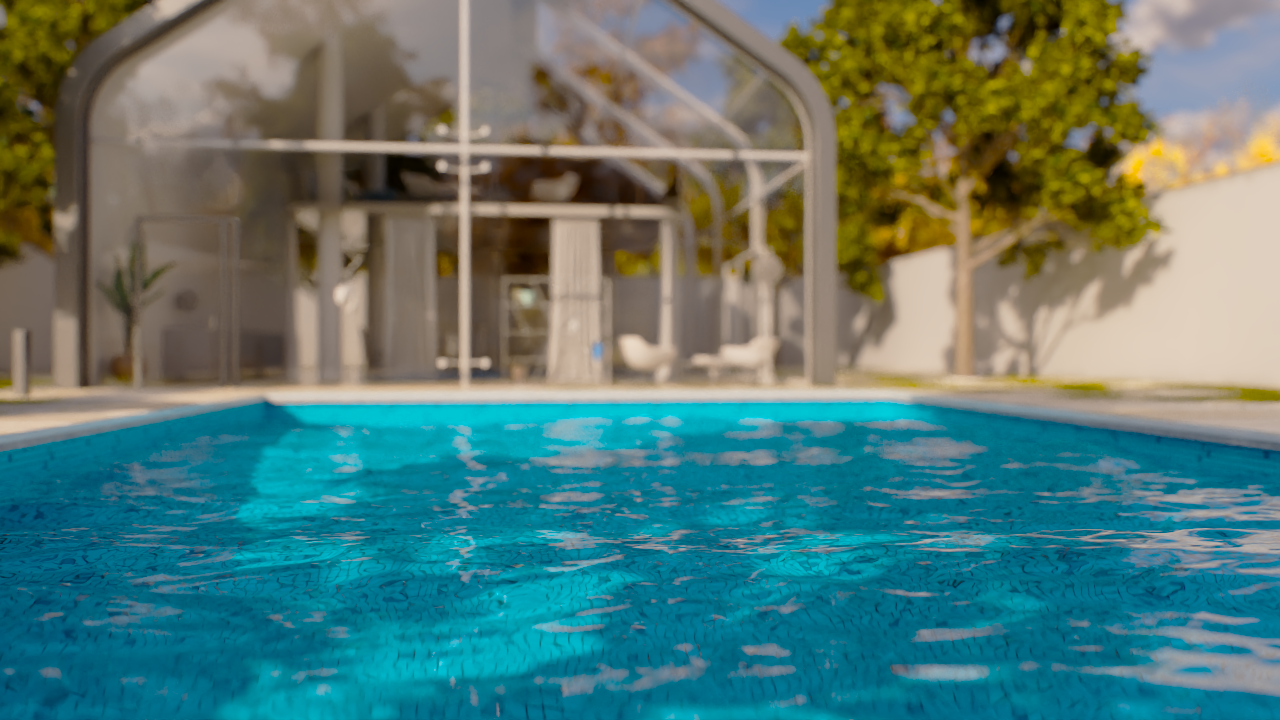
Sharpness = 0
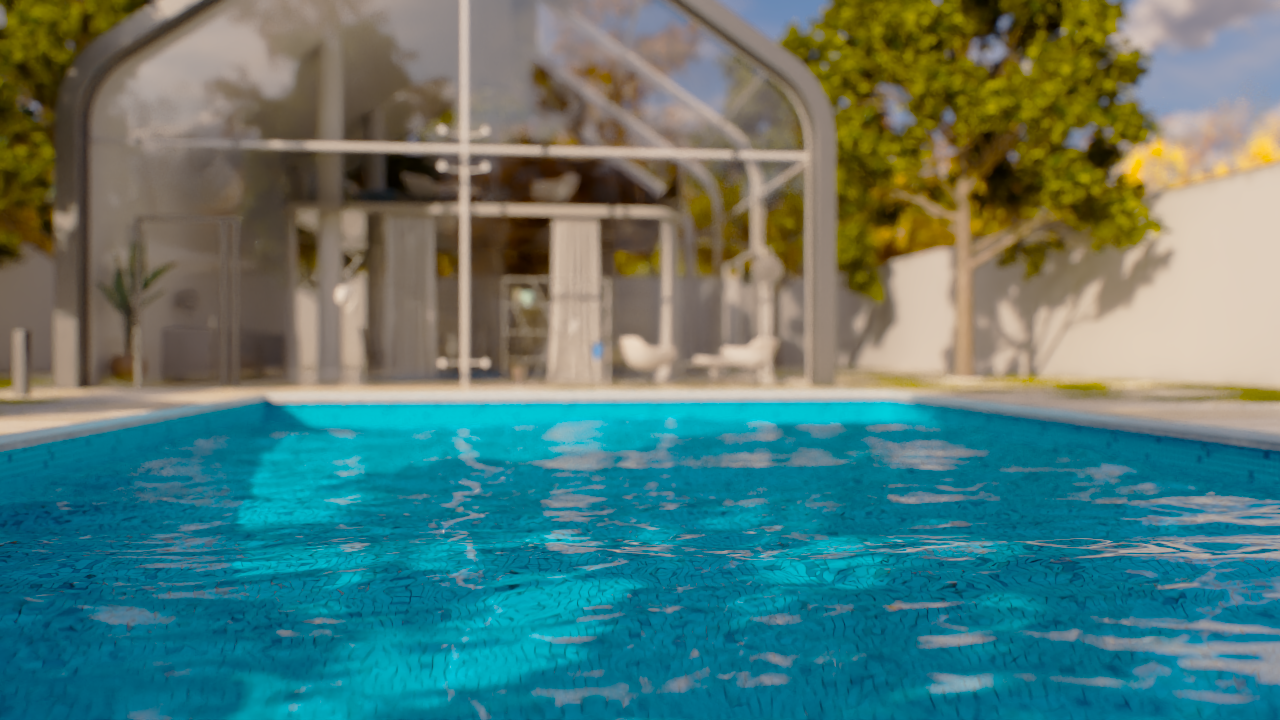
Sharpness = 0.5
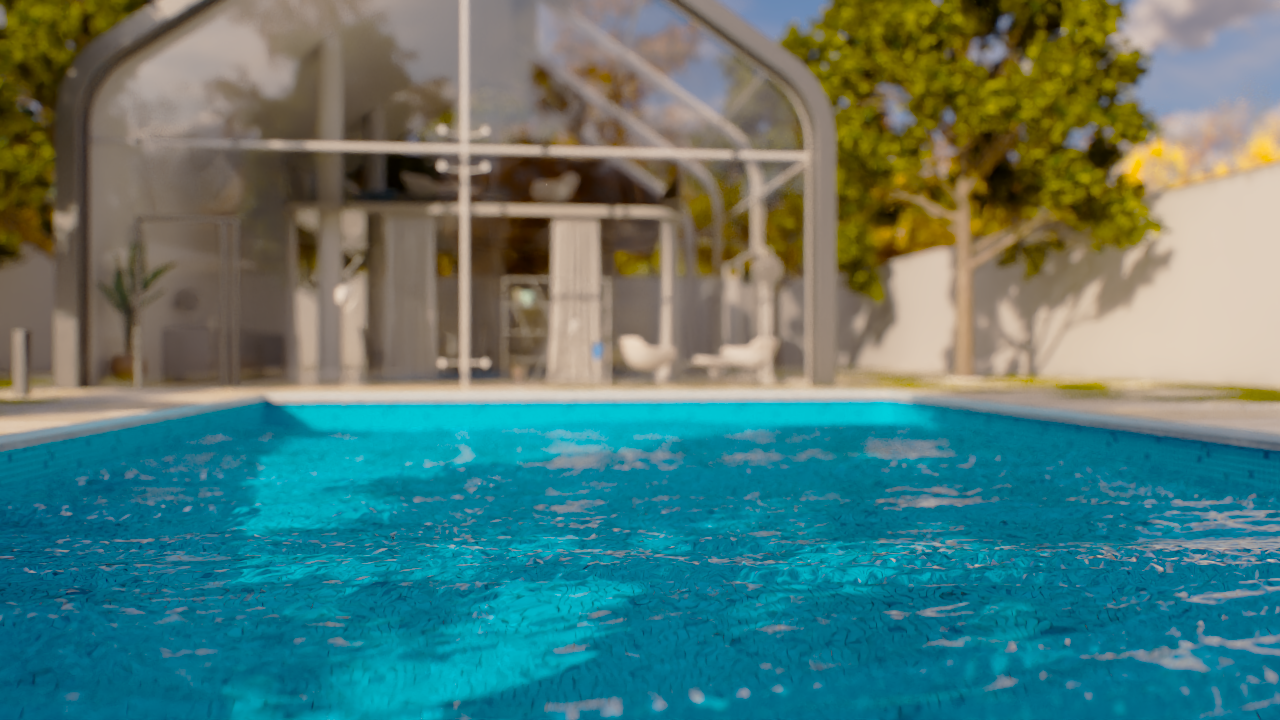
Sharpness = 1
Wave Height Multiplier
This example demonstrates the effect of the Wave Height Multiplier parameter.
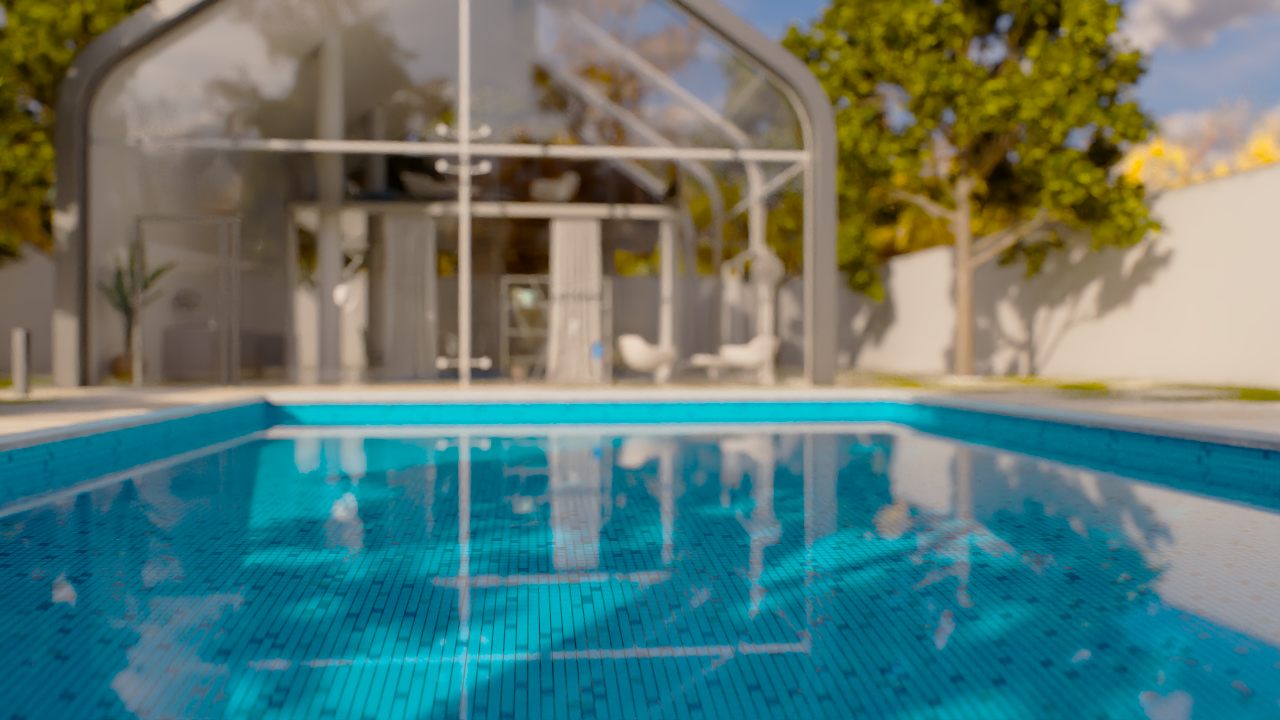
Wave Height Multiplier = 0
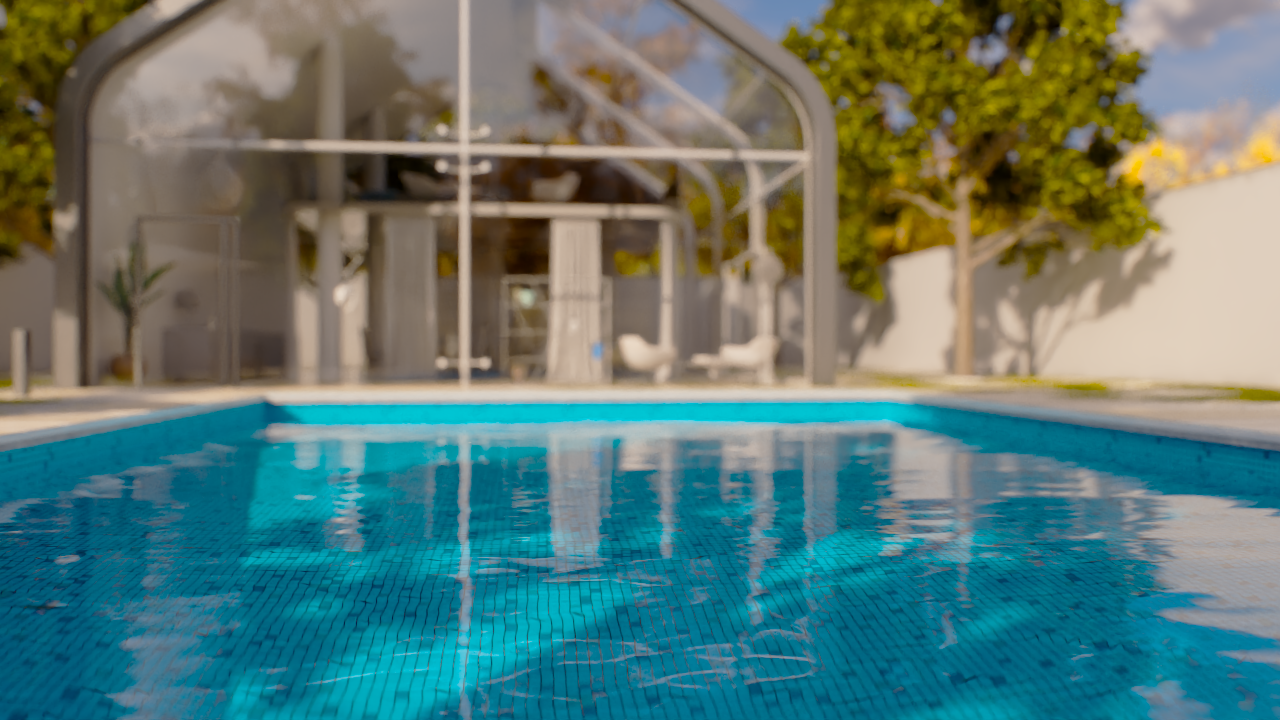
Wave Height Multiplier = 0.1
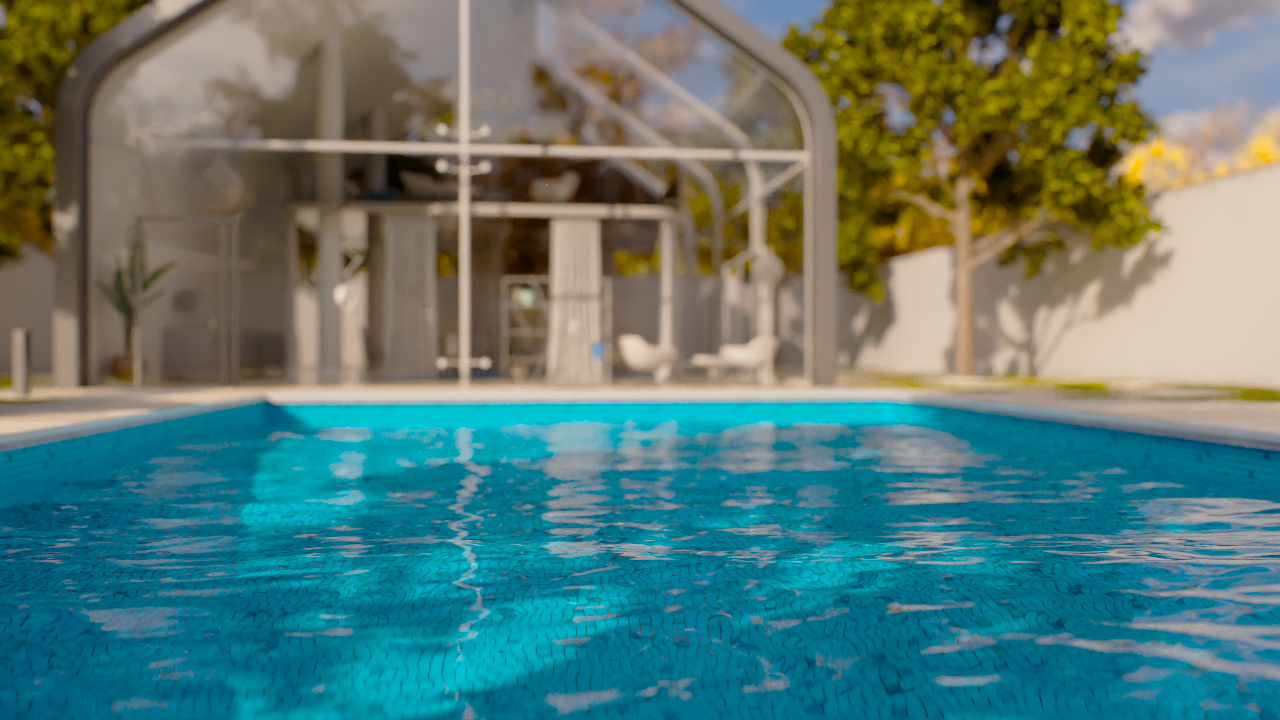
Wave Height Multiplier = 0.7
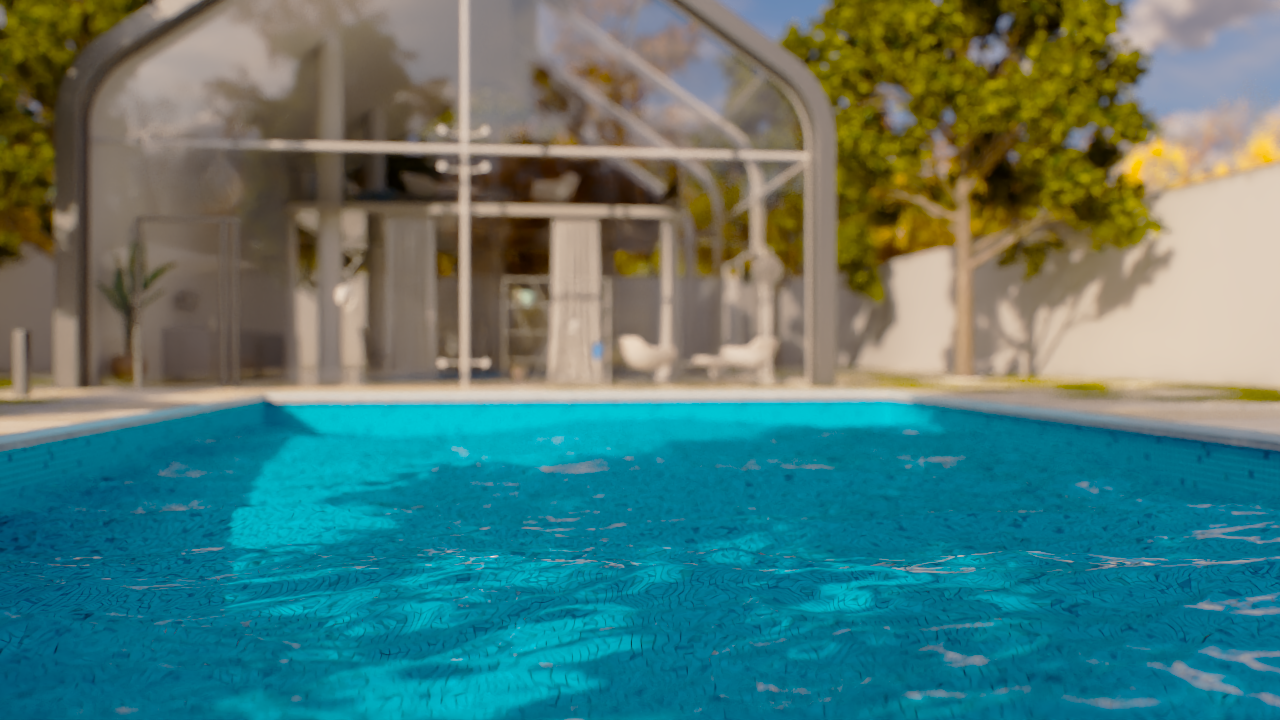
Wave Height Multiplier = 2
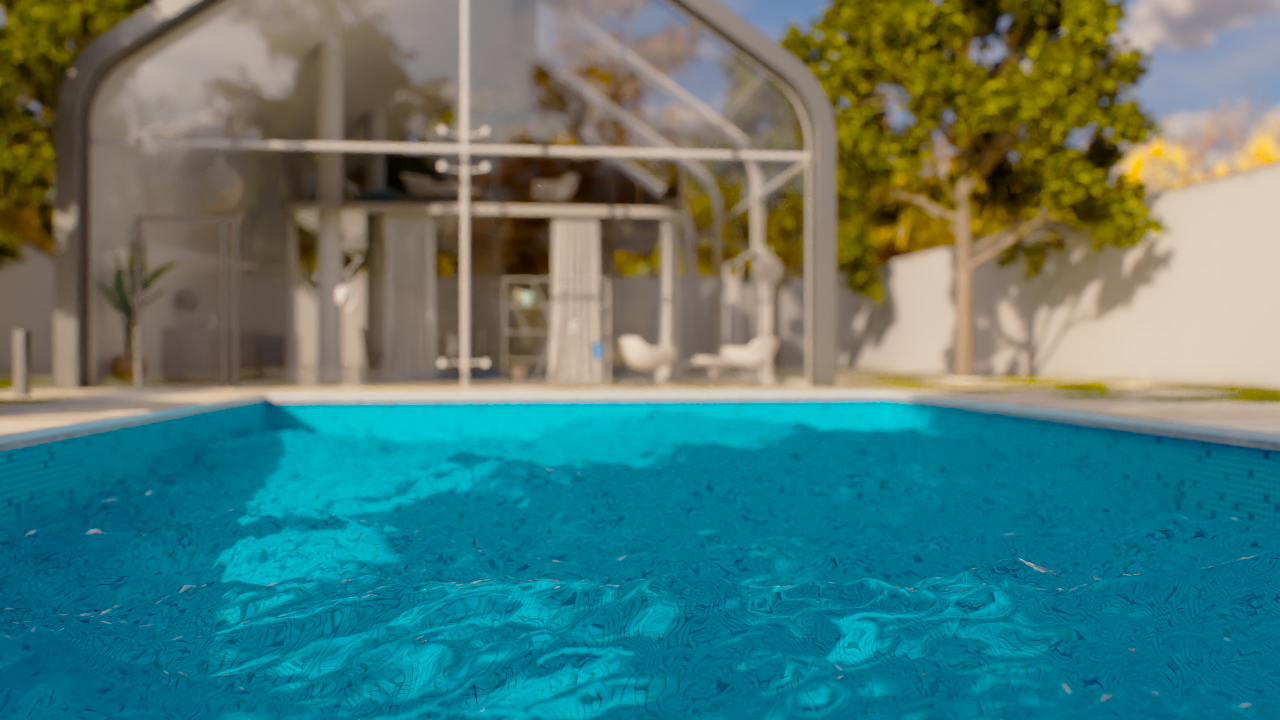
Wave Height Multiplier = 5
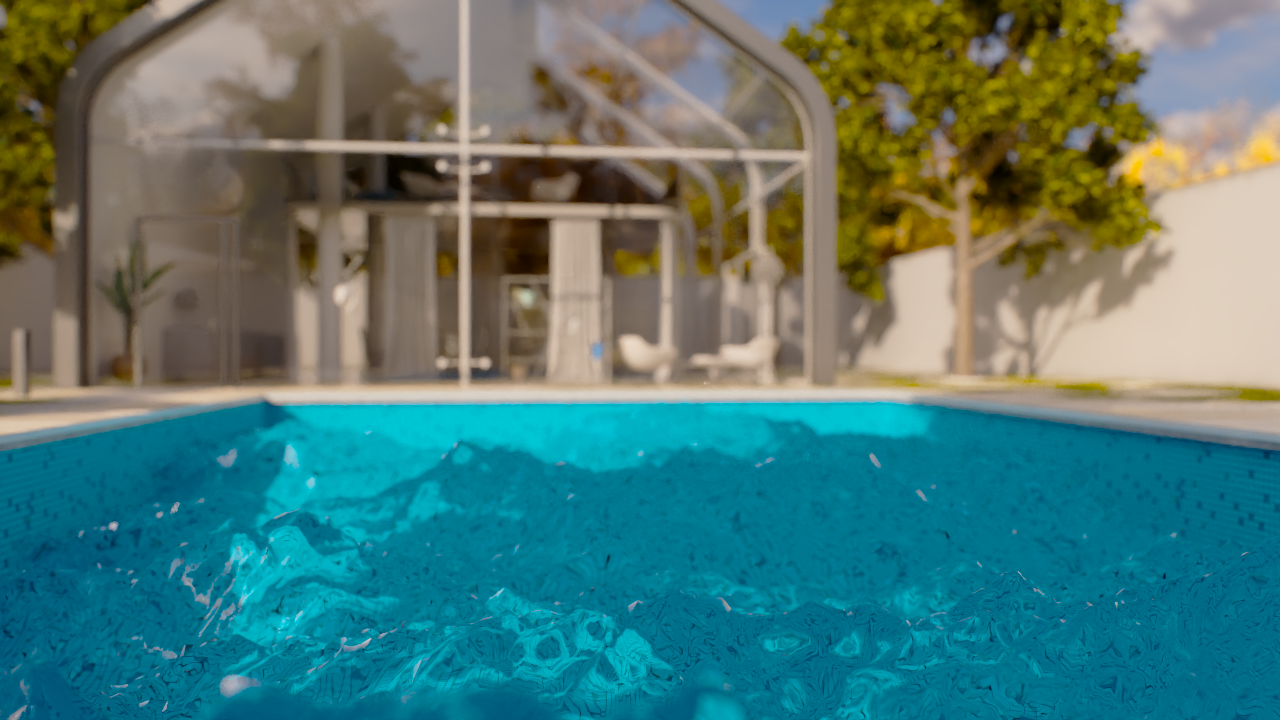
Wave Height Multiplier = 10
Scale
This example demonstrates the effect of the Scale parameter.
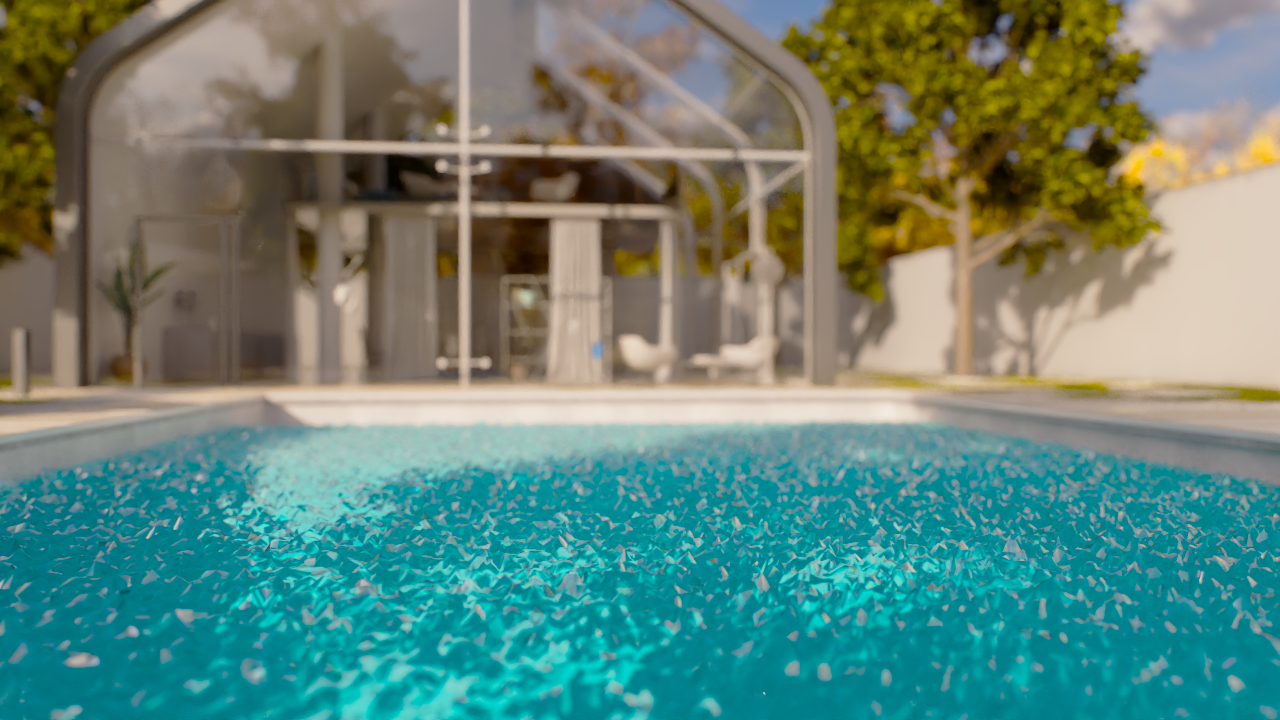
Scale = 0.001
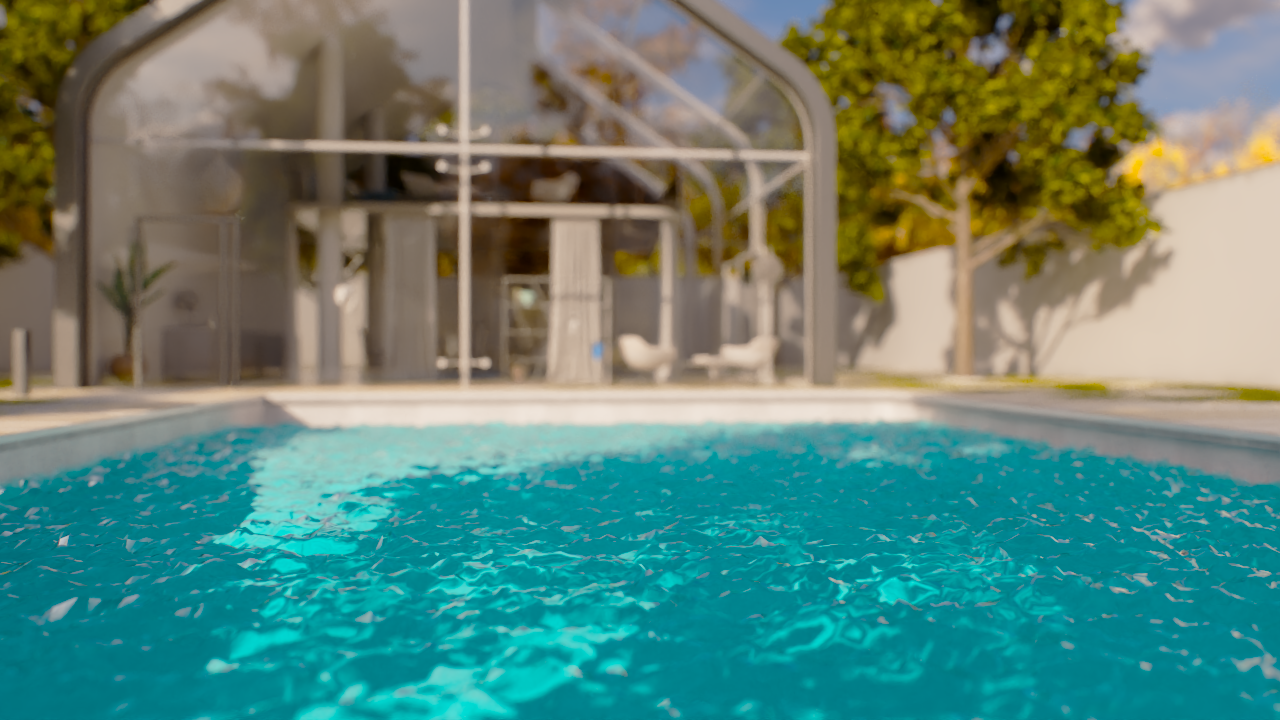
Scale= 0.1

Scale= 0.5
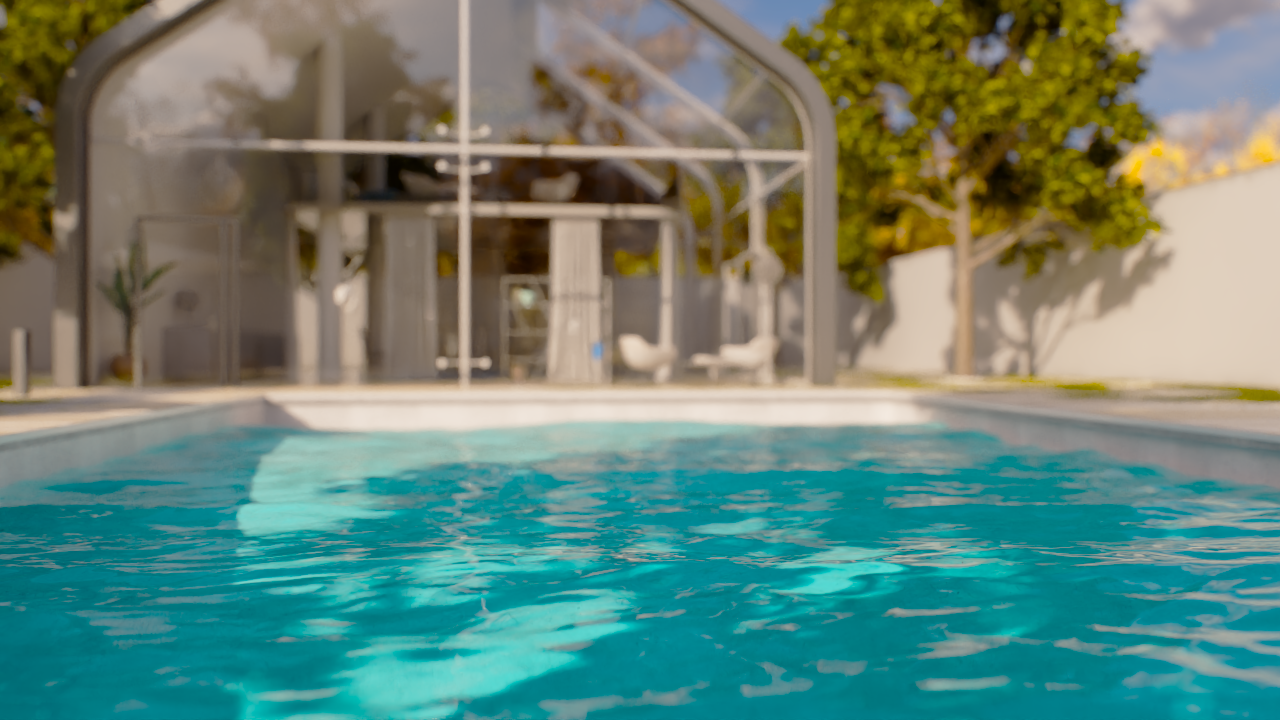
Scale= 1
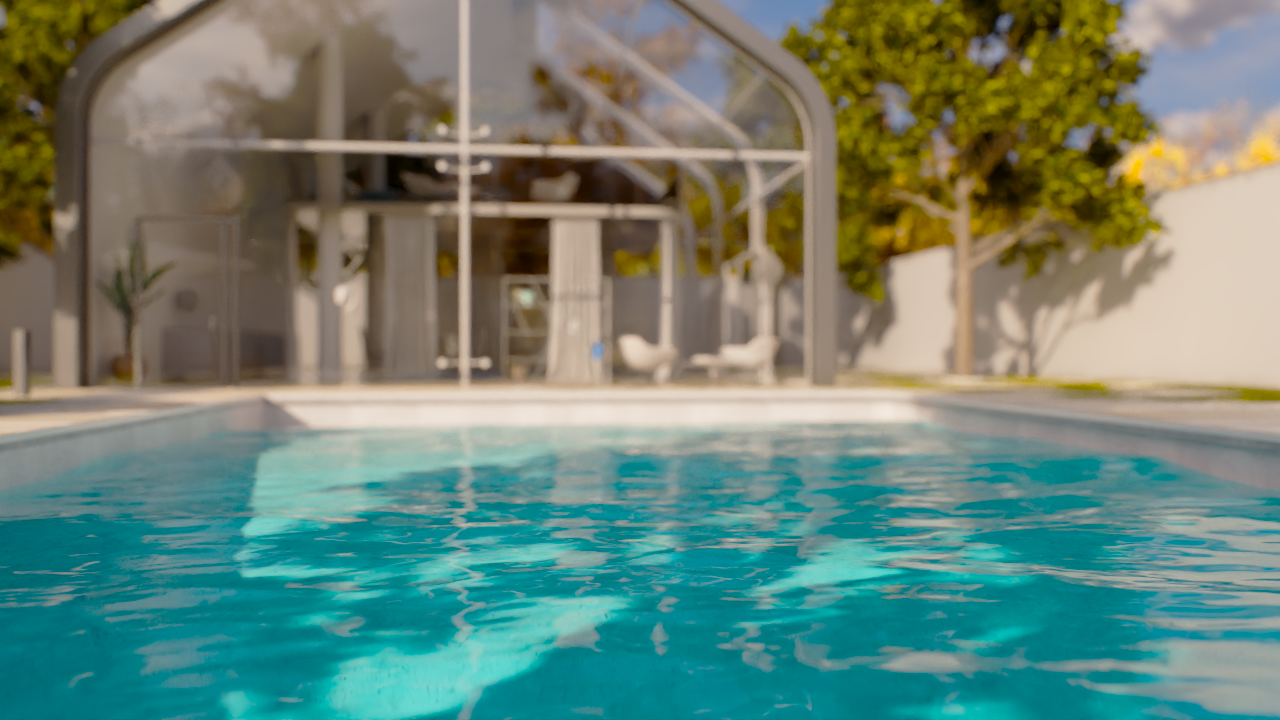
Scale= 2
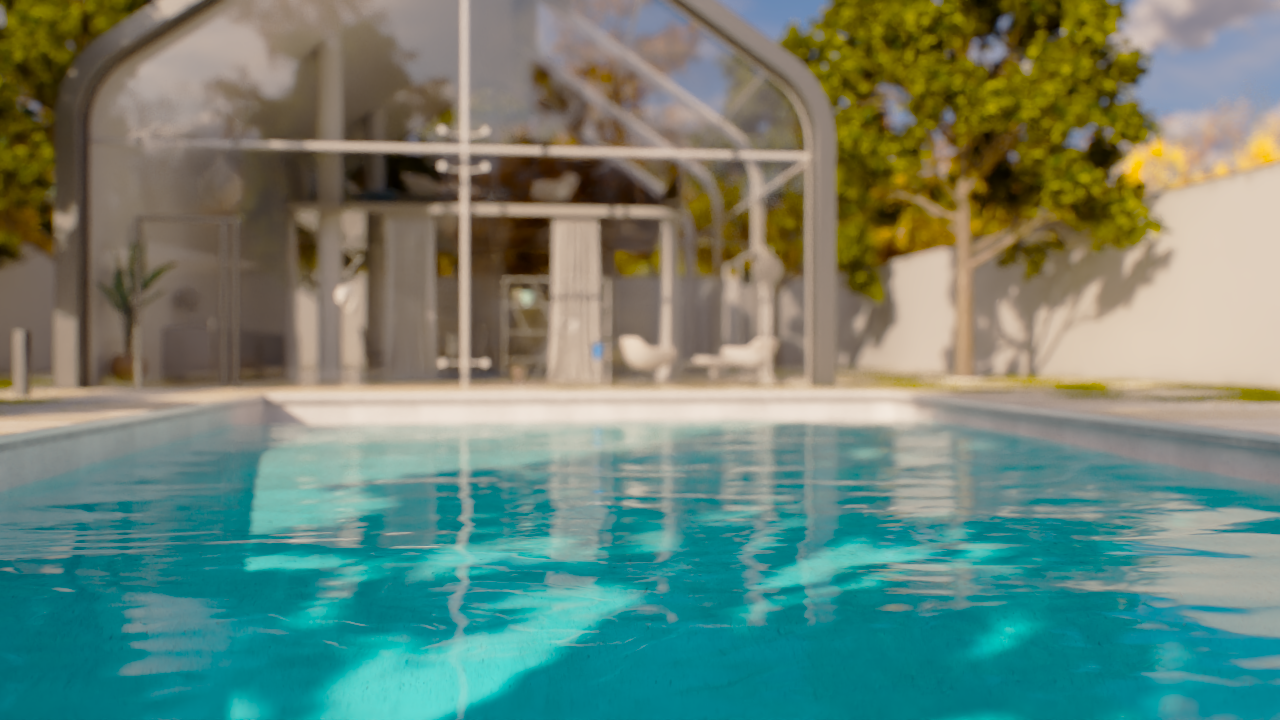
Scale= 5
Wave Direction
This example demonstrates the effect of the Wave Direction parameter.

Wave Direction = 0 degrees
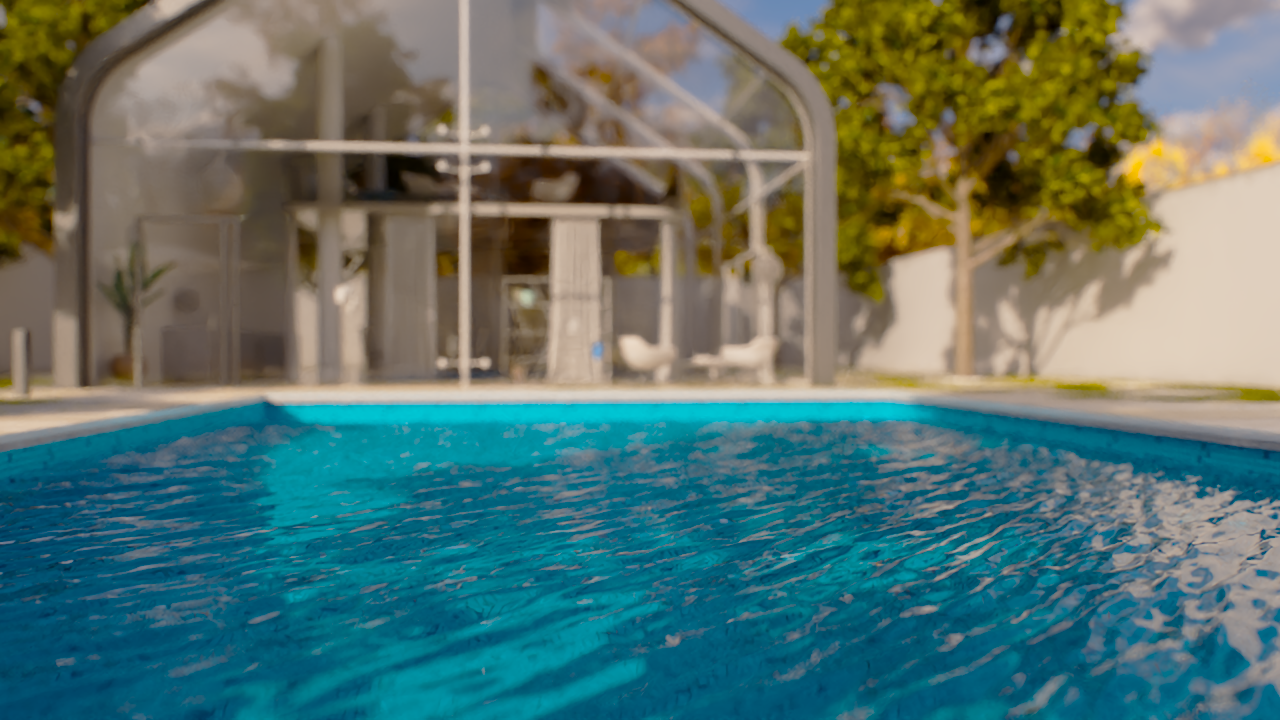
Wave Direction = 45 degrees
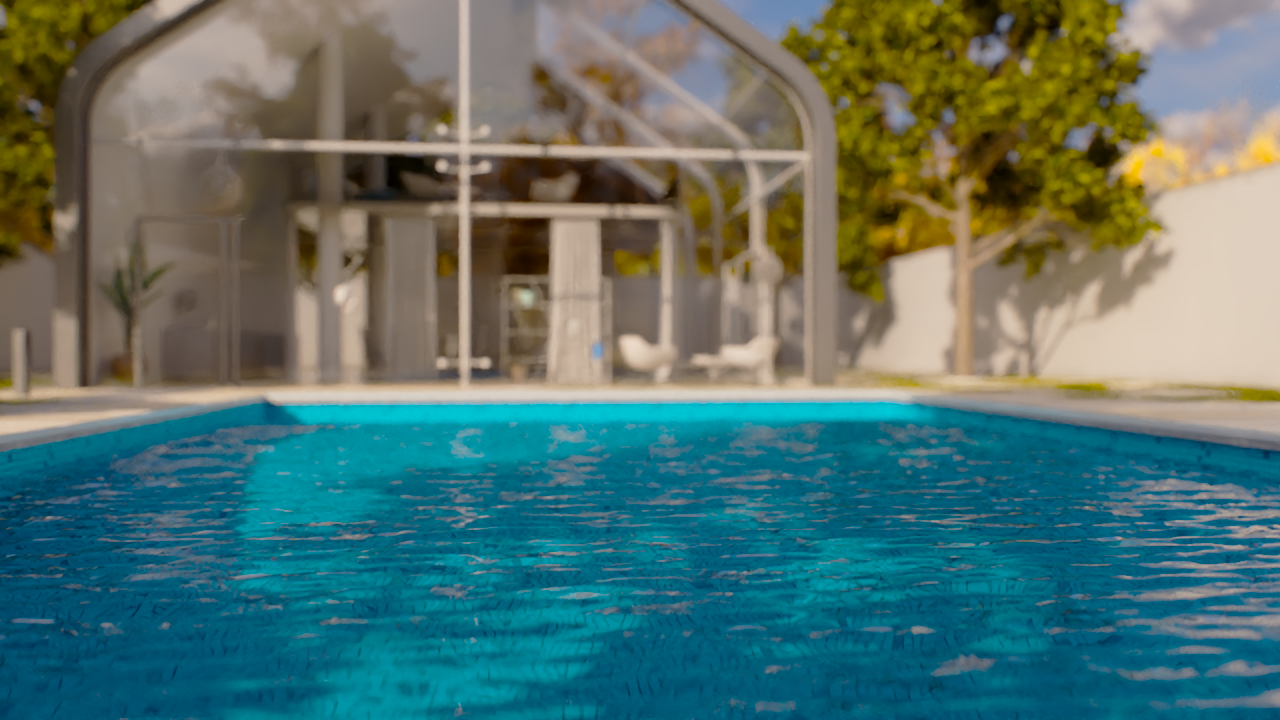
Wave Direction = 90 degrees
Wave Width Scale
This example demonstrates the effect of the Wave Width Scale parameter.
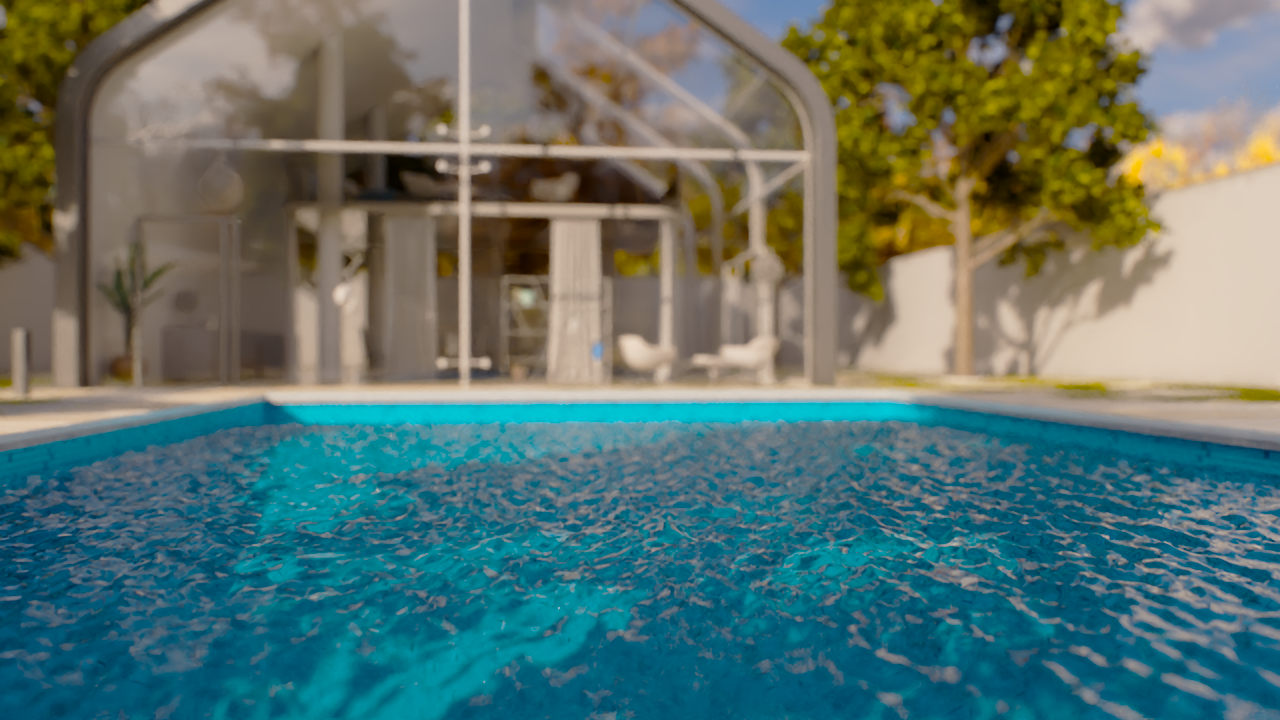
Wave Width Scale = 0

Wave Width Scale = 0.5
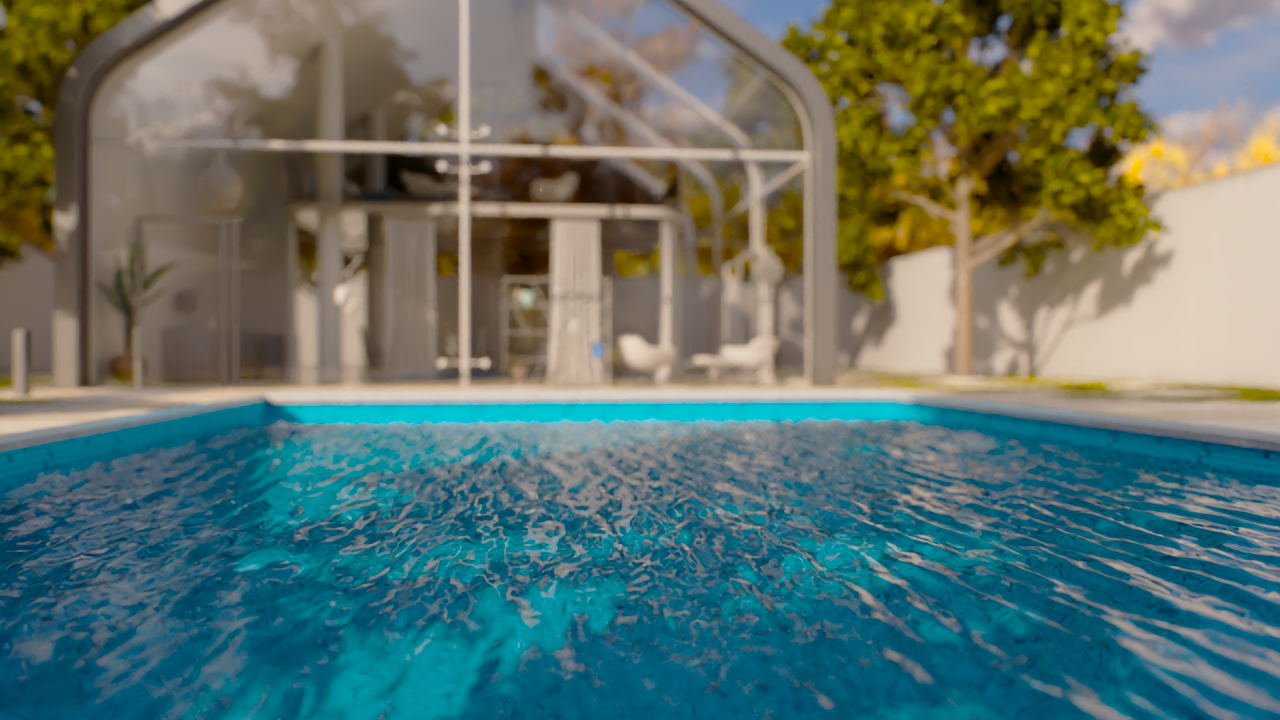
Wave Width Scale = 1