Enscape Release Notes
4.9.0 Preview 1 Windows
This change will initially be available only in Preview versions. This allows us to collect early feedback and make improvements before a full rollout. We’re excited about this transition and would love to hear your thoughts. Please share feedback in our Forum or reach out directly through our Idea Portal.
Last updated 1 September 2026
Enscape 4.9.0 Preview 1
Release Notes 09.07.2025
New
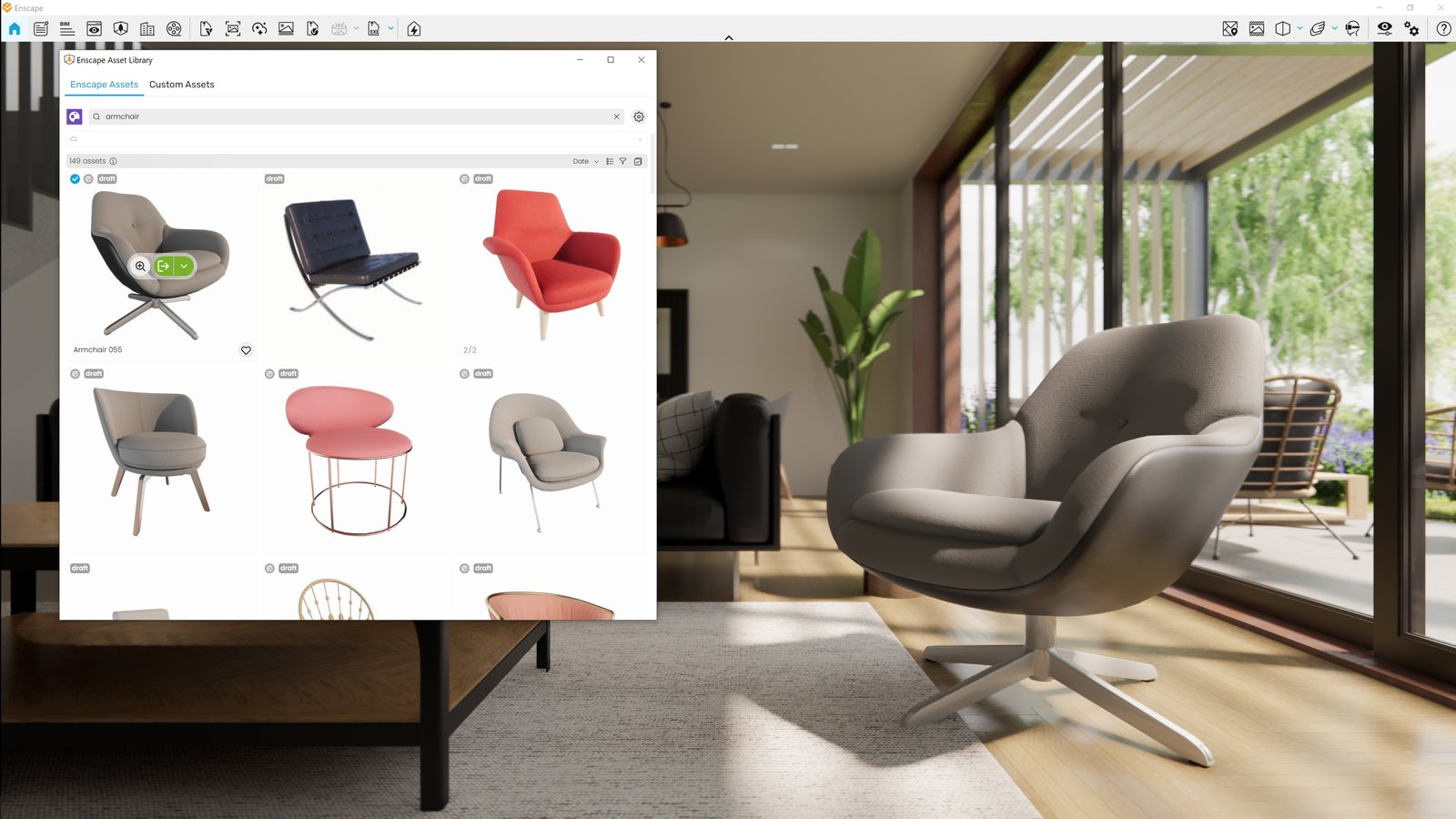
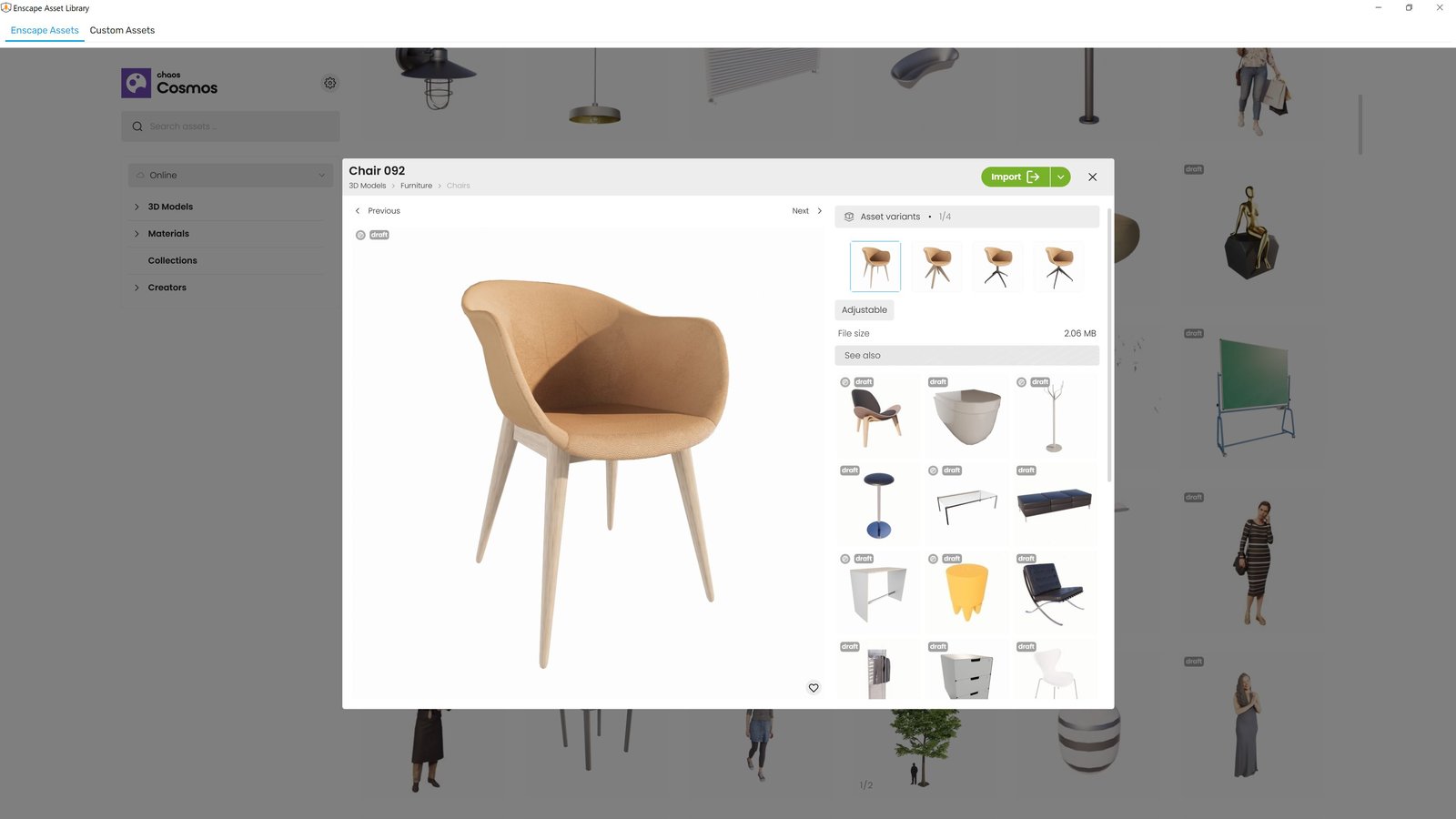
- New Asset Delivery Platform: Chaos Cosmos
Enscape now uses Chaos Cosmos as the platform for delivering assets. While the assets themselves remain unchanged, the system behind them is getting a major upgrade:- Improved search and filtering for easier discovery
- More modern, intuitive interface for browsing and placing assets
- Consistent experience across Chaos products, with room for future growth
- Same Enscape assets, now delivered through Cosmos
This change will initially be available only in Preview versions. This allows us to collect early feedback and make improvements before a full rollout.
We’re excited about this transition and would love to hear your thoughts. Please share feedback in our Forum or reach out directly through our Idea Portal.
- License Acknowledgements now included with EXE exports: A License Acknowledgements PDF is now automatically included in the exported Enscape Standalone Executable and available in the temp scene folder when executed on the user’s machine.
- Removed Support for SketchUp 2022 and older versions: Starting with Enscape 4.9, support for old versions will be removed. This allows us to streamline development, improve code quality, and focus on supporting the latest SketchUp versions.
Fixed Bugs
- Revit/Vectorworks: After a crash of the Enscape process, it can now be restarted using the Start button.
- Multi Asset Placement: Mouse cursor is now hidden during area selection to avoid visual overlap with placement preview.
- AutoLoD: Fixed false self-shadowing artifacts in small scenes and with massively scaled assets.
- Sun Position Sliders: Circular sliders for Azimuth and Altitude can now be dragged as expected in the View Management panel.
- Transform Gizmo: Scaling now continues properly after re-entering the window, even if the mouse cursor temporarily leaves the viewport.
Known Issues
- SSO Login Bug Prevents Second User from Using Enscape on Same PC: A second user cannot sign in into Enscape using their own credentials and obtain a license session.