V-Ray for 3ds Max
VRayAmbientLight
This page describes the settings of the V-Ray ambient light.
Last updated 4 April 2026
This page describes the settings of the V-Ray ambient light.
Overview
The VRayAmbientLight is a V-Ray specific light source plugin that can be used to create light that doesn't come from a specific direction. It can be used to simulate GI, ambient occlusion, etc.
The VRayAmbientLight is currently not supported on V-Ray GPU.
UI Paths

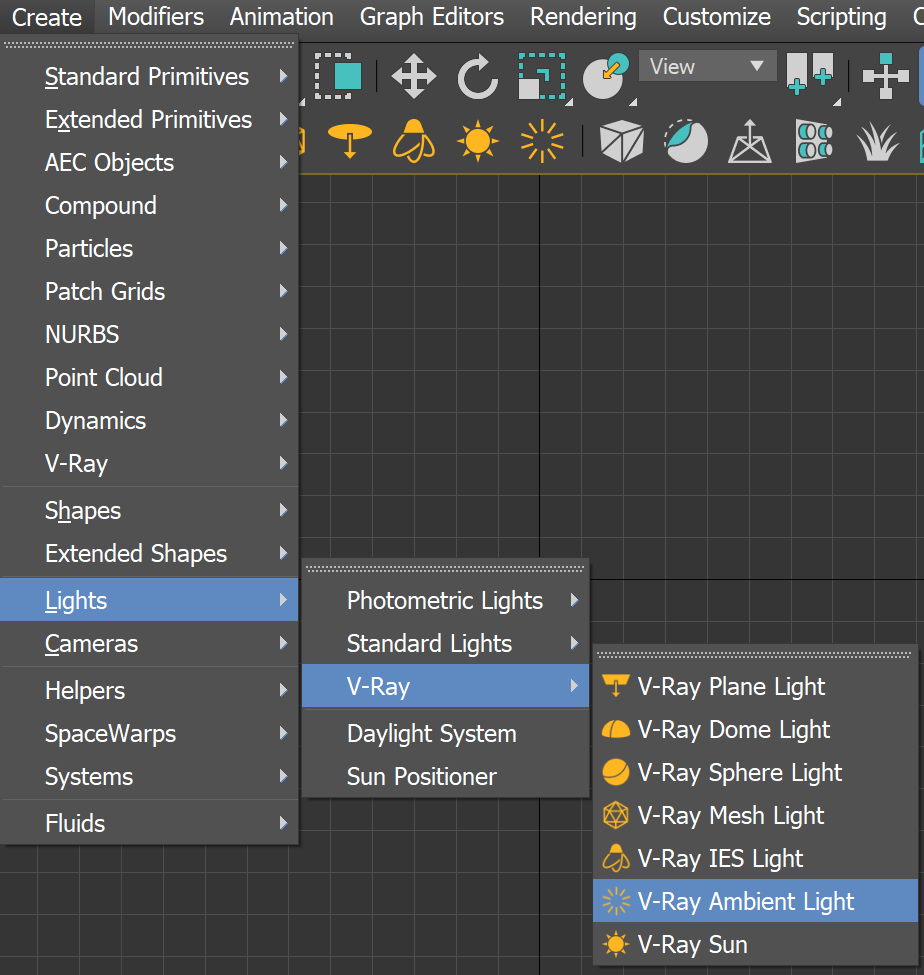
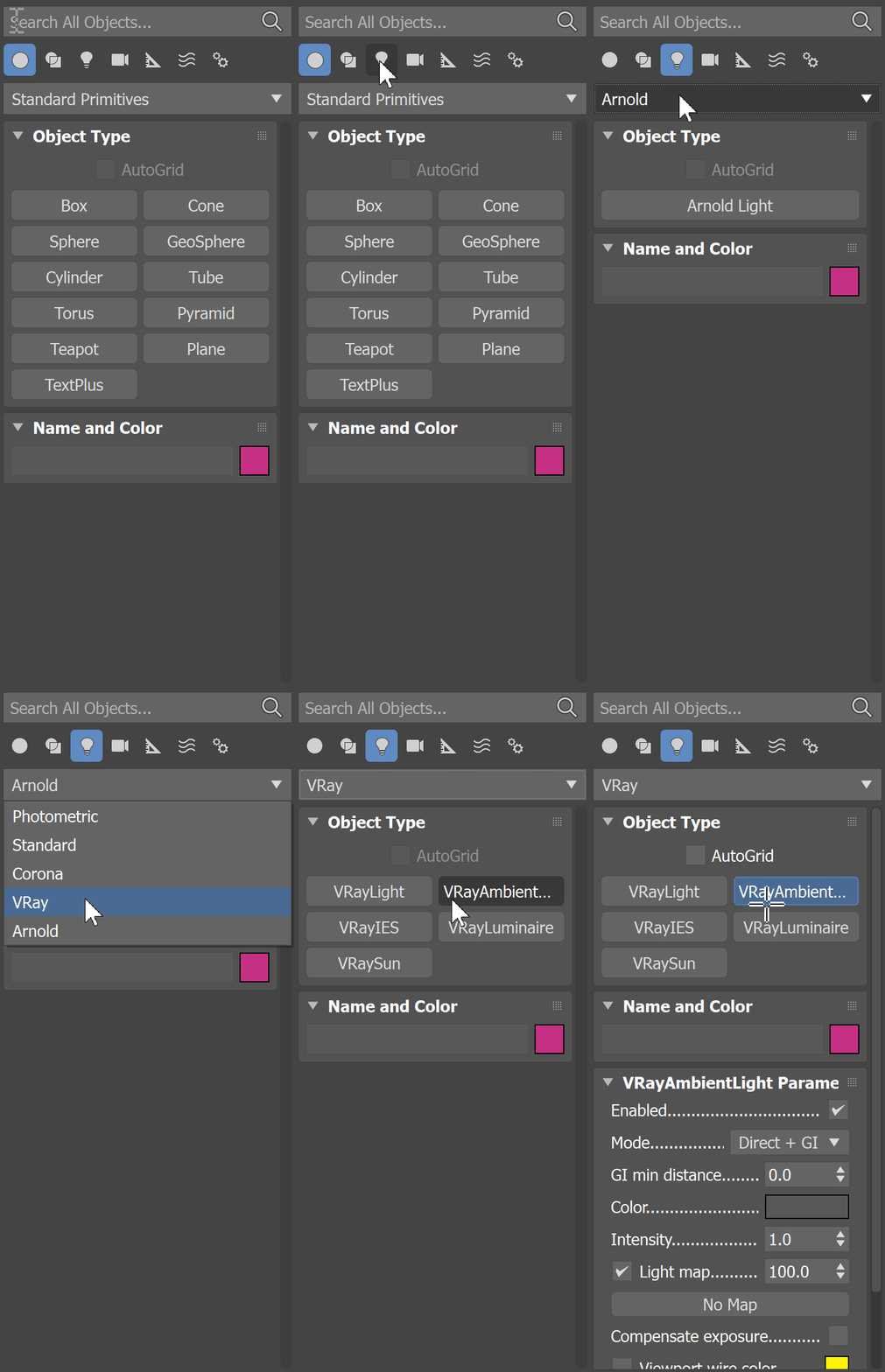
Parameters
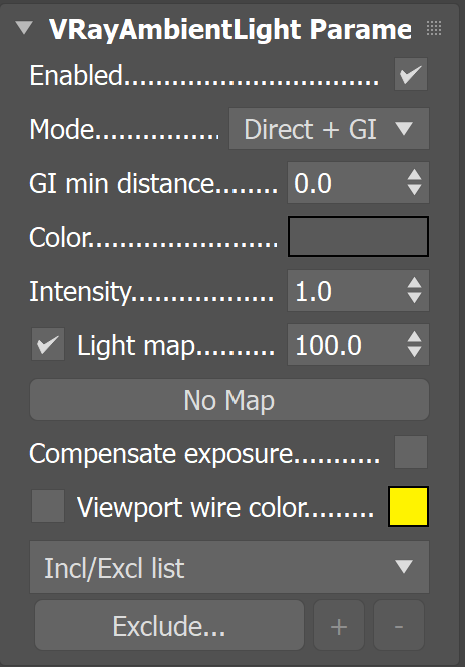
Enabled – Turns the light on and off.
Mode – Specifies which rays are affected by the VRayAmbientLight.
Direct + GI – Affects both direct and GI rays.
Direct Light – Affects only the direct rays.
GI – Affects only the GI rays.
GI min distance – Specifies a distance from objects within which the GI rays is not affected by the ambient light.
Color – Specifies the color of the VRayAmbientLight.
Intensity – An intensity multiplier for the VRayAmbientLight.
Light map – Specify a texture for the light.
Compensate exposure – Used when the VRayAmbientLight is used along with the VRayPhysicalCamera. When enabled, this option ensures that the color of the ambient light is not affected by the exposure settings in the physical camera.
Viewport wire color – Changes the wireframe color of the light in the viewports; useful to visually distinguish the light from other lights in the scene.
A dropdown menu allows you to select the include/exclude mode:
- Include/Exclude list
- Exclude layers
- Exclude object IDs
Exclude – (available for Include/Exclude list mode) Opens the 3ds Max Exclude/Include window for selection of objects to be excluded or included in illumination and/or shadow-casting for this light.
+ – (available for Include/Exclude list mode) Adds objects to the Incl/Excl list by picking them in the viewport.
- – (available for Include/Exclude list mode) Removes objects from the Incl/Excl list by picking them in the viewport.
Exclude Layers – (available for Exclude layers mode) Opens the Include/Exclude layers window for selection of layers to be excluded or included. You can also specify whether the Illumination, Shadow casting or both to be affected.
Exclude object IDs – (available for Exclude object IDs mode) Allows you to select objects to be excluded based on their object IDs.