V-Ray for 3ds Max
VRayExposureControl
This page gives details on how the settings for the Global Exposure Control work.
Last updated 21 May 2026
This page gives details on how the settings for the Global Exposure Control work.
Overview
The VRayExposureControl uses the exposure settings of a VRayPhysicalCamera without actually having to render through one.
UI Path
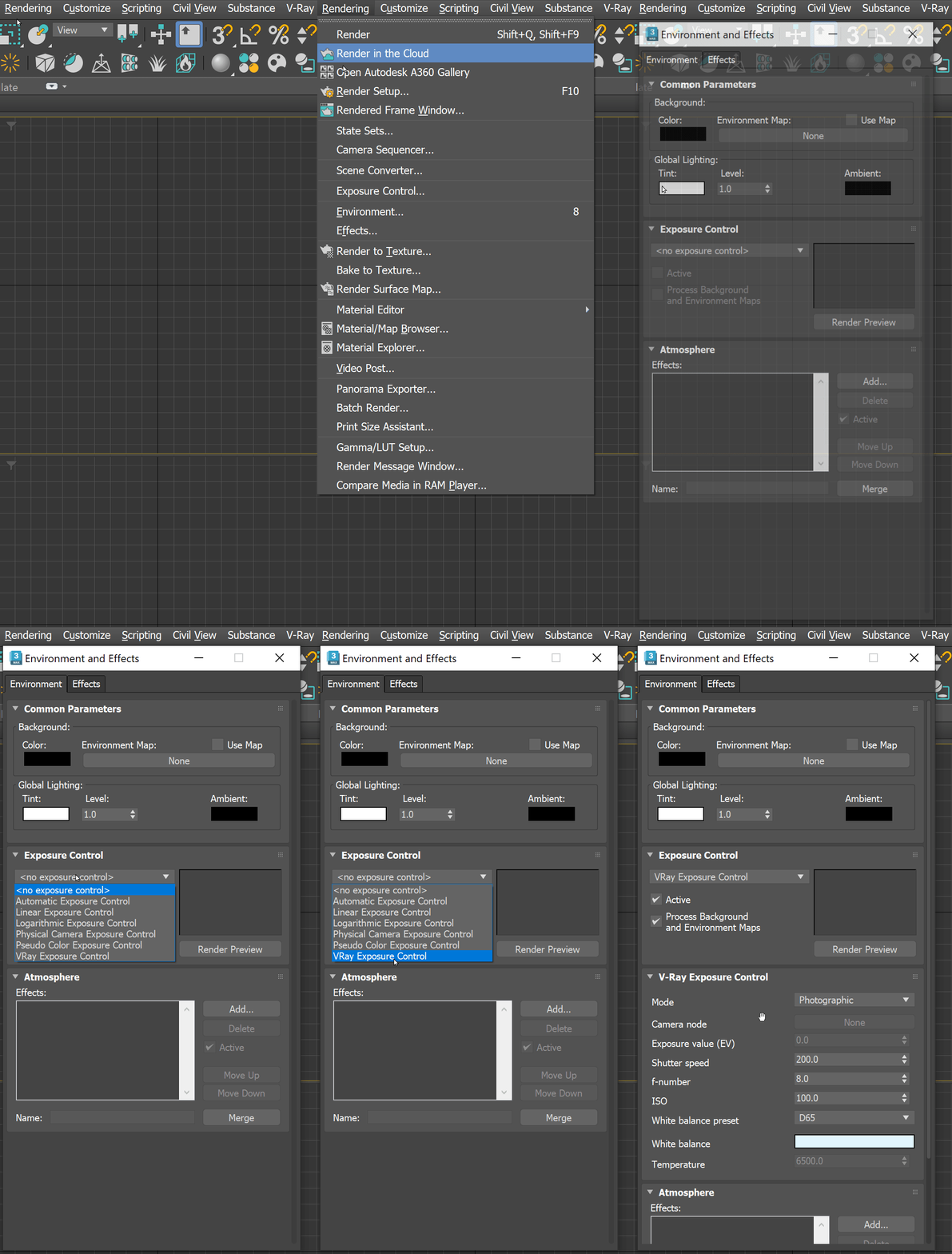
V-Ray Exposure Control
Mode – Chooses between several modes of applying the exposure control.
From VRay camera – Exposure settings are taken from a VRayPhysicalCamera specified in the Camera node.
From EV parameter – Exposure settings are based on the Exposure value (EV) parameter.
Photographic – Exposure is controlled through the Shutter speed, f-number, and ISO parameters.
Camera node – Specifies the VRayPhysicalCamera node from which the exposure settings will be taken.
Exposure value (EV) – Controls the exposure with a single parameter. Increasing it makes the image darker and decreasing it makes it brighter.
Shutter speed – Shutter speed, in inverse seconds, for the still photographic camera. For example, shutter speed of 1/30 s corresponds to a value of 30 for this parameter.
f-number – Determines the width of the camera aperture and the exposure.
ISO – Determines the film power (i.e. sensitivity). Smaller values make the image darker, while larger values make it brighter.
White balance preset – Modifies the image output in the same way that a real-world camera performs a white balance. Objects in the scene that have the specified color appear white in the image. Note that only the color hue is taken into consideration; the brightness of the color is ignored. There are several presets that can be used, most notably the Daylight preset for exterior scenes.
White balance – Specifies a custom color for the white balance.
Temperature – When the White balance preset is Temperature, this parameter controls the white balance color.

Notes
- For V-Ray versions 6 and prior, for the VRayExposureControl to work, make sure that the Use 3ds Max photometric scale option is enabled in the V-Ray Global Switches rollout.
- Starting with V-Ray 7, the Use 3ds Max photometric scale option is enabled by default and has been removed from the UI.