V-Ray for Blender
Caustics Rollout
This page provides information on the Caustics rollout.
Last updated 12 June 2026
This page provides information on the Caustics rollout.
Overview
V-Ray supports the rendering of caustics effects by using one of the following techniques: photon mapping or progressive.
The new Progressive caustics solver uses advanced sampling techniques, and is able to trace as many photons as required without suffering the memory constraints of traditional Photon Mapping techniques.
It is loosely based on two papers: one on Progressive Photon Mapping from Knaus and Zwicker, and another on Metropolis-guided caustics tracing from Šik and Krivánek.
The other method, New Map (Photon Mapping), is a two-pass technique.
The first pass consists of shooting light particles (photons) from the light sources in the scene, tracing them as they bounce around the scene, and recording the places where the photons hit the object surfaces.
The second pass is the final rendering, which is when the caustics are calculated by using density estimation techniques on the photon hits stored during the first pass.
Parameters
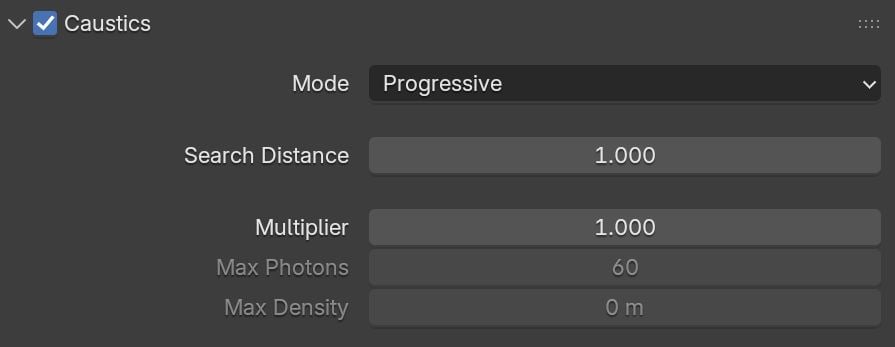
Caustics – Turns rendering of caustics on and off. Mode – Specifies whether caustics should be calculated using a traditional New map or the new Progressive1 algorithm. Alternatively, you can use a pre-calculated map From File.
Progressive
The Progressive method doesn't need most of the controls used for traditional Photon Mapping (New Map). See the Advantages and Limitations section.
Search Distance – Specifies the initial photon lookup radius in pixels. See the example.
Multiplier – Controls the strength of the caustics. It is global and applies to all light sources that generate caustics. If you want different multipliers for the different light sources, use local light settings.
Note: This multiplier is cumulative with the multipliers in the local light settings. Changing multipliers, while useful for artistic purposes, results in physically inaccurate scenes.
Max photons – Maximum number of photons within the search area circle that are considered when rendering the caustics effect on a surface. Smaller values cause fewer photons to be used, and the caustics are sharper, but noisier. Larger values produce smoother but blurrier caustics. The special value of 0 causes V-Ray to use all the photons that it can find inside the search area.
Max density – Limits the resolution (and thus the memory) of the caustics photon map. Whenever V-Ray needs to store a new photon in the caustics photon map, it first looks if there are any other photons within a distance specified by the Max density parameter. If there is already a suitable photon in the map, V-Ray adds the energy of the new photon to the one in the map. Otherwise, V-Ray stores the new photon in the photon map. This option allows V-Ray to trace many photons (and thus get smoother results) while keeping the size of the caustics photon map manageable.
Example: The Search Distance Parameter
For this example, the Light Caustics Multiplier is 80 and the rest of the parameters are at their default values. The light used in the scene is VRaySun. The Caustics method is set to Progressive.

Search Distance
is
1
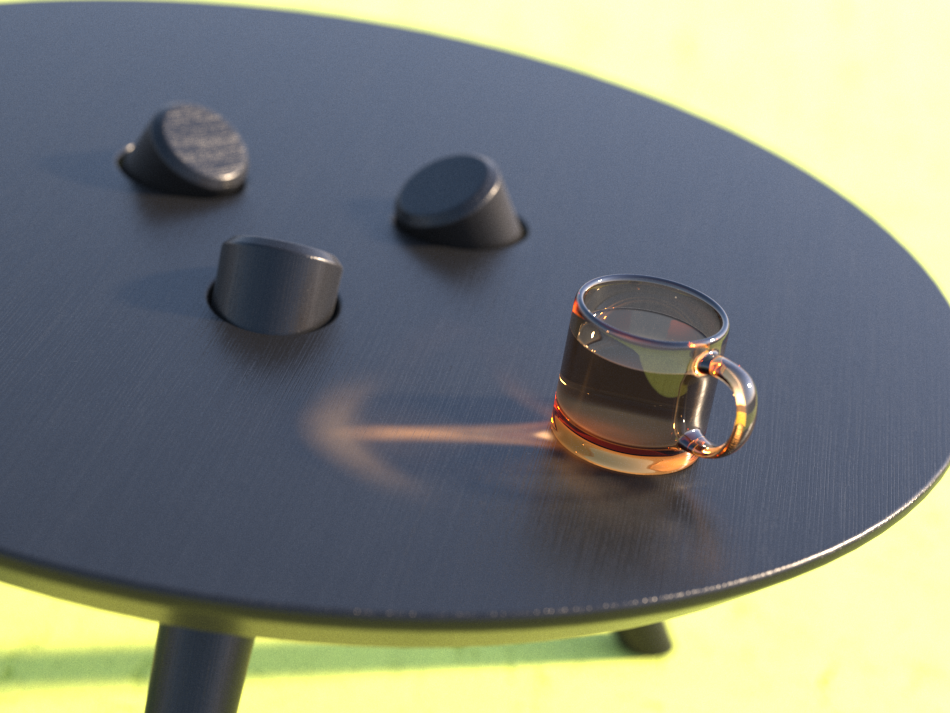
Search Distance
is
10
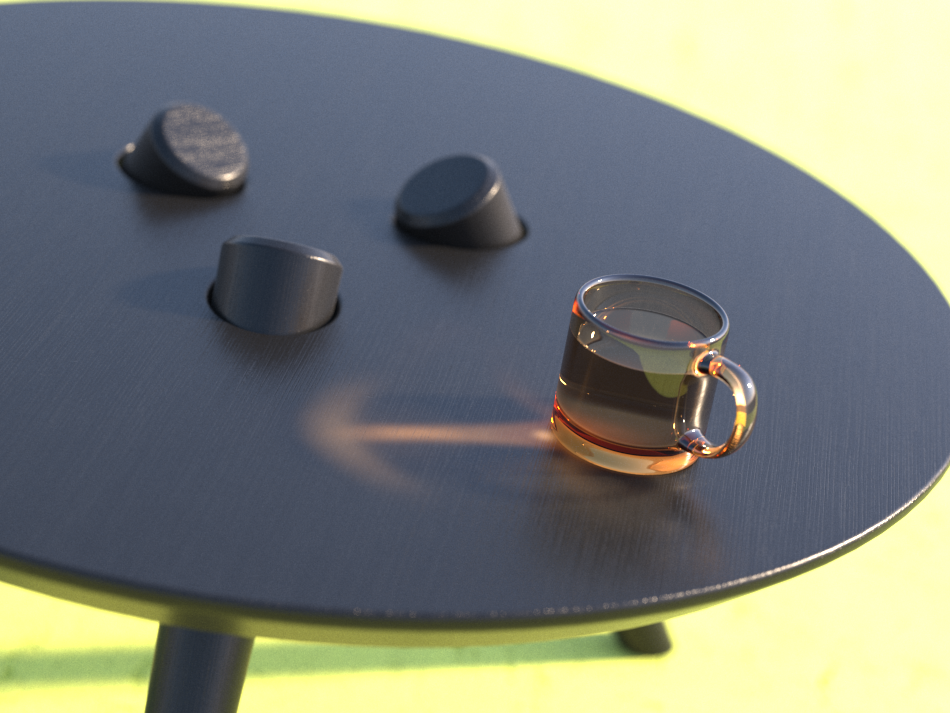
Search Distance
is
20
New Map Mode
Search Distance Units – Specifies the caustics photon lookup radius units. You can choose between World and Pixels. When V-Ray needs to render the caustics effect at a given surface point, it searches for a number of photons on that surface in the area surrounding the shaded point (search area). The search area in fact is a circle with center the original photon and its radius is equal to the Search distance value. Smaller values produce sharper, but perhaps more noisy caustics; larger values produce smoother, but blurrier caustics. For more information, see the Search Distance Parameter example.
Search Distance – Specifies the photon lookup radius in pixels or world units, depending on the Search Distance Unit value. See the example.
Max Photons – Specifies the maximum number of photons that is considered when rendering the caustics effect on a surface. Smaller values cause fewer photons to be used, and the caustics are sharper, but noisier. Larger values produce smoother, but blurrier caustics. The special value of 0 means that V-Ray uses all the photons that it can find inside the search area. For more information, see The Max Photons example in the expandable field.
Max Density – Limits the resolution (and thus the memory) of the caustics photon map. Whenever V-Ray needs to store a new photon in the caustics photon map, it first checks if there are any other photons within a distance specified by Max density. If there is already a suitable photon in the map, V-Ray just adds the energy of the new photon to the one in the map. Otherwise, V-Ray stores the new photon in the photon map. Using this options allows you to shoot many photons (and thus get smoother results) while keeping the size of the caustics photon map manageable.
Auto Save – Press this button if you want to save an already generated photon map in a file.
Auto Save File – The file name with the caustics photon map to be loaded when the Mode is set to From file.

Example: Search Distance
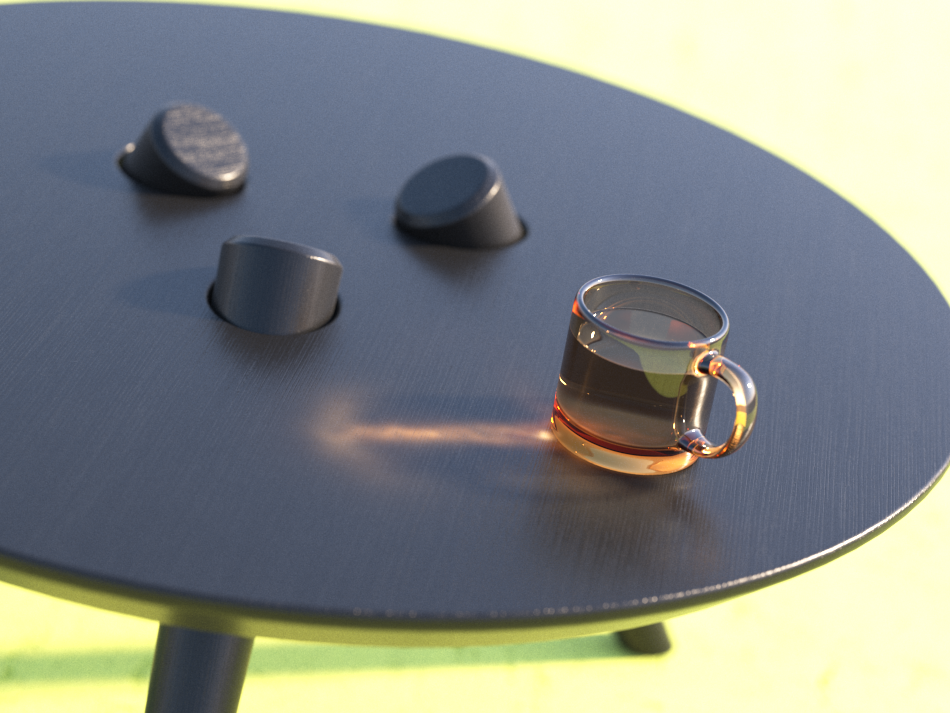
Here, the Caustics method is set to Photon map, and the Multiplier is again set to 80. As can be seen, the larger search distance produces blurrier caustics.
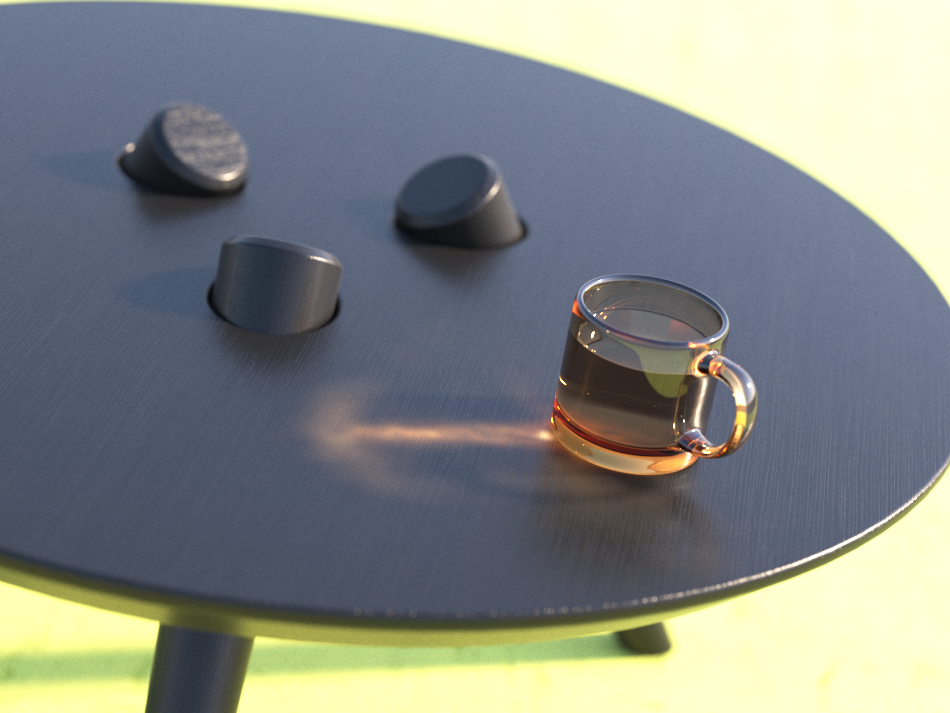
Search Distance
is
1.5

Search Distance
is
2.5
Search Distance
is
5
From File Parameters
Most parameters are identical to those of the New map Mode.
Photon Map File – File name with the caustics photon map to be loaded when Mode is set to From file. Click the Browse button to the right to specify the file name.

Progressive Caustics Advantages
- They require nearly no setup;
- Rach cast photon is more useful than those in traditional Photon Mapping (New Map);
- The number of photons castable is only limited by time, not memory;
- They can resolve tiny caustic details, compared to the scene size;
- They can resolve caustic details also when a camera is very zoomed in on them;
- Statistics about the photon tracing can be found in the VFB stats panel;
Progressive Caustics Limitations
- They require the progressive image sampler;
- The image sampler often requires Min. subdivs values much higher than 1;
- It's non-deterministic, meaning that there could be somewhat unpredictable render times, and also tiny differences in the visual results when rendering the same frame twice;
- Currently doesn't work with distributed rendering (currently not supported);
- Currently not supported by the GPU engine;
- Depending on the scene, the performance might not scale linearly with the number of threads/cores, resulting in inefficient CPU utilization.