V-Ray for Blender
Float To Color
This page provides information about the Float To Color utility texture in the V-Ray Node Editor in Blender.
Last updated 18 September 2025
This page provides information about the Float To Color utility texture in the V-Ray Node Editor in Blender.
Overview
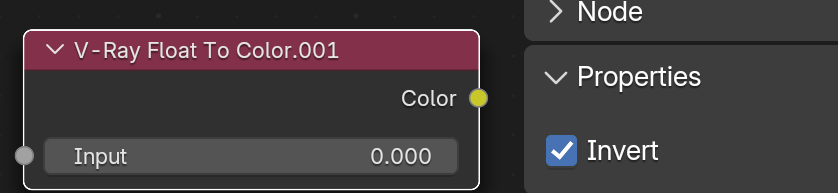
The Float To Color utility texture converts the input scalar texture to a grayscale color. The grayscale range is from 0 to 1, so any float value above 1 produces the same results. This node has no editable parameters.
UI Path: ||V-Ray Node Editor|| > Add > Texture Utilities > V-Ray Float To Color

Example setup
Properties
Input – Allows for a node to be connected. This slot accepts only float values. Alternatively, a custom float value can be determined here.
Invert – Inverts the float to a negative value. This option is found either in the Node menu on the side of the V-Ray Node Editor or in the Material Properties panel.