This page provides information about the Color Correction node in V-Ray for Cinema 4D.
Last updated 19 September 2025
This page provides information about the Color Correction node in V-Ray for Cinema 4D.
Overview
The Color Correction node enables the application of various color corrections to a texture map (Bitmap).
Properties
Source Color – Specifies a bitmap to be color corrected.
Channels
Rewire Red/Green/Blue/Alpha – Replaces the current channel with the chosen one:
Red – Assigns the red channel. Green – Assigns the green channel. Blue – Assigns the blue channel. Alpha – Assigns the alpha channel. Redinv – Assigns the inverse value of the red channel. Greeninv – Assigns the inverse value of the green channel. Blueinv – Assigns the inverse value of the blue channel. Alphainv – Assigns the inverse value of the alpha channel. Monochrome – Sets the channel to be monochrome (grayscale). One – Assigns the value 1 (or the highest possible value) to the channel. For example, Rewire Red set to One gets the red channel a value of 255 (RGB, 0 to 255). Zero – Assigns the value 0 (or the lowest possible value) to the channel. For example, Rewire Red set to Zero gets the red channel a value of 0 (RGB, 0 to 255).
Color
Hue Shift – Specifies a value for the adjustment of the current color hue.
Saturation – Specifies a value for the saturation or desaturation of colors. Negative values desaturate.
Hue Tint – Specifies a color that is used to tint the current colors.
Tint Strength – Adjusts the strength of the Hue Tint.
Lightness
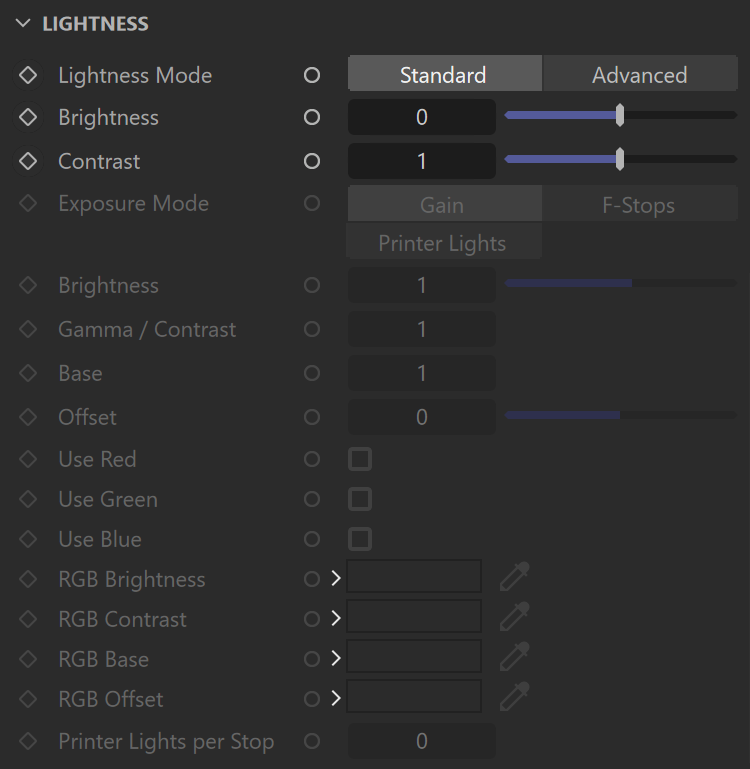
Lightness Mode – Specifies the lightness mode that is used. You can choose between Standard and Advanced mode.