V-Ray for Cinema 4D
Combine Float Node
This page provides information about the Combine Float node in V-Ray for Cinema 4D.
Last updated 19 September 2025
This page provides information about the Combine Float node in V-Ray for Cinema 4D.
Overview
This node allows you to multiply a texture with a float value.
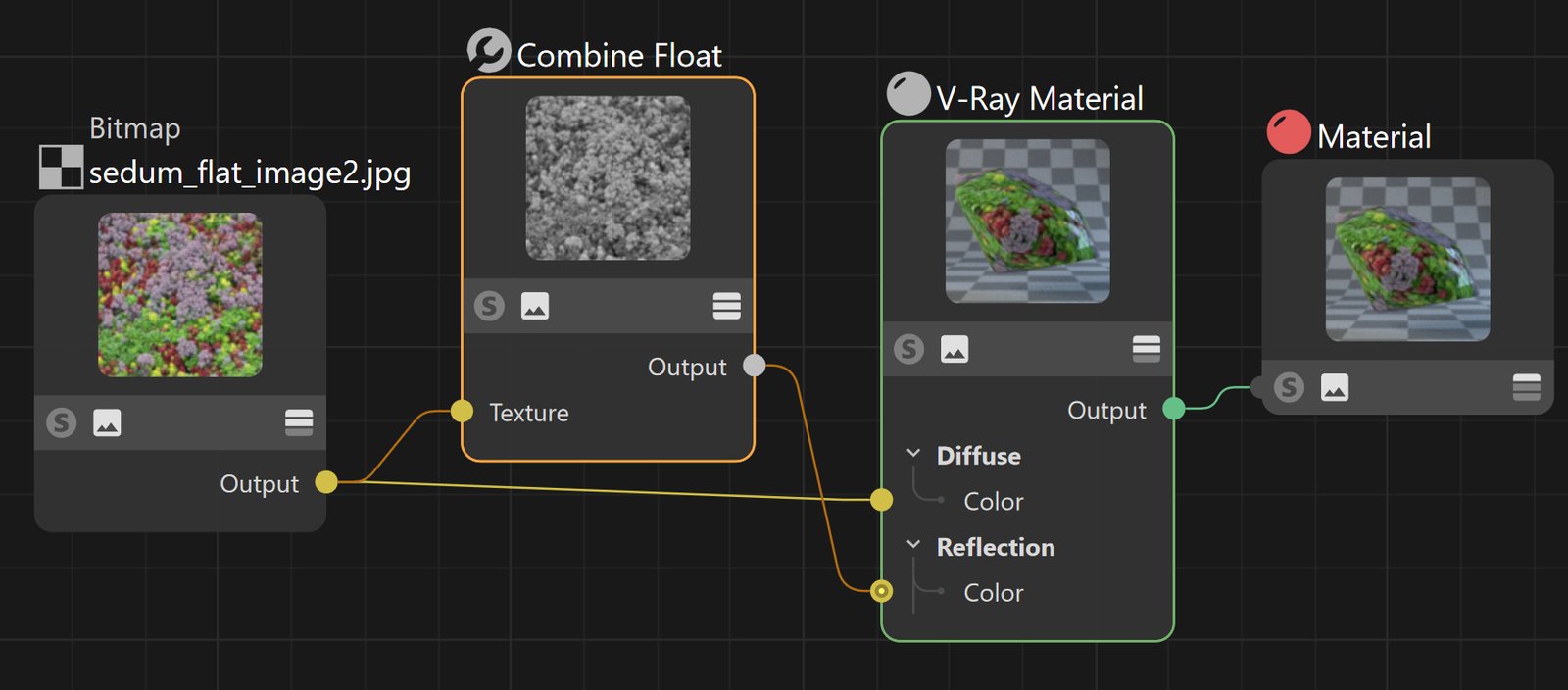
In the image, the Bitmap is connected to the Diffuse port of the V-Ray Material and then passed through the Combine Float node to be connected to the Reflection Color port of the V-Ray Material. This allows the reflections to perfectly match the applied Bitmap texture for added realism. In such use cases
Parameters
Value – The value to multiply the texture with.
Texture – An input slot to connect the texture to.
Mix Strength – A multiplier for the connected texture - blends between the value and the texture.
Texture Clamp – When enabled, the output is clamped to 1 from above (always clamped to 0 from below).
Result Multiplier – Specifies a multiplier for the end result.
