V-Ray for Cinema 4D
Condition Node
This page provides information about the Condition node in V-Ray for Cinema 4D.
Last updated 19 September 2025
This page provides information about the Condition node in V-Ray for Cinema 4D.
Overview
The V-Ray Condition node texture can be used to compare two float values.
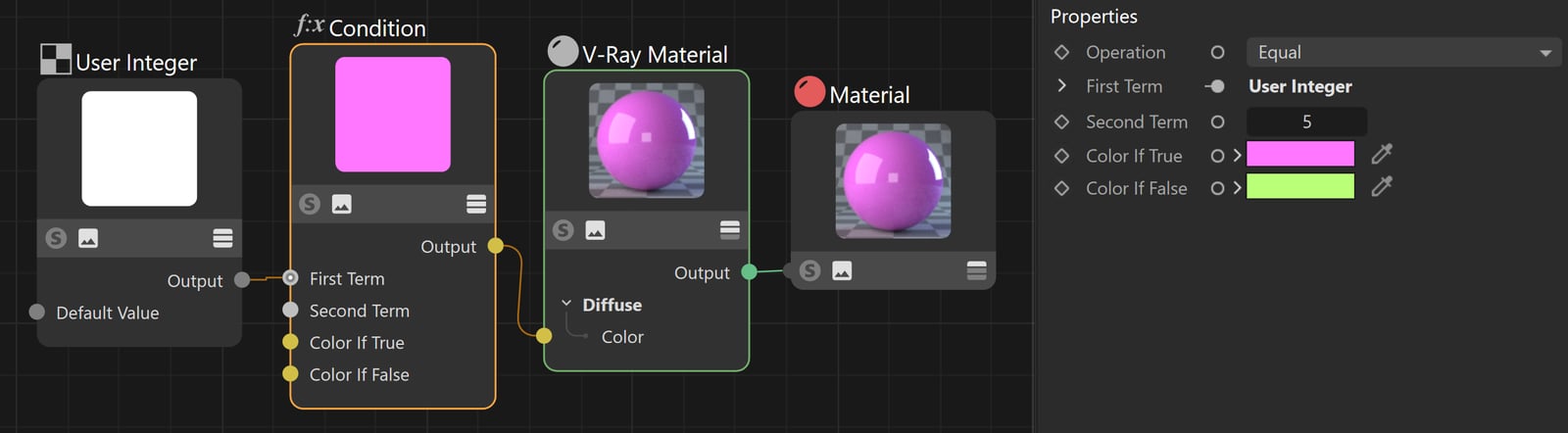
In the image, the User Integer node is used to gather the VRay_ObjectID User Attribute. This value is compared to the value 5 within the Condition node. This means that every object with an Object ID of 5 will be shaded in pink (Color If True).
Click on the image to view it in full size.
Properties
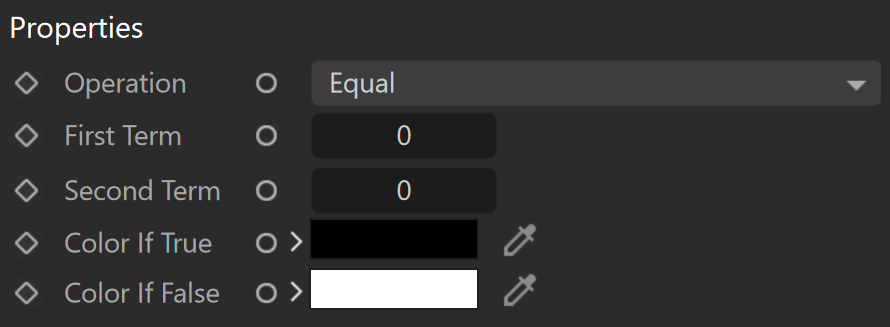
Operation – Specifies a condition according to which the two float values are compared.
Equal
Not Equal
Greater Than
Greater or Equal
Less Than
Less or Equal
First Term – The first number to compare. A User Integer node can be connected here as well.
Second Term – The second number to compare. A User Integer node can be connected here as well.
Color If True – Specifies a color that is applied if the Operation is fulfilled.
Color If False – Specifies a color that is applied if the Operation fails.