V-Ray for Cinema 4D
Create Custom Cosmos Asset
This page describes the Create Custom Cosmos Asset functionality in V-Ray for Cinema 4D.
Last updated 1 September 2026
This page describes the Create Custom Cosmos Asset functionality in V-Ray for Cinema 4D.
Overview
The Create Custom Cosmos Asset function allows users to create their own assets and save them in Chaos Cosmos. These assets can later be imported into different scenes through Cosmos. This is useful when the same custom asset is needed throughout different projects. It can be reused indefinitely.
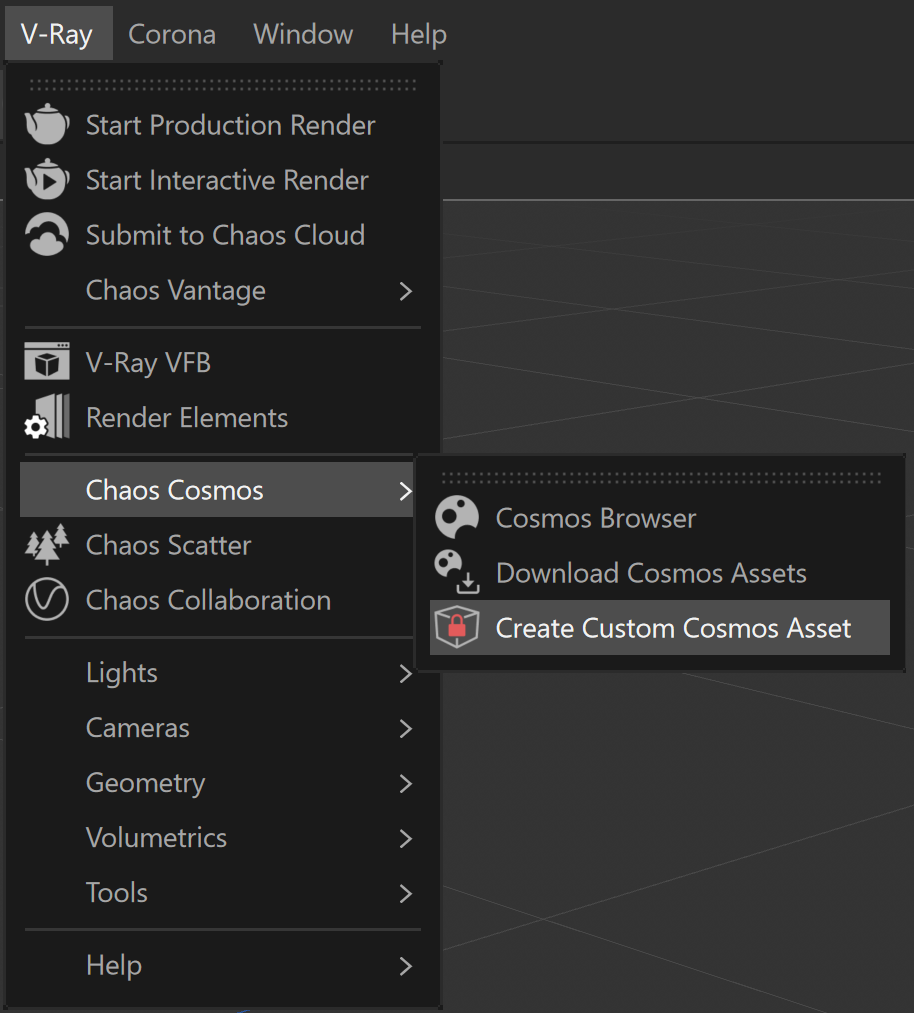
UI Path: V-Ray menu > Chaos Cosmos > Create Custom Cosmos Asset
Workflow
If you have an object in the scene, that you want to save and re-use in other projects/instances, follow these steps:
- Create the object(s) you would like to save.
- Go to V-Ray > Chaos Cosmos and click on Create Custom Cosmos Assets.
- In the Create New Asset window, set the description for your asset:
- Set the Asset name and the Cosmos Categories it corresponds to.
- Then, choose from the numerous Cosmos Tags that best describe the object.
- Click on the Choose button to upload visual previews of the object. These can be .png, .jpg, .jpeg, .gif, .bmp, .svg, .tiff, .ico files. Once uploaded, the directories of the files are displayed under Previews.
- Add a brief Description of the object (optional).
- Once you are happy, click Create.
- Your custom asset can now be found under the My Assets filter. You can now import the custom asset into any scene from the same Chaos account.
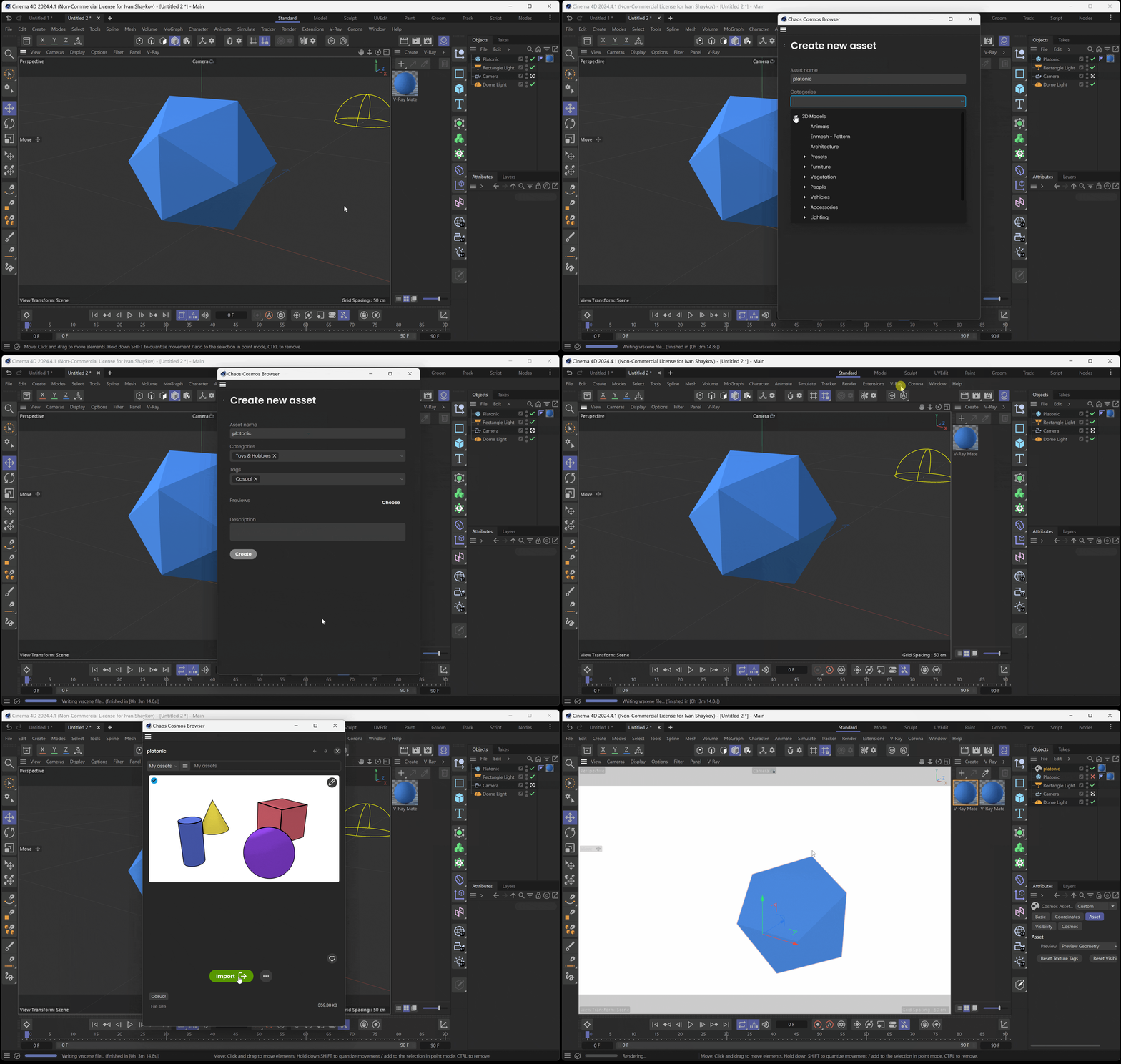
Click on the GIF to view it in full size