V-Ray for Cinema 4D
Object ID RE
This page provides information about the Object ID Render Element in V-Ray for Cinema 4D.
Last updated 19 September 2025
This page provides information about the Object ID Render Element in V-Ray for Cinema 4D.
Overview
Two or more objects in the scene can share the same Object ID.
The Object ID Render Element creates selection masks based on Object ID that shows each object (by Object ID) in a solid unshaded color. This can be used to select only some object in the scene and adjust their properties. See the example.
UI Path: ||V-Ray|| > Render Elements > Object ID
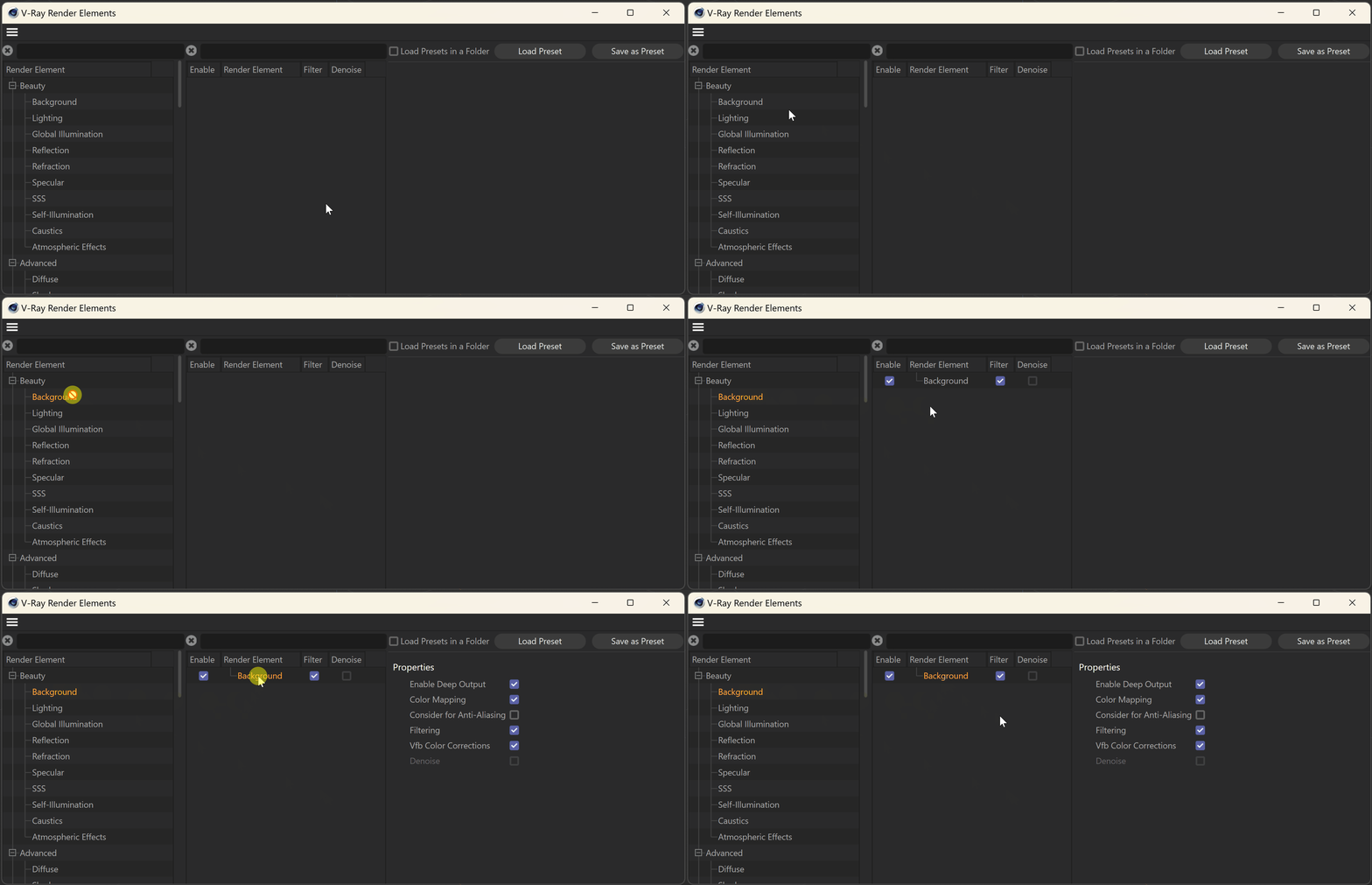
How to add a render element to a scene

Properties
Enable Deep Output – When enabled, the rendering channel is rendered in the V-Ray Virtual Frame Buffer.

Example: Adjusting an Object Using Object ID
In this example, we selected the chairs in the scene, using the Object ID RE (chairs with the same ID are selected together). Then, we extracted their Specular and Reflection REs and adjusted these elements before adding them back into the composition for the corresponding ID selection. See the render before and after.

