V-Ray for Cinema 4D
Refraction Filter RE
This page provides information about the Refraction Filter Render Element in V-Ray for Cinema 4D.
Last updated 19 September 2025
This page provides information about the Refraction Filter Render Element in V-Ray for Cinema 4D.
Overview
The Refraction Filter Render Element is an image that stores refraction information calculated from the materials' refraction values in the scene. Materials with no refraction values appear as black, while completely refractive materials appear as white, and everything in between appears as a shade of gray. If any hue (color) is specified in the material's Refractive Color parameter, that hue and value are represented here in the Refraction Filter as well as being affected by the refraction's Amount parameter.
In comparison, the Raw Refraction Render Element is a color render element that takes materials and their colors into account when rendering refraction. Multiplying these two render elements together produces the Refraction Render Element.
UI Path: ||V-Ray|| > Render Elements > Refraction Filter
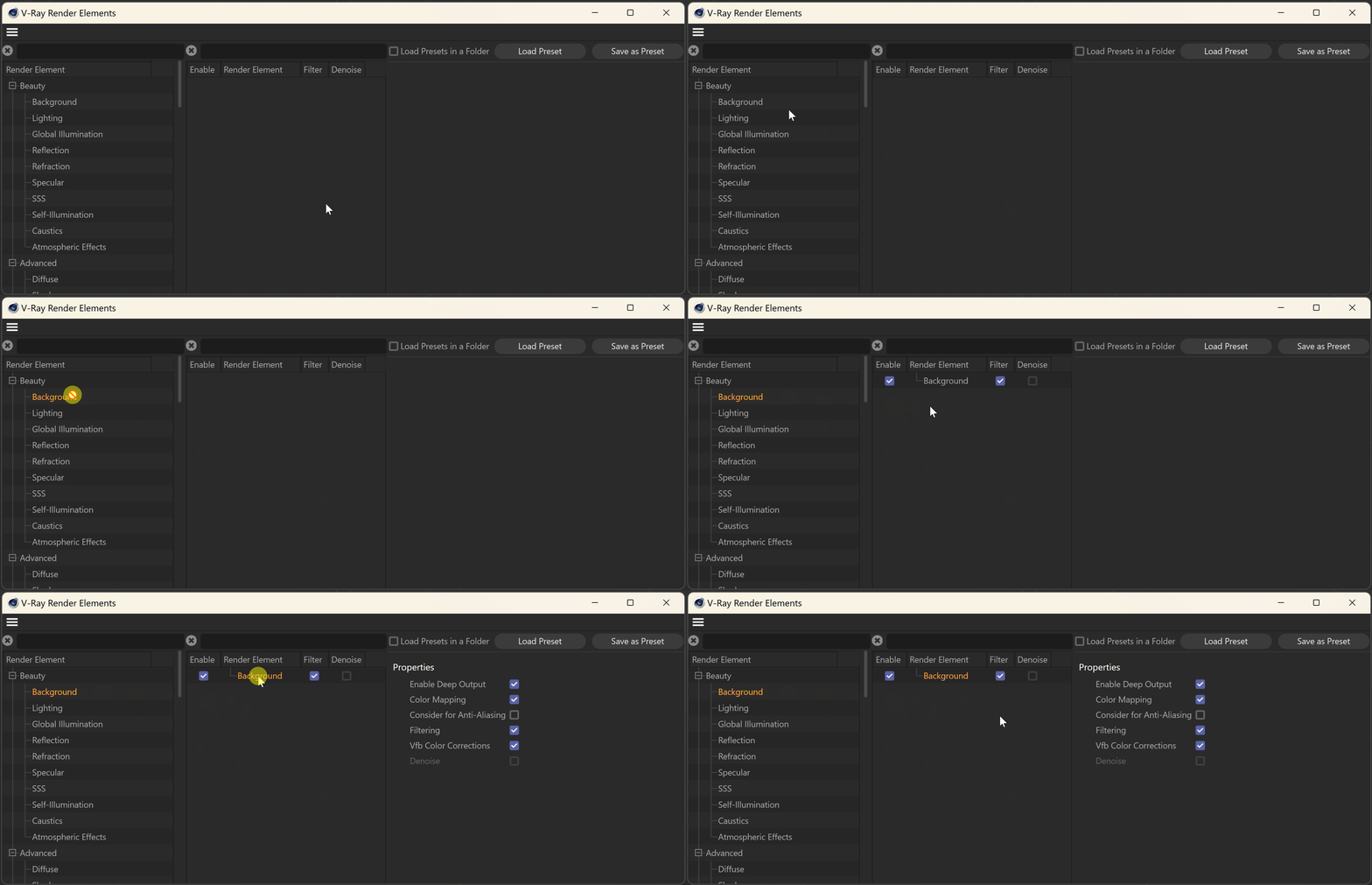
How to add a render element to a scene

Properties
Enable Deep Output – Specifies whether to include this render element in deep images.
Color Mapping – Applies the color mapping options specified in the Color Mapping rollout of the V-Ray tab in the Render Settings window to this render element. This option is enabled by default.
Consider for Anti-Aliasing – When enabled, anti-aliasing is used where possible.
Filtering – Applies an image filter to this channel.
Vfb Color Corrections – Applies the post-render color adjustments made from the VFB.
Denoise – Enables the render element's denoising, provided the Denoiser render element is present.

Compositing Example
In this example, we have multiplied (i.e., set the Blend mode to Multiply) the Raw Refraction RE by the Refraction Filter RE to create the Refraction RE. This gives us better control over the final Refraction RE.
